

- Create your Twitter hashtag feed widget here.
- Customize your Twitter hashtag feed widget.
- Copy the Twitter hashtag feed widget embed code.
- Login to your website admin panel and create or edit a page.
- Paste the embed code where you want the Twitter hashtag feed widget to appear.
- Save and view your page. Done!
That's easy! Embedding Twitter hashtag feed widget on your website will take only 2 minutes. If you need a more detailed guide, scroll down to follow our complete guide or watch our video guide.
Looking to purchase our premium features? Please check the details on our pricing page here.
Create and customize your Twitter hashtag feed widget
The first part is creating your Twitter hashtag feed widget using the SociableKIT dashboard. Customize the look and feel to match your brand. Follow the steps below.
-
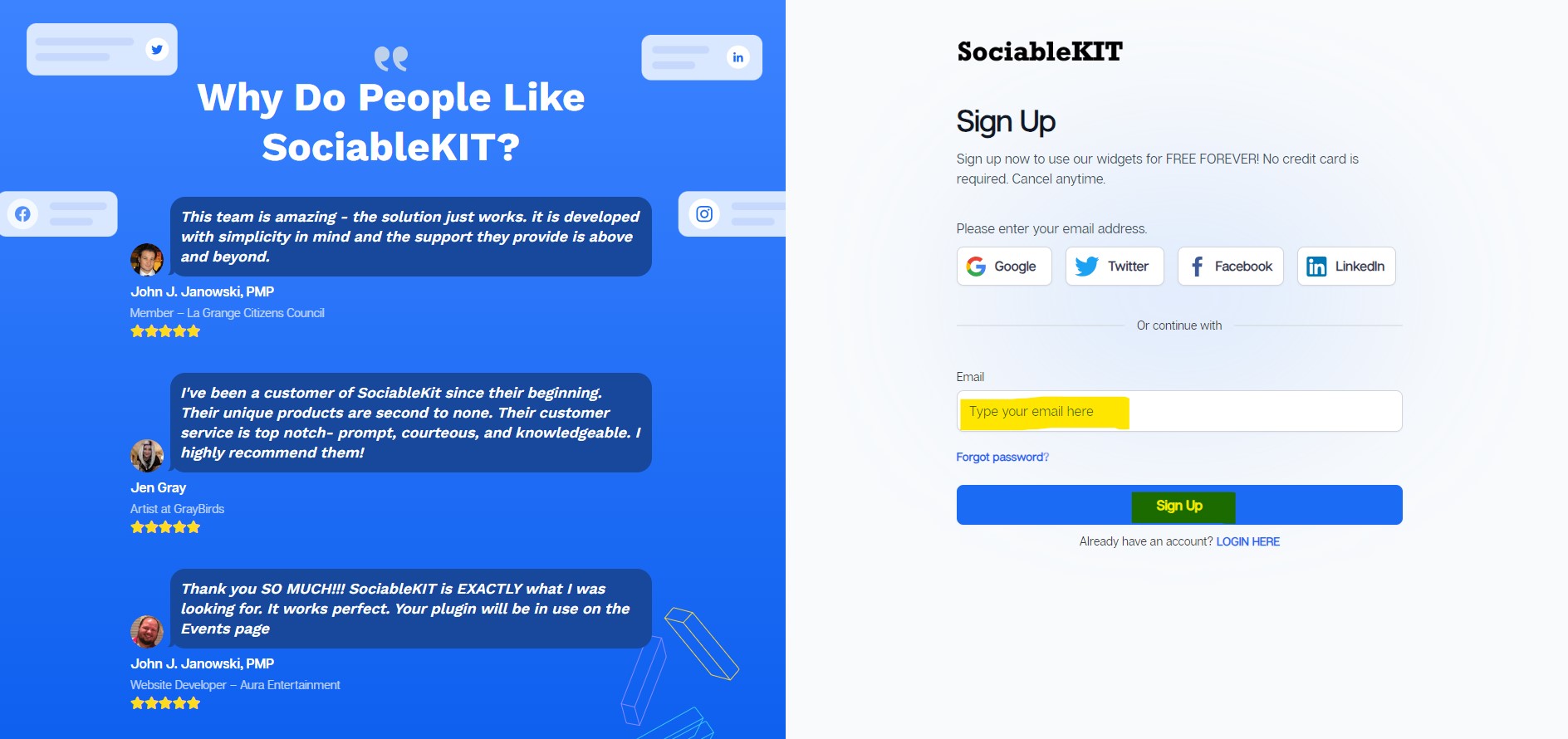
Sign up FREE or login to SociableKIT. You can login here if you already have an account. Once you sign up, you will start your 7-day premium trial. After 7 days, you can activate the free plan if you don't need our premium features.

-
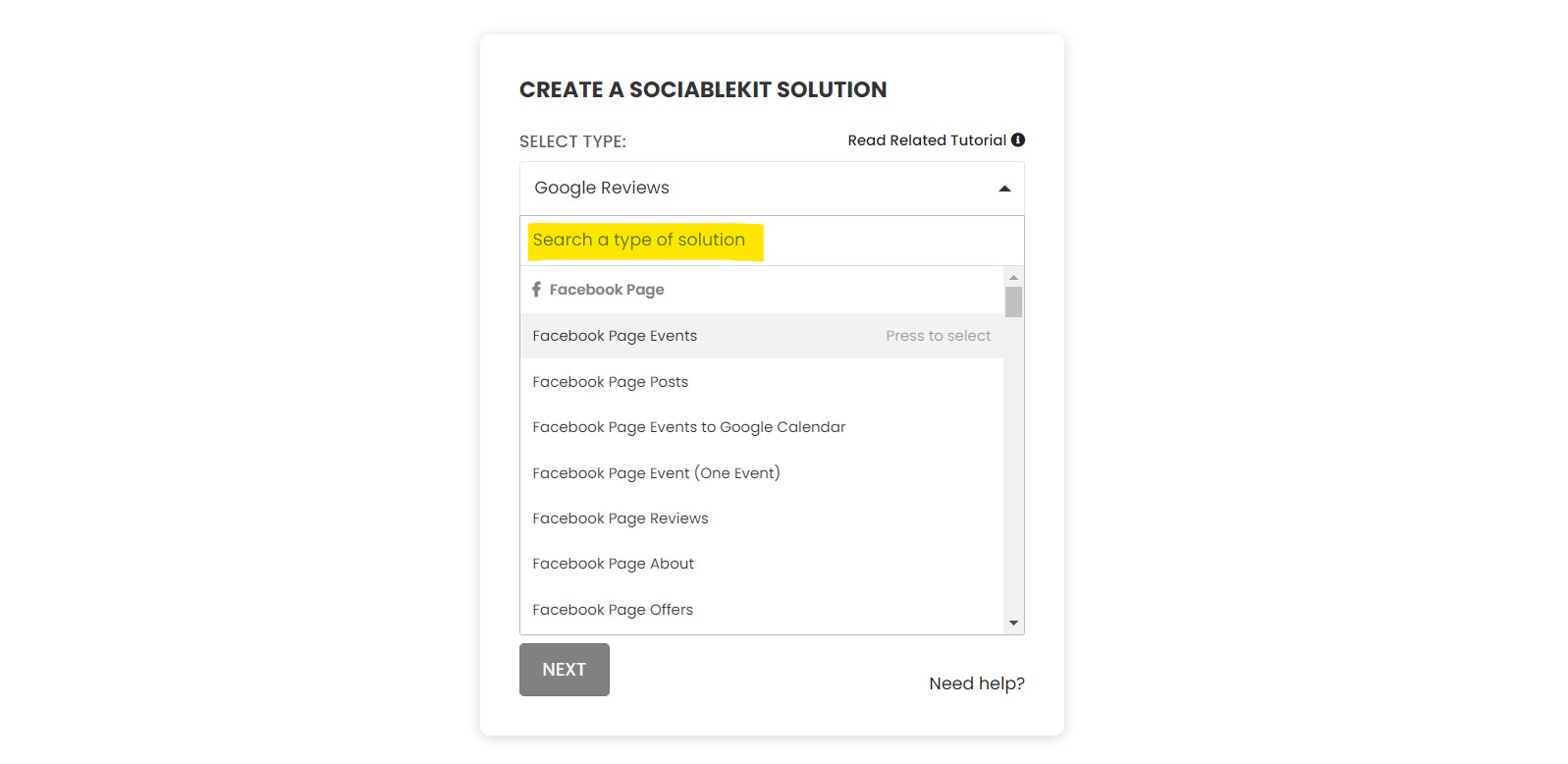
Select "Twitter hashtag feed" on the dropdown. SociableKIT offers several social media feeds widgets. You might need to search it using the highlighted area below. Once found, you can then select it.
-
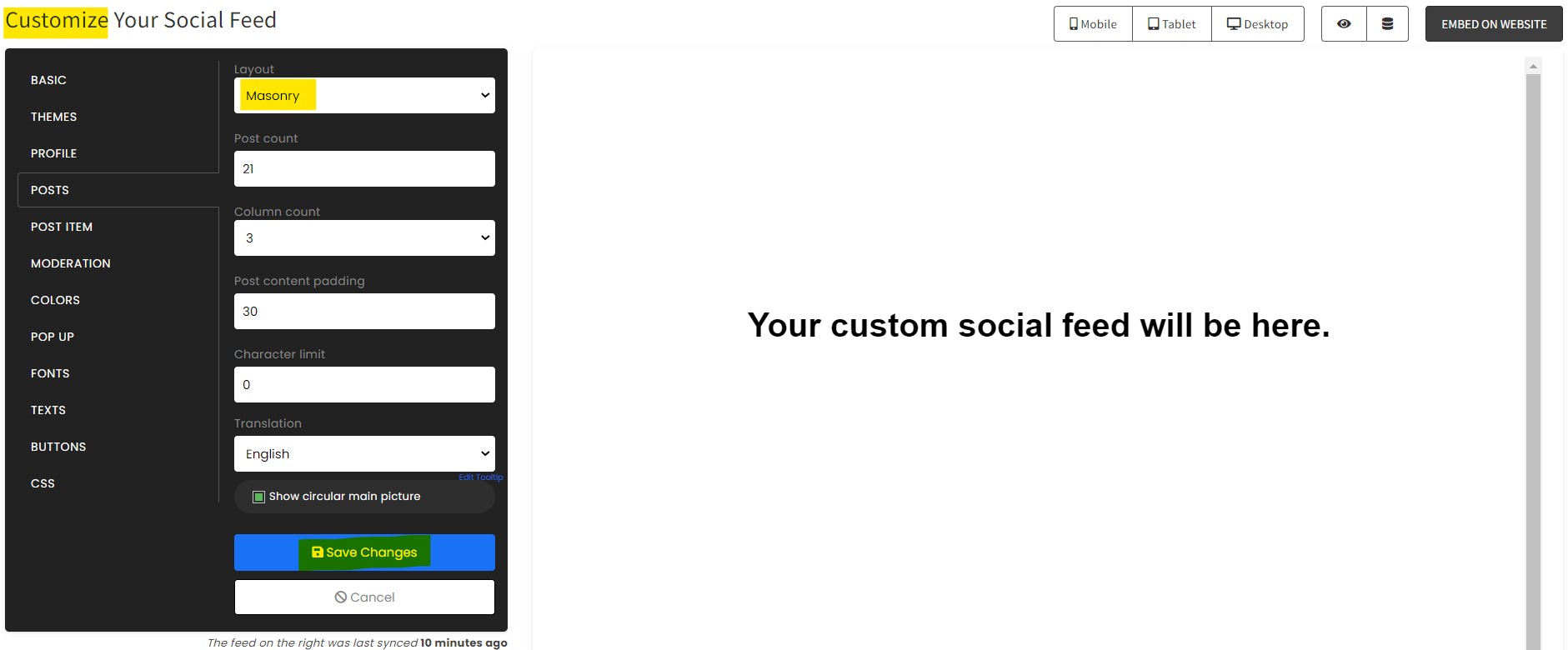
Customize your feed. Click the "NEXT" button to show the customization options of your social feed. You can change the layout, colors, font, and more to match your brand. Click the Save changes button.
-
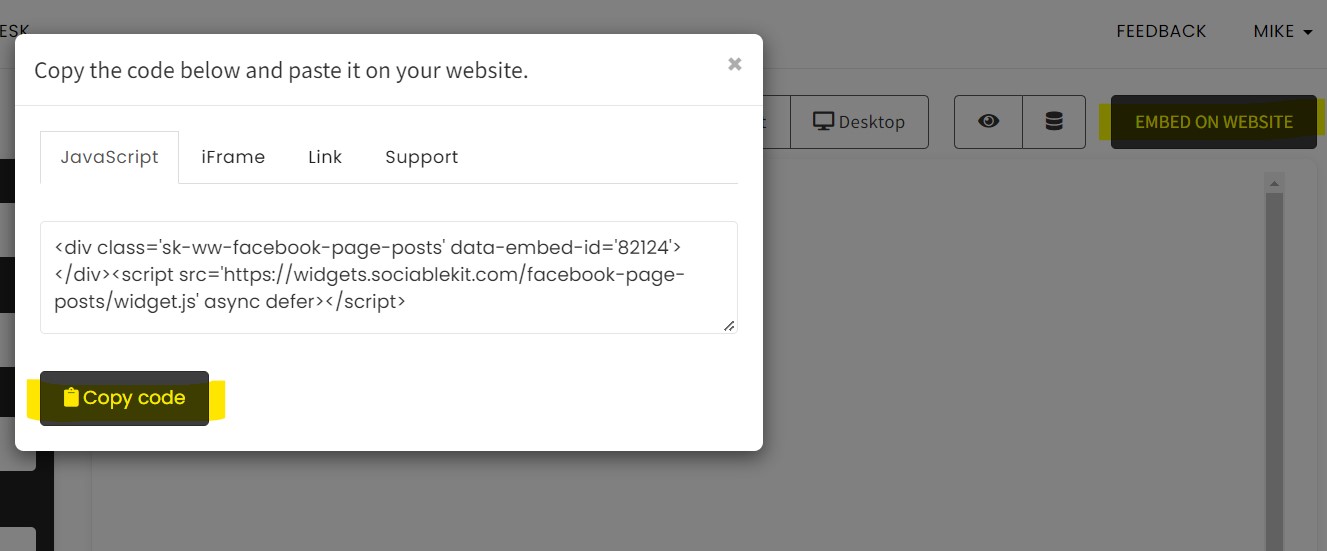
Copy the embed code. Click the "Embed on website" button on the upper right corner. Select your website builder. On the popup, copy the JavaScript embed code.
- Paste the embed code and save your website page. Please follow the second part below to add Twitter hashtag feed widget to your website.
Enter your Twitter tag, without the # sign. For example: Tesla or Microsoft
Add Twitter hashtag feed widget to your website
The second part is adding your Twitter hashtag feed widget to your website. After you customize your Twitter hashtag feed widget and copied the embed code, it is time to add it to your website. Follow the steps below.
- Copy your free Twitter hashtag feed widget embed code. Make sure you followed the first part above. It detailed how to you can create and customize your widget to get your free embed code.
- Create a new web page or edit your existing web page where you want the widget to appear.
- Open your webpage. You might use a code editor, a rich text editor, or a code block.
- Paste the embed code you copied from SociableKIT earlier.
- Save and publish your web page.
- View your web page with the widget. Done!


"I have to hand it to a company that goes above and beyond with their customer service... your team is a notch above anything I've experienced. Great software, great support - what else can you ask for?"

Yannick Picard
"It actually works, is very easy to implement, super powerful, looks great, and the price is right."

Coby Gifford
"Amazing customer service! I really love how quick the widget works. It looks beautiful! Glad I was able to find it."

Christa Stephens
"This was a great way to easily embed Google Reviews into my client's Wix site. I had trouble at first because the business has no physical address listed, but the support team helped me out and everything is running smoothly so far. I recommend!"

Kristen Williams
"I've been a customer of SociableKit since their beginning. Their unique products are second to none. Their customer service is top notch- prompt, courteous, and knowledgeable. I highly recommend them!"

Jen Gray
"Super easy to set up and integrated seamlessly with my website."

Katie Rodgers
"An amazing set of plug-in solutions for a large number of social media web site integrations. I would lie if I said I've tried them all, but the ones I'm using are just stellar. The support is also superb. Not only are they helping you with all the little problems you might encounter, but they also listen to requests for new features. Requested features are then - more often than not - swiftly implemented. I wish all companies had support like theirs. I really can't recommend Sociablekit enough! 👍"

Johnny Strömbäck
"A fantastic set of plugins that truly helps navigate the ever changing world of social media and keeping our various platforms connected. The support team is fantastic and they have really been responsive to our needs."

Village of Bensenville
"Great features! Very responsive support, and amazing quick turn around on enhancement request."

Crystal Davis-Gibbs
Let's break down each statistic and explain how they highlight the benefits of using SociableKIT's Twitter Hashtag Feed widget to increase engagement and sales:
1. There are over 300 million active Twitter users:
With over 300 million active Twitter users, the Twitter Hashtag Feed offers an immense opportunity to tap into this vast potential audience. Integrating this widget into your website lets you connect with Twitter users from diverse backgrounds and interests, exposing your content to a broad spectrum of potential viewers.
2. 92% of Twitter users follow at least one hashtag:
The fact that 92% of Twitter users follow at least one hashtag underscores the importance of incorporating the Twitter Hashtag Feed. By displaying relevant and trending hashtags on your website, you can pique the interest of these hashtag followers, attracting them to explore your content and increasing the chances of engagement and interactions.
3. Hashtag feeds can increase website traffic by up to 28%:
Harnessing the power of hashtag feeds can significantly boost website traffic by up to 28%. The Twitter Hashtag Feed lets users discover your website through Twitter.
As users come across your content while browsing relevant hashtags, they are likelier to click through to your website, resulting in a steady influx of organic traffic.
4. Twitter Hashtag Feed widgets can increase engagement by up to 35%:
With the potential to increase engagement by up to 35%, the Twitter Hashtag Feed has become an essential tool for content creators and website owners. By making it effortless for users to interact with your content through likes, retweets, and replies, you can foster a strong sense of community and keep users actively engaged with your brand or message.
5. The average Twitter user spends 135 minutes per month on the platform:
Given the average Twitter user spends 135 minutes per month on the forum, integrating the Twitter Hashtag Feed ensures your content remains visible and accessible to a considerable audience over an extended period. With users frequently checking their Twitter feeds, your hashtag-powered content on the widget will consistently capture their attention, leading to sustained engagement and increased chances of conversions or sales.
SociableKIT's Twitter Hashtag Feed widget empowers creators and website owners to leverage the immense potential of Twitter's active user base and hashtag-following audience. By driving website traffic, fostering engagement, and tapping into the extended exposure provided by Twitter's popularity, this widget becomes a valuable asset in boosting audience reach and ultimately enhancing the overall success of any online platform.
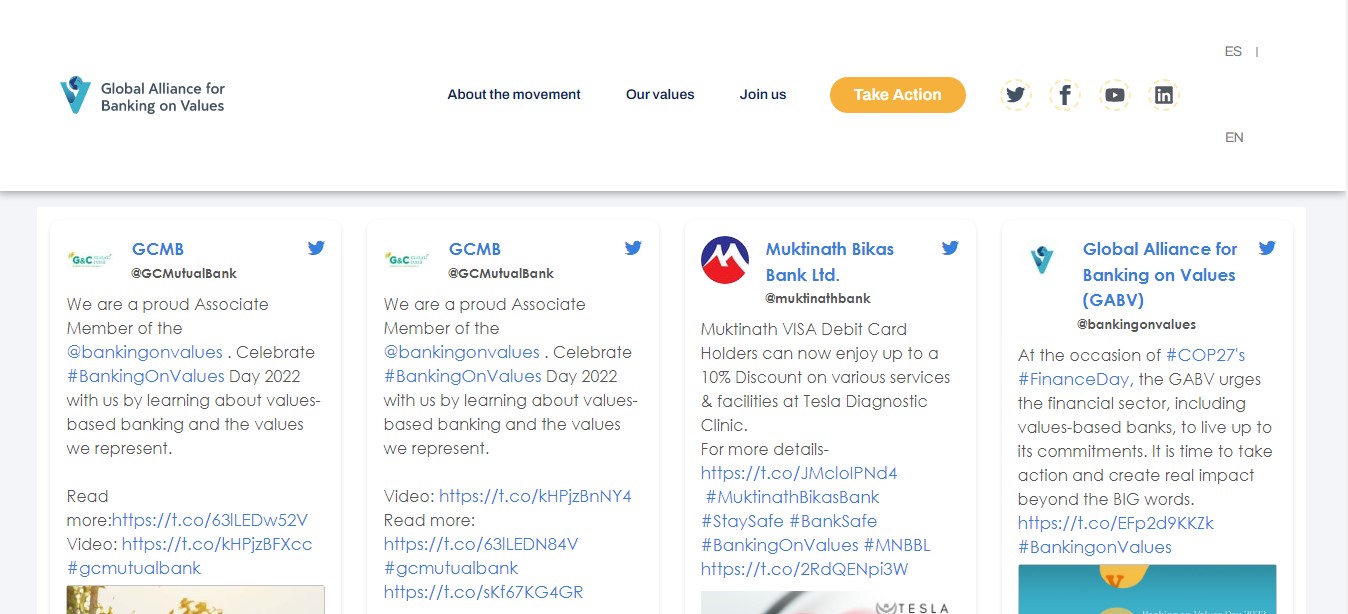
Global Alliance for Banking on Values Twitter Hashtag Feed
Global Alliance for Banking on Values is a movement of transformative organizations that use banking to make positive change happen. They use the SociableKIT Twitter Hashtag Feed widget to promote their values-based banks and put people first by focusing on the real economy, which serves the community’s needs while caring for the planet on their website.
The Energy Efficiency Movement Twitter Hashtag Feed
The Energy Efficiency Movement is a simple and impactful solution to mitigate climate change. It's the low-hanging fruit we need to bridge our path to a future where all energy is clean energy. They use the SociableKIT Twitter Hashtag Feed widget to bring together all stakeholders to innovate and act for a more energy-efficient, regenerative, adaptive world on their website.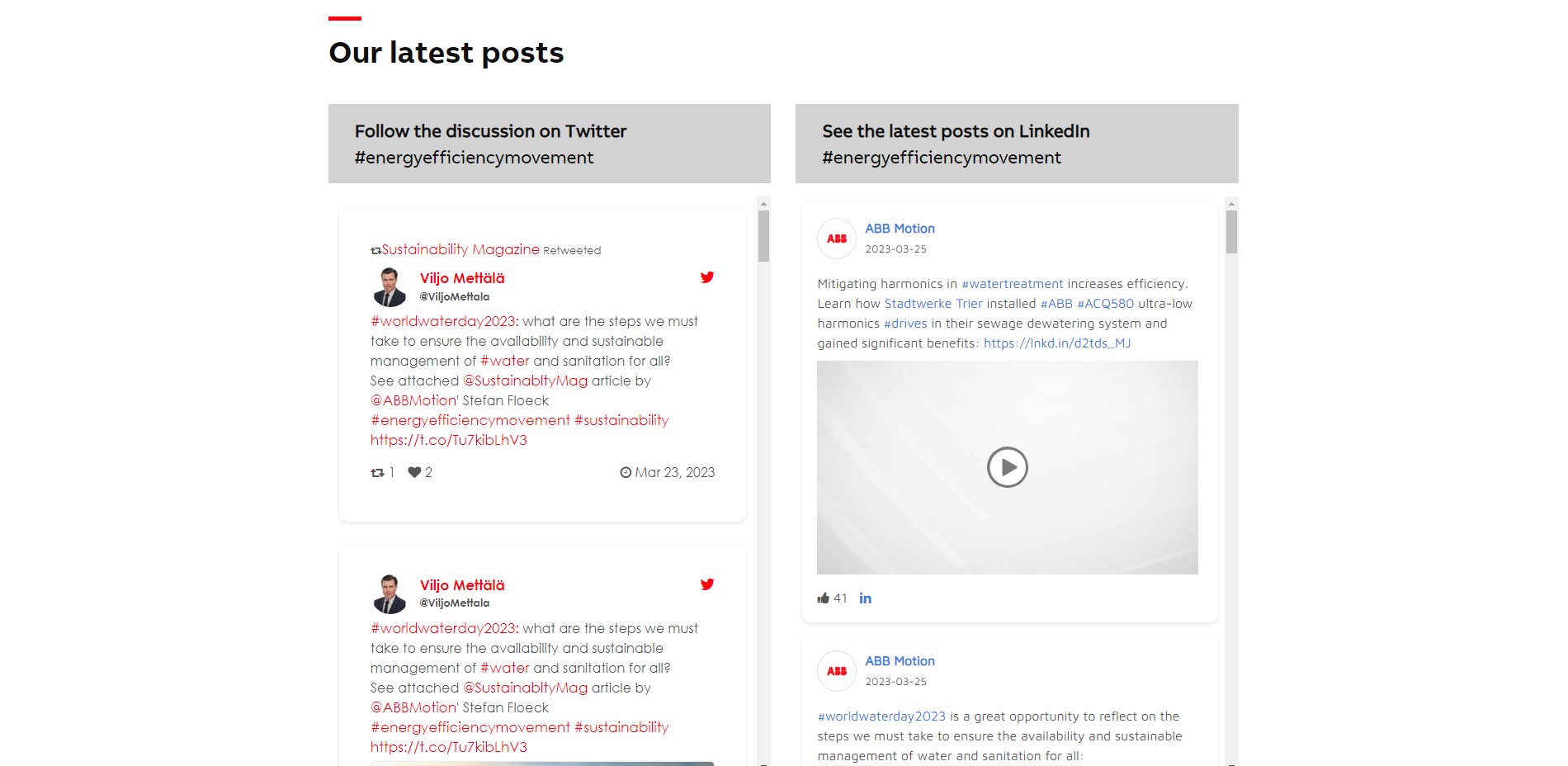
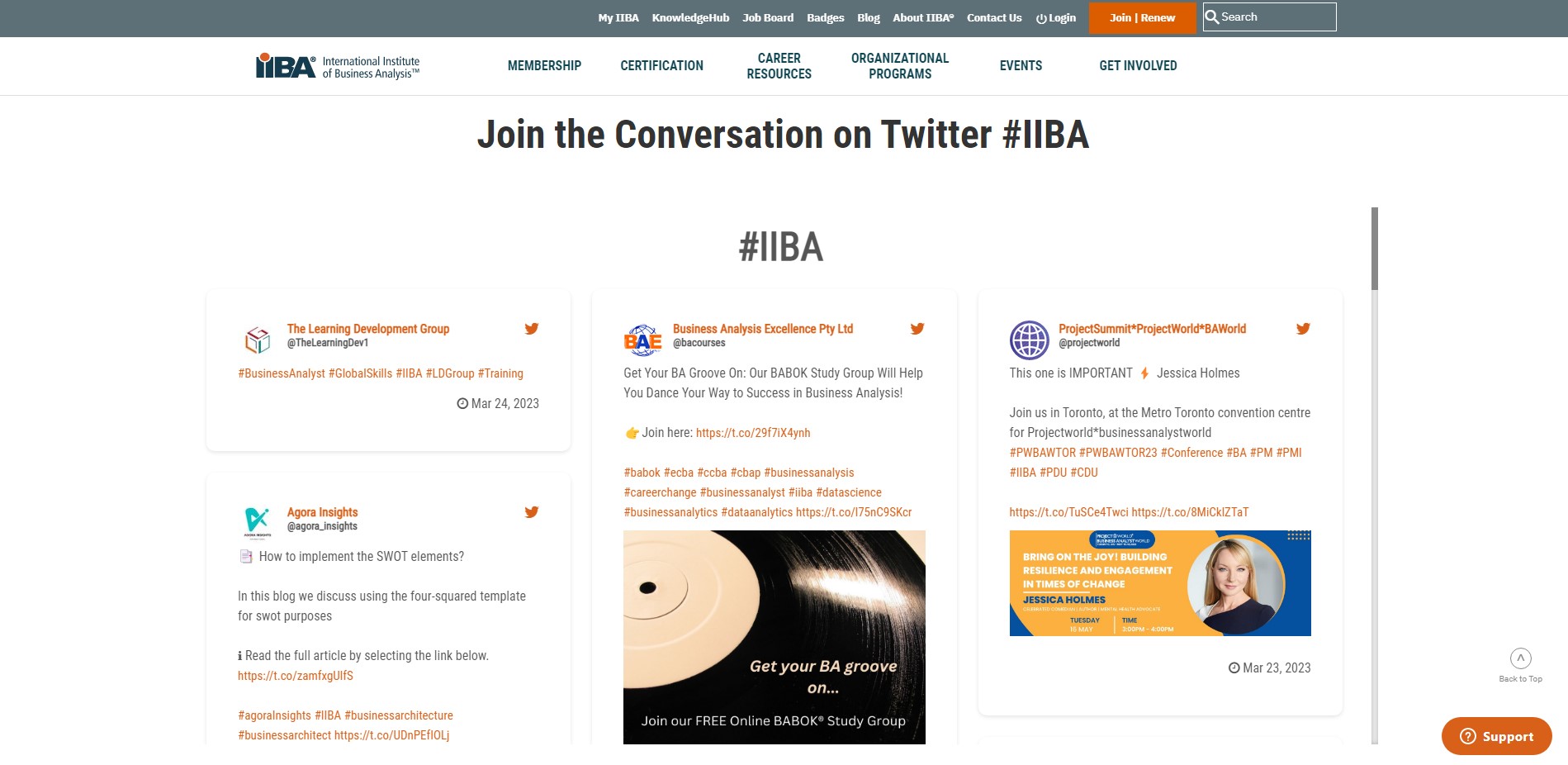
IIBA Twitter Hashtag Feed
IIBA is an International school headquartered in Toronto, Ontario, Canada for Business Analytics.They use the SociableKIT Twitter Hashtag Feed widget to provide the support and resources organizations need to build business analysis capabilities and drive professional development and growth on their website.
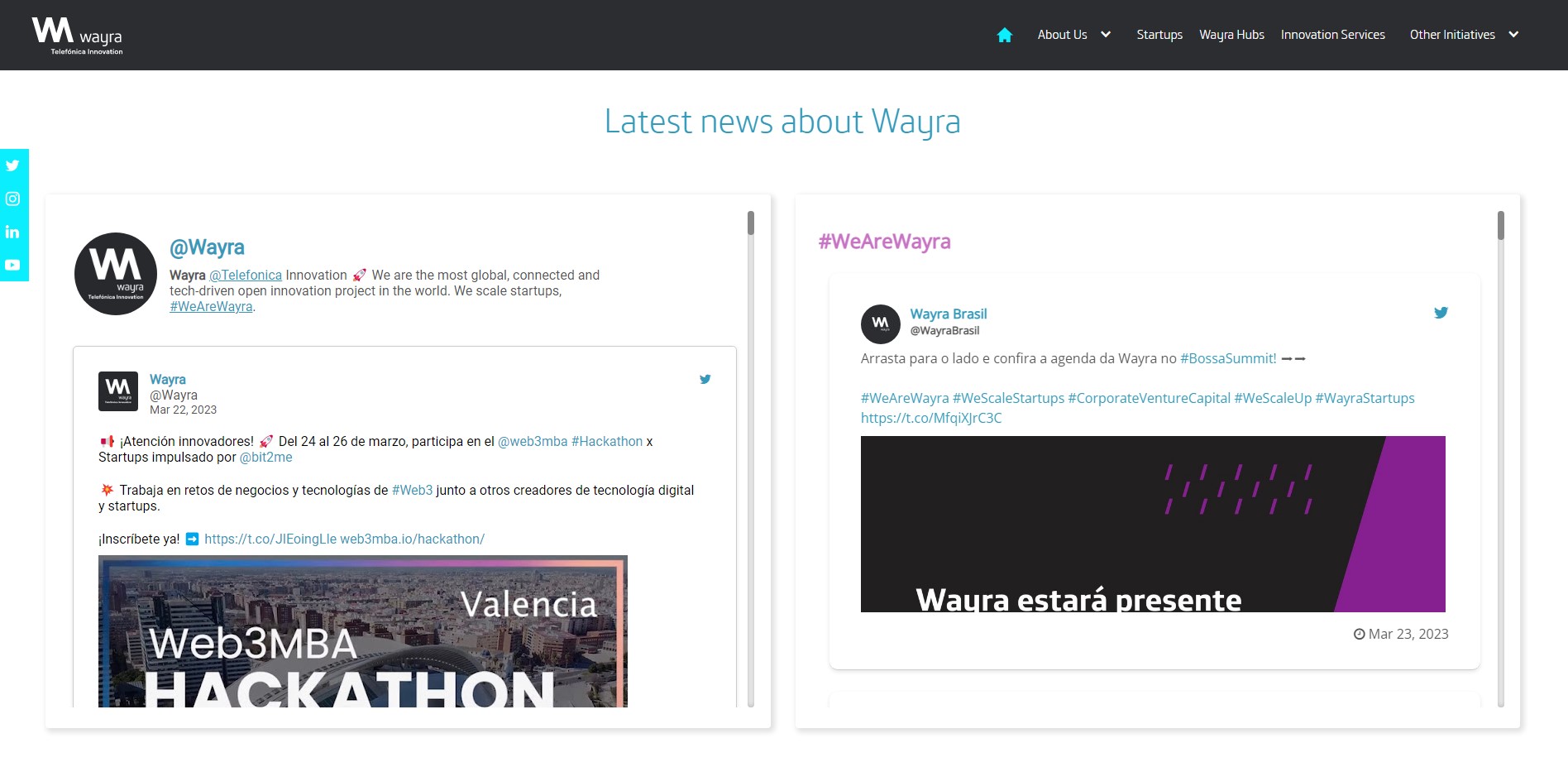
Wayra Twitter Hashtag Feed
Wayra is a brand that connects Telefónica and technological disruptors around the world. They use the SociableKIT Twitter Hashtag Feed widget to promote their offerings in investment and a unique and smooth interface between entrepreneurs and our network of corporates, governments, and other partners on their website.
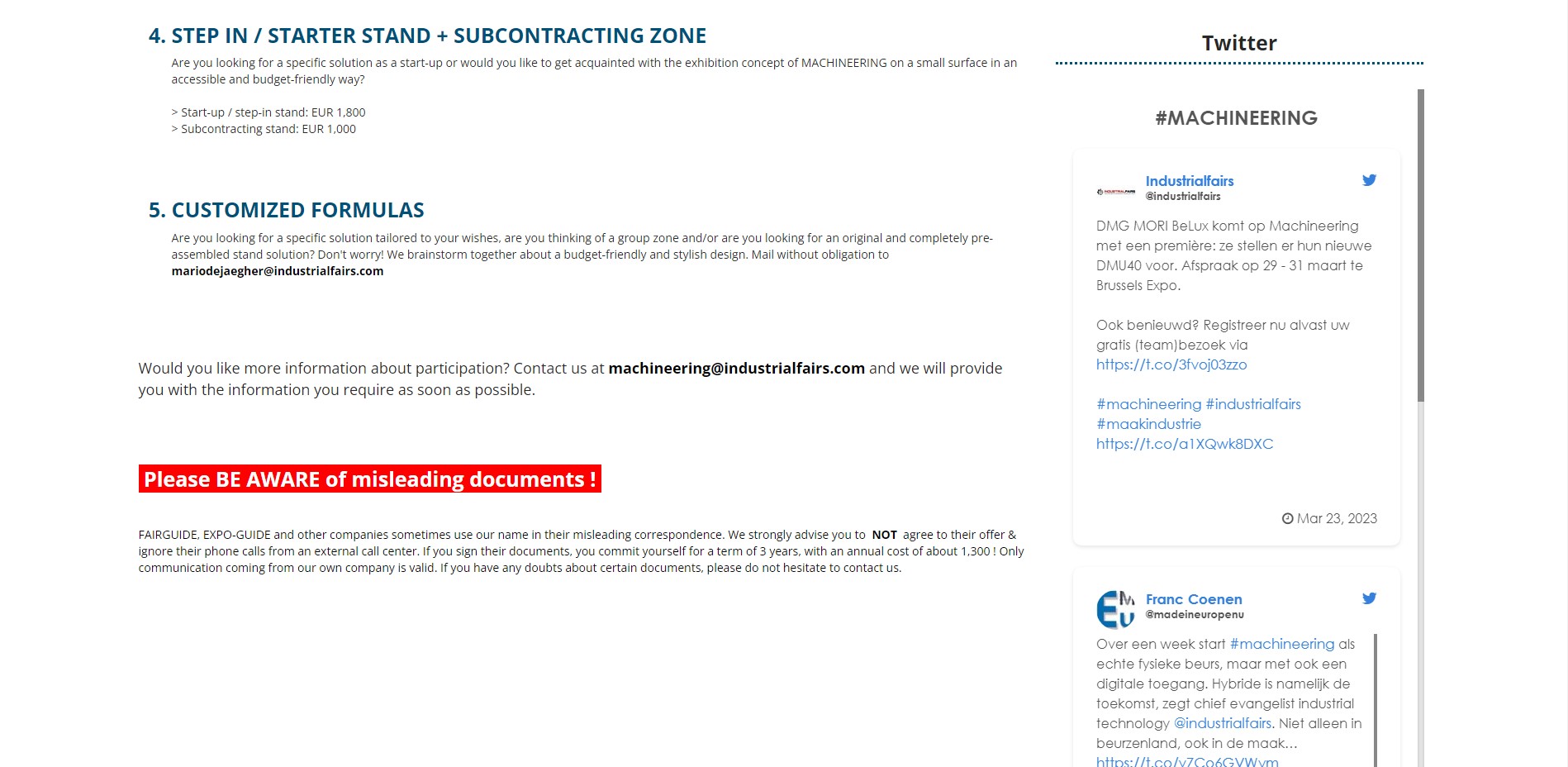
Machineering Twitter Hashtag Feed
Everything about machines and engineering – under 1 trade fair umbrella is Machineering. They use the SociableKIT Twitter Hashtag Feed widget to inspire every department of a manufacturing company or machine builder on their website.
If you're looking to manually add a Twitter hashtag to your website, here's a simple guide to walk you through the process:
- Open your Twitter account.
- Find the tweet you want to embed.
- Click the three dots (...) within the tweet.
- Choose "Embed Post" from the dropdown.
- This takes you to publish.twitter.com, where you can tweak how the tweet looks.
- If the tweet replies to another, select "Hide Conversation" to only show the one you picked.
- Click "Copy Code" to get the HTML code.
- Paste this code into your website or blog.
While manually embedding a tweet comes with its own set of limitations—like not auto-updating when the tweet changes, lacking interactive features, and requiring manual updates for any changes—it's not the most convenient option if you're looking for something that's always current.
If you're aiming for a seamless, interactive, and continually updated experience, you might want to check out SociableKIT. This tool offers real-time updates, enables interactions as if you're directly using Twitter, simplifies customization, and even allows you to manage multiple social media embeds from a single dashboard. To learn more, visit the SociableKIT website.
LIMITED TIME OFFER!
Sign up now to use our widgets for FREE FOREVER!
No credit card required. Cancel anytime.

To embed Twitter hashtag feed on your Squarespace website, follow the steps below.
-
Sign up free to SociableKIT. Sign up for a free account on SociableKIT or login if you already have an account.
-
Create and customize your Twitter hashtag feed widget. Create a Twitter hashtag feed widget and customize the colors, fonts, and other elements to match your Squarespace website.
-
Copy the Twitter hashtag feed widget embed code. Click the 'Embed on website' button on the upper right and copy the embed code.
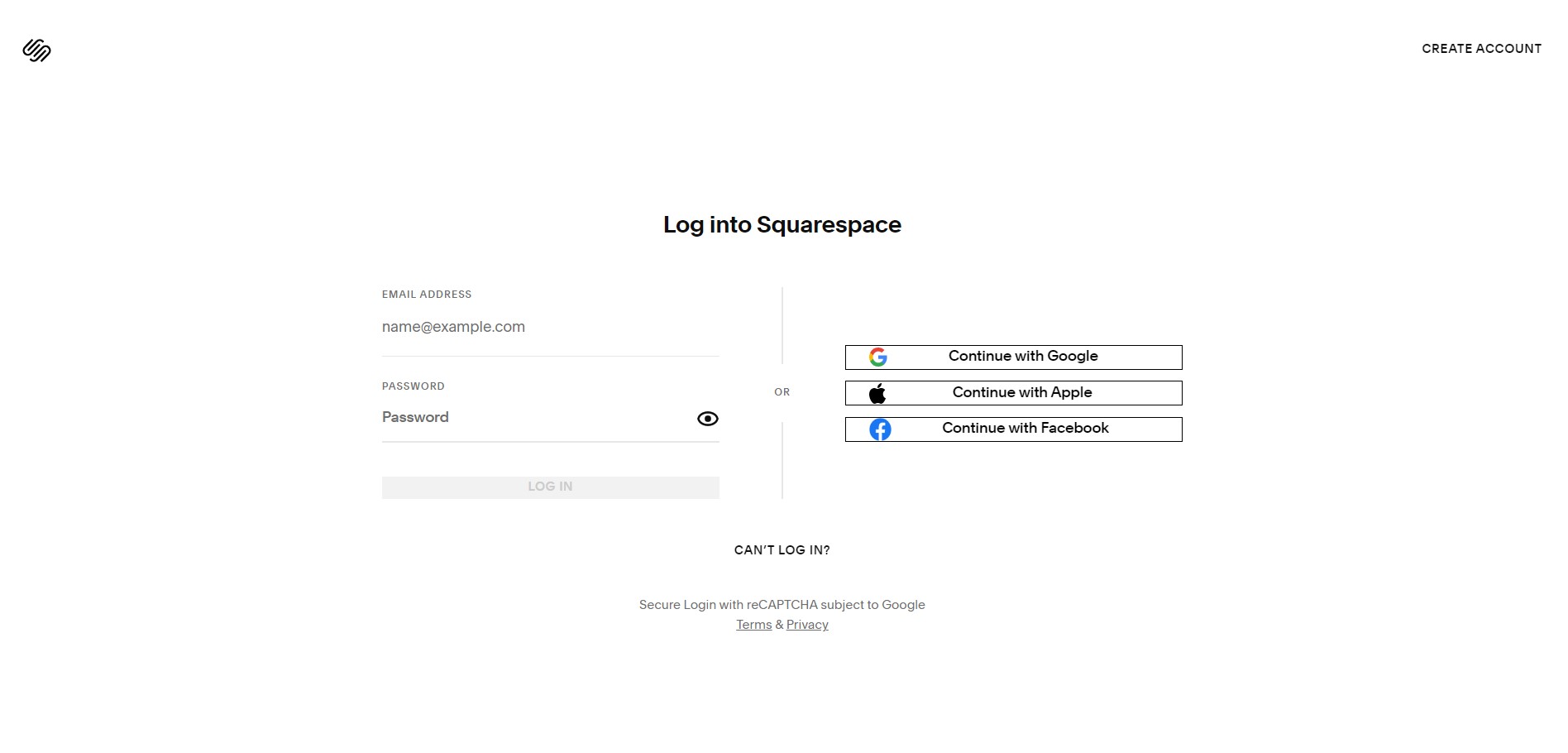
- Login to Squarespace. You must have a "Business" account in Squarespace to use the widget. The "code block" needed cannot be found if you only have a "Personal" account.
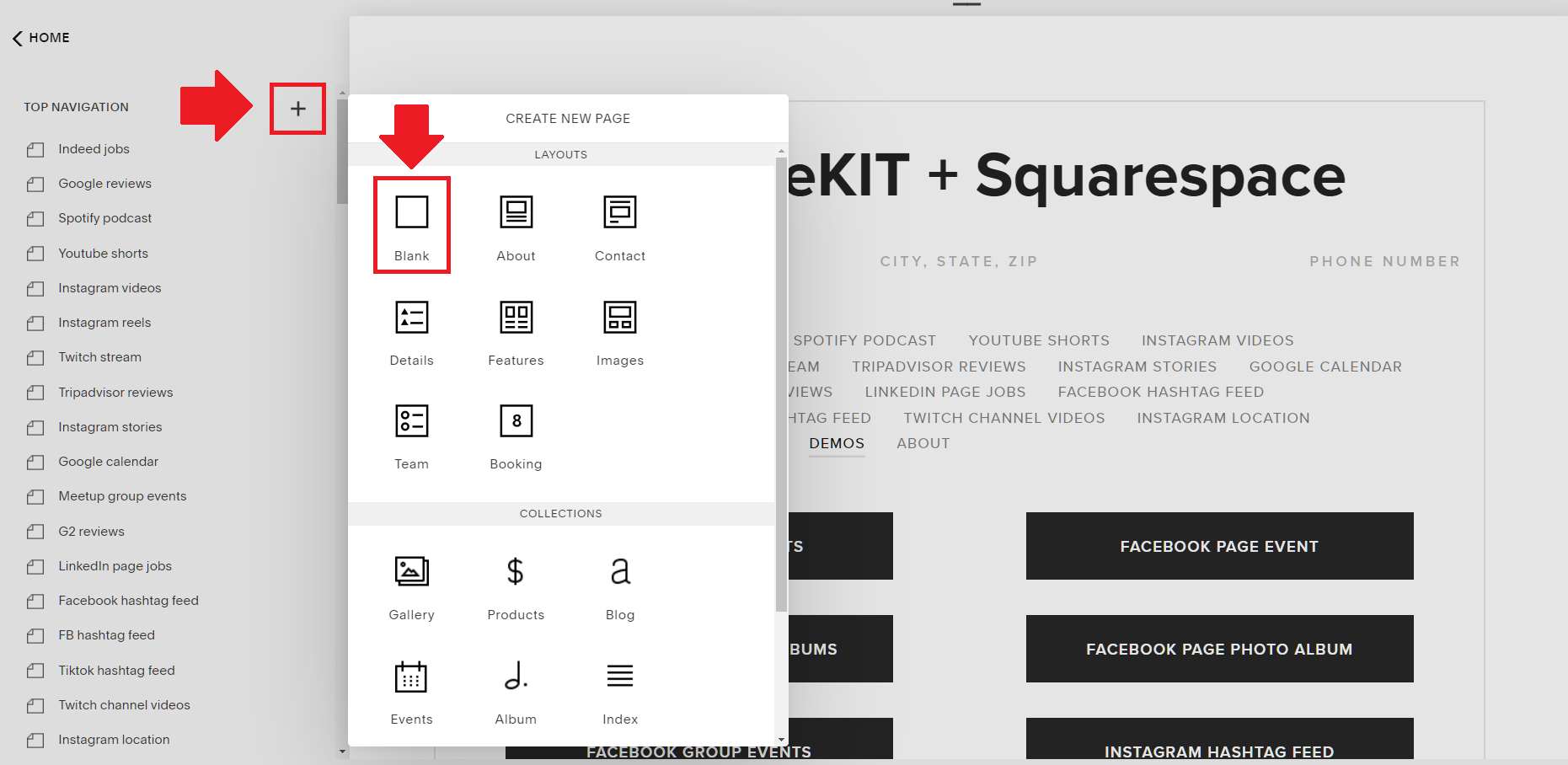
- Create a new blank page or edit your existing page. Identify which page you want the widget to appear. You can create a new page on Squarespace, or you can edit your existing page where you want the widget to appear.
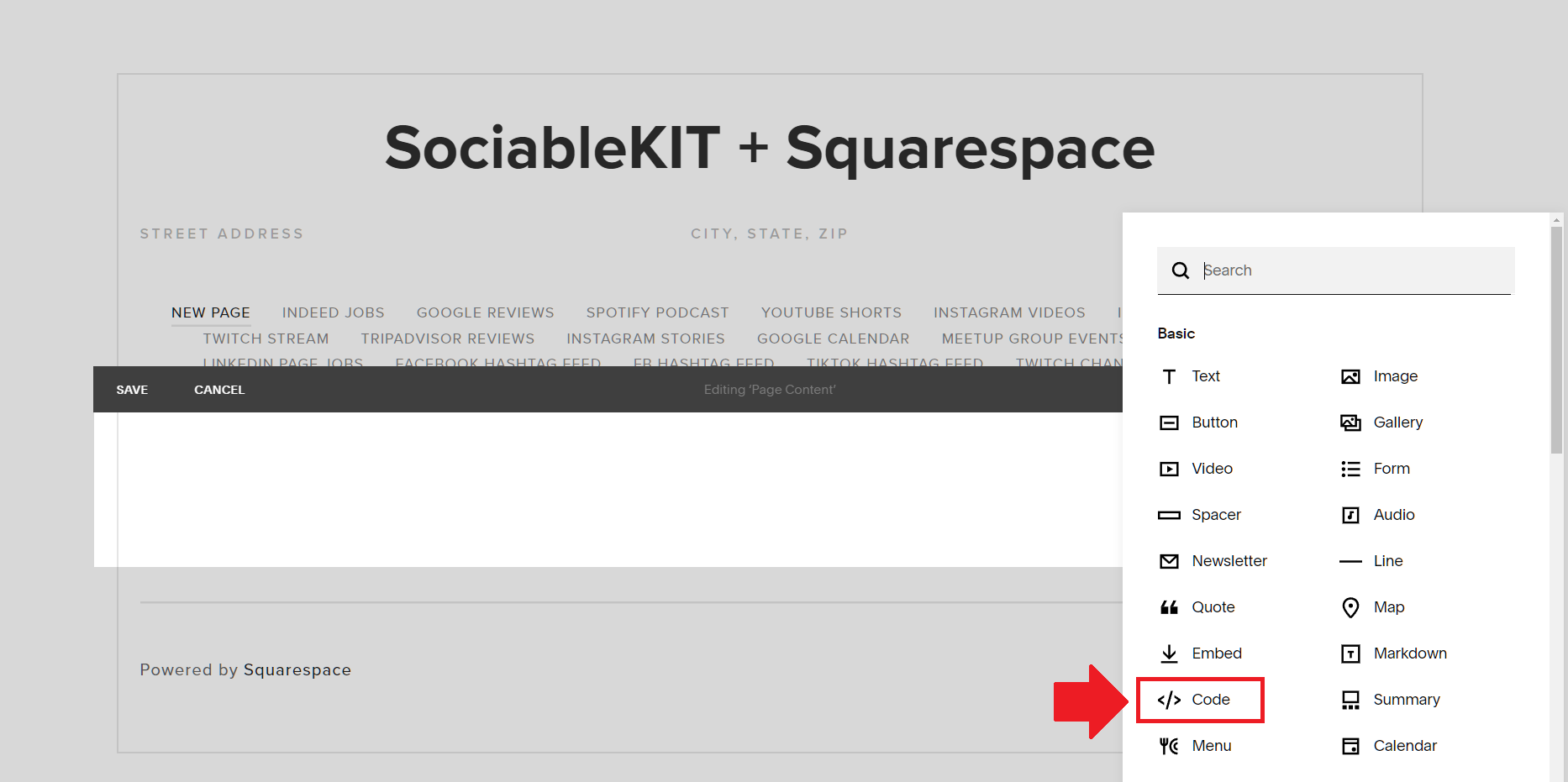
- Add a Code Block. On your Squarespace page, click the 'Edit' button. Find the 'Code' block and click it.
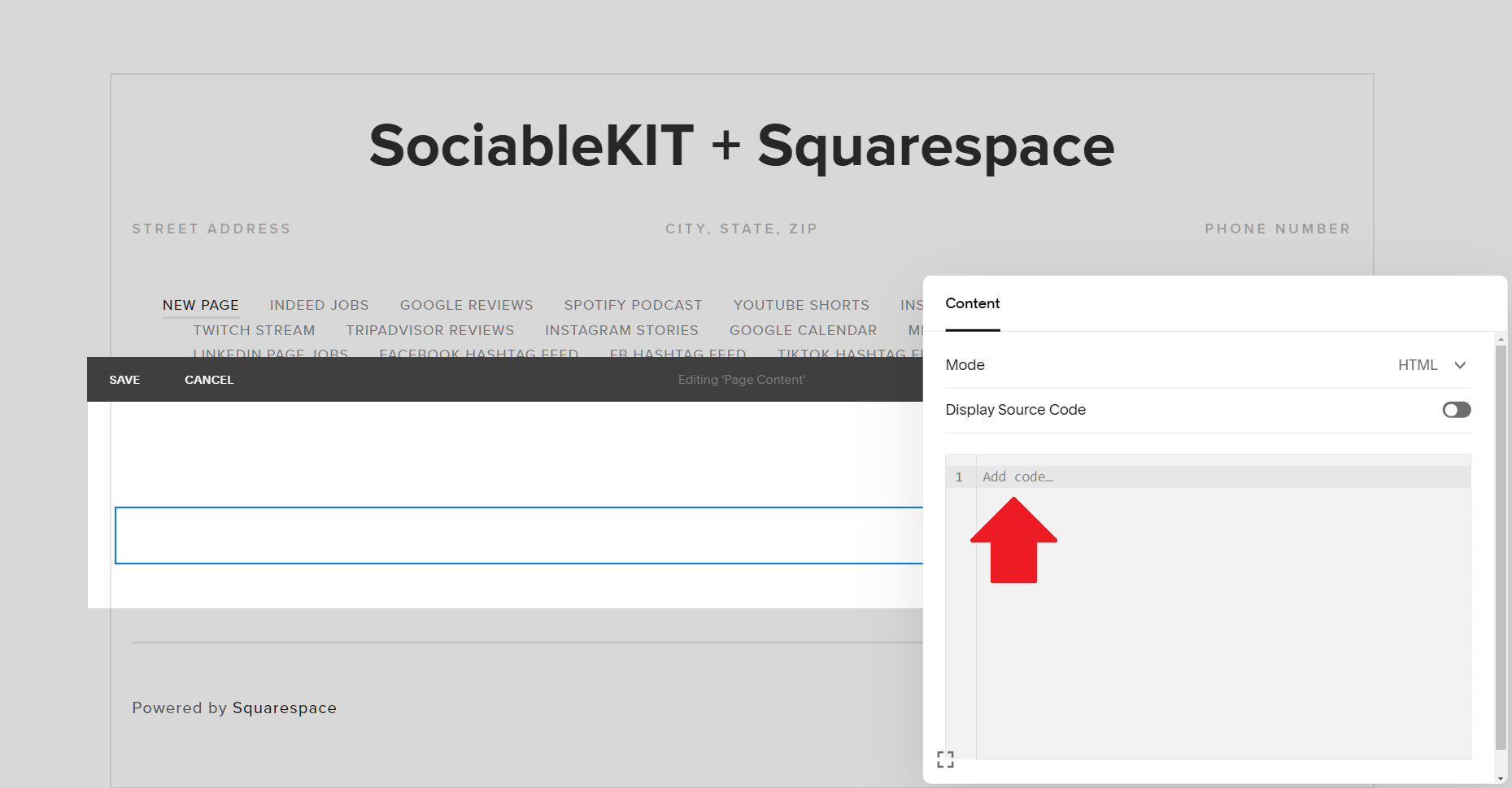
- Paste the embed code from SociableKIT. On the 'Content' of the 'Code' block, paste the JavaScript embed code you have copied from your widget.
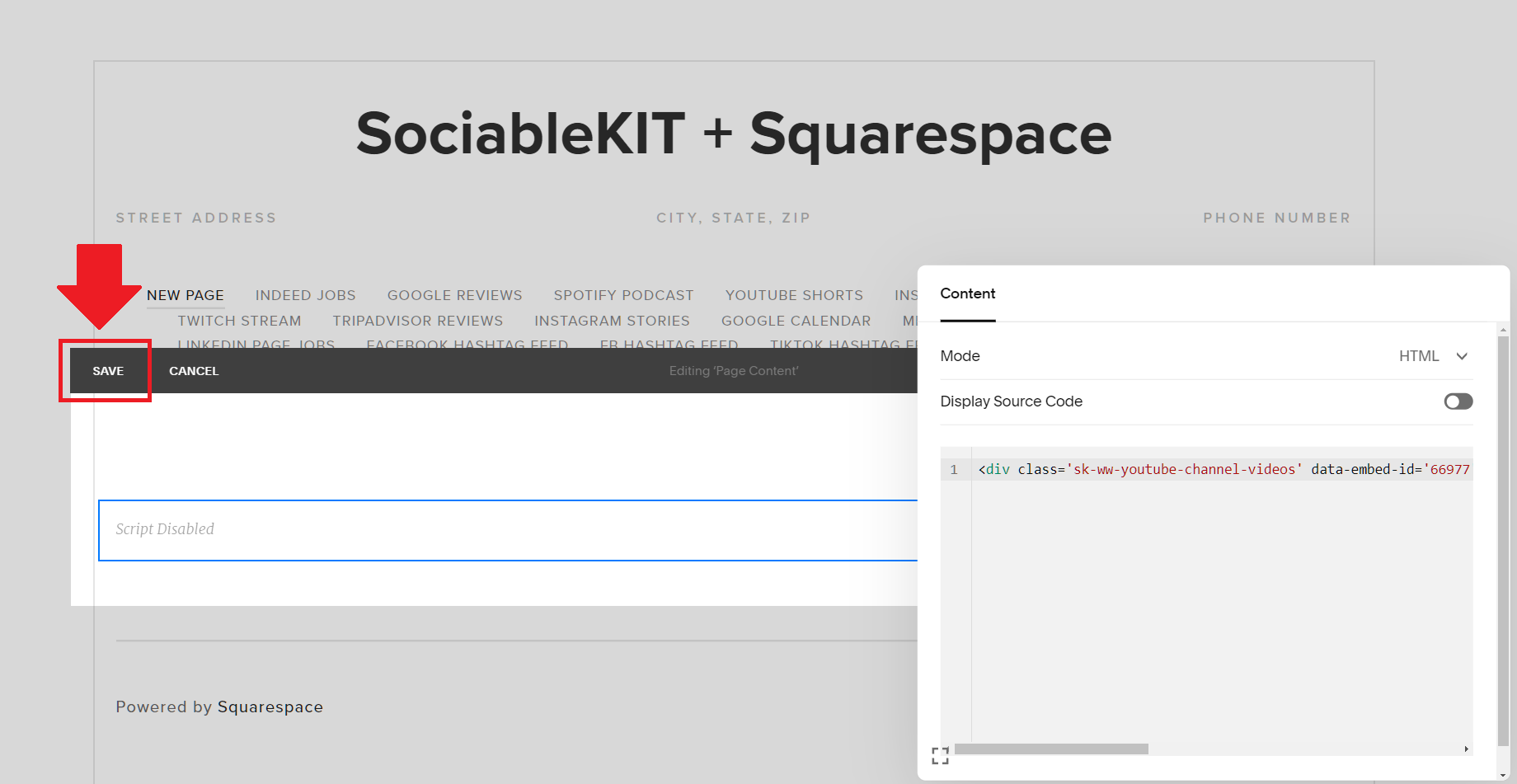
- Save the changes on the 'Code block'. After pasting your widget's embed code. Click the 'Save' button on the left part of the page.
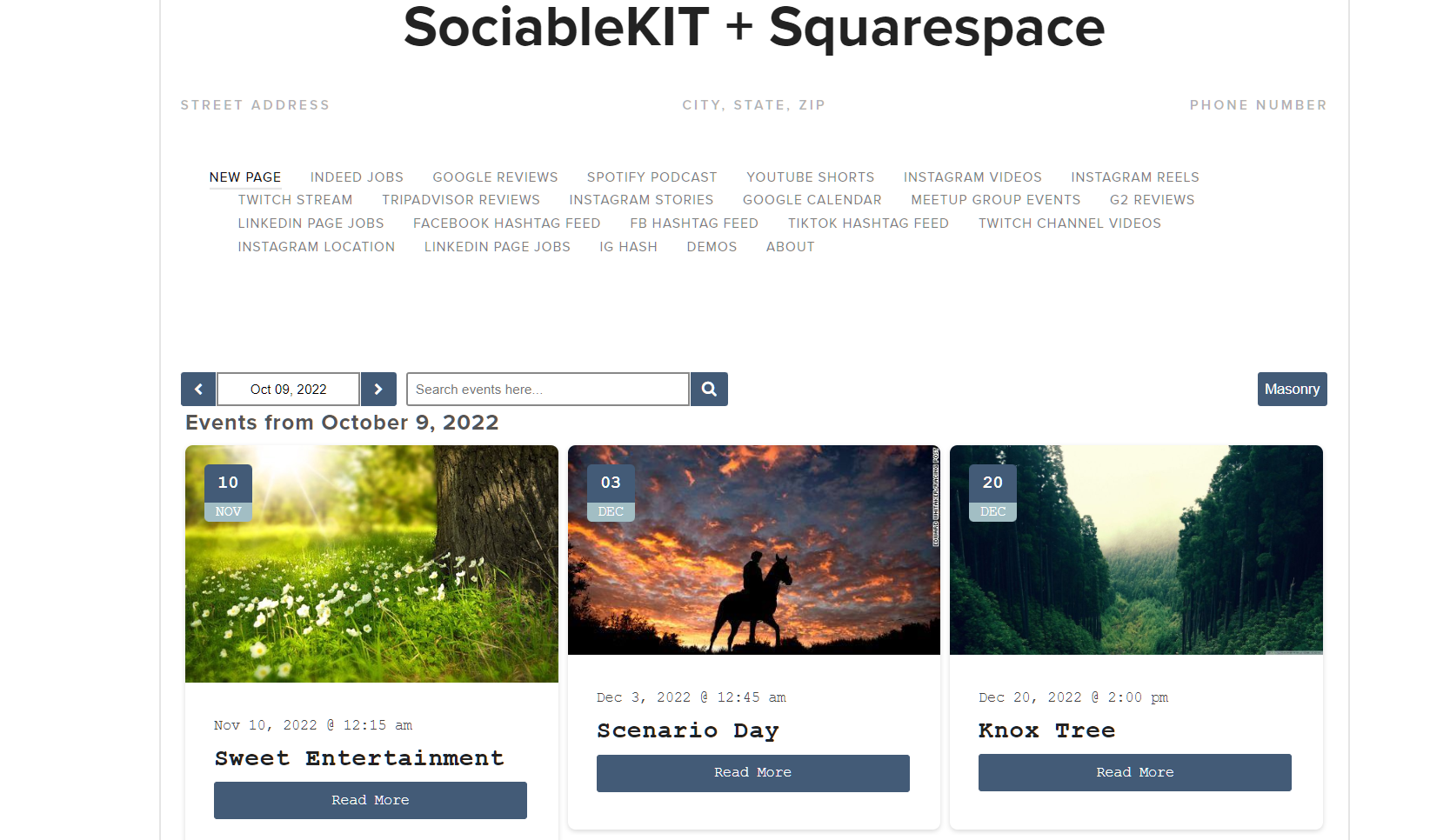
- View your page. Refresh your Squarespace page and check your SociableKIT widget. Done!
To embed Twitter hashtag feed on your WordPress website, follow the steps below.
-
Sign up free to SociableKIT. Sign up for a free account on SociableKIT or login if you already have an account.
-
Create and customize your Twitter hashtag feed widget. Create a Twitter hashtag feed widget and customize the colors, fonts, and other elements to match your Squarespace website.
-
Copy the Twitter hashtag feed widget embed code. Click the 'Embed on website' button on the upper right and copy the embed code.
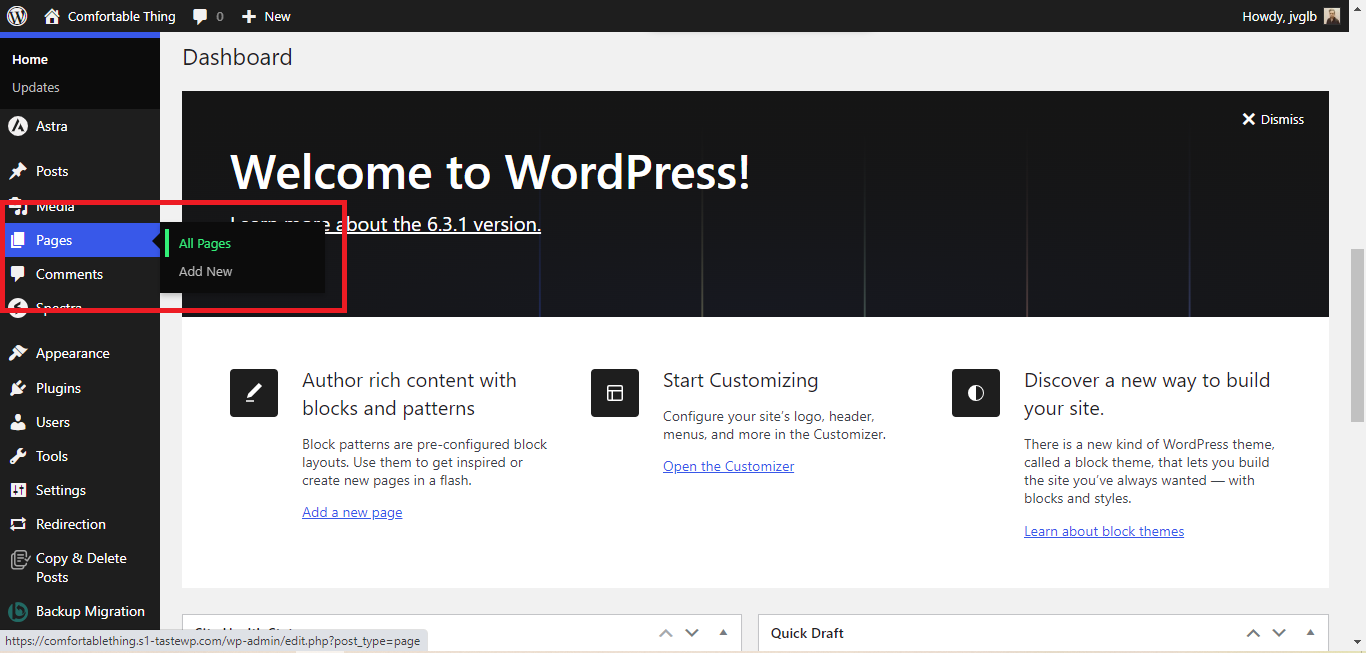
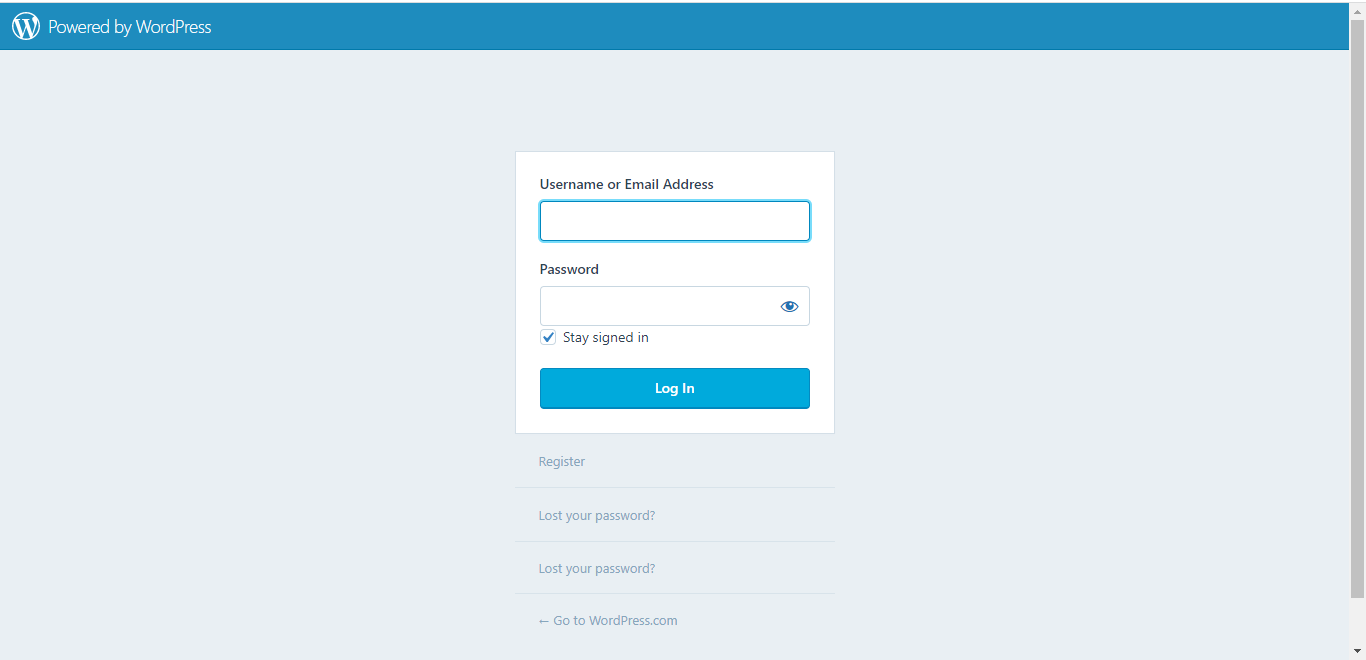
- Login to your WordPress site.
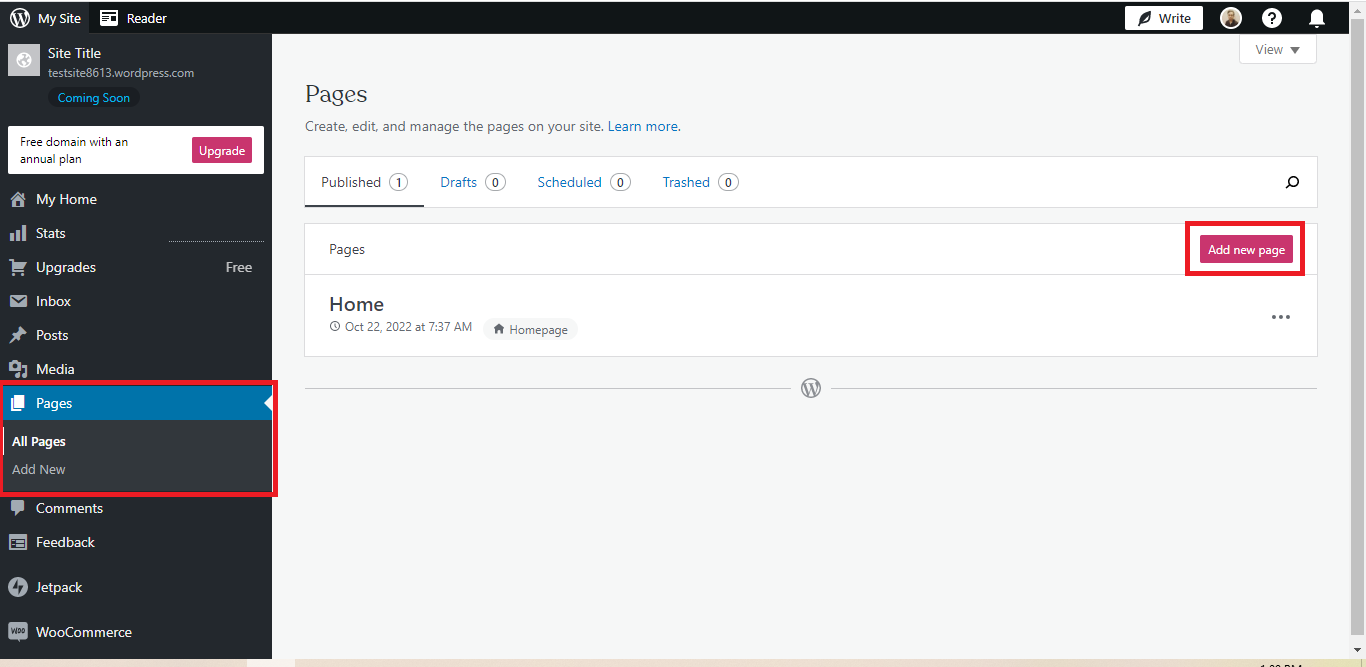
- On your WordPress, go to the "Pages" section then click the "Add new page".
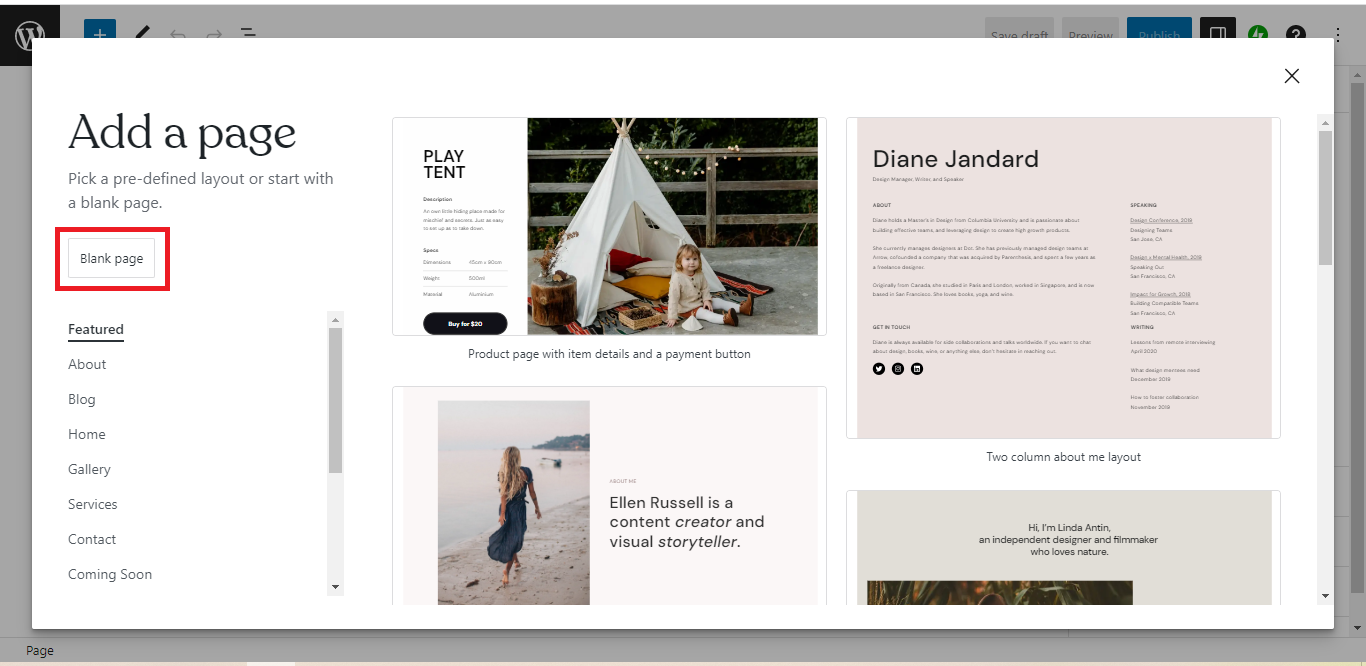
- Pick a pre-defined layout or start with a blank page by clicking the "Blank page" button.
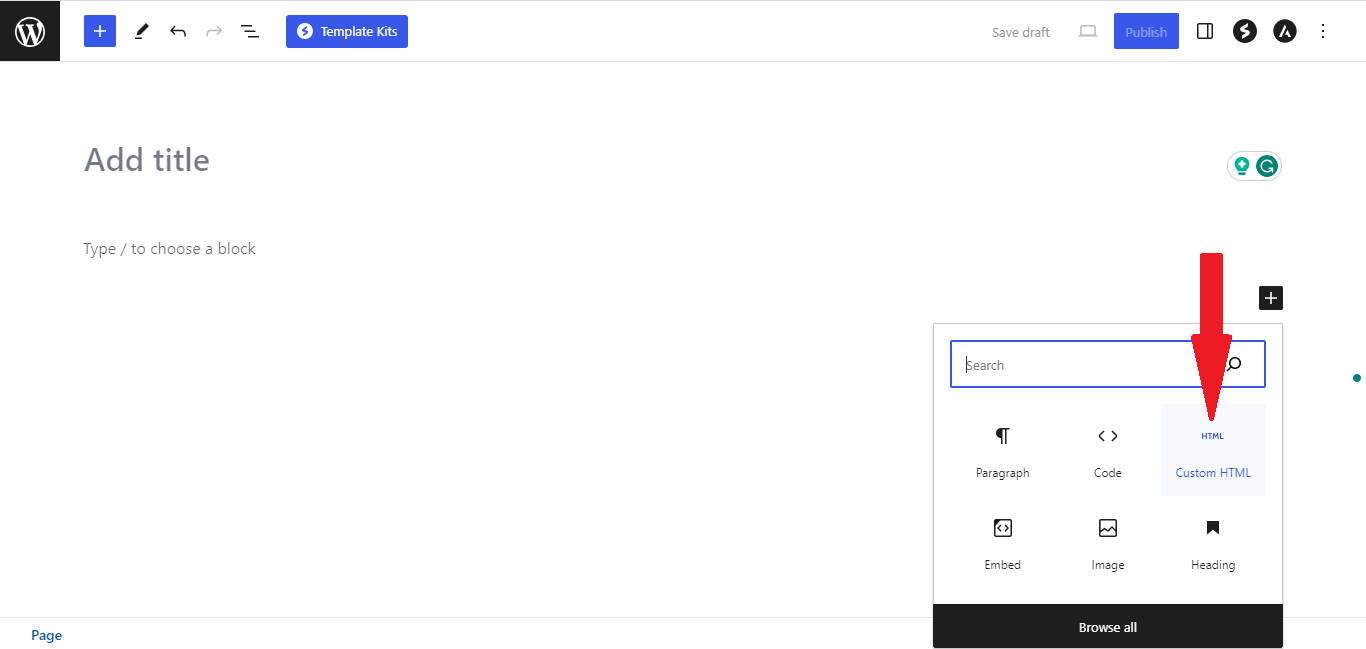
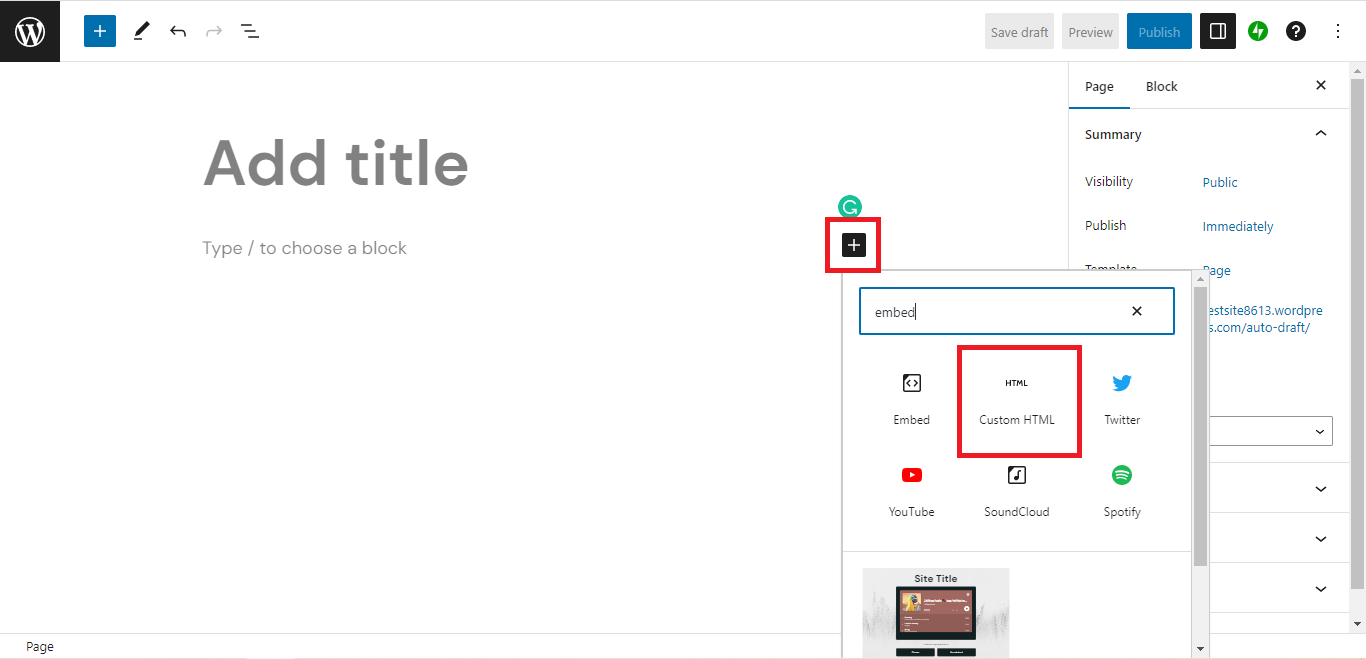
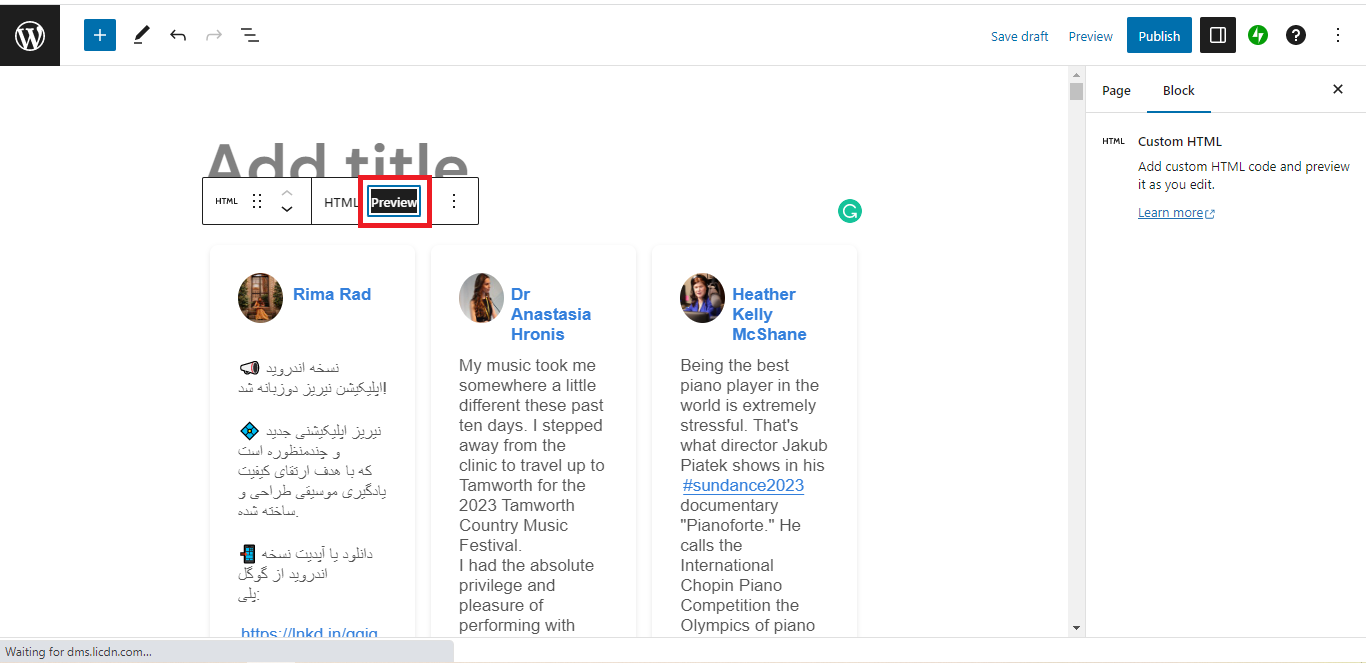
- On the body of your page, click the "+" icon and click the "Custom HTML".
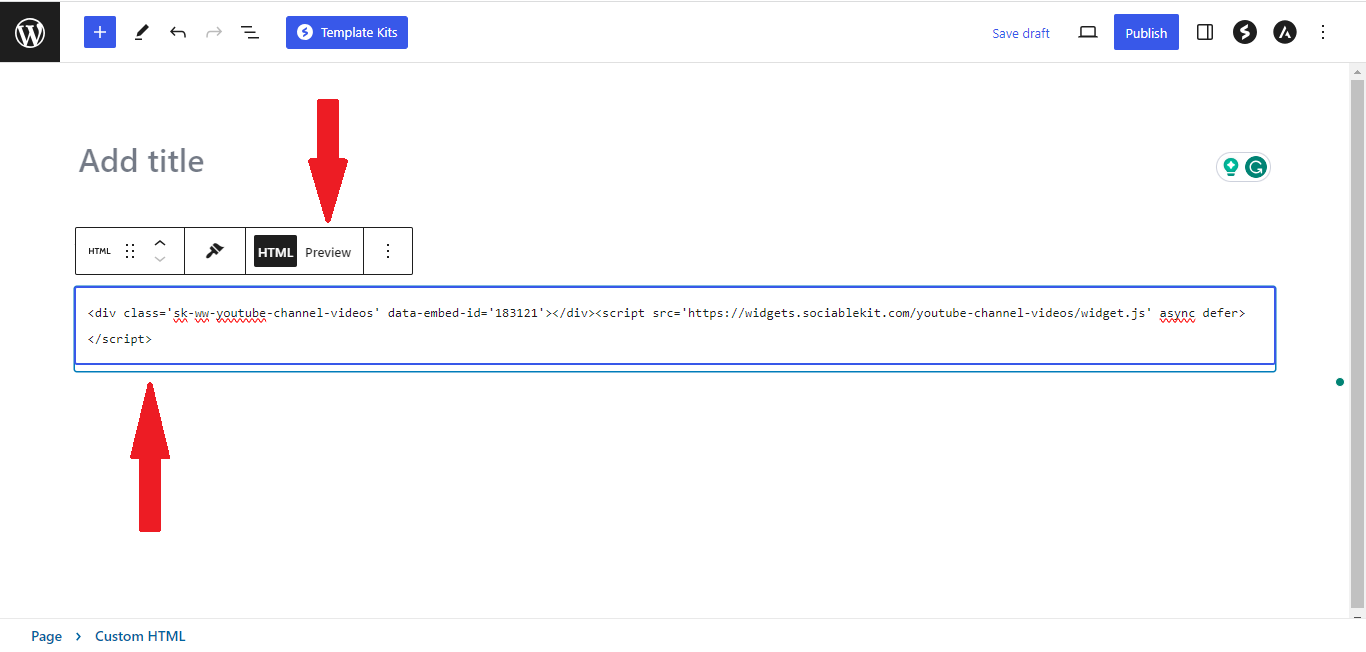
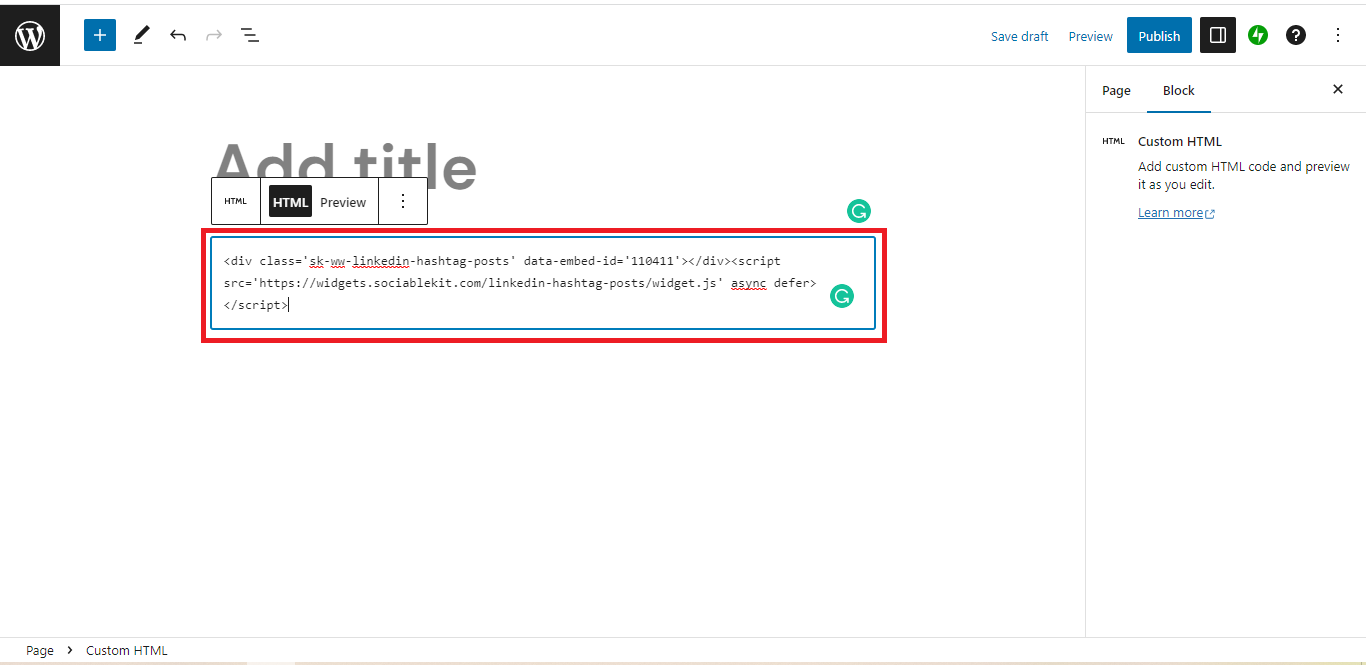
- Paste the code in the text area.
- To preview, click the preview tab.
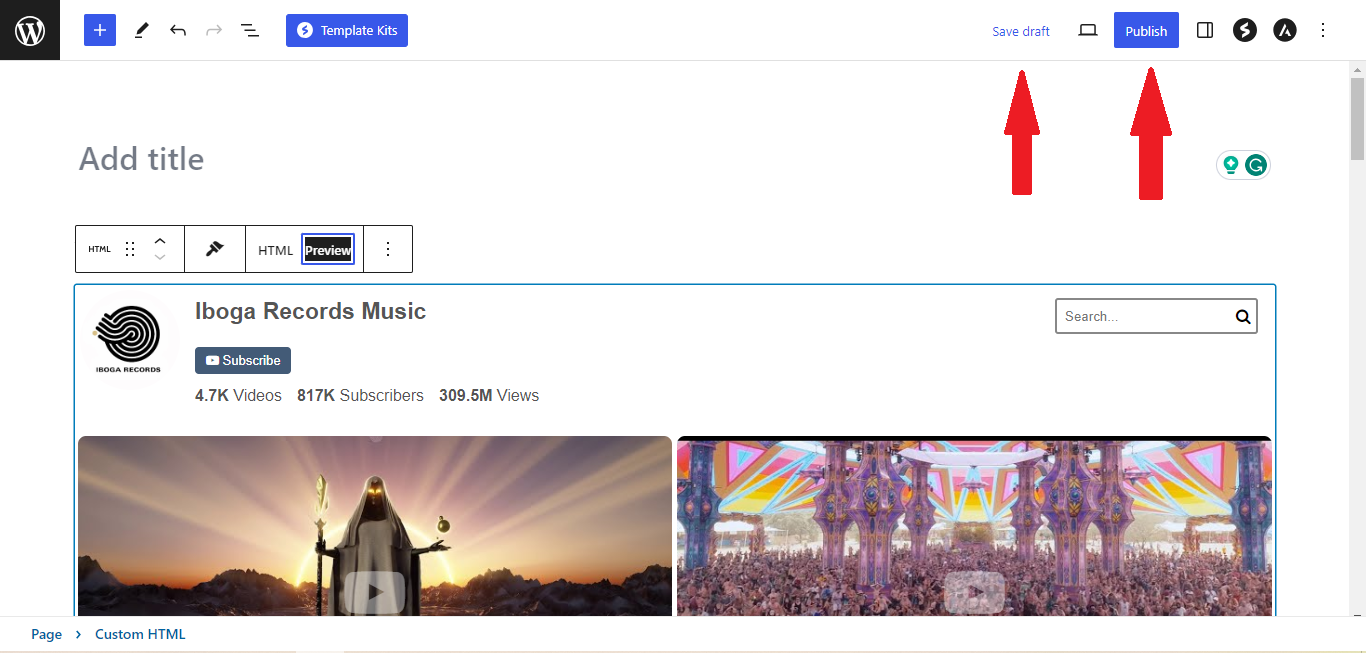
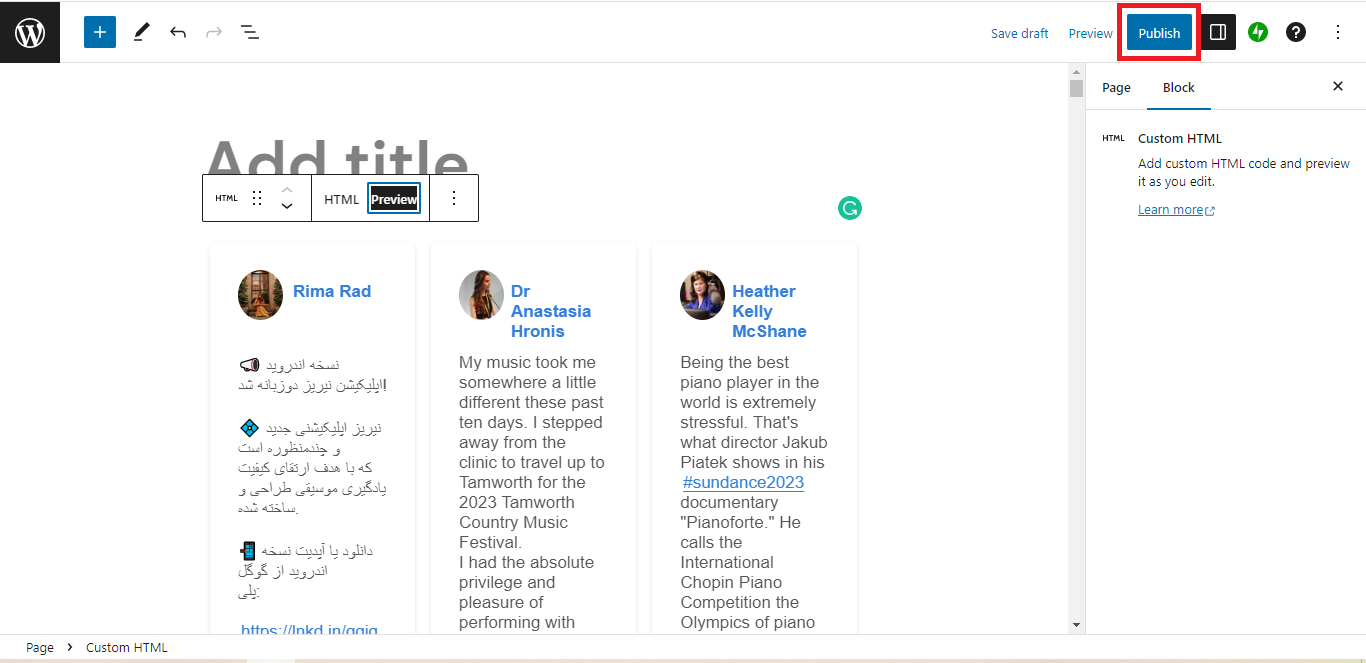
- Click the Publish or Update button on your WordPress page.
- Click the view page. Done!
To embed Twitter hashtag feed on your Weebly website, follow the steps below.
-
Sign up free to SociableKIT. Sign up for a free account on SociableKIT or login if you already have an account.
-
Create and customize your Twitter hashtag feed widget. Create a Twitter hashtag feed widget and customize the colors, fonts, and other elements to match your Squarespace website.
-
Copy the Twitter hashtag feed widget embed code. Click the 'Embed on website' button on the upper right and copy the embed code.
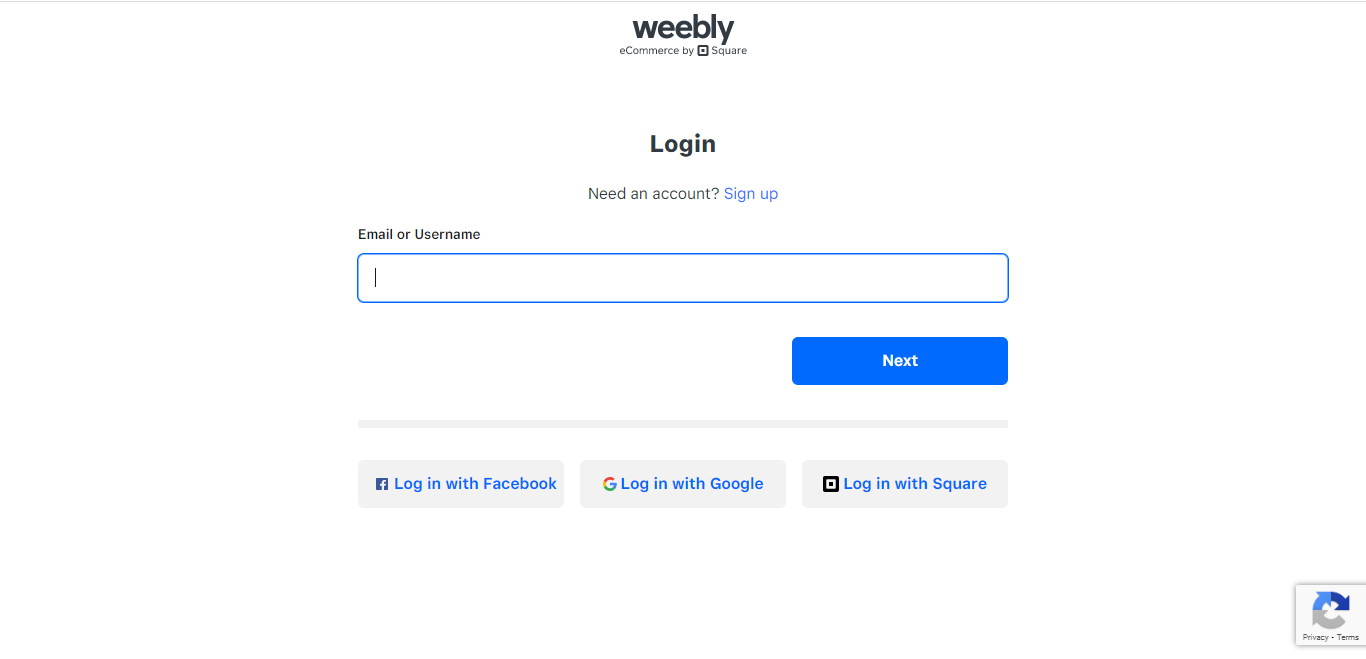
- Log in to Weebly.
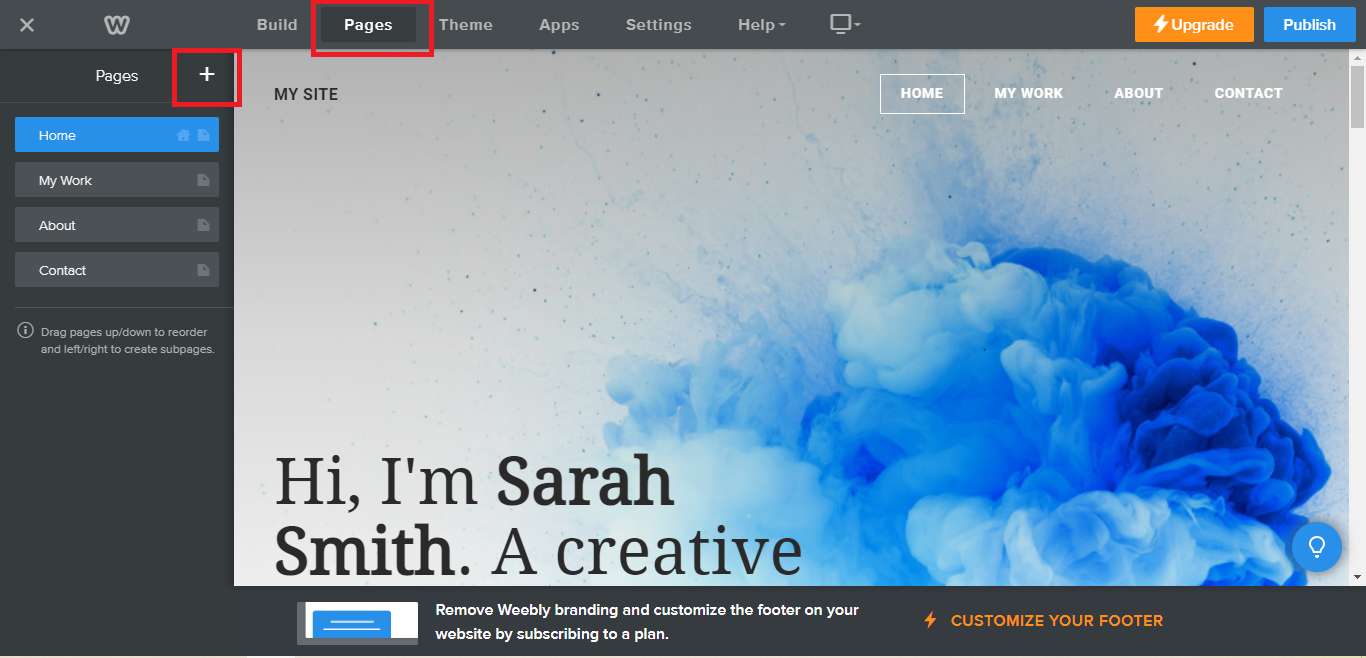
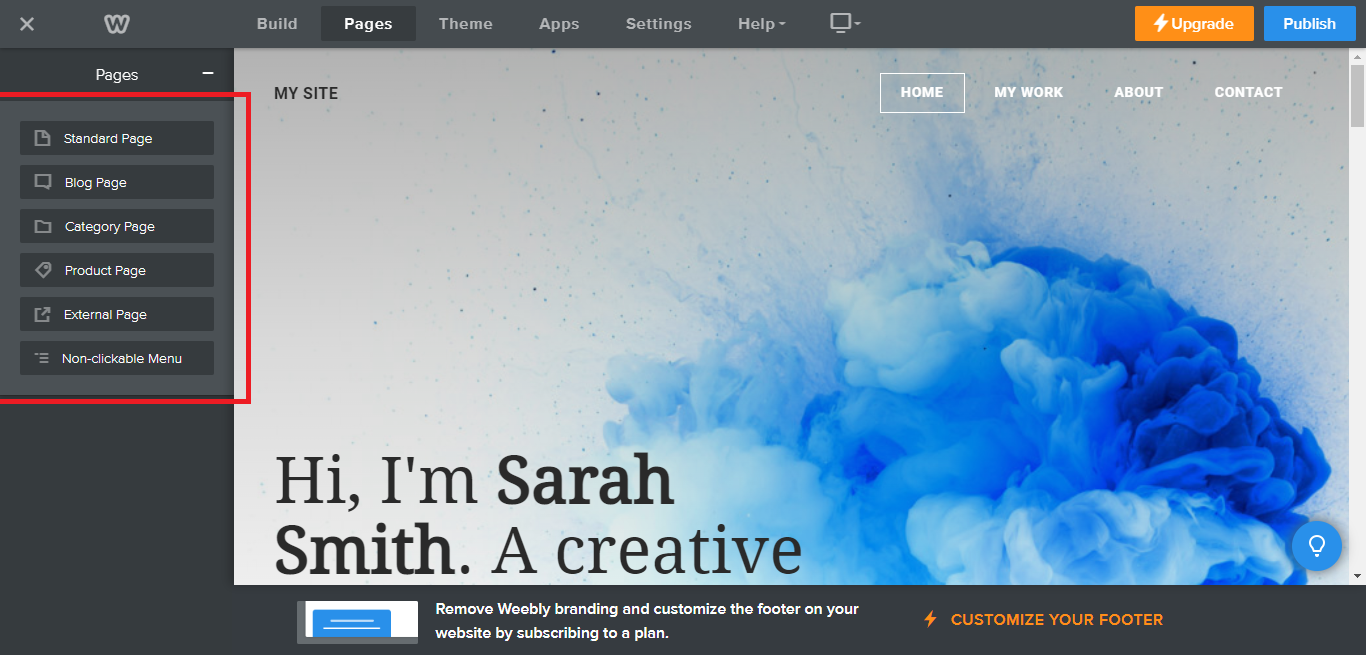
- On your existing website on Weebly, click the "Pages" section on the upper left then click the "+".
- Select what type of page you want to add.
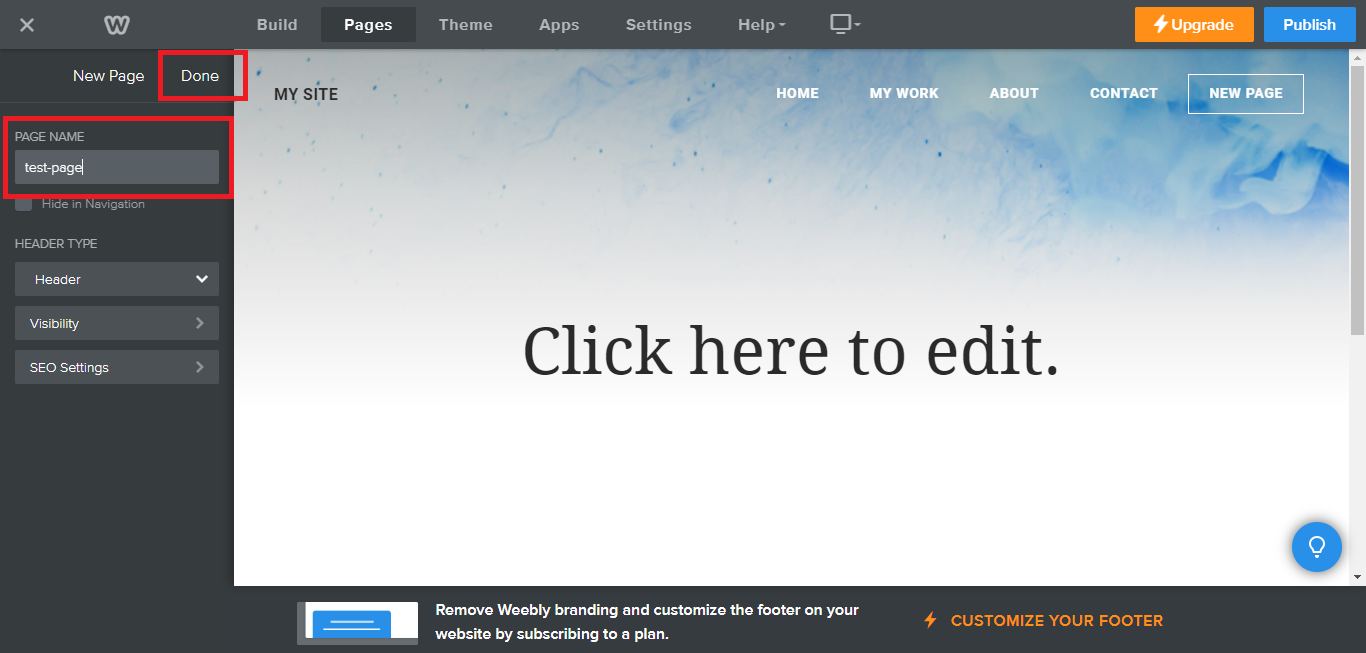
- Add a name to your page and then click "Done".
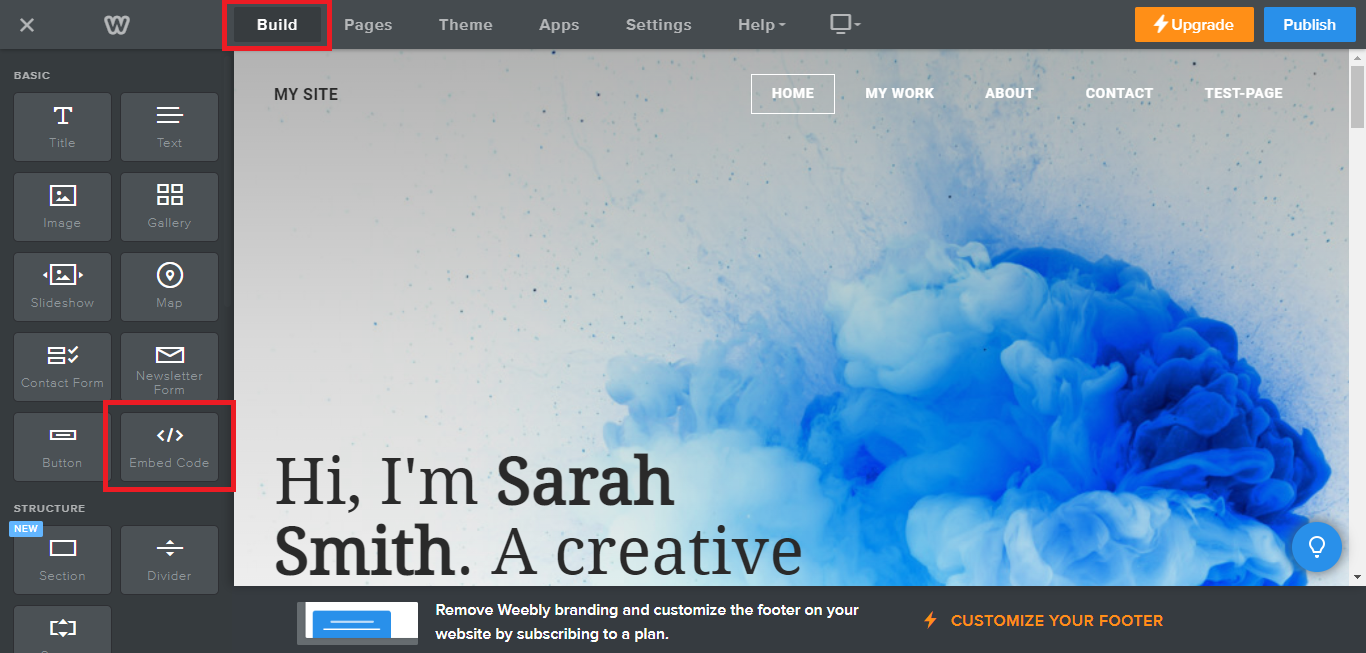
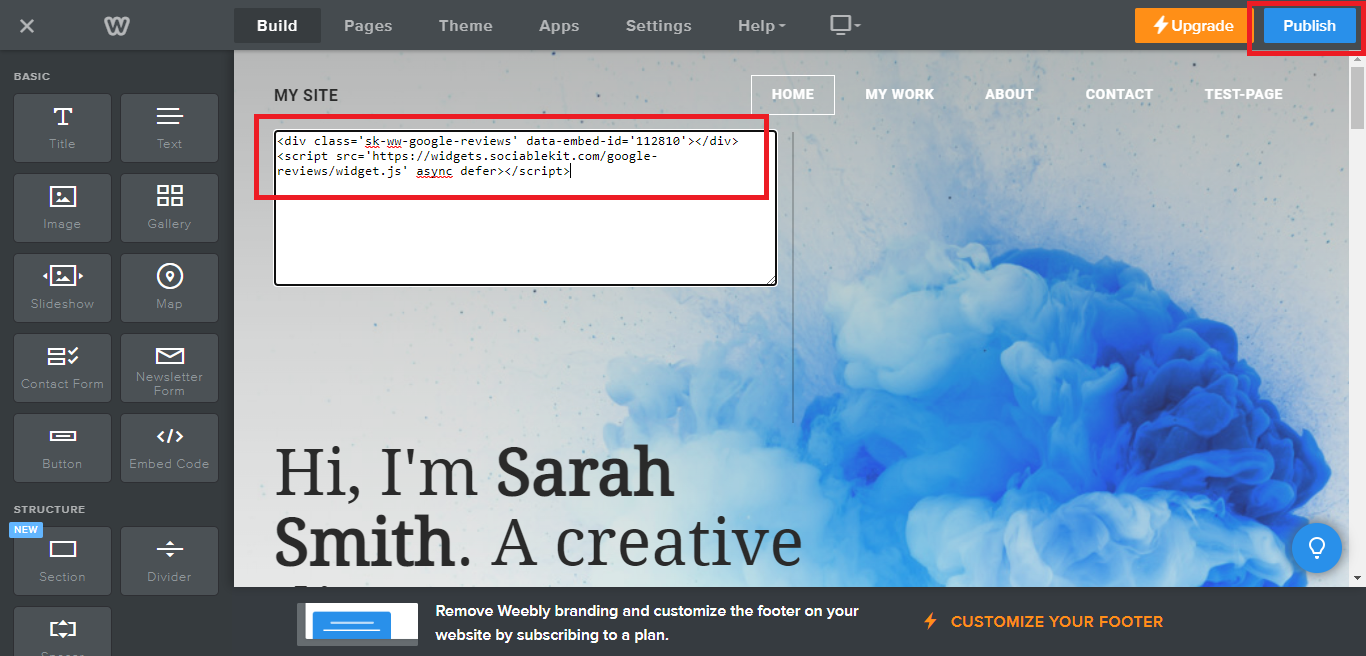
- On the top menu, click "Build" then on the sidebar, drag the "Embed Code" option on your page.
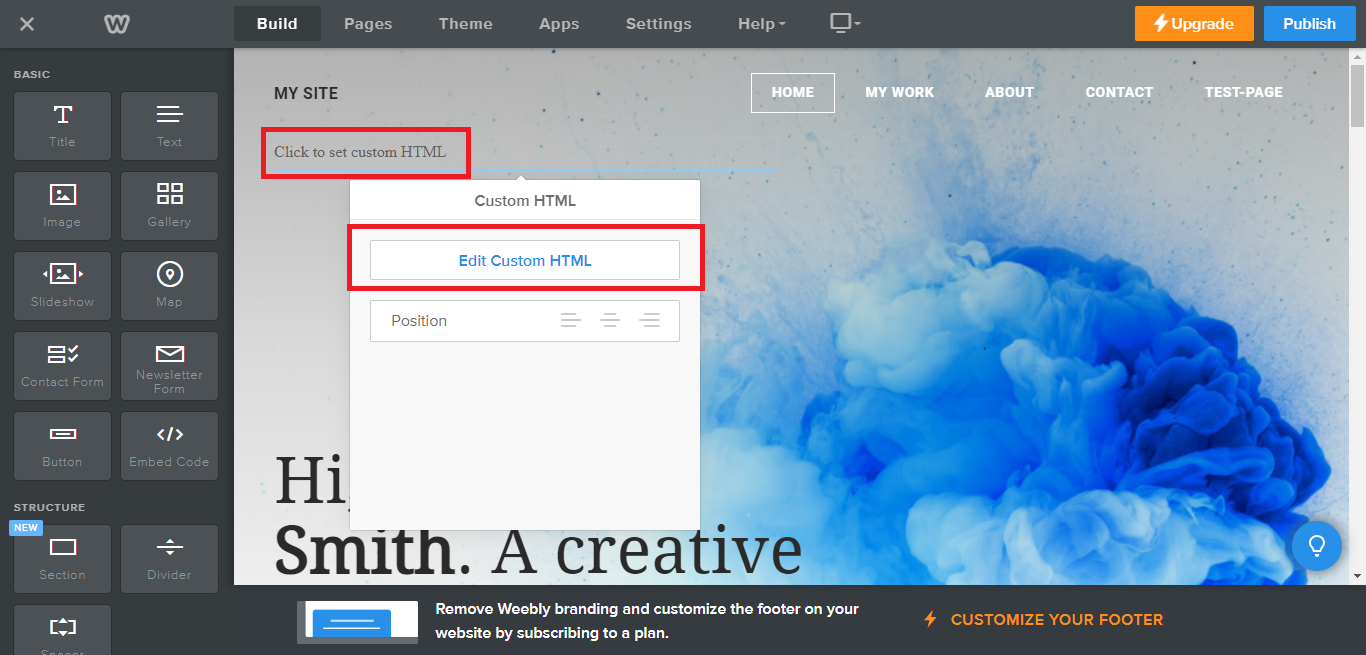
- Click the "Click to set custom HTML" then click "Edit Custom HTML".
- Paste the code you copied from SociableKIT then in the upper right corner, click the “Publish” button.
- Click the link to your site. Done!
To embed Twitter hashtag feed on your Wix website, follow the steps below.
-
Sign up free to SociableKIT. Sign up for a free account on SociableKIT or login if you already have an account.
-
Create and customize your Twitter hashtag feed widget. Create a Twitter hashtag feed widget and customize the colors, fonts, and other elements to match your Squarespace website.
-
Copy the Twitter hashtag feed widget embed code. Click the 'Embed on website' button on the upper right and copy the embed code.
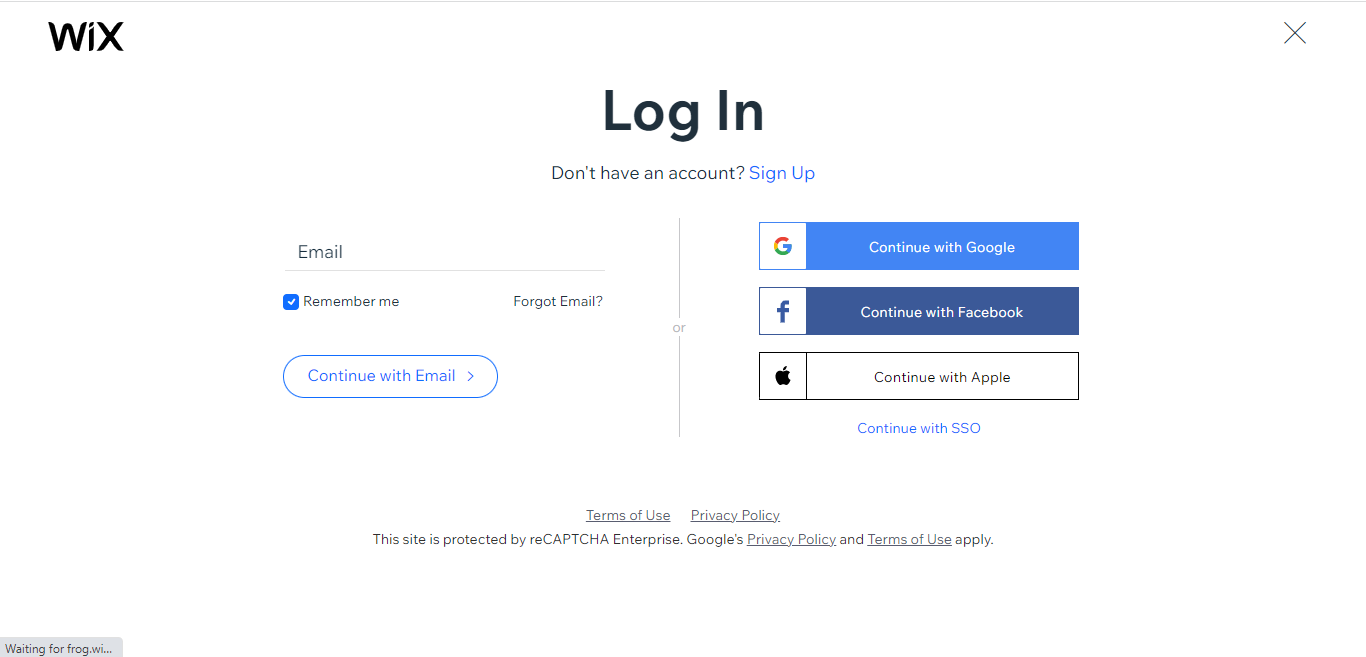
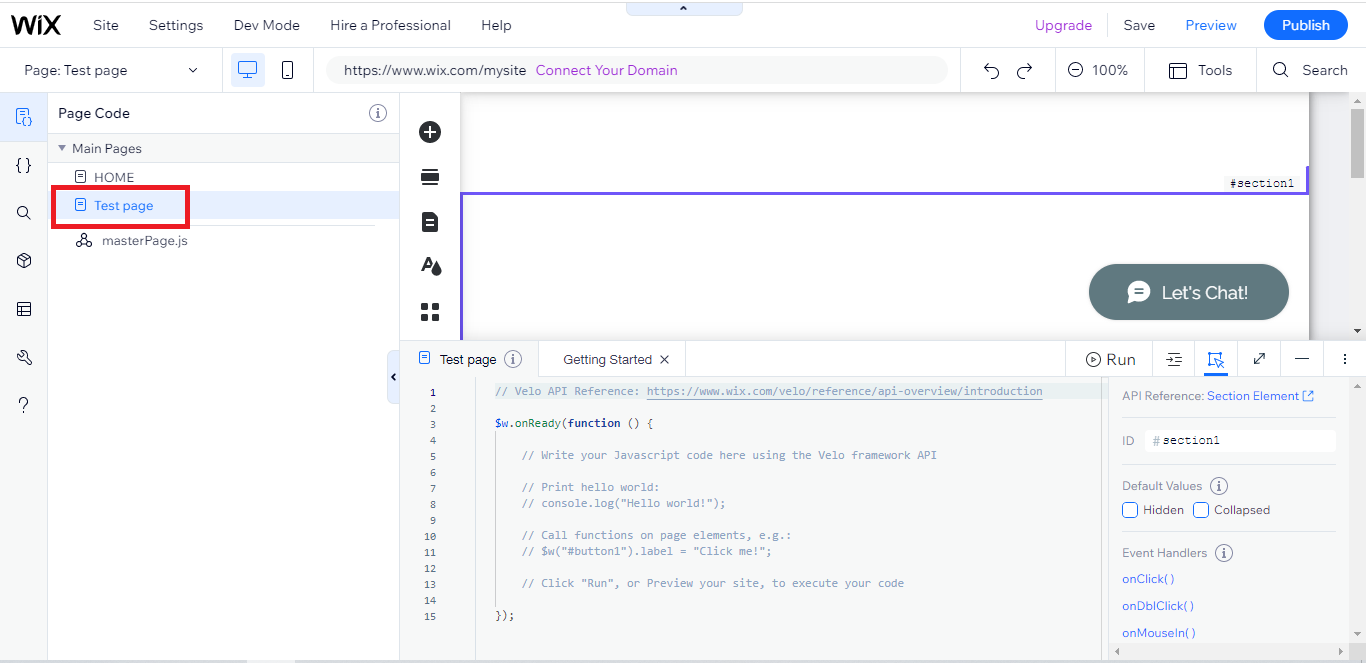
- Login to Wix.
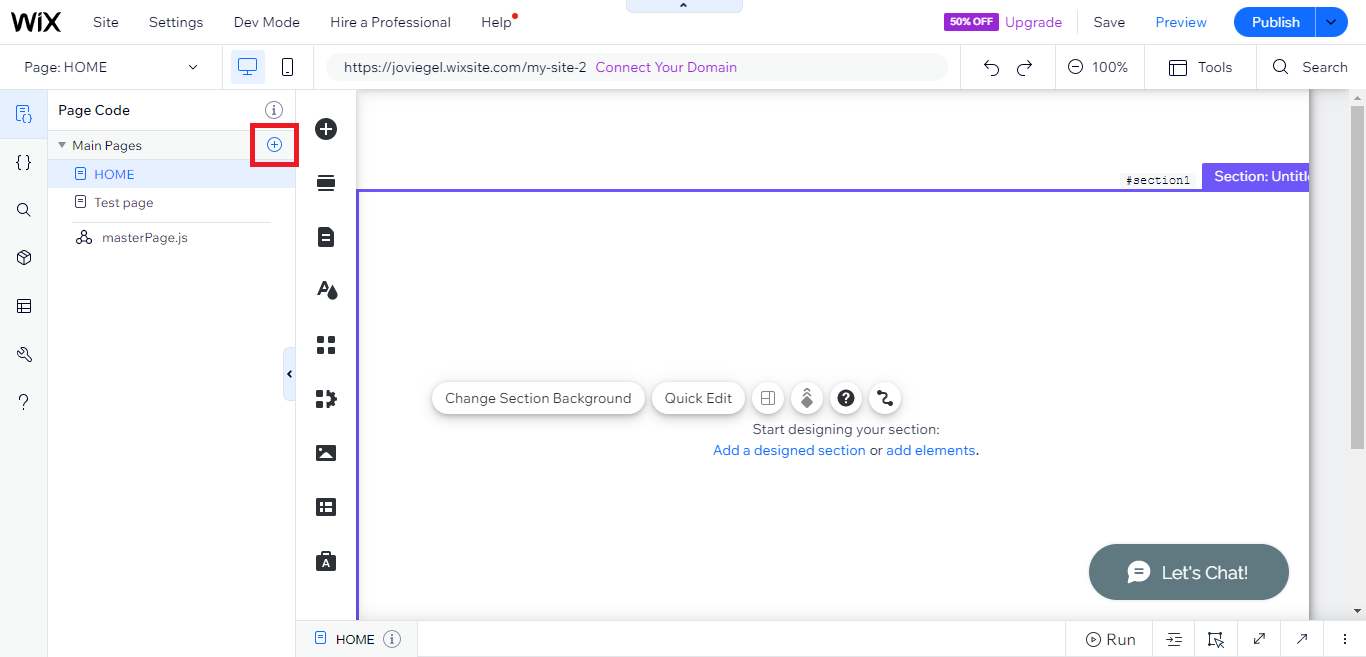
- On your existing website click the "+" button beside the "Main pages" section.
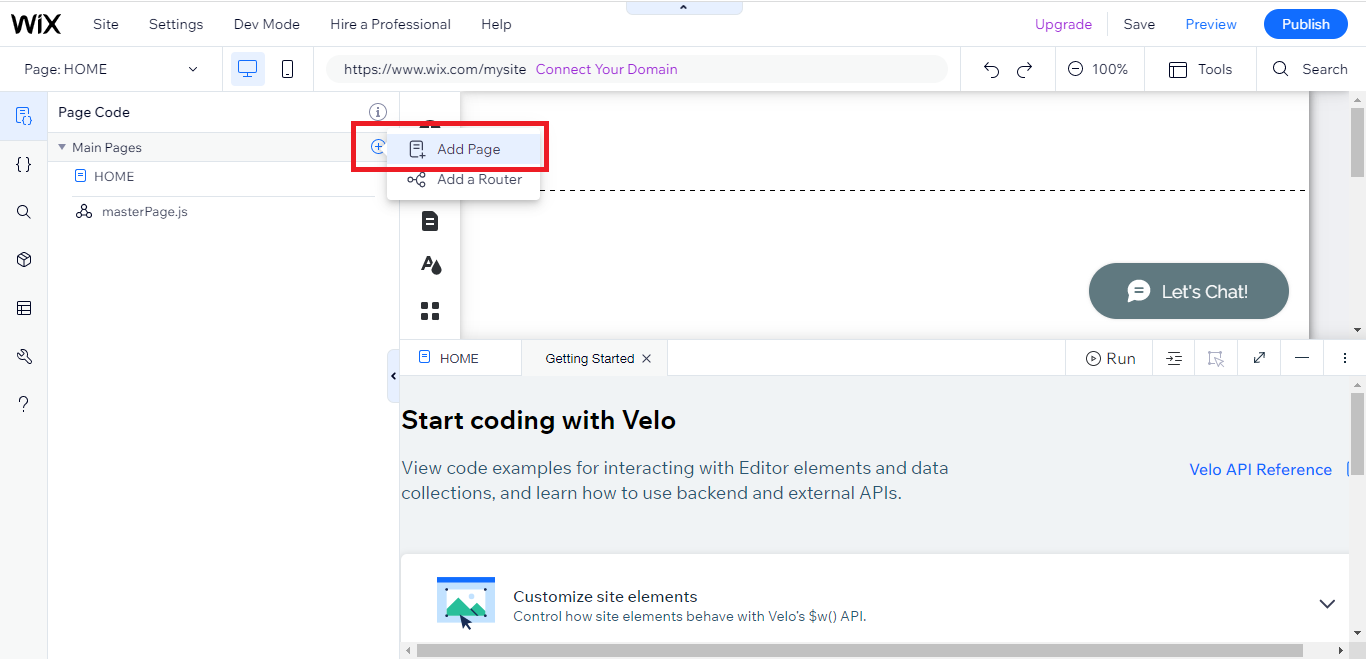
- Then click the "Add page" button.
- Name your page then hit enter.
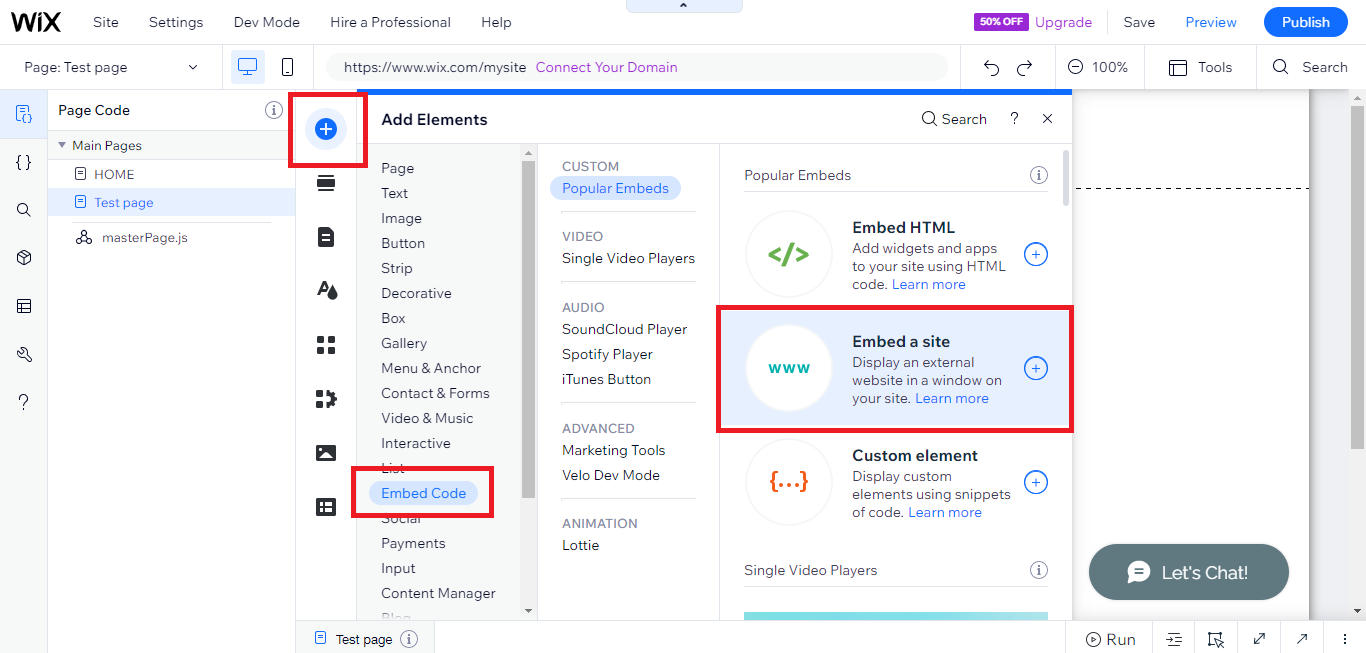
- On the left, click "Add element". Find and click "Embed code". Click and drag "Embed a site" on your page then resize the container.
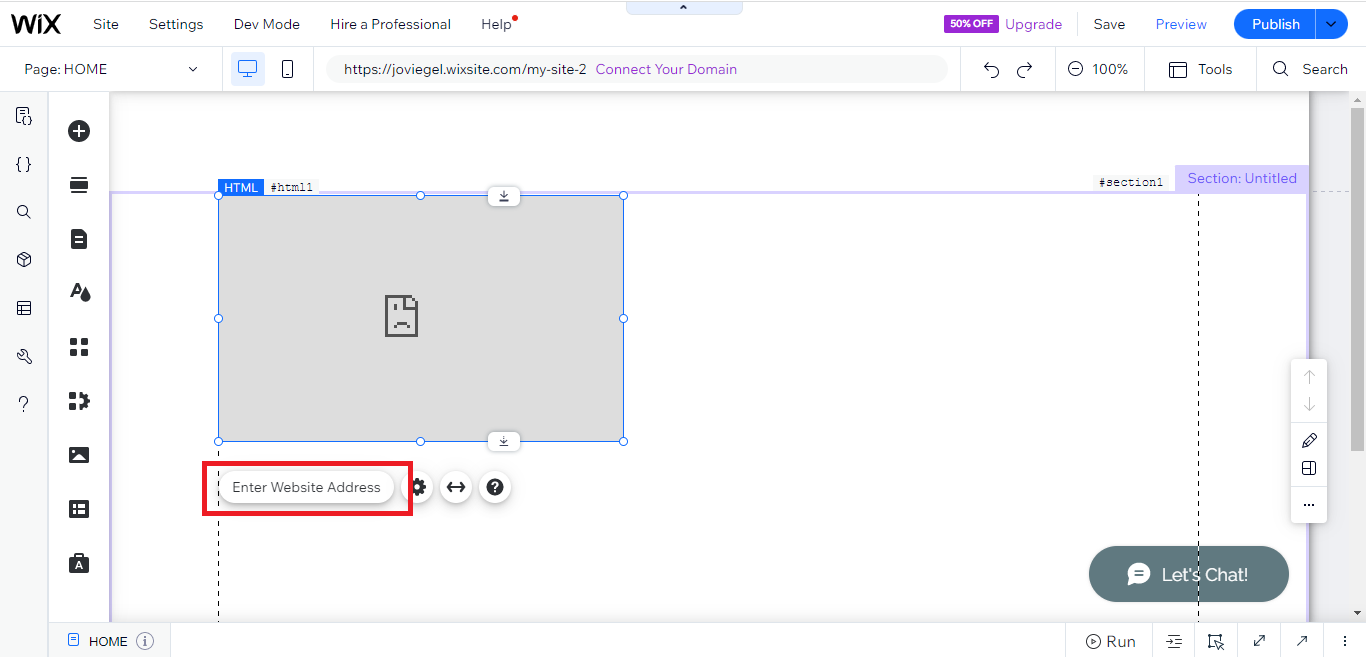
- Click "Change website address".
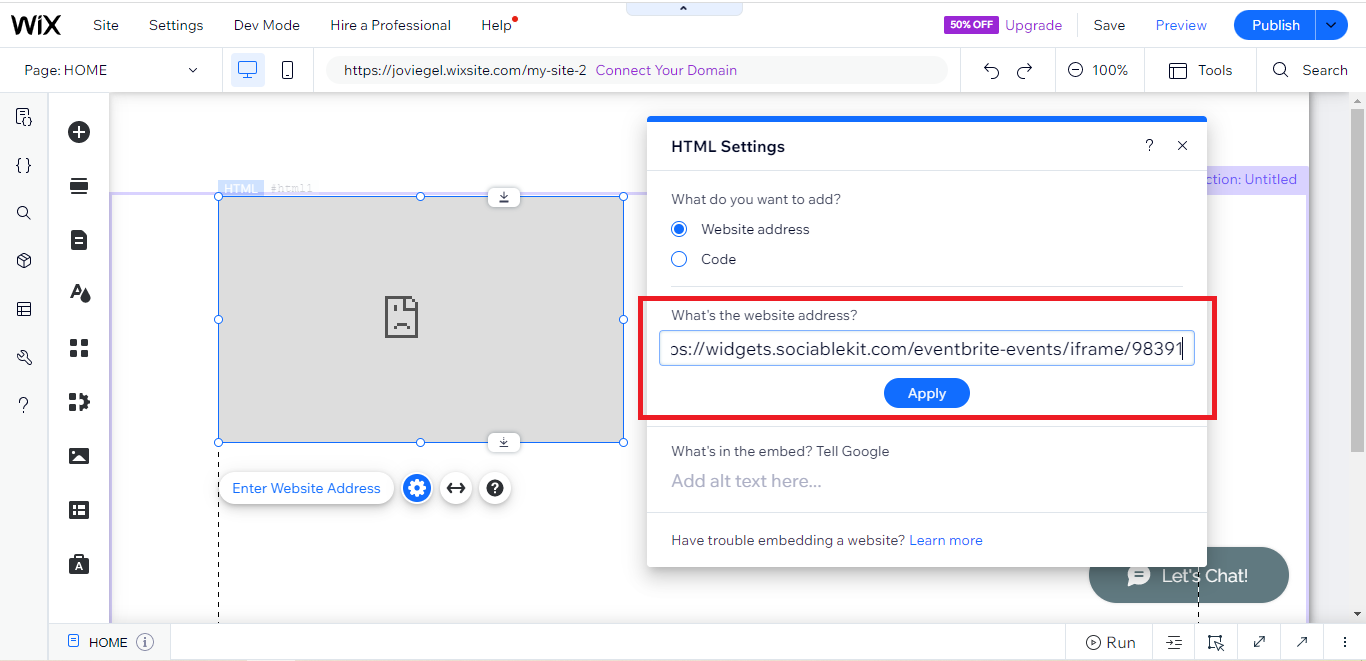
- Paste the link you copied from SociableKIT then click "Apply".
- Click "Publish" on the upper right.
- Click "View site". Done!
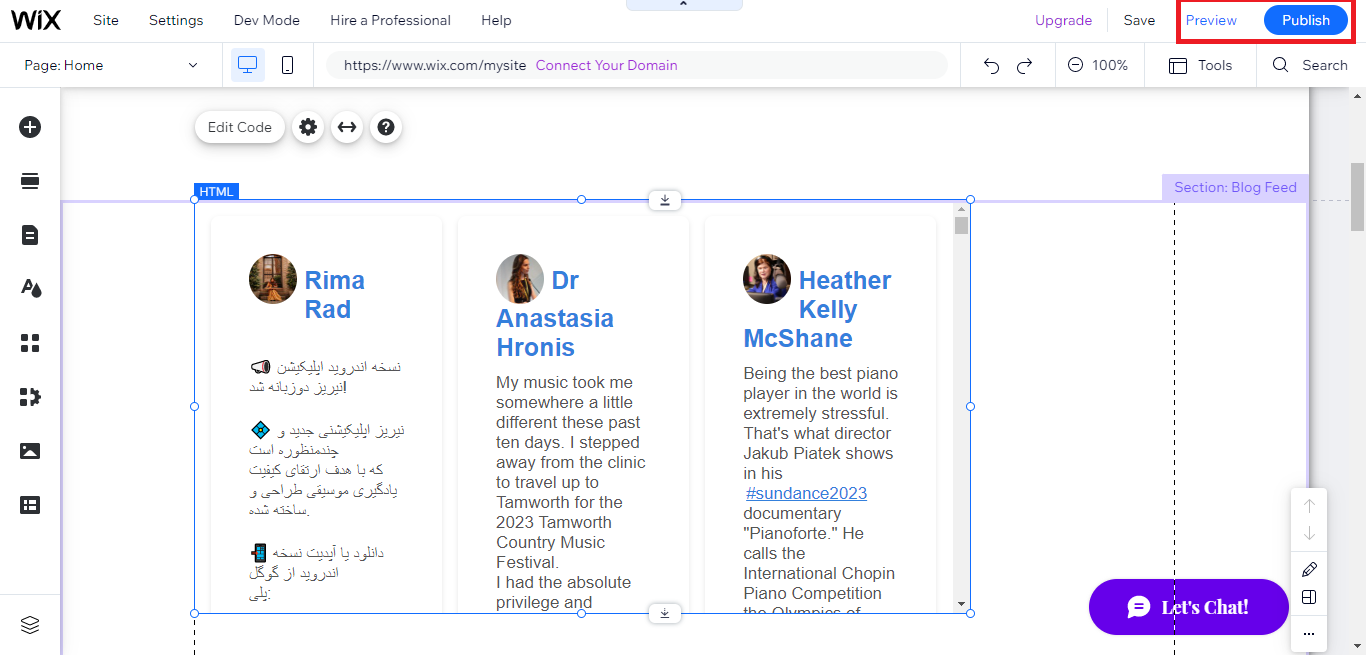
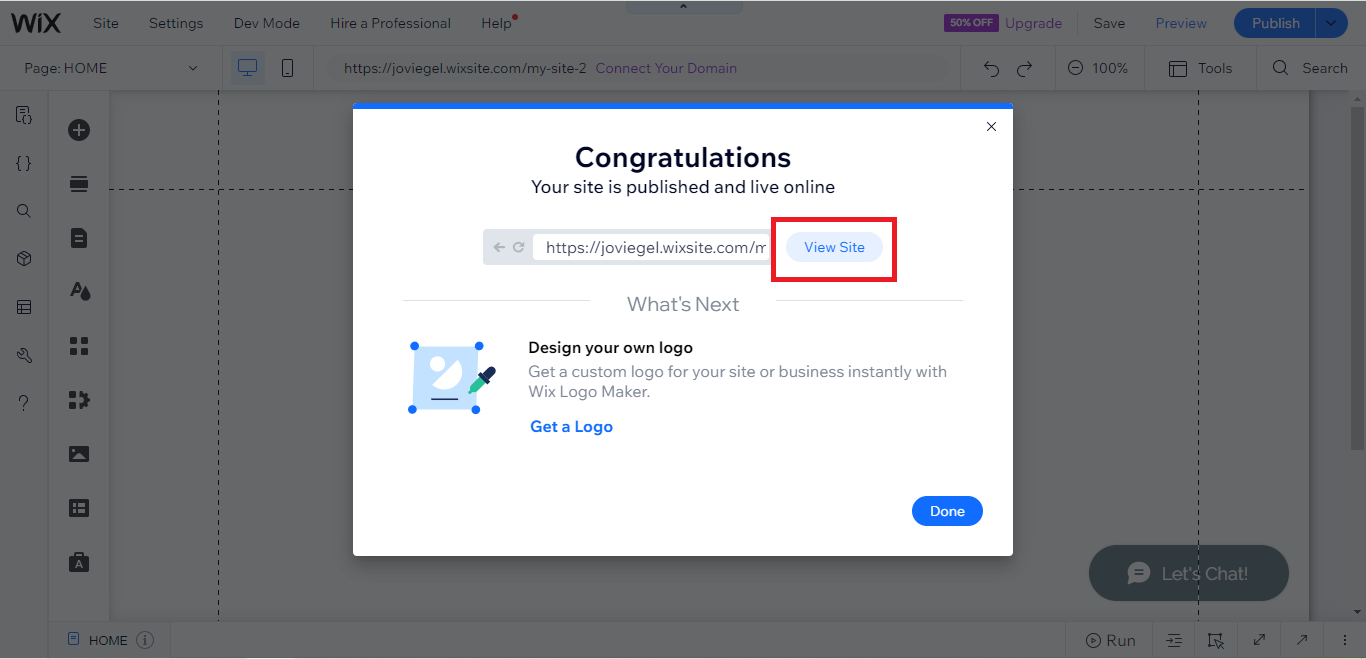
To embed Twitter hashtag feed on your Webflow website, follow the steps below.
-
Sign up free to SociableKIT. Sign up for a free account on SociableKIT or login if you already have an account.
-
Create and customize your Twitter hashtag feed widget. Create a Twitter hashtag feed widget and customize the colors, fonts, and other elements to match your Squarespace website.
-
Copy the Twitter hashtag feed widget embed code. Click the 'Embed on website' button on the upper right and copy the embed code.
- Login to Webflow.
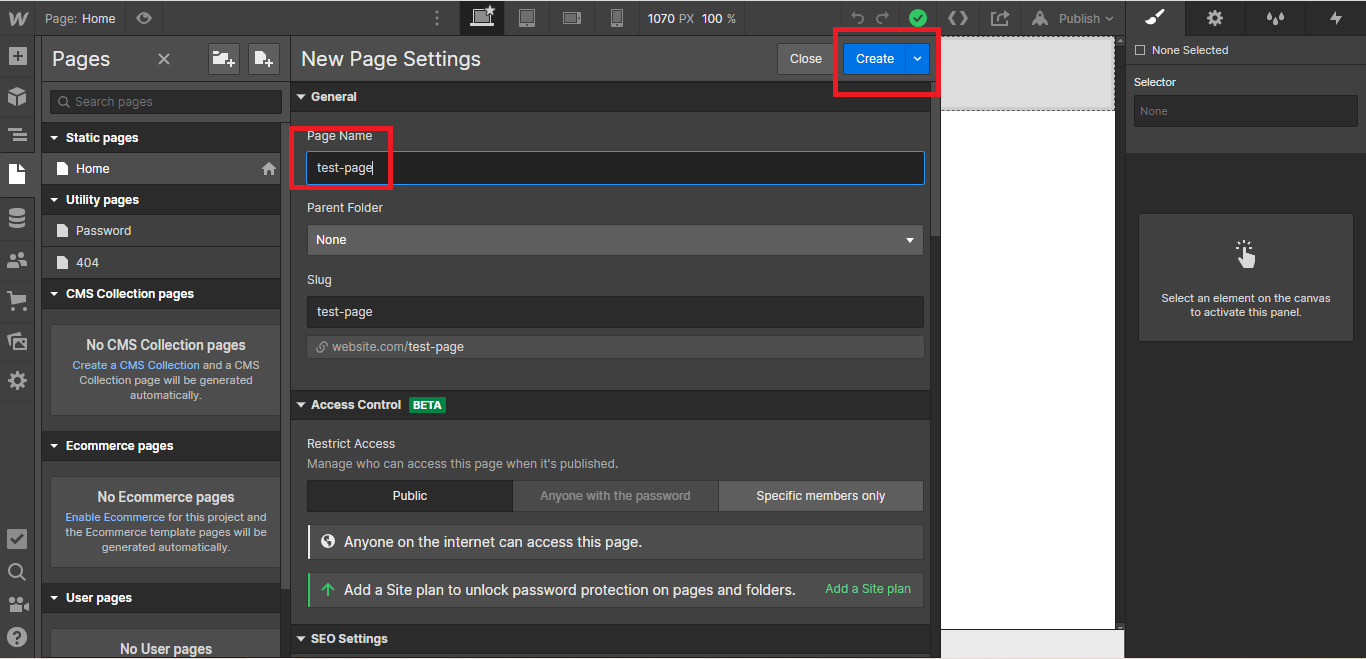
- On your existing website, click the "Page: ...." in the upper left corner then click the "Create new page" icon.
- Once done add a name for your new page then click "Save".
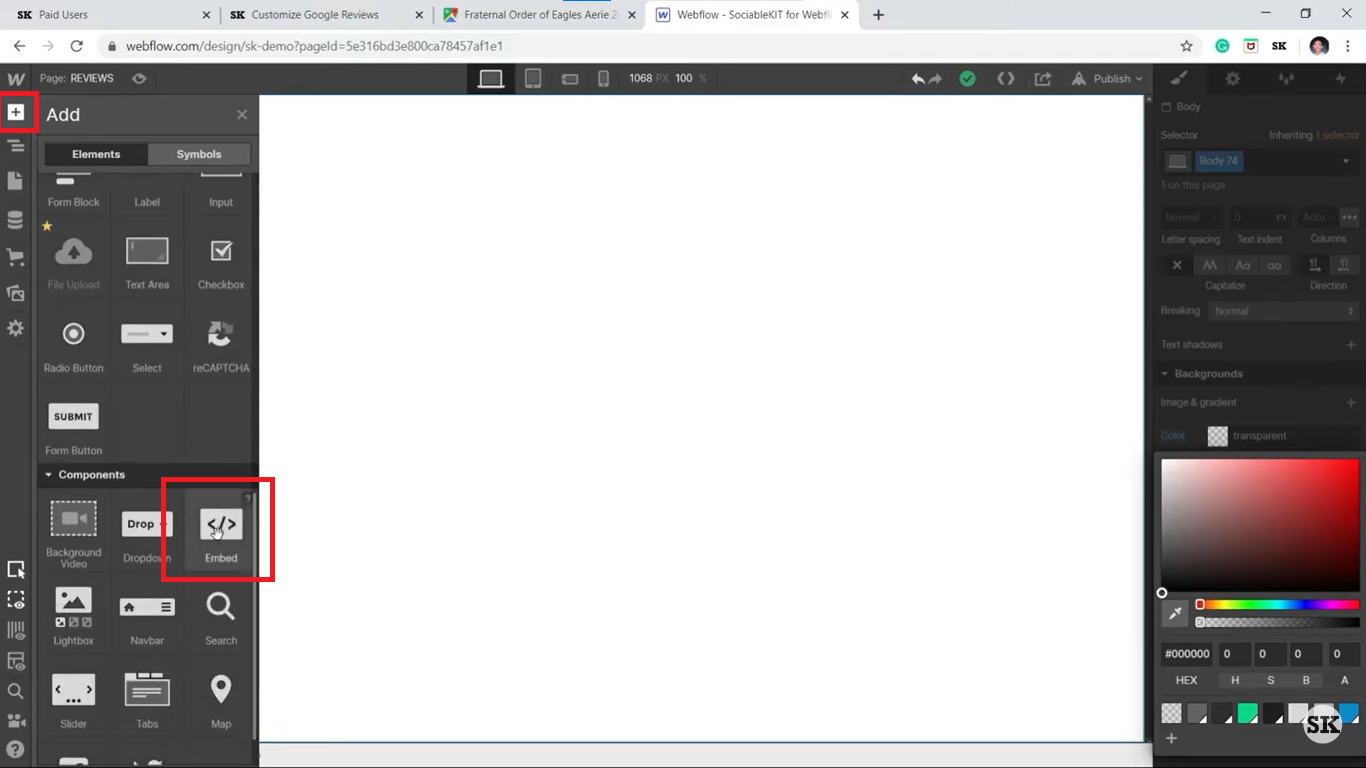
- On the left, click "Add Element". Drag "Embed" to your page.
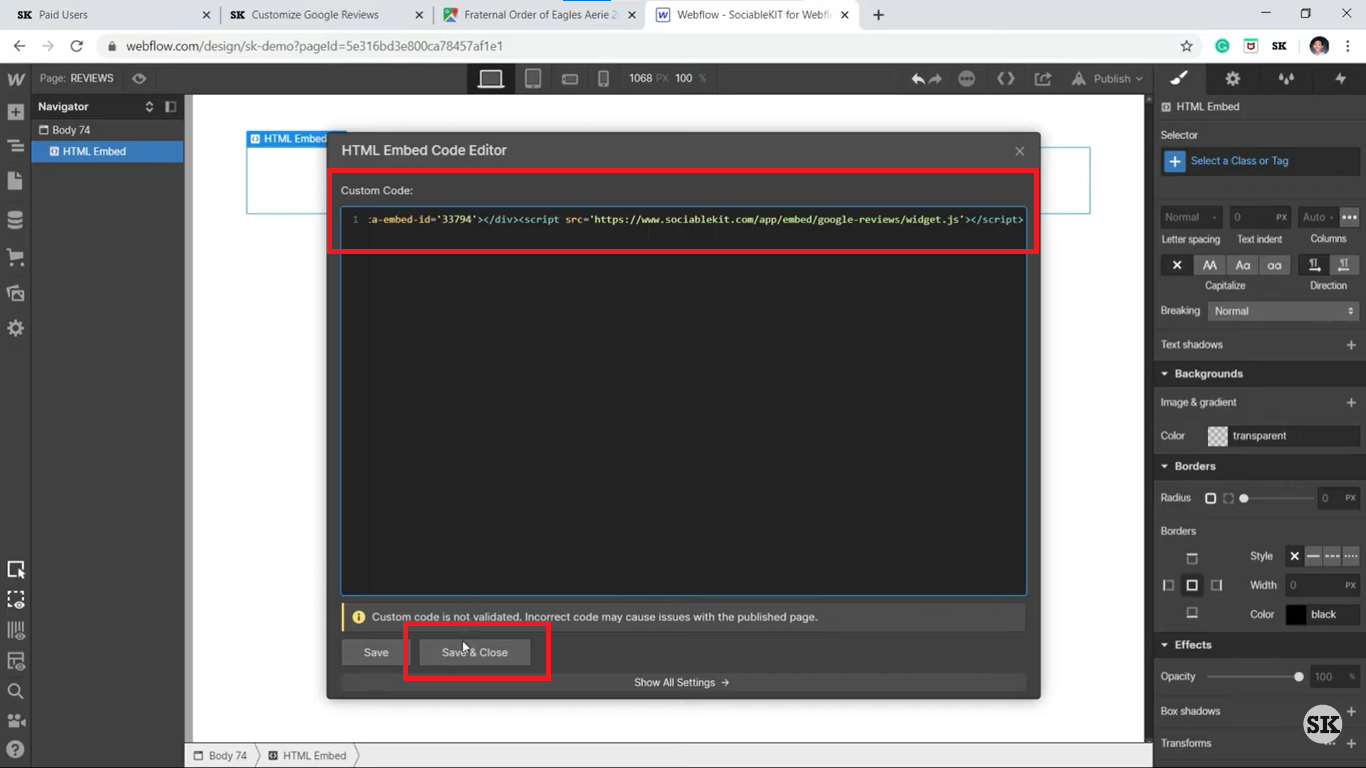
- Paste the JavaScript code you copied from SociableKIT.
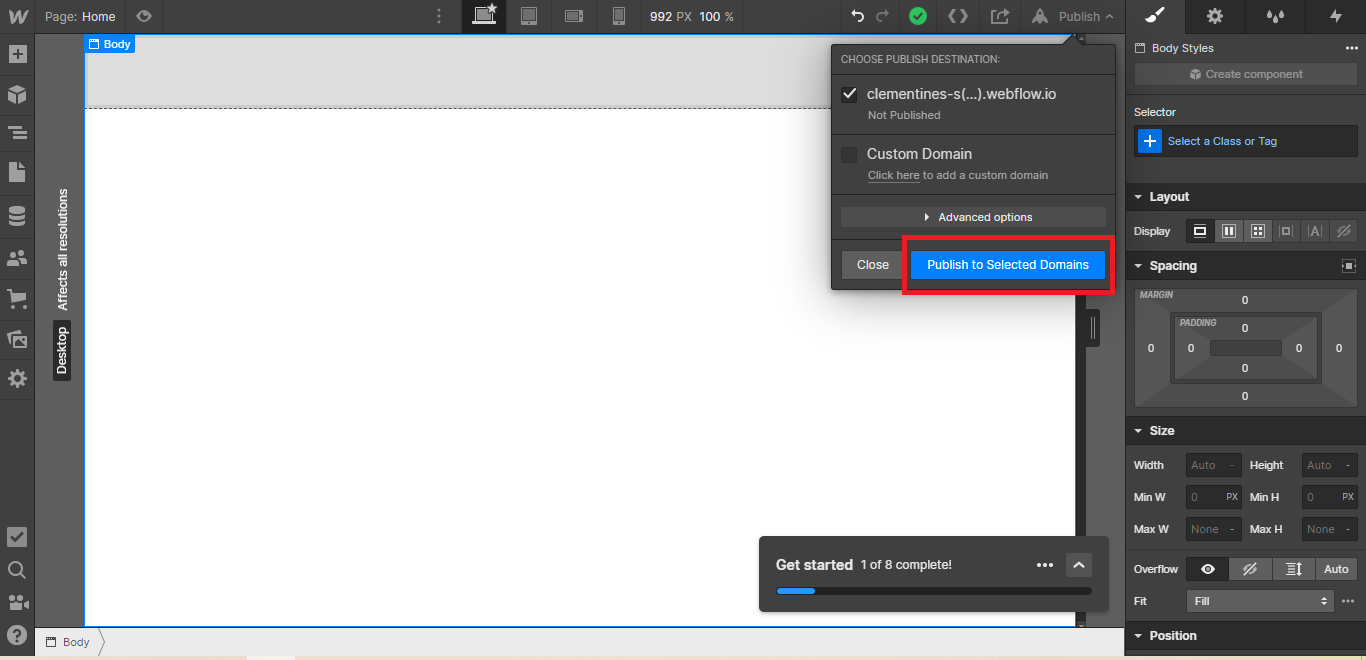
- On the upper right, click "Publish" > "Publish to Selected Domains".
- View your page. Done!
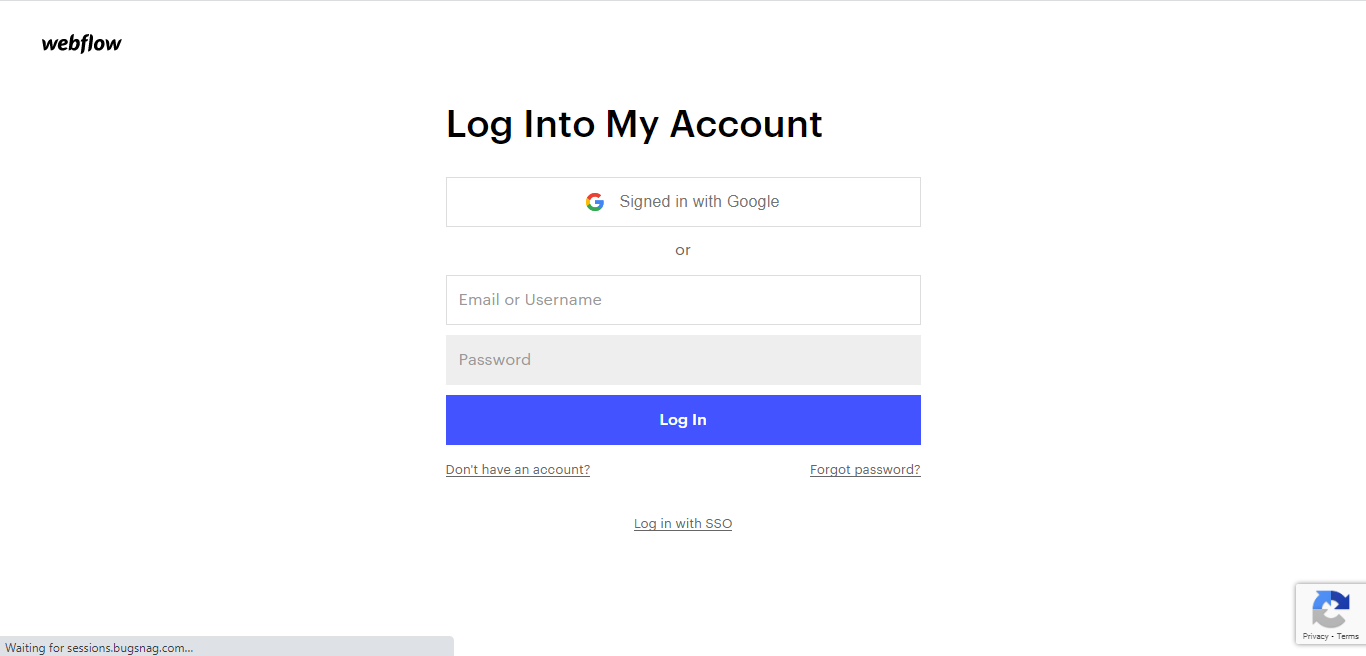
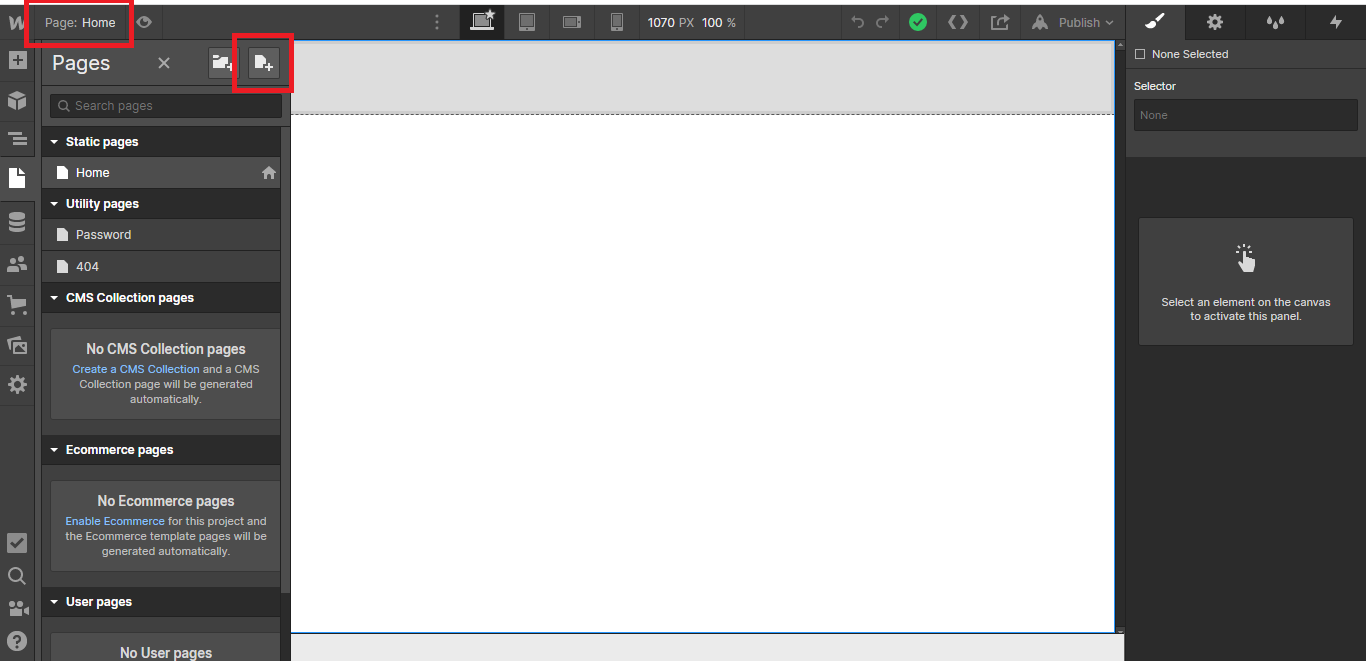
To embed Twitter hashtag feed on your Shopify website, follow the steps below.
-
Sign up free to SociableKIT. Sign up for a free account on SociableKIT or login if you already have an account.
-
Create and customize your Twitter hashtag feed widget. Create a Twitter hashtag feed widget and customize the colors, fonts, and other elements to match your Squarespace website.
-
Copy the Twitter hashtag feed widget embed code. Click the 'Embed on website' button on the upper right and copy the embed code.
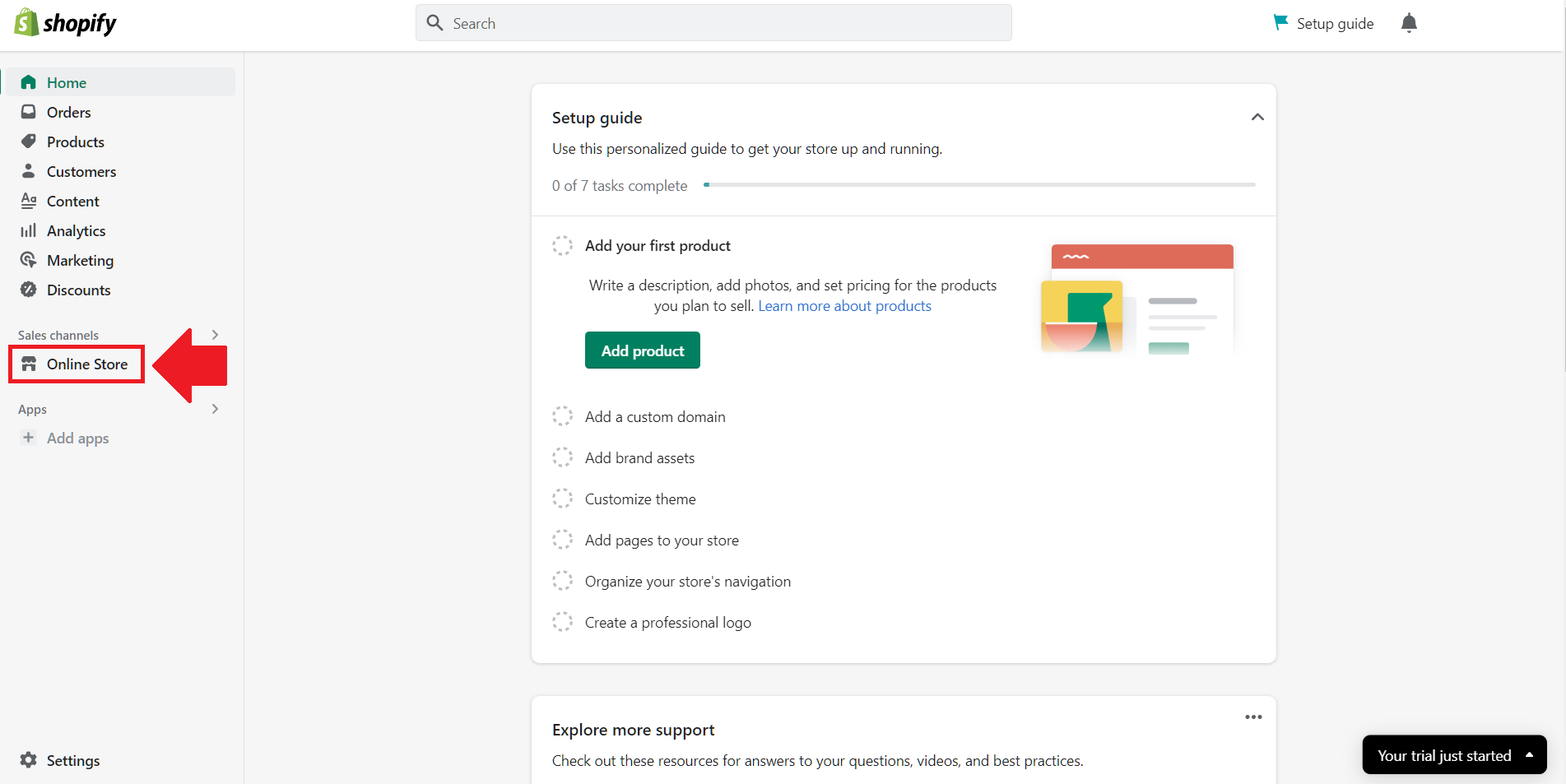
- Login to Shopify.
- On the left side, click Online Store.
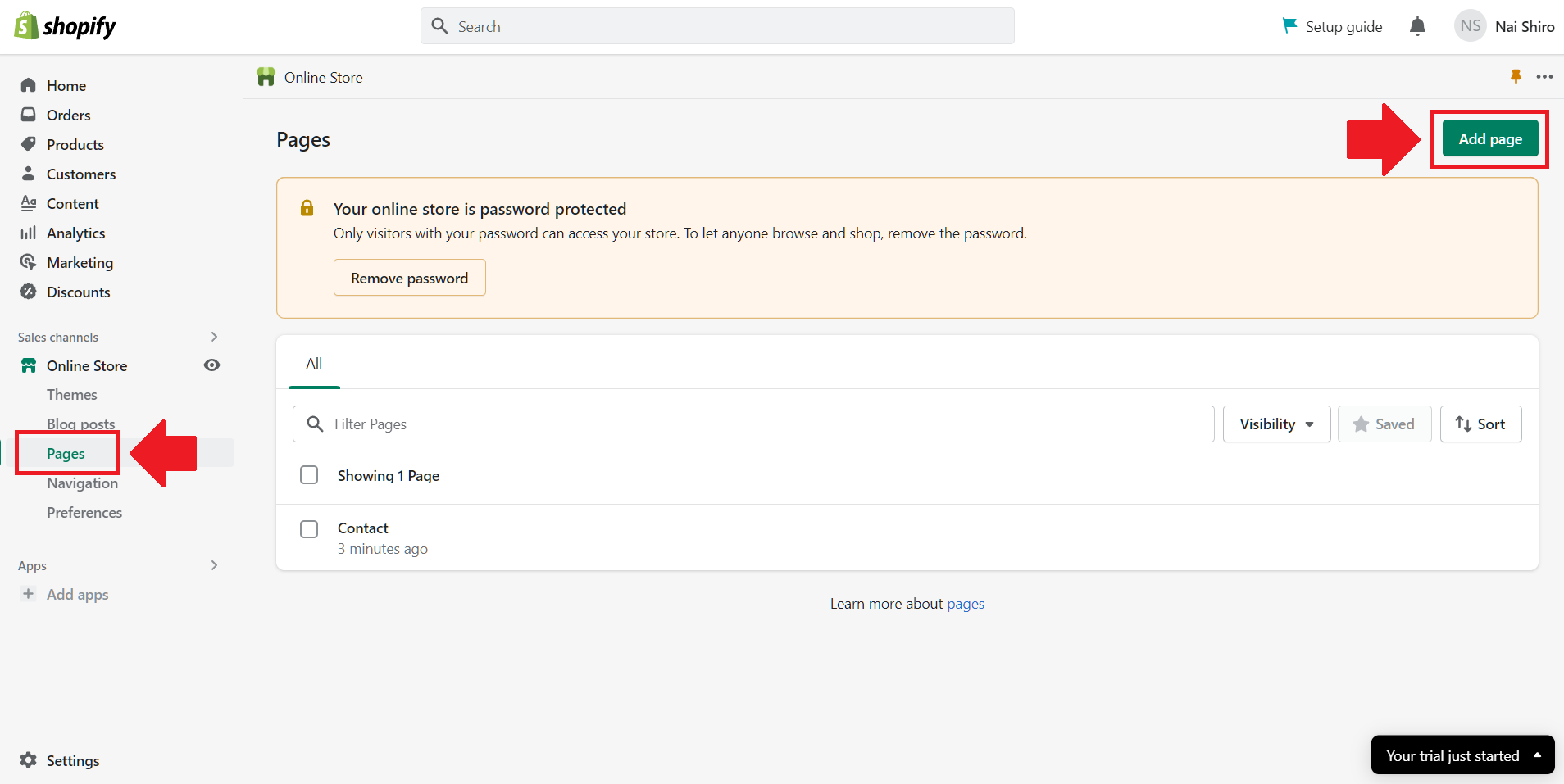
- Click Pages. Add a new page or edit your existing page.
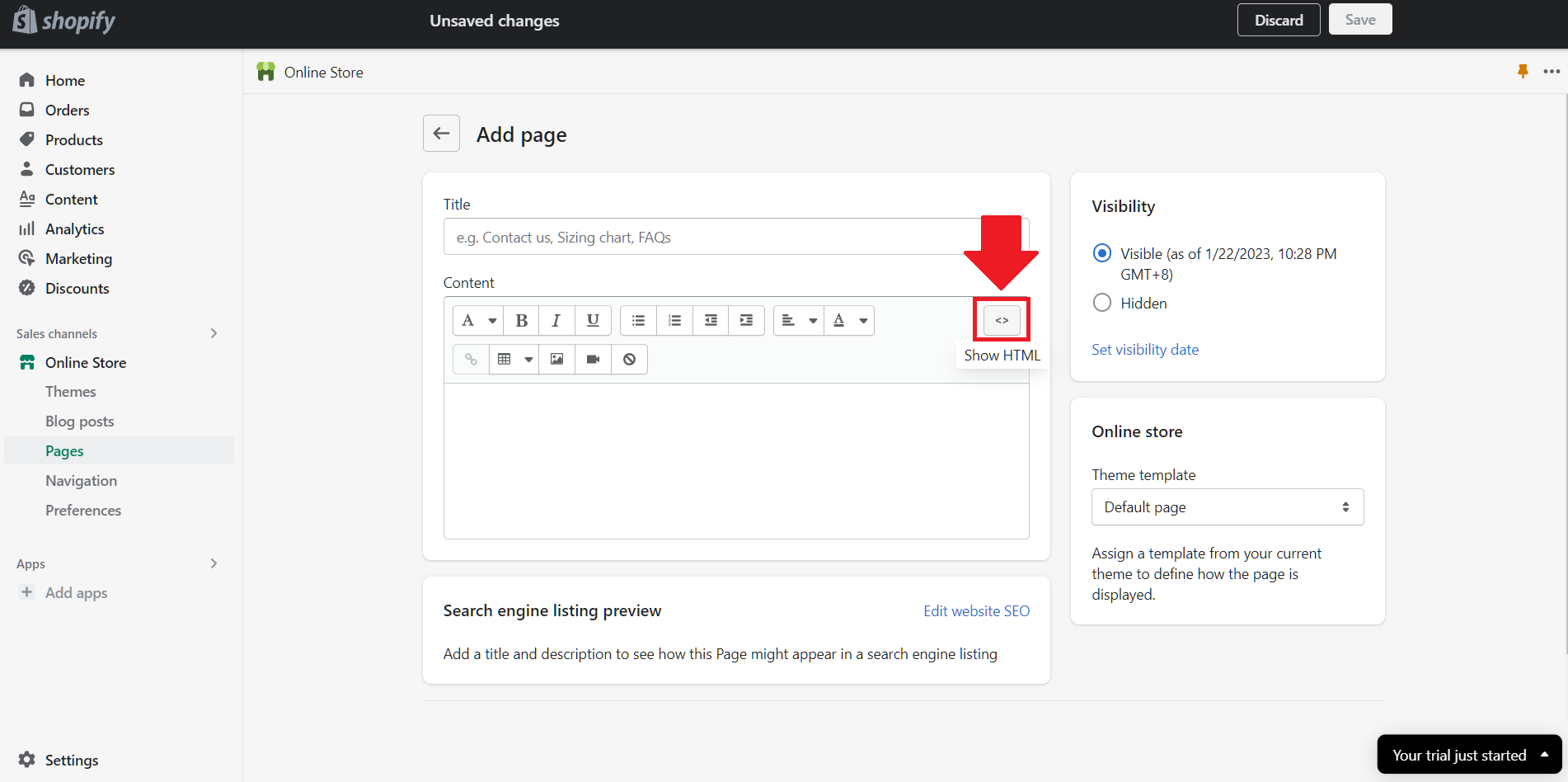
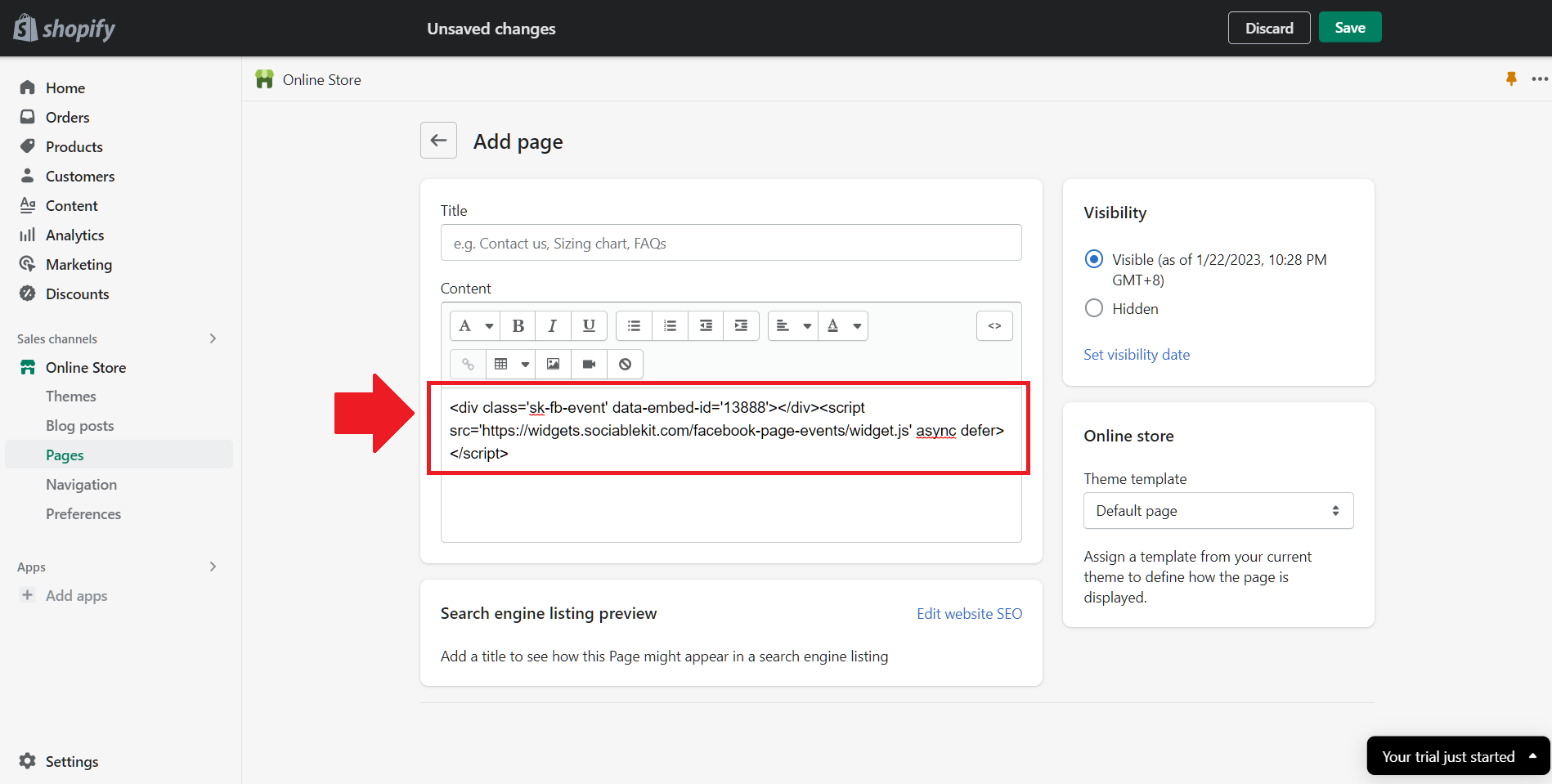
- On the Page details, click Show HTML icon (<>).
- Paste the embed code and click the Save button.
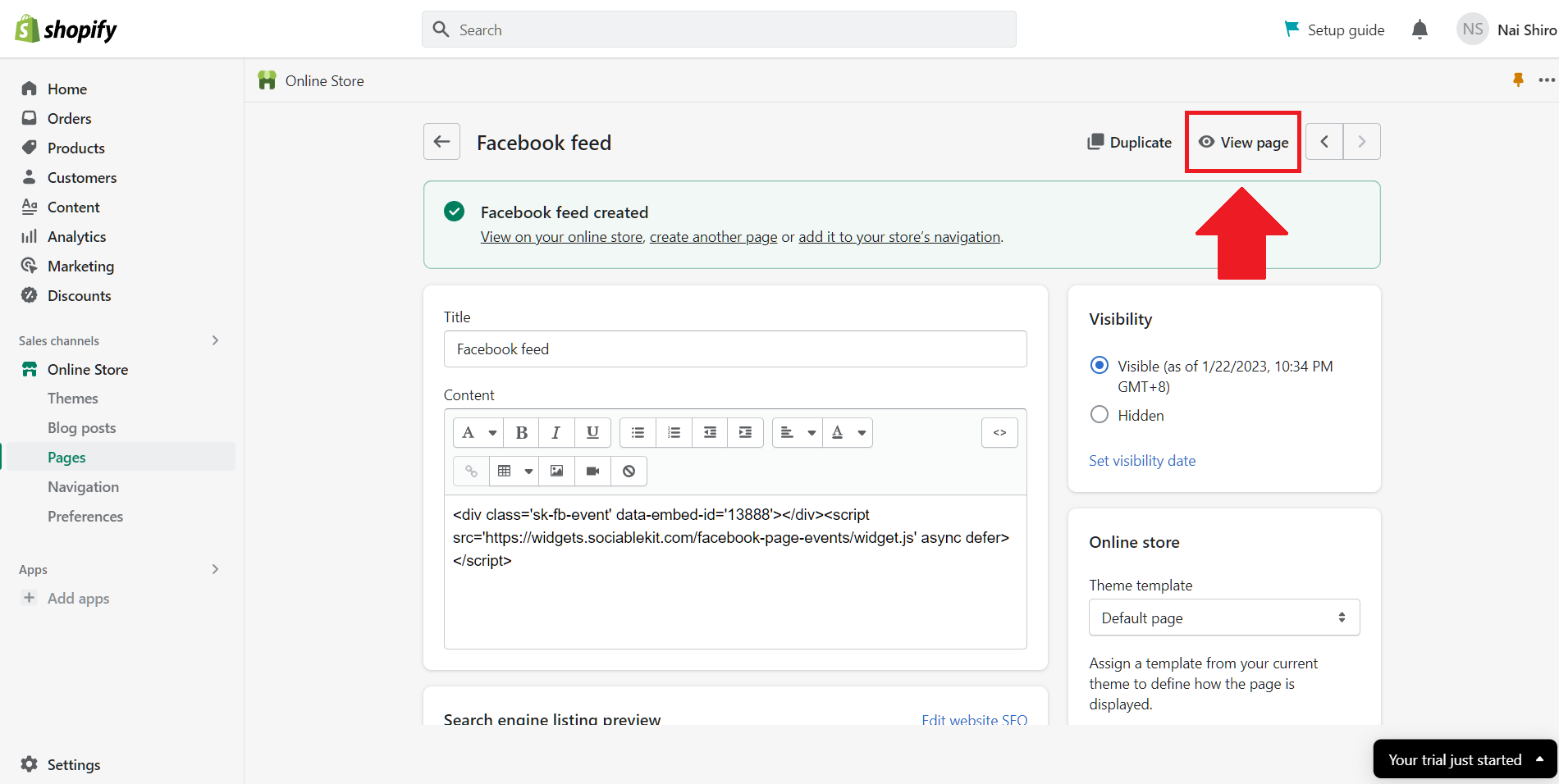
- Click the View page button. Done!
To embed Twitter hashtag feed on your HTML website, follow the steps below.
-
Sign up free to SociableKIT. Sign up for a free account on SociableKIT or login if you already have an account.
-
Create and customize your Twitter hashtag feed widget. Create a Twitter hashtag feed widget and customize the colors, fonts, and other elements to match your Squarespace website.
-
Copy the Twitter hashtag feed widget embed code. Click the 'Embed on website' button on the upper right and copy the embed code.
- Open your HTML file.
- You can create a new HTML page or edit your existing HTML page.
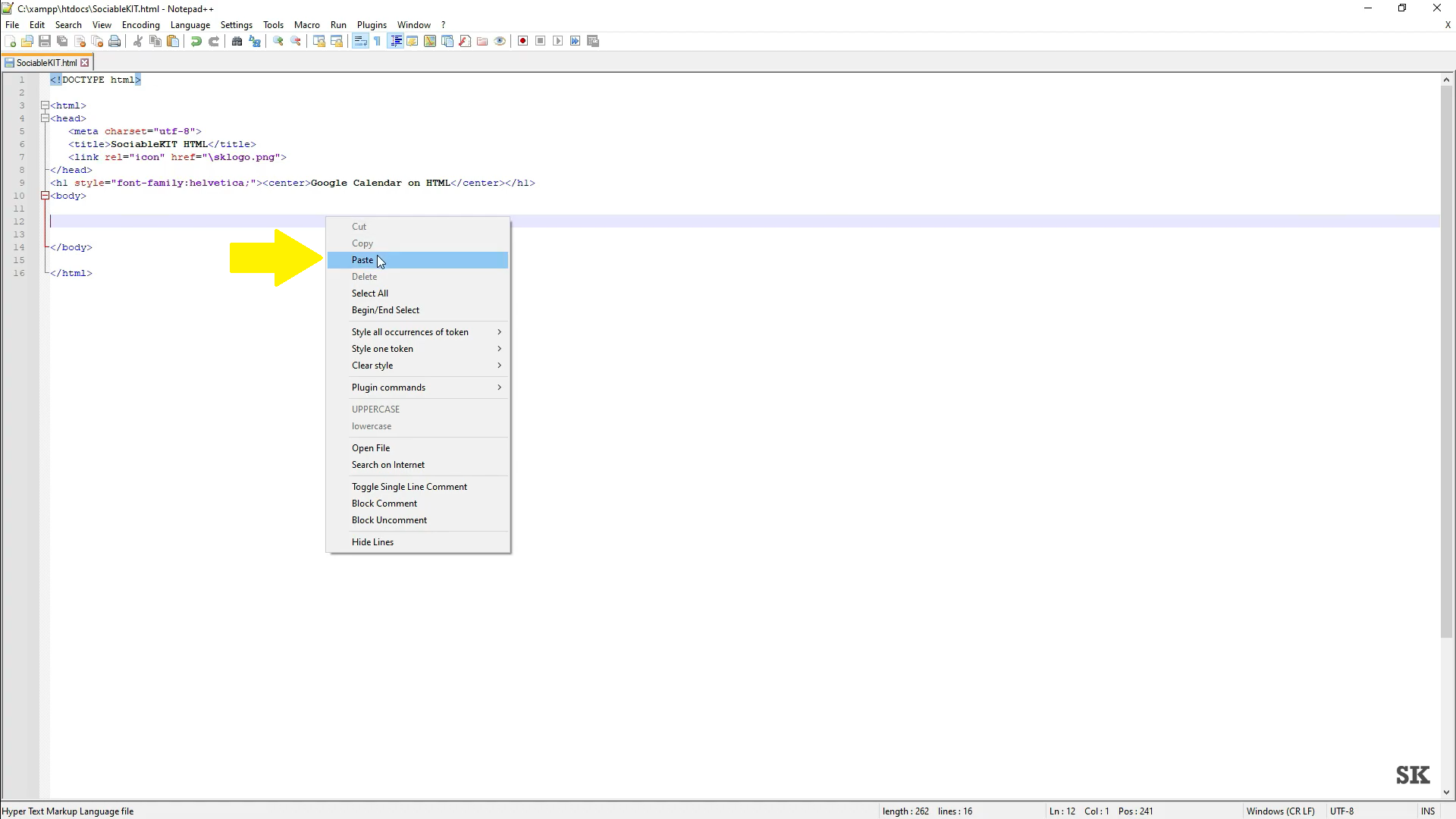
- Paste the Javascript code you copied from SociableKIT. Paste it where you want the widget to appear.
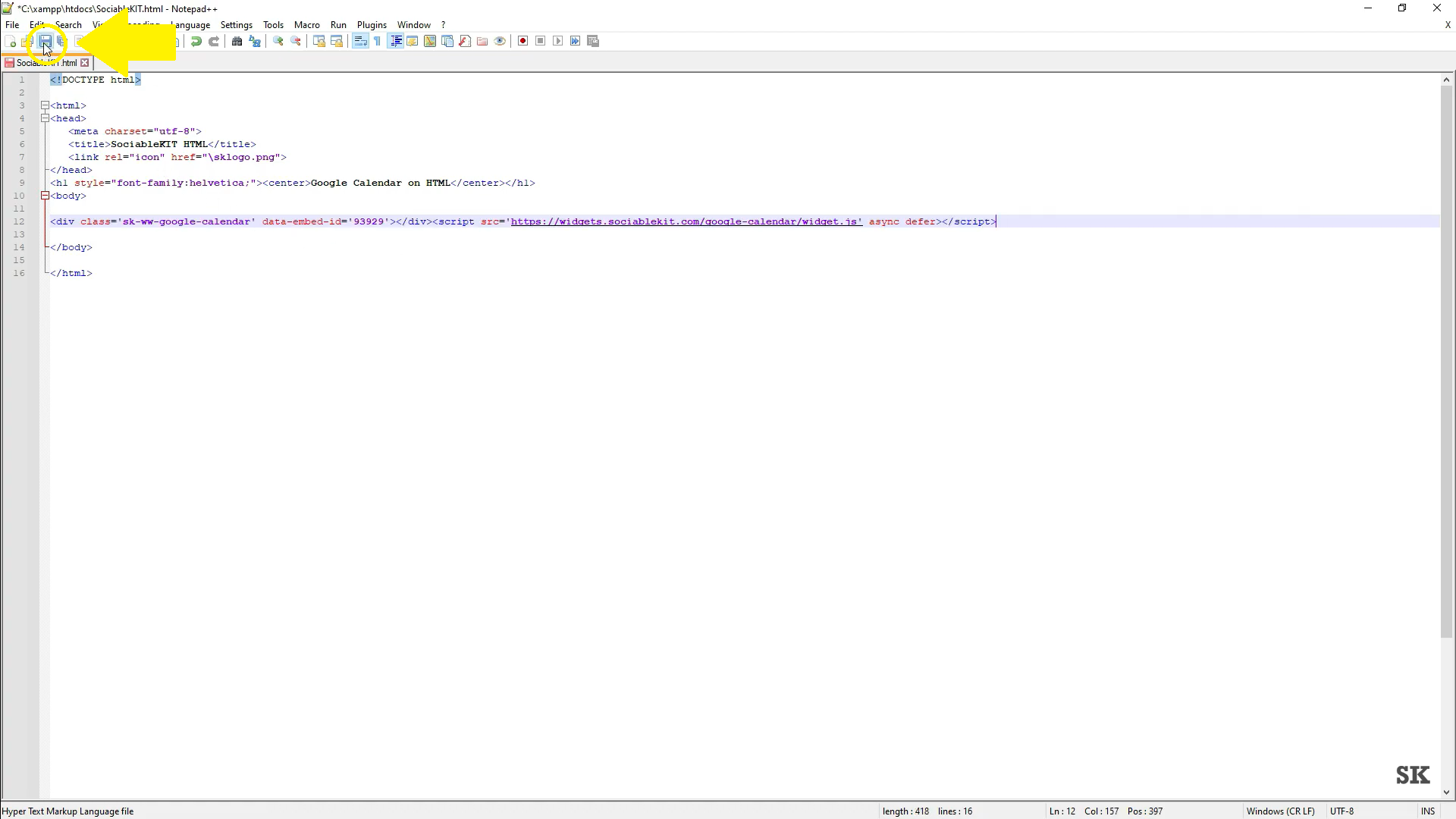
- Save your HTML page.
- You may now upload your HTML page to your web hosting.
To embed Twitter hashtag feed on your Google Sites website, follow the steps below.
-
Sign up free to SociableKIT. Sign up for a free account on SociableKIT or login if you already have an account.
-
Create and customize your Twitter hashtag feed widget. Create a Twitter hashtag feed widget and customize the colors, fonts, and other elements to match your Squarespace website.
-
Copy the Twitter hashtag feed widget embed code. Click the 'Embed on website' button on the upper right and copy the embed code.
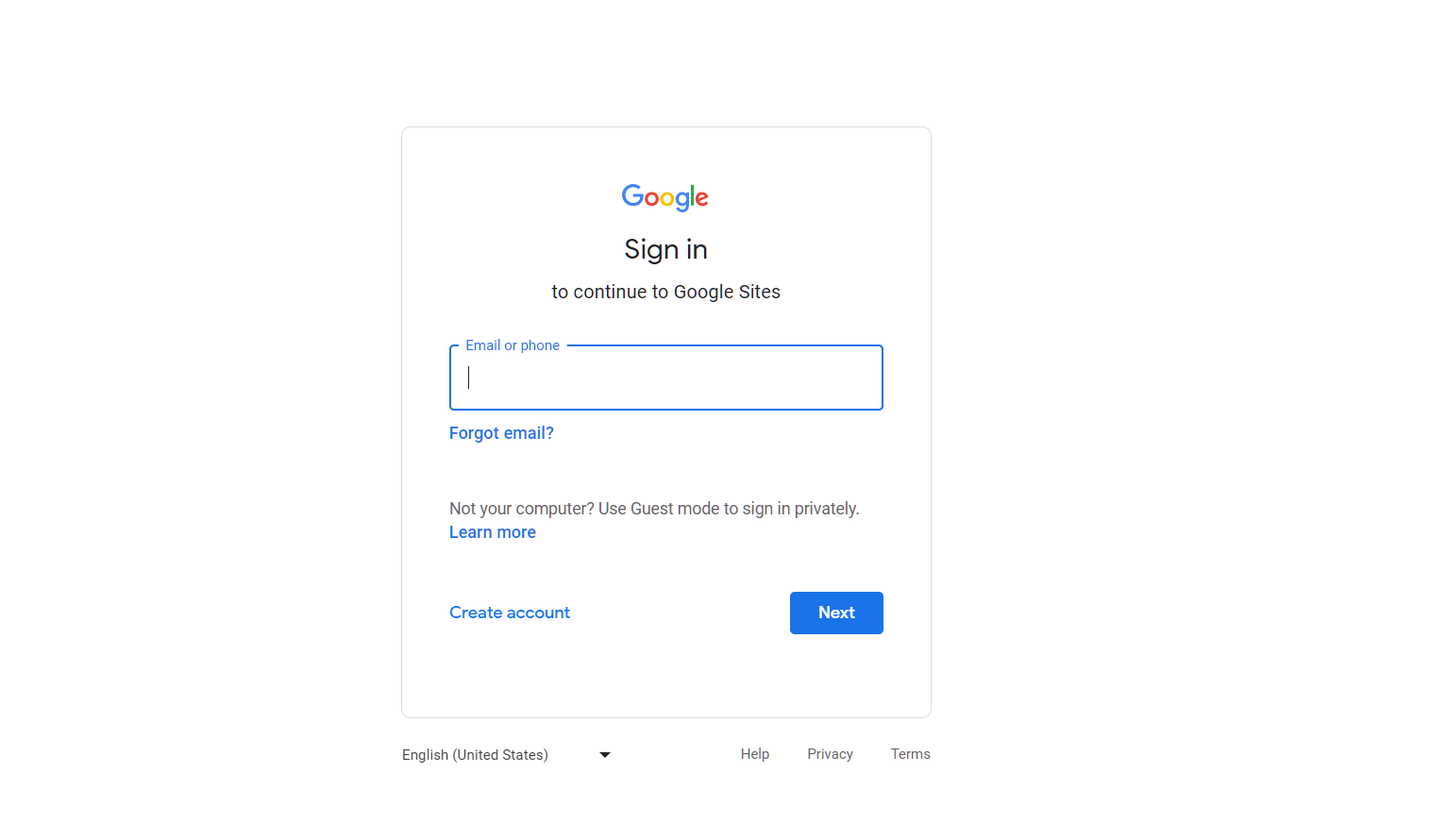
- Login to Google sites. You must have at least a 'Business Starter' plan to create and customize your Google sites.
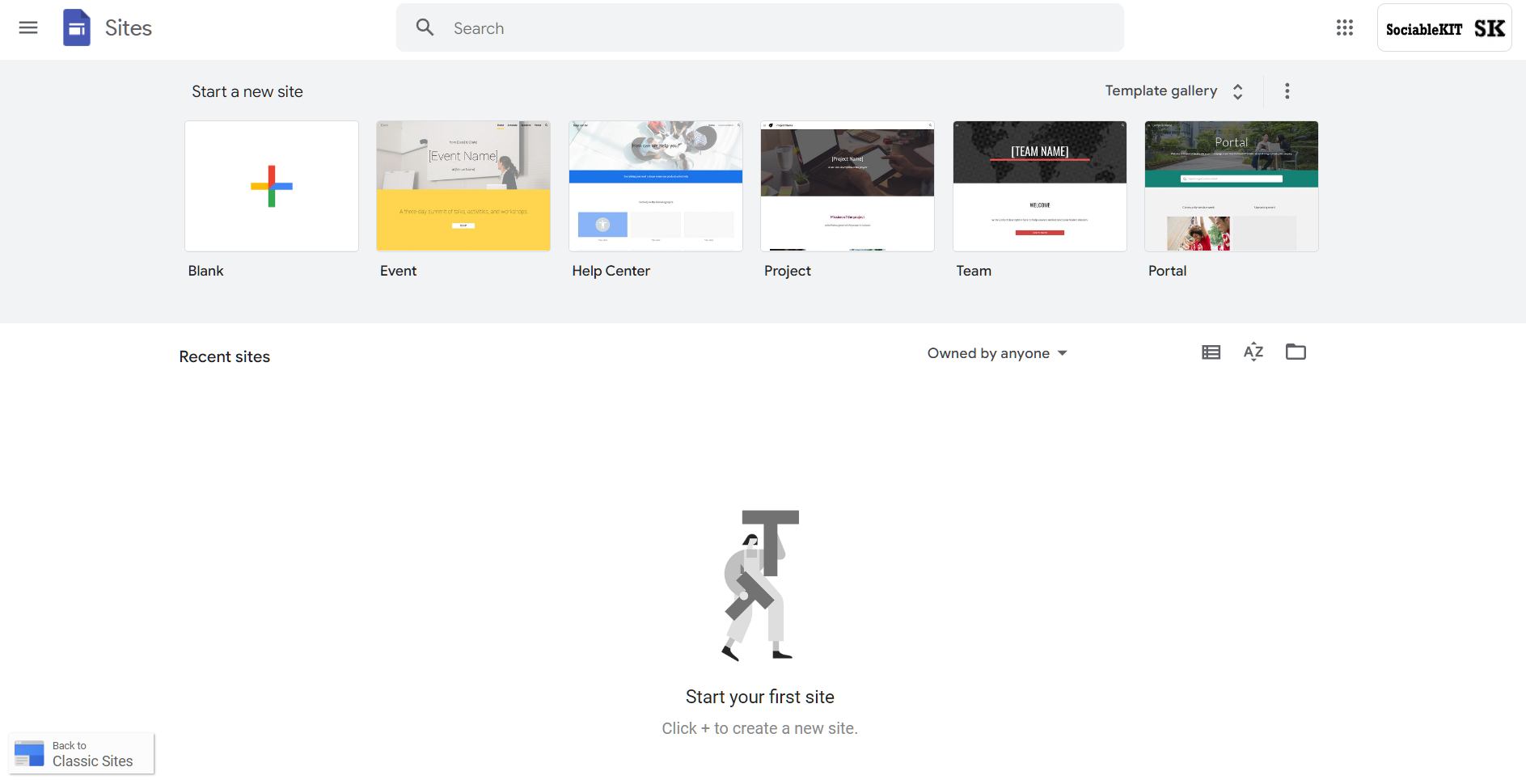
- Create or edit an existing website. Click the + 'Blank' button on the 'Start a new site' section to create or find your existing website under the 'Recent sites' section.
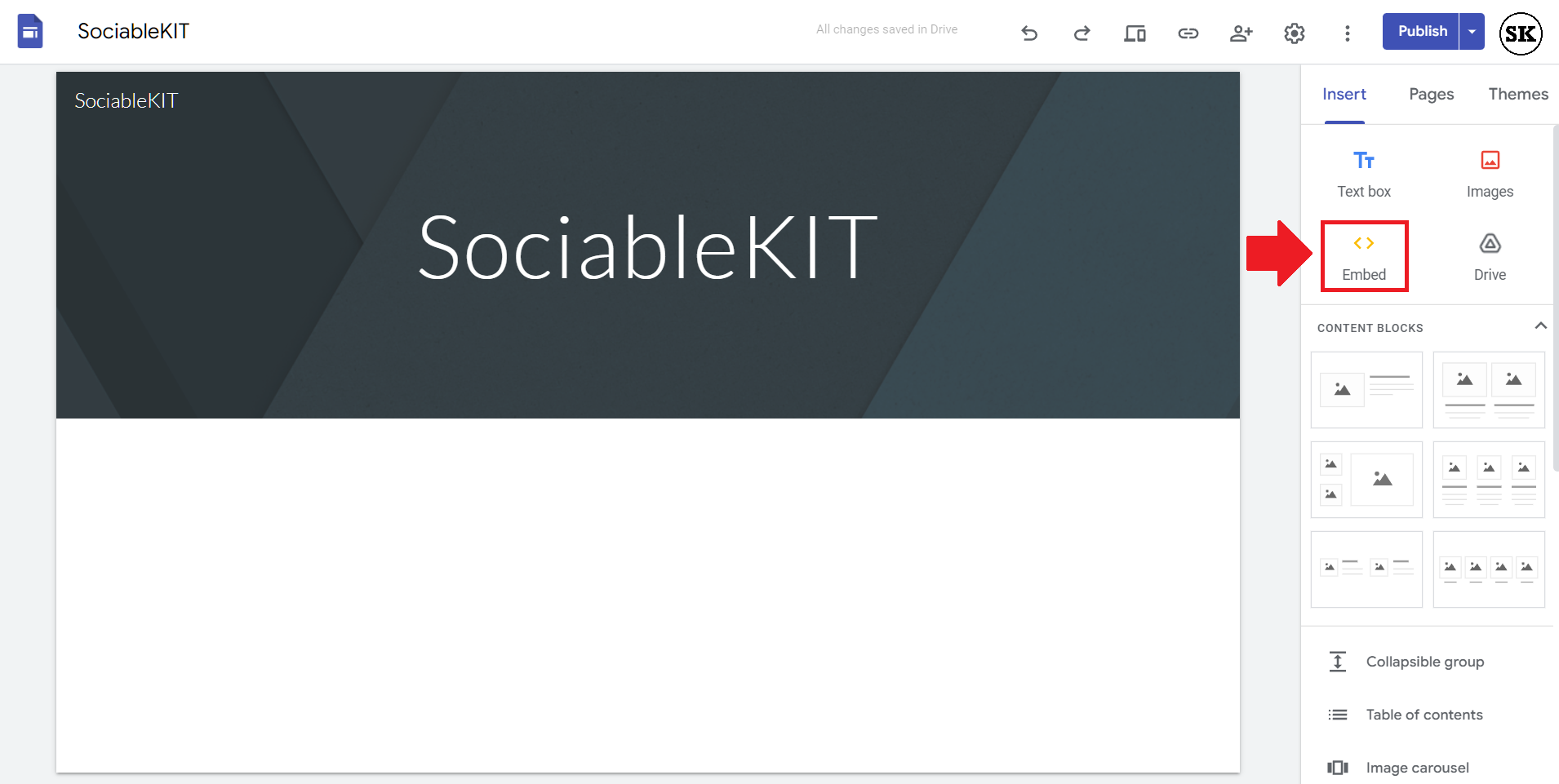
- Create a new blank page or edit your existing page. Identify which page you want the widget to appear. On the right sidebar, you will see an 'Embed' button. Click the 'Embed' button.
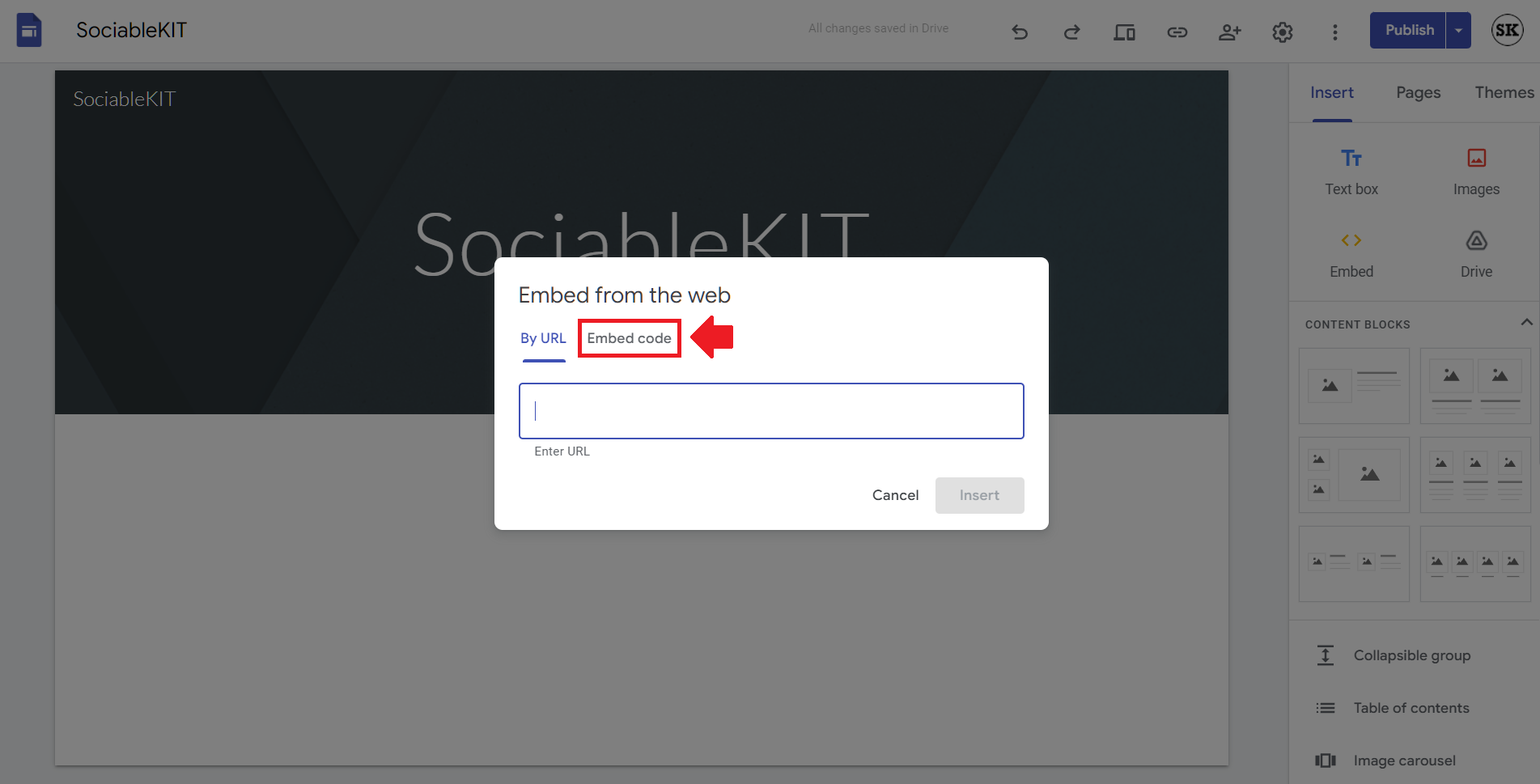
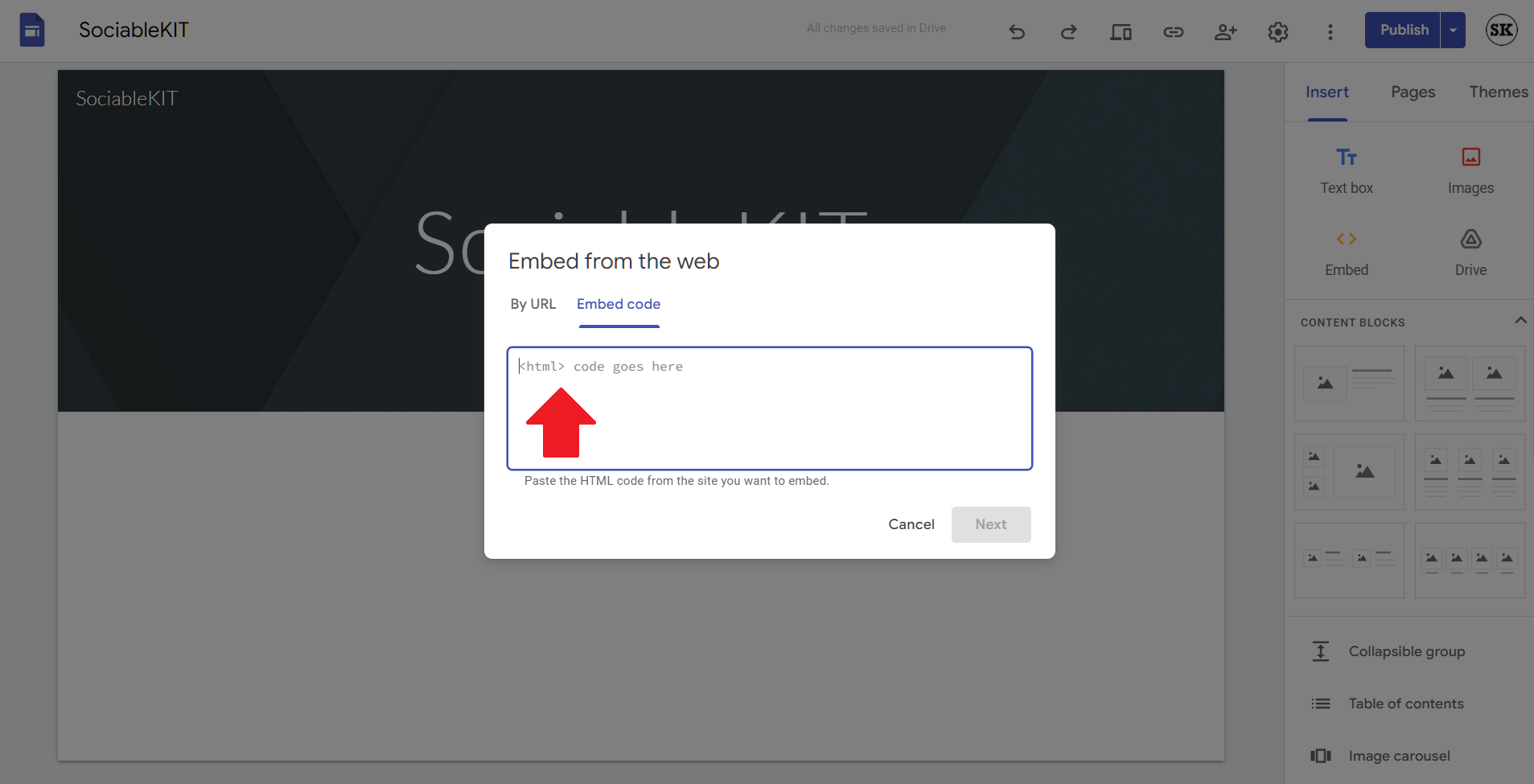
- Add the widget. A popup 'Embed from the web' will open up. Select the 'Embed code' tab on the popup.
- Paste the embed code from SociableKIT. On the 'Embed code' tab, you will see 'HTML code goes here' text. Paste the embed code from your SociableKIT widget.
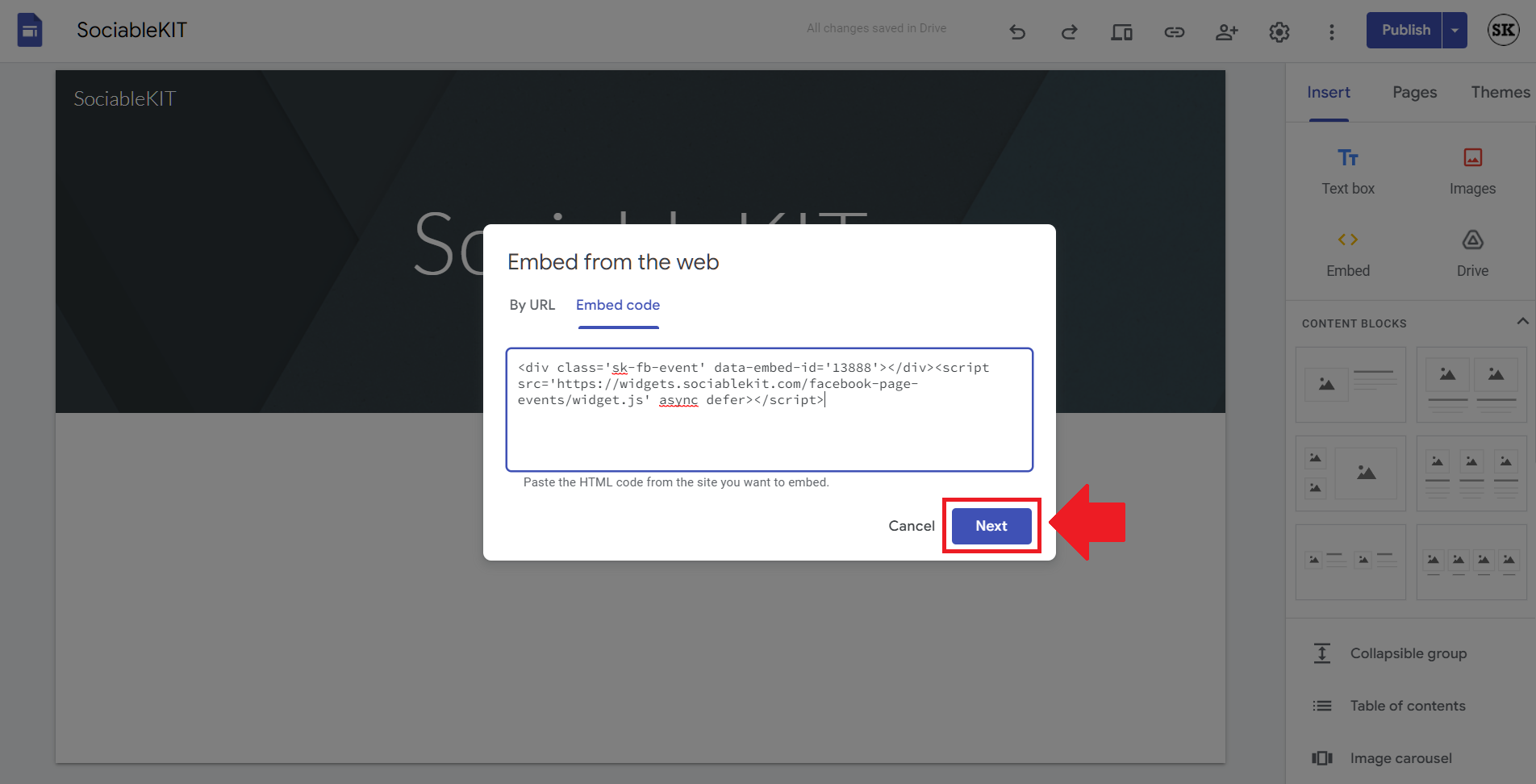
- Save the widget. Once you have pasted your embed code, click the 'Next' button.
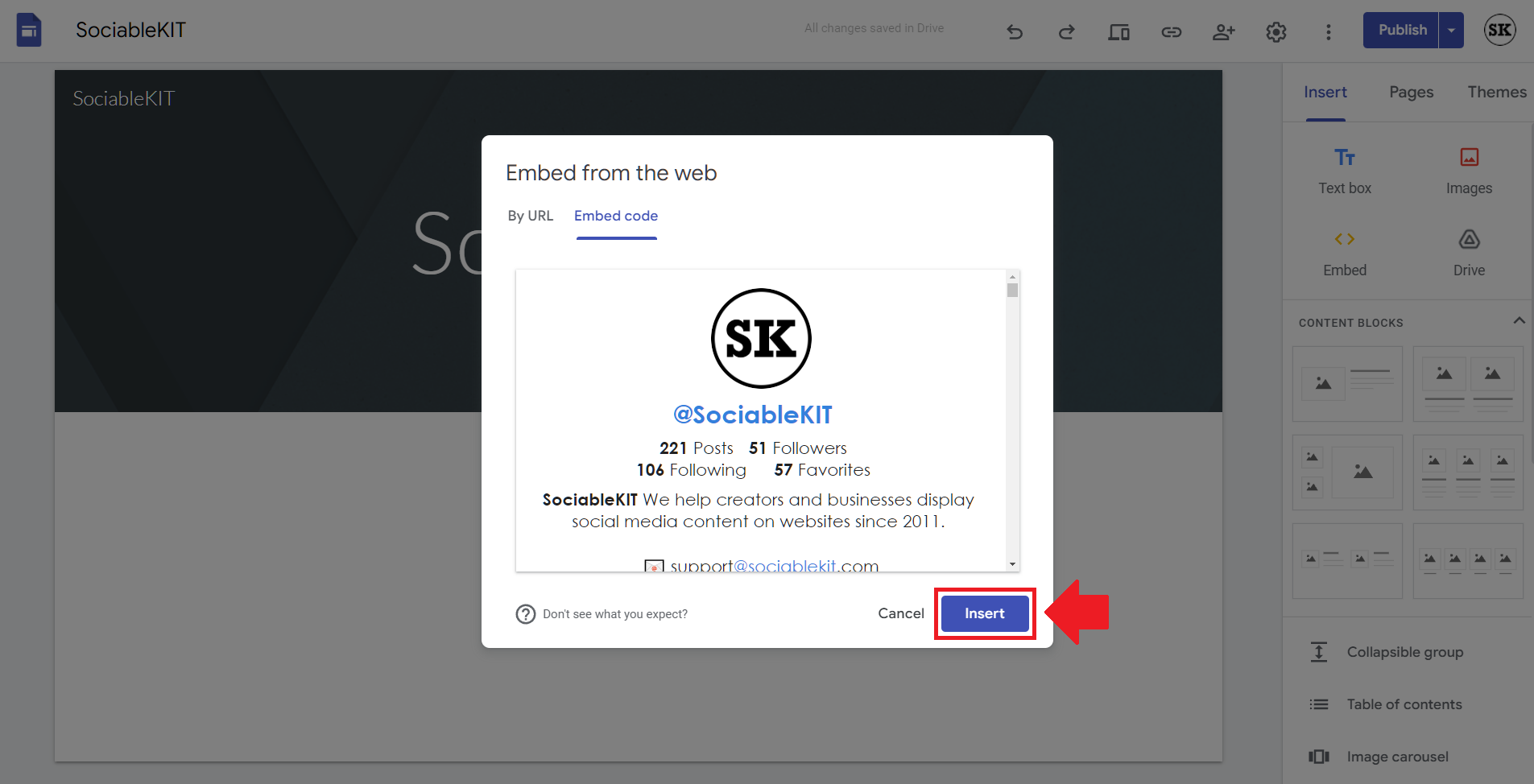
- Preview of your SociableKIT widget. After clicking the Next button, a preview of your embed code will be displayed. Click the 'Insert' button to insert the widget to your Google sites page.
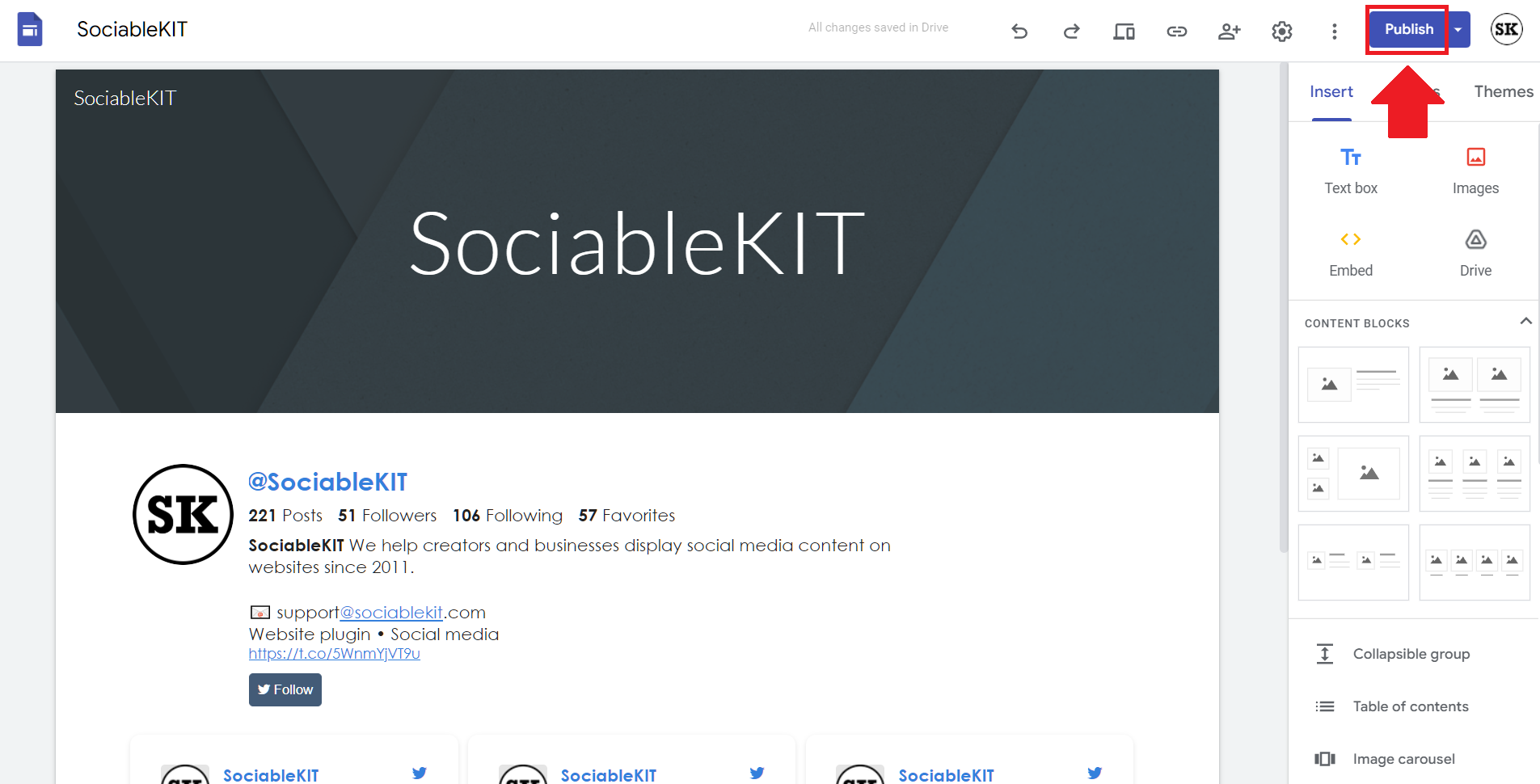
- Edit the widget. Once the widget has been inserted, you will have the option to resize the widget. After resizing the widget to your preferences, click the 'Publish' button on the upper right corner of the page.
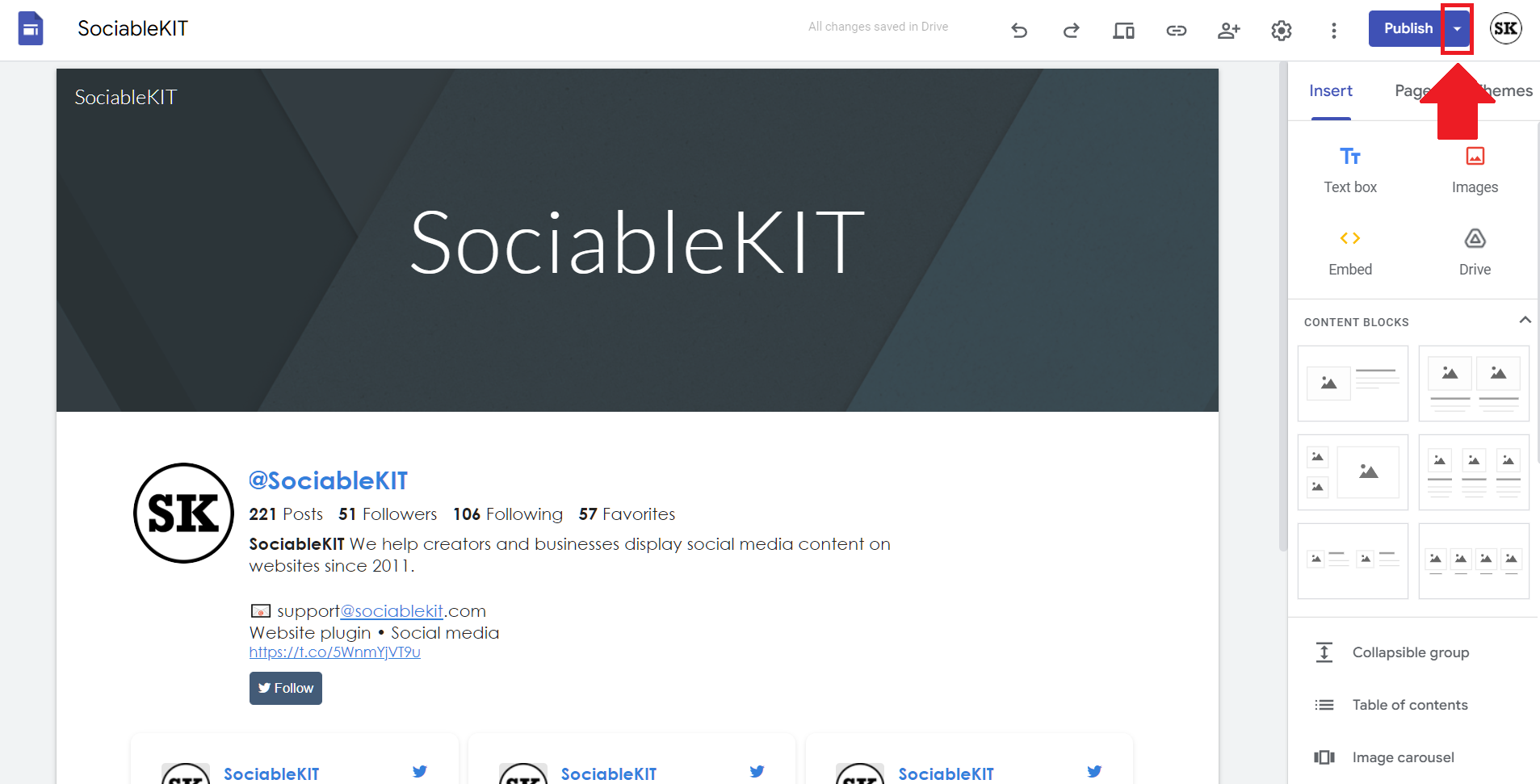
- Publish your page. After publishing the site, click the down 'Arrow' button beside the 'Publish' button.
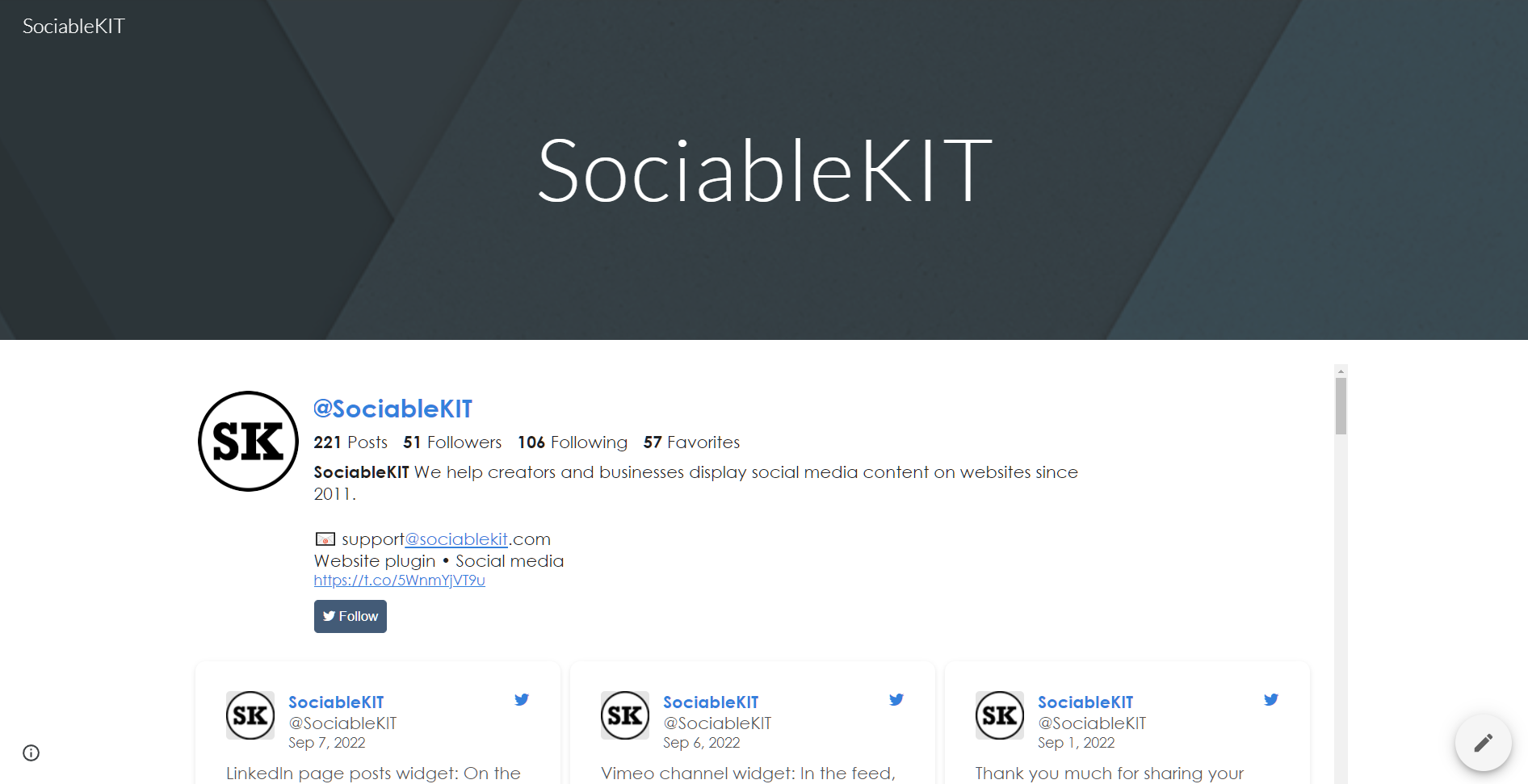
- View your page. A dropdown of buttons will be displayed, click the 'View published site' button. Done!
To embed Twitter hashtag feed on your Sharepoint website, follow the steps below.
-
Sign up free to SociableKIT. Sign up for a free account on SociableKIT or login if you already have an account.
-
Create and customize your Twitter hashtag feed widget. Create a Twitter hashtag feed widget and customize the colors, fonts, and other elements to match your Squarespace website.
-
Copy the Twitter hashtag feed widget embed code. Click the 'Embed on website' button on the upper right and copy the embed code.
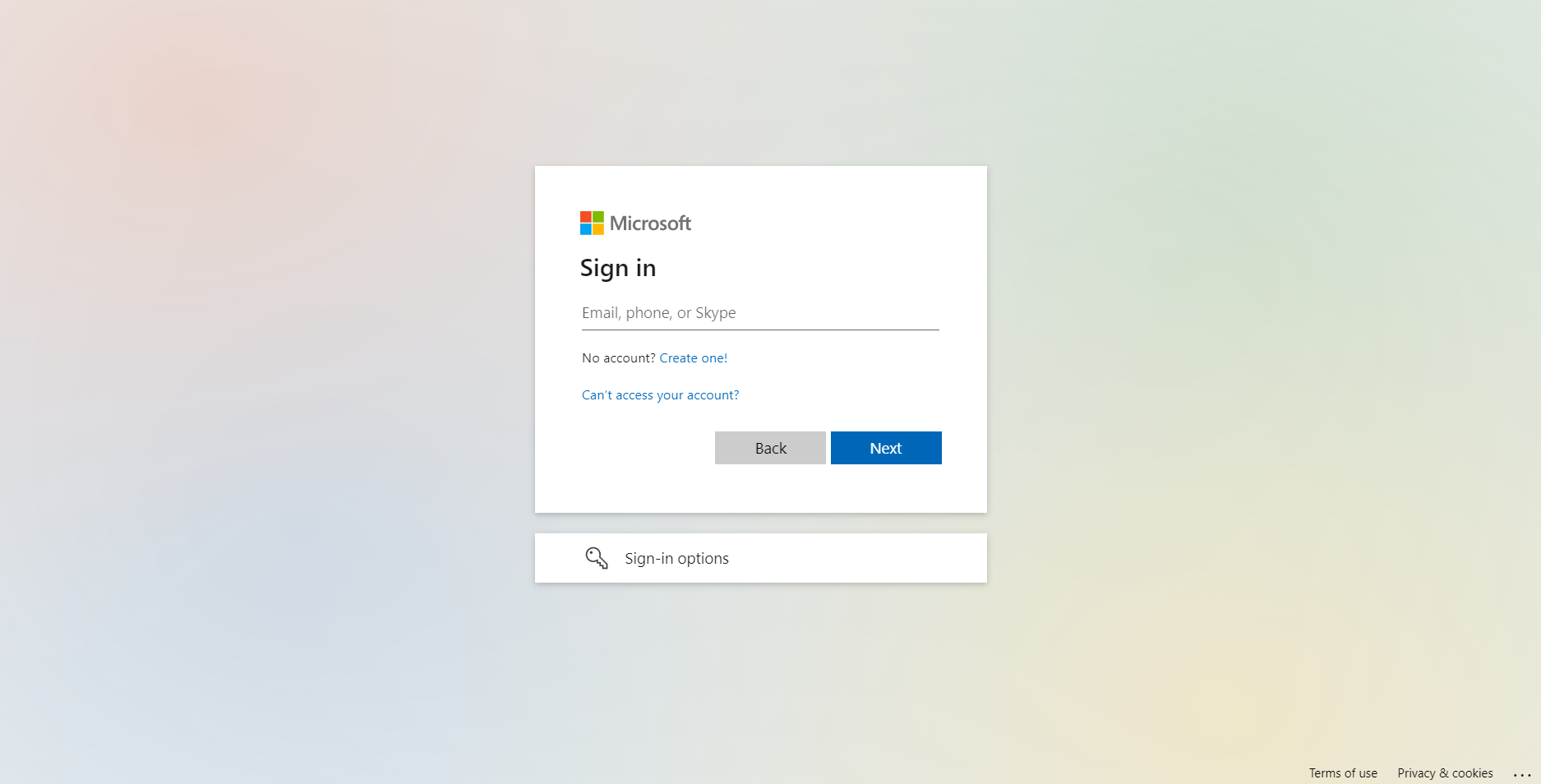
- Go to your Sharepoint site and log in with your credentials.
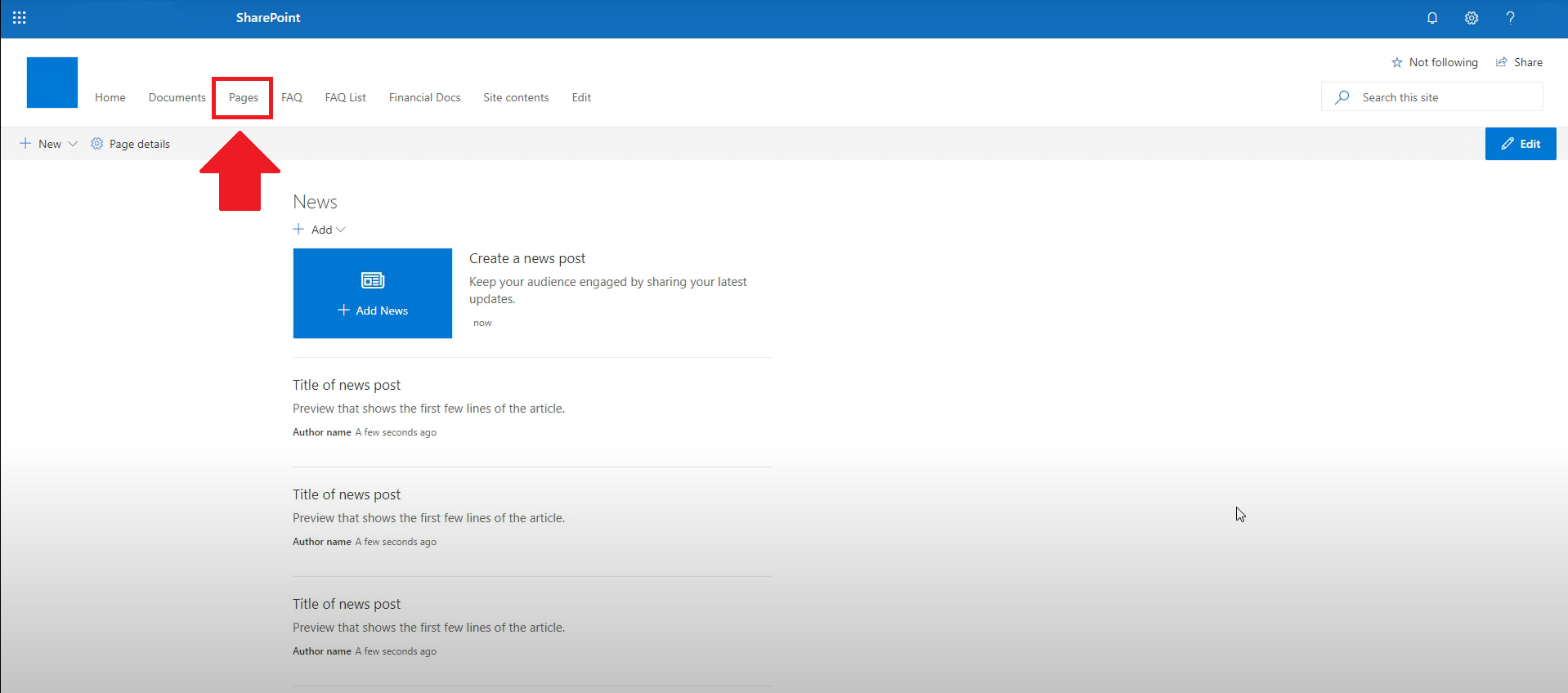
- Locate the page that you want to edit or create a new blank page. If you are creating a new page, click the "New" button and select "Page" from the options.
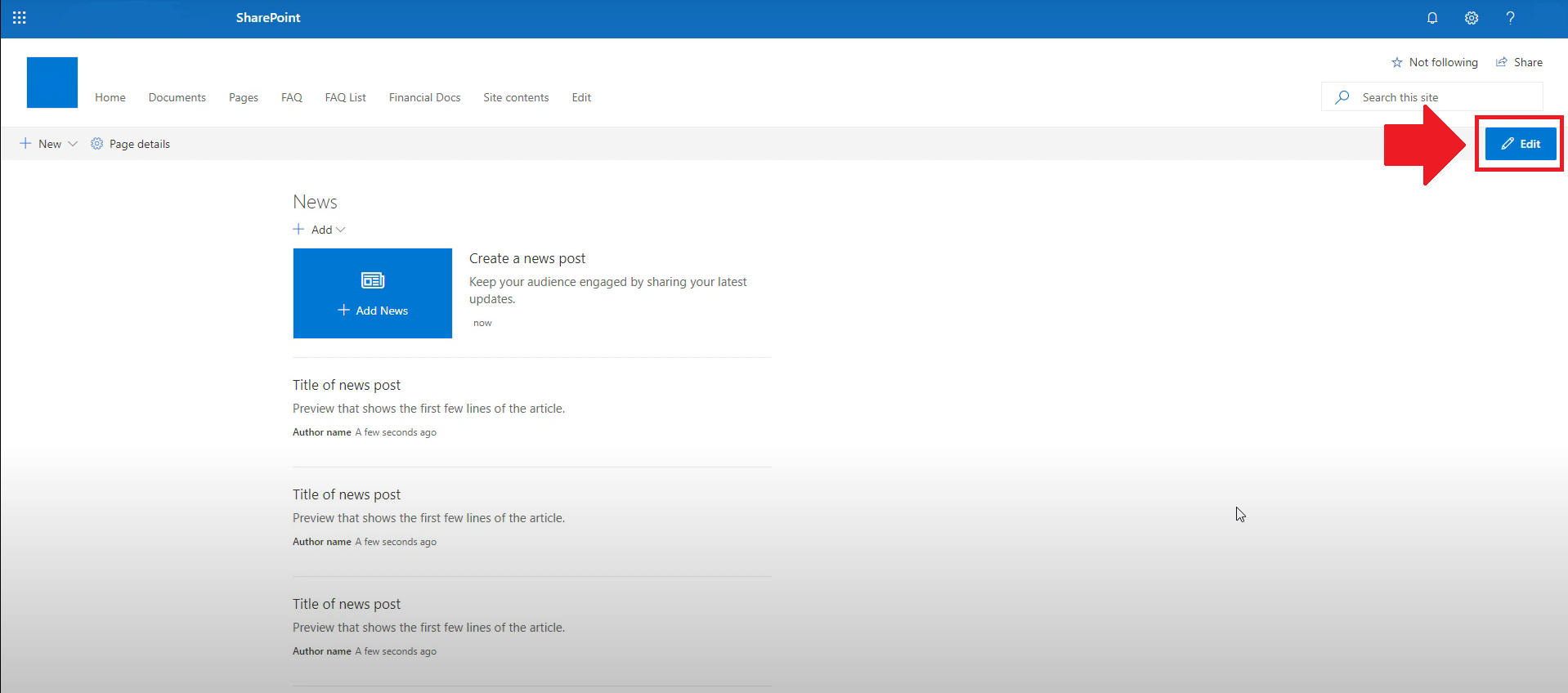
- On the upper right corner of the page, click the "Edit" button. This will enable you to make changes to the page.
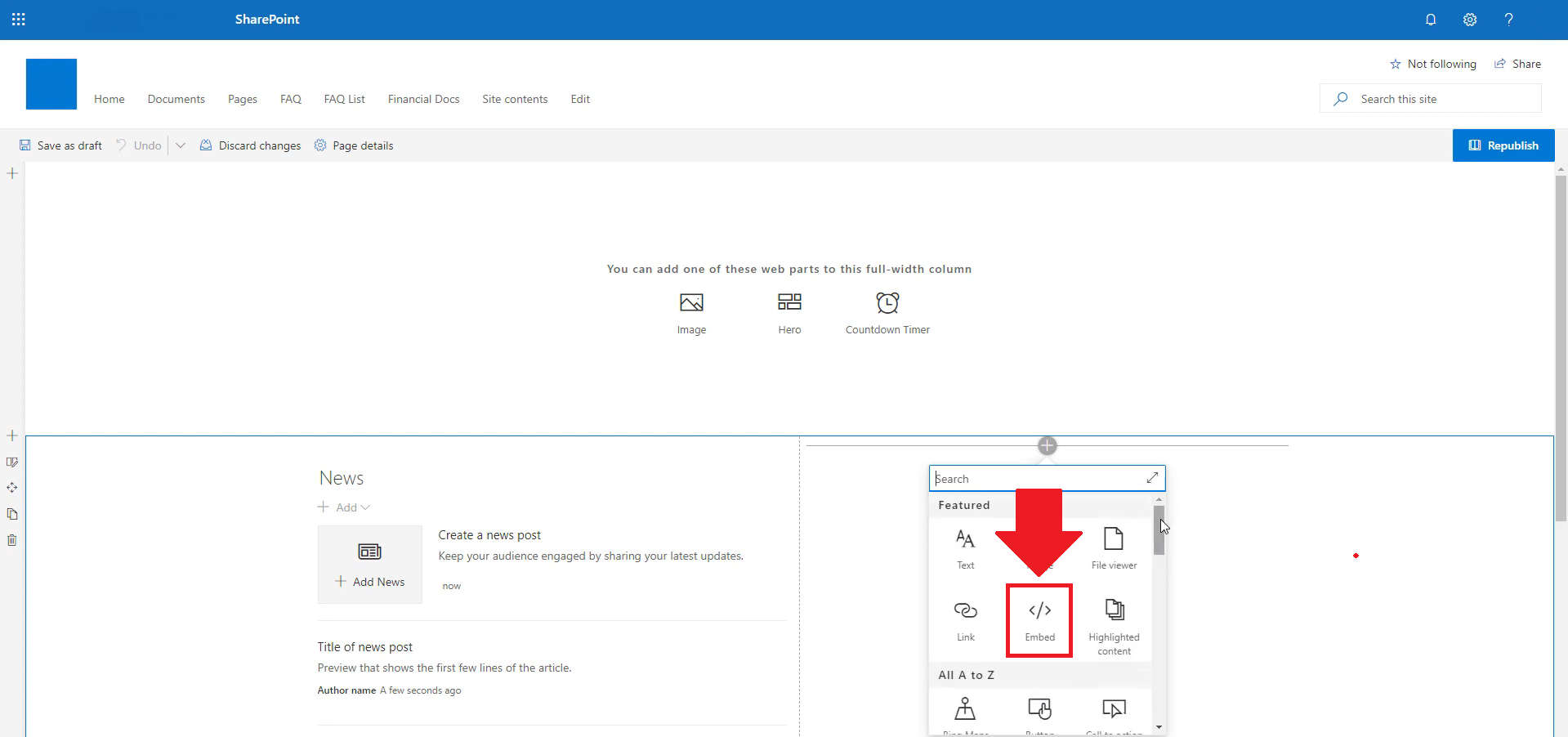
- Hover over the area where you want to add the SociableKIT widget, then click the "+" icon that appears. From the list of options, find the "Embed" or "<>" icon and click on it.
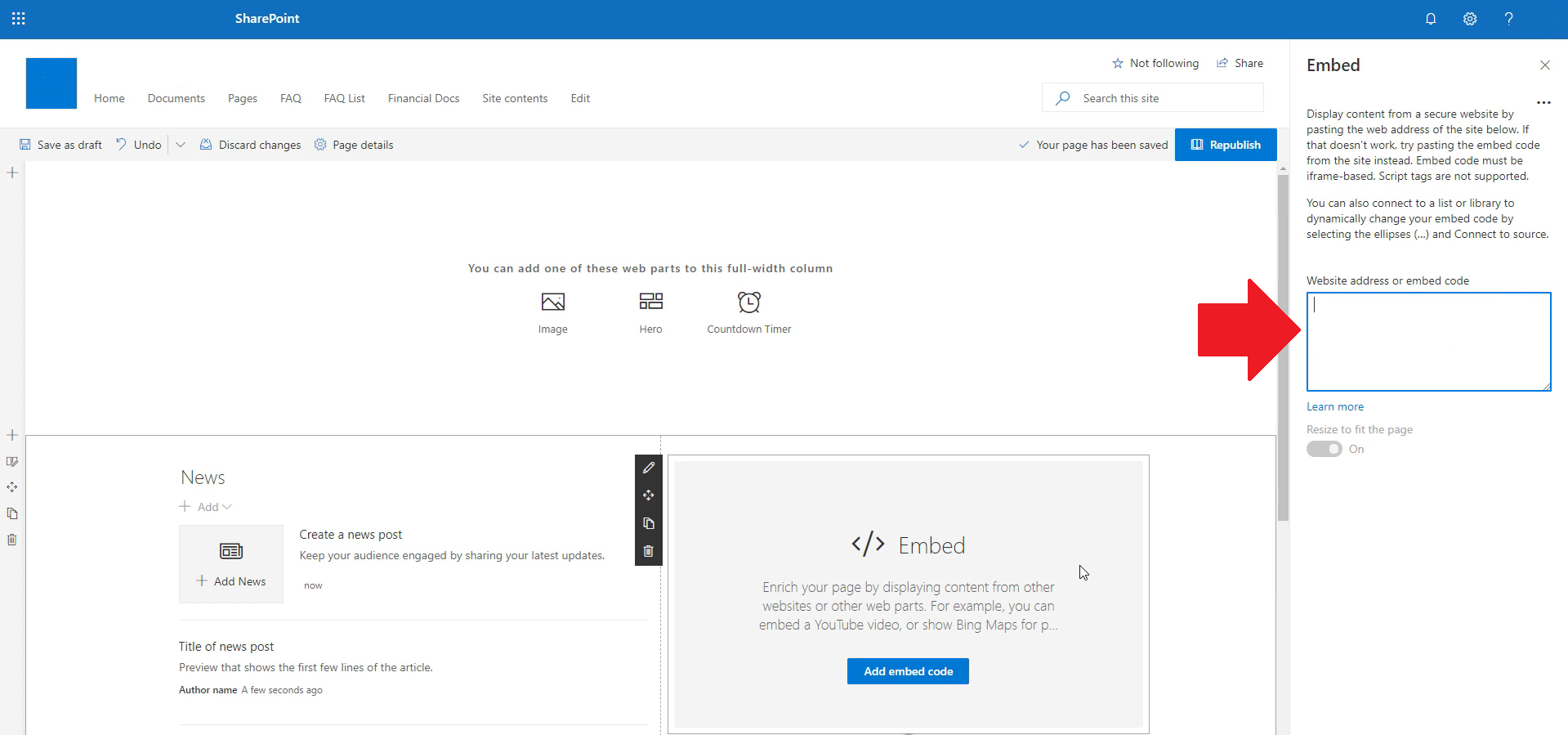
- Paste the embed code provided by SociableKIT into the box.
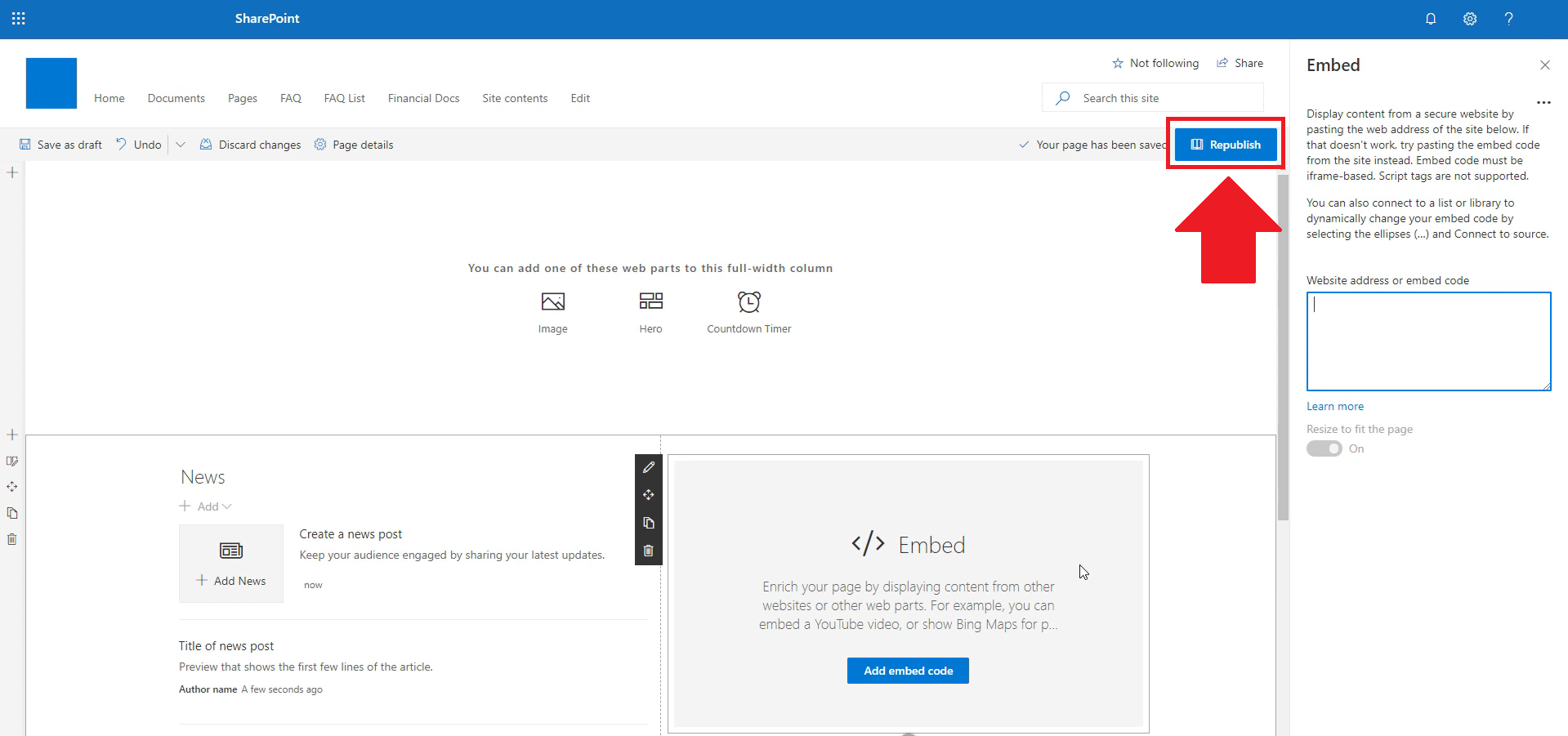
- Click the "Publish" or "Republish" button to save your changes and make them live on the site. If necessary, upload the page to your website. You're done!
- widgets.sociablekit.com
- data.accentapi.com
- sociablekit.com
- images.sociablekit.com
Note: If you receive an error that states Embedding content from this website isn't allowed, you will have to add the following to the list of sites that are allowed on your website and the HTML Field Security list of the site collection where the site is located:
Did not see your website builder? You can find your website builder here: How to embed Twitter hashtag feed on any website?.
You may also ask our support team if SociableKIT can integrate with your website builder.
If you want to find out more about embedding social media feed to your website, visit our homepage: Add social media feed to your website for FREE!
This Twitter Hashtag Feed feed is part of our Twitter feed, User-generated content and X Feed widget categories.
By embedding Twitter hashtag feed on your website, you are more likely to increase Twitter followers. It can help you boost engagement with your target audience, encourage more interaction from visitors, and even lead to significant traffic growth. And if you're still not convinced that Twitter hashtag feeds should be a part of your website's marketing strategy, here's the final takeaway: incorporating a Twitter hashtag feed into your site is free and easy to do.

Mike
Co-founder, SociableKIT
Hi! I'm Mike, the Co-founder of SociableKIT, a platform that helps website owners add beautiful and reliable social media feeds to their websites. Need support?
Contact our team on this page.
I'm also passionate about technology and enjoy sharing my experience and learnings online. Connect with me on Twitter, LinkedIn, Facebook, and Instagram.
365 Days of Social Media Content Ideas: Your Complete Guide to Engaging Posts
This comprehensive resource is filled with engaging and interactive post ideas to keep your social media feeds vibrant all year round.
No more stress about what to post next or how to engage your followers – we've got you covered!
Start your journey towards an enhanced online presence today! Please enter your name and email below, and this invaluable tool will be on its way to your inbox.

















Need Support?
If you need help, feel free to chat with us in the live chat box on the lower right corner of this page. You may also use the chat box located here.
You may also email us at [email protected]
We’re happy to talk about how to add social media feeds to your website!