Linkedin Hashtag Posts on Website — Examples & Live Demos | SociableKIT
Real examples
Kristen Williams Marc Maessen John Janowski Jules Webb ★★★★★ Rated 4.9/5 · 752 Reviews

Linkedin Hashtag Posts widget examples that convert

Display LinkedIn Hashtag Posts on your website to highlight trending industry conversations and engage your audience with relevant, up-to-date contents.

6 ready-made examplesCustomizable designs
1M+Websites powered
4.9★Average rating

Examples

Choose your favorite linkedin hashtag posts example

Every example below is a real, fully-customizable linkedin hashtag posts design. Preview it live or make it yours in one click.

Linkedin Hashtag Posts example: Masonry
Most popular

Masonry

Display LinkedIn hashtag posts in a dynamic masonry layout that highlights varied content and keeps visitors engaged with fresh conversations around your chosen topic.

Linkedin Hashtag Posts example: Grid
Example 2

Grid

Display LinkedIn hashtag posts in a clean grid layout that showcases multiple conversations at once and keeps your website fresh and engaging.

Linkedin Hashtag Posts example: Carousel
Example 3

Carousel

Display LinkedIn hashtag posts in an interactive carousel layout that lets visitors browse topic-based conversations smoothly while keeping your page clean.

Linkedin Hashtag Posts example: Masonry (Dark Mode)
Example 4

Masonry (Dark Mode)

Display LinkedIn hashtag posts in a dark-themed masonry layout that showcases varied conversations beautifully and keeps your website looking modern and engaging.

Linkedin Hashtag Posts example: Grid (Dark Mode)
Example 5

Grid (Dark Mode)

Display LinkedIn hashtag posts in a dark-themed grid layout that organizes multiple conversations clearly and keeps your website looking modern.

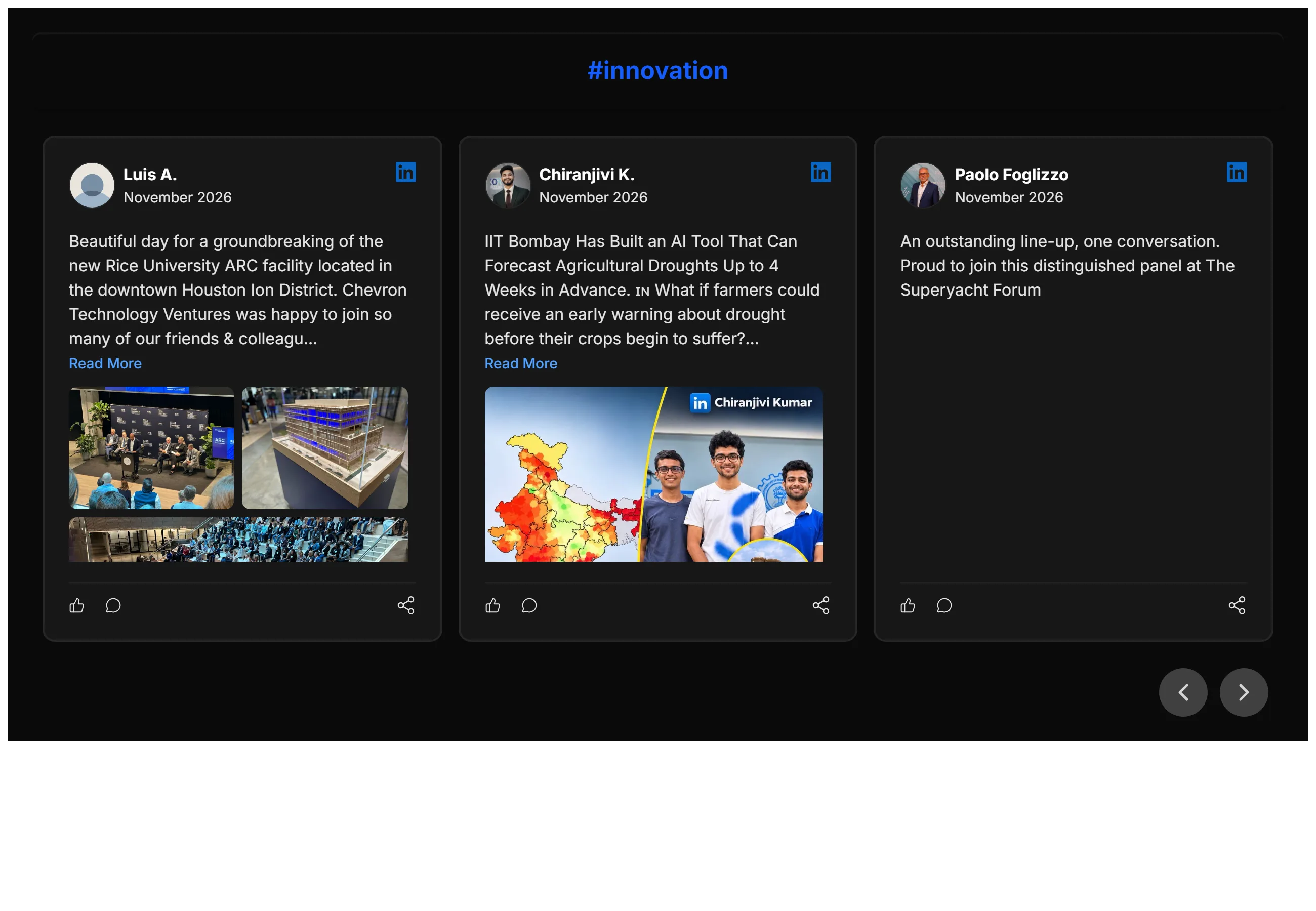
Linkedin Hashtag Posts example: Carousel (Dark Mode)
Example 6

Carousel (Dark Mode)

Display LinkedIn hashtag posts in a dark-themed carousel layout that lets visitors browse conversations smoothly while keeping your website clean and modern.

Why add it

Why show a linkedin hashtag posts on your site

Social proof works. Showing a live linkedin hashtag posts on your site tells visitors that real people trust you — and that nudges them to convert.

  • Build instant trust with real, live content
  • Updates automatically — set it and forget it
  • Works on any website builder, no coding needed
1

Create your widget

Sign up free and start your linkedin hashtag posts in seconds.

2

Pick an example & customize

Start from any example above and match your brand colors, fonts and layout.

3

Embed anywhere

Copy one line of code and paste it on your site. Done.

Ready to add your own linkedin hashtag posts?

Start from any example above. Create your linkedin hashtag posts free — no credit card, no coding.

Create your widget free