Youtube Playlists (Multiple Playlists) on Website — Examples & Live Demos | SociableKIT
Live examples
Kristen Williams Marc Maessen John Janowski Jules Webb ★★★★★ Rated 4.9/5 · 752 Reviews

Real Youtube Playlists (Multiple Playlists) examples for any website

Display multiple YouTube playlists on your website to provide visitors with a tailored, organized video library that keeps them engaged and exploring your content longer.

6 ready-made examplesCustomizable designs
1M+Websites powered
4.9★Average rating

Examples

Hand-crafted youtube playlists (multiple playlists) examples

These 6 youtube playlists (multiple playlists) examples are production-ready. Tweak the colors, fonts and layout to match your brand.

Youtube Playlists (Multiple Playlists) example: Grid
Most popular

Grid

Display multiple YouTube playlists in a clean grid layout that organizes your video collections clearly and makes it easy for visitors to discover and watch your content.

Youtube Playlists (Multiple Playlists) example: Carousel
Example 2

Carousel

Display multiple YouTube playlists in an interactive carousel layout that lets visitors browse your video collections smoothly while keeping your website clean and engaging.

Youtube Playlists (Multiple Playlists) example: List
Example 3

List

Display multiple YouTube playlists in a clear list layout that makes your video collections easy to browse and helps visitors quickly find content they want to watch.

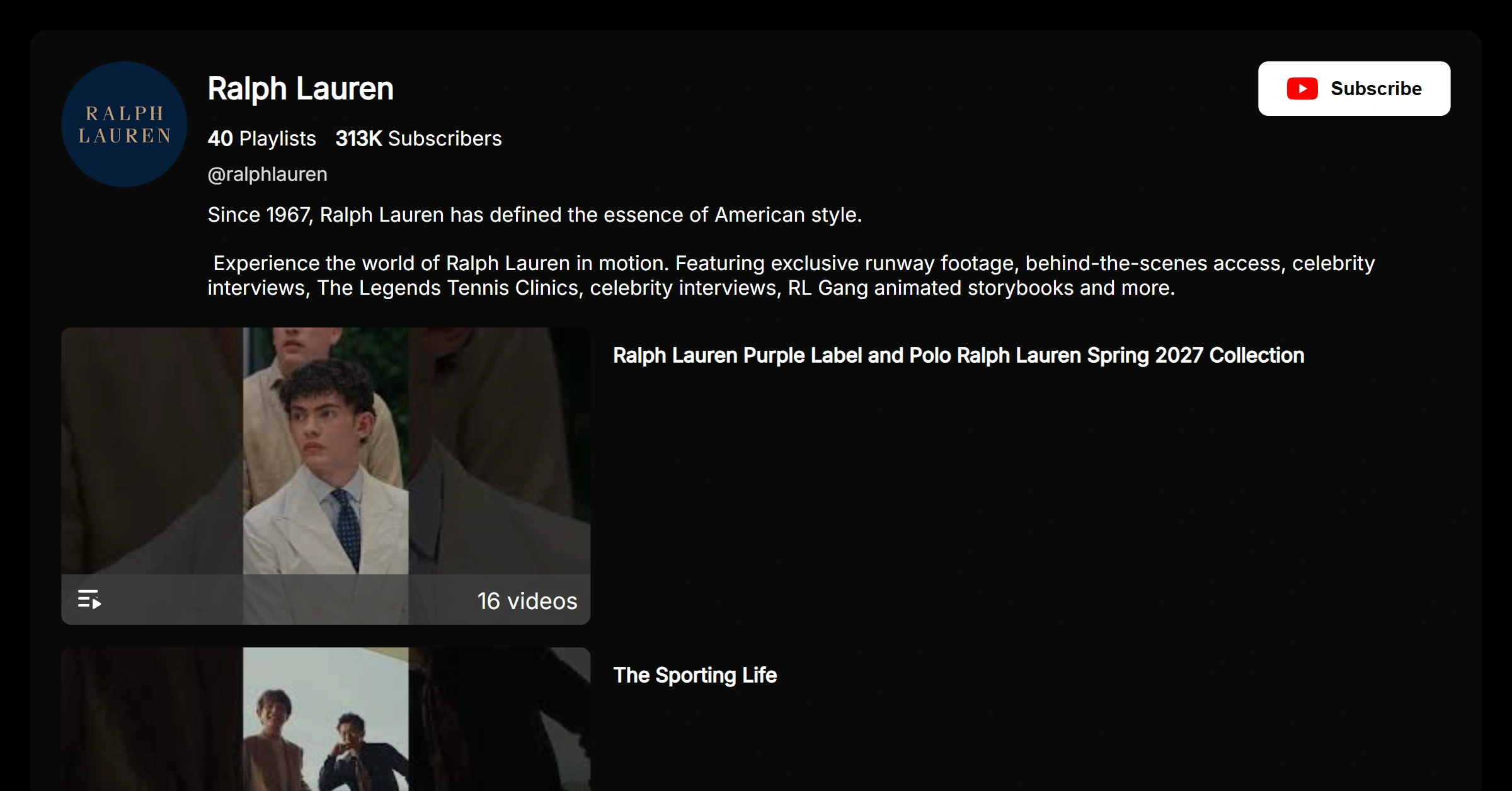
Youtube Playlists (Multiple Playlists) example: Grid (Dark Mode)
Example 4

Grid (Dark Mode)

Display multiple YouTube playlists in a sleek dark mode grid layout that organizes your video collections clearly while giving your website a modern, polished look.

Youtube Playlists (Multiple Playlists) example: Carousel (Dark Mode)
Example 5

Carousel (Dark Mode)

Display multiple YouTube playlists in a sleek dark mode carousel layout that lets visitors browse your video collections smoothly while keeping your website modern and engaging.

Youtube Playlists (Multiple Playlists) example: List (Dark Mode)
Example 6

List (Dark Mode)

Display multiple YouTube playlists in a sleek dark mode list layout that makes your video collections easy to browse while giving your website a modern, polished look.

Why add it

Why show a youtube playlists (multiple playlists) on your site

Adding a youtube playlists (multiple playlists) to your pages keeps content fresh automatically and turns passive visitors into engaged followers and customers.

  • Build instant trust with real, live content
  • Updates automatically — set it and forget it
  • Works on any website builder, no coding needed
1

Create your widget

Sign up free and start your youtube playlists (multiple playlists) in seconds.

2

Pick an example & customize

Start from any example above and match your brand colors, fonts and layout.

3

Embed anywhere

Copy one line of code and paste it on your site. Done.

Ready to add your own youtube playlists (multiple playlists)?

Start from any example above. Create your youtube playlists (multiple playlists) free — no credit card, no coding.

Create your widget free