Your Avvo Reviews on Drona HQ website — live in 3 steps
SociableKIT syncs your avvo reviews automatically. Set up once, embed anywhere — free to start, no coding required.
-
Create in 60 seconds
Pick Avvo Reviews in the dashboard and connect your source.
-
Match your brand
Colors, fonts, layout — tune it until it feels native to your site.
-
Paste one line of code
Drop the embed snippet on your Drona HQ website. No dev team needed.
Embed Avvo Reviews with SociableKIT — step by step
Create your widget in the dashboard, copy the embed code, and paste it on your Drona HQ website. Screenshots included so you never get stuck.
Create and customize your Avvo Reviews widget
The first part is creating your Avvo Reviews widget using the SociableKIT dashboard. Customize the look and feel to match your brand. Follow the steps below.
-
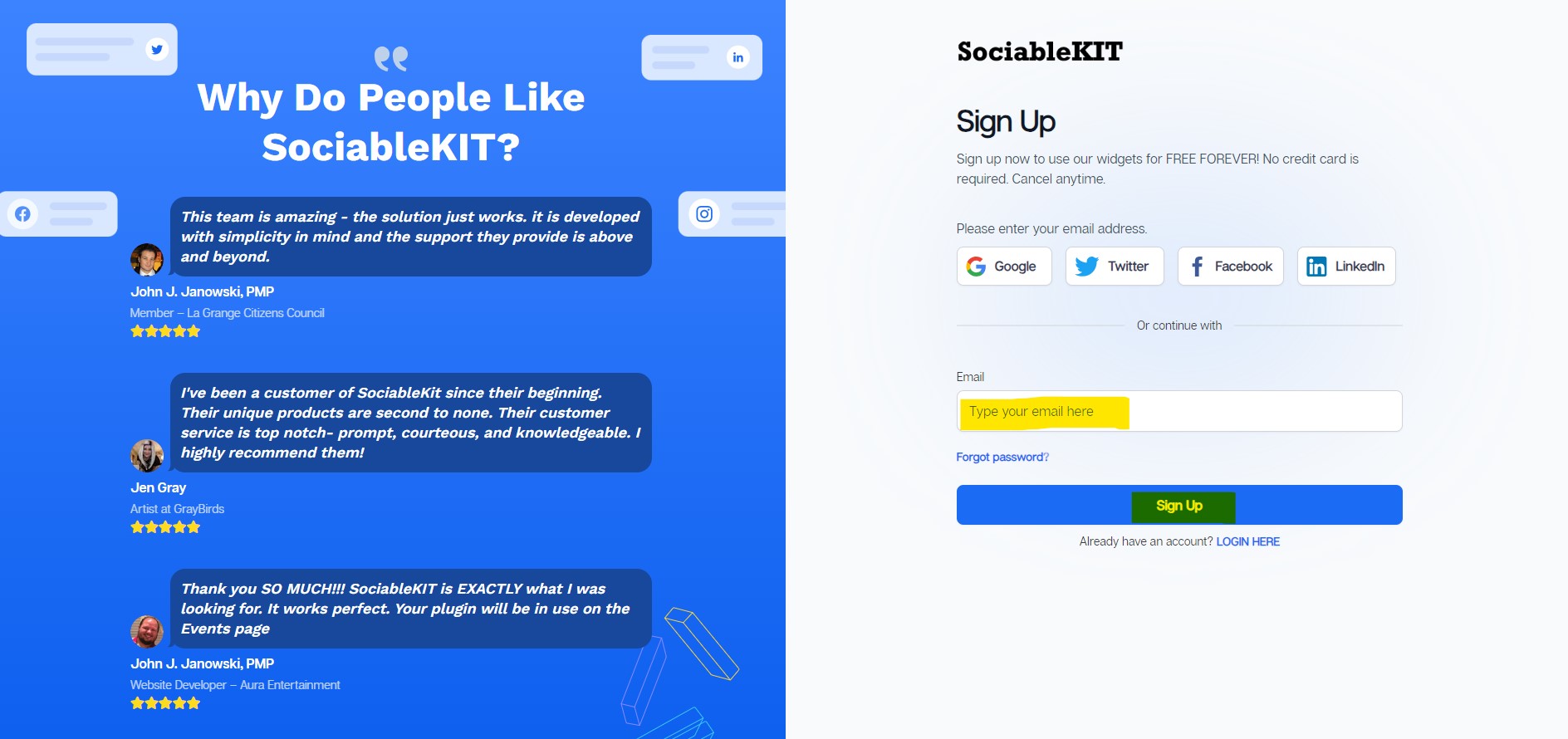
Sign up FREE or login to SociableKIT. You can login here if you already have an account. Once you sign up, you will start your 7-day premium trial. After 7 days, you can activate the free plan if you don't need our premium features.

-
Select "Avvo Reviews" on the dropdown. SociableKIT offers several social media feeds widgets. You might need to search it using the highlighted area below. Once found, you can then select it.

-
Customize your feed. Click the "NEXT" button to show the customization options of your social feed. You can change the layout, colors, font, and more to match your brand. Click the Save changes button.

-
Copy the embed code. Click the "Embed on website" button on the upper right corner. Select your website builder. On the popup, copy the JavaScript embed code.

- Paste the embed code and save your Drona HQ website page. Please follow the second part below to add Avvo Reviews widget to your Drona HQ website .


Add Avvo Reviews widget to your Drona HQ website
The second part is adding your Avvo Reviews widget to your Drona HQ website . After you customize your Avvo Reviews widget and copied the embed code, it is time to add it to your Drona HQ website . Follow the steps below.
- Copy your free Avvo Reviews widget embed code. Make sure you followed the first part above. It detailed how to you can create and customize your widget to get your free embed code.
- Login to DronaHQ.
![]()
- Create a new blank page or edit your existing page.
![]()
- Click Advance display and select HTML.
![]()
- Paste the JavaScript code from SociableKIT into the code text area.
![]()
- Click the "Publish" button.
![]()
- Refresh your page. Done!
![]()


Website builders
Paste your embed code on any platform
SociableKIT works with every major website builder. Pick yours below for copy-paste instructions tailored to that platform.
To embed Avvo Reviews on your Drona HQ site, follow the steps below after you have your SociableKIT embed code.
- Sign up free to SociableKIT and create your Avvo Reviews widget.
- Customize your widget and copy the embed code from the dashboard.
- Login to DronaHQ.
![]()
- Create a new blank page or edit your existing page.
![]()
- Click Advance display and select HTML.
![]()
- Paste the JavaScript code from SociableKIT into the code text area.
![]()
- Click the "Publish" button.
![]()
- Refresh your page. Done!
![]()
To embed Avvo Reviews on your WordPress site, follow the steps below after you have your SociableKIT embed code.
- Sign up free to SociableKIT and create your Avvo Reviews widget.
- Customize your widget and copy the embed code from the dashboard.
- Log in to your WordPress site.
![]()
- Go to the Posts section. To add a new widget, click the Add Post button at the top.
![]()
- To edit an existing widget, click the title of the post that has your widget instead. Skip this step if you’re adding a new post.
![]()
- In your SociableKIT editor, click Get code at the top right.
![]()
- In the Get the embed code window, make sure the JavaScript tab is selected, then click “Copy code.”
![]()
- Back in WordPress, click the + icon in the post body, type Custom HTML in the search bar, then select the Custom HTML block.
![]()
- In the HTML tab, paste the code, then click Update.
![]()
- Click the Save button at the top right of your WordPress post (or Publish if it’s a new post).
![]()
- The widget will appear on your WordPress post. Done!
![]()


To embed Avvo Reviews on your Wix site, follow the steps below after you have your SociableKIT embed code.
- Sign up free to SociableKIT and create your Avvo Reviews widget.
- Customize your widget and copy the embed code from the dashboard.
- Log in to Wix.
![]()
- On your existing website, click the “+ Add” button at the top left.
![]()
- Click “Elements”.
![]()
- In the Add Elements panel, click “Embed” from the left menu.
![]()
- Under the Embed section, click “Embed code” to add it to your page.
![]()
- Click the HTML Element on your page, then click the Settings (gear) icon in the toolbar above it.
![]()
- Under “Choose what to embed”, open the dropdown and select “Link”.
![]()
- Paste the link you copied from SociableKIT into the Link field, then click “Apply”.
![]()
- Click “Publish” at the upper right.
![]()
- Click “View Site”. Done!
![]()


To embed Avvo Reviews on your Squarespace site, follow the steps below after you have your SociableKIT embed code.
- Sign up free to SociableKIT and create your Avvo Reviews widget.
- Customize your widget and copy the embed code from the dashboard.
- Log in to Squarespace.
![]()
- In the Pages panel, click the page where you want the widget, then click the Edit button at the top left of the page preview.
![]()
- In the page section, click the Add Block button at the top left.
![]()
- In the search bar, type Code, then select the Code block.
![]()
- In your SociableKIT editor, click Get code at the top right.
![]()
- In the “Get the embed code” window, make sure the JavaScript tab is selected, then click Copy code.
![]()
- Back in Squarespace, open the Code block’s Content tab, make sure the Mode is set to HTML, then paste the embed code in the code area.
![]()
- Click the Save button at the top left of the page.
![]()
- Refresh your Squarespace page to check the widget. Done!
![]()


To embed Avvo Reviews on your Webflow site, follow the steps below after you have your SociableKIT embed code.
- Sign up free to SociableKIT and create your Avvo Reviews widget.
- Customize your widget and copy the embed code from the dashboard.
- Login to Webflow.
![]()
- On your existing website, click the "Page: ...." in the upper left corner then click the "Create new page" icon.
![]()
- Once done add a name for your new page then click "Save".
![]()
- On the left, click "Add Element". Drag "Embed" to your page.
![]()
- Paste the JavaScript code you copied from SociableKIT.
![]()
- On the upper right, click "Publish" > "Publish to Selected Domains".
![]()
- View your page. Done!


To embed Avvo Reviews on your Shopify site, follow the steps below after you have your SociableKIT embed code.
- Sign up free to SociableKIT and create your Avvo Reviews widget.
- Customize your widget and copy the embed code from the dashboard.
- Log in to Shopify.
![]()
- On the left side, click Online Store.
![]()
- Click “Pages,” then click Add page at the top right. To edit an existing widget page, click its title instead.
![]()
- In your SociableKIT editor, click Get code at the top right.
![]()
- In the Get the embed code window, make sure the JavaScript tab is selected, then click Copy code.
![]()
- Back in Shopify, Click the Show HTML icon (<>) in the Content toolbar.
![]()
- Enter a page title, then click Save.
![]()
- Click the Save button at the top.
![]()
- Click the Preview button at the top right to check your widget. Done!
![]()
![]()


To embed Avvo Reviews on your HTML site, follow the steps below after you have your SociableKIT embed code.
- Sign up free to SociableKIT and create your Avvo Reviews widget.
- Customize your widget and copy the embed code from the dashboard.
- Open your HTML file.
![]()
- You can create a new HTML page or edit your existing HTML page.
![]()
- Paste the Javascript code you copied from SociableKIT. Paste it where you want the widget to appear.
![]()
- Save your HTML page.
![]()
- You may now upload your HTML page to your web hosting.


To embed Avvo Reviews on your Google Sites site, follow the steps below after you have your SociableKIT embed code.
- Sign up free to SociableKIT and create your Avvo Reviews widget.
- Customize your widget and copy the embed code from the dashboard.
- Login to Google sites.
![]()
- Create or edit an existing website. Click the ‘Blank site’ tile (the + icon) in the ‘Start a new site’ section to create a new website, or open your existing website from the ‘Recent sites’ section.
![]()
- Create a new blank page or edit your existing page. Identify which page you want the widget to appear on. On the right sidebar, under the ‘Insert’ tab, click the ‘Embed’ button.
![]()
- Add the widget. A popup ‘Embed from the web’ will open. Select the ‘Embed code’ tab, paste the embed code from your SociableKIT widget into the ‘HTML code goes here’ box, then click the ‘Next’ button.
![]()
- Preview your widget. A preview of your SociableKIT widget will be displayed. To change the code, click the pencil icon on the preview. When you’re happy with it, click the ‘Insert’ button to add the widget to your page.
![]()
- Publish your page. Click the ‘Publish’ button on the upper right corner of the page. Done!
![]()


Live preview
Pick a Avvo Reviews template — see it live
Choose a starting design on the left and watch the preview update with real data. What you see is exactly what visitors get on your Drona HQ website.
Common questions
Frequently asked questions
Everything you need to know about embedding Avvo Reviews on your Drona HQ website.
What is an Avvo Reviews widget?
An Avvo Reviews widget displays public client feedback from an attorney's Avvo profile directly on a law firm website. It places trusted social proof near consultation forms, practice-area pages, and other moments when prospective clients are deciding what to do next.
How do I add Avvo reviews to my website without coding?
Create an Avvo Reviews widget in SociableKIT, connect the attorney profile, customize the design, and copy the generated embed code. Paste the code into an HTML, custom code, or embed block on your website.
What information do I need to connect my Avvo profile?
You need the correct public Avvo attorney profile that SociableKIT can use as the review source. Confirm the attorney's name, location, practice information, and profile address before completing the setup.
Do I need to claim my Avvo profile before using the widget?
Not always, because SociableKIT mainly needs a public profile with accessible reviews. Claiming the profile is still recommended because it lets the attorney update professional information, request reviews, and manage public responses.
Will new Avvo reviews appear on my website automatically?
Yes, paid SociableKIT plans include automatic syncing, so you can keep the same embed code as new eligible reviews are published. The free plan lets you request a sync when you want to refresh the widget.
How quickly will a new Avvo review appear in the widget?
Avvo reviews each submission before publishing it, which can take up to three business days. Once the review becomes public, it can appear after the next available SociableKIT sync for your plan.
What information can the Avvo Reviews widget display?
The widget can show available details such as the reviewer name or anonymous label, star rating, review date, review text, overall score, and total review count. The exact information shown depends on what Avvo makes public and which SociableKIT display settings are enabled.
What is the difference between Avvo client reviews and the Avvo Rating?
Client reviews describe people's experiences with an attorney, while the Avvo Rating is a separate score based on professional background and public records. Avvo states that client reviews do not increase or decrease the Avvo Rating.
Can I choose which Avvo reviews appear on my website?
SociableKIT provides moderation options for supported review displays, helping you keep the website section relevant to its audience. These controls affect the widget presentation and do not delete or change the original review on Avvo.
Can I show only five-star Avvo reviews?
Where the available rating filters or moderation controls support it, you can feature your strongest reviews. A balanced selection of recent, detailed feedback can sometimes feel more credible than a page that appears overly edited.
Can I edit the wording or star rating of an Avvo review?
No, SociableKIT does not rewrite a client's words or change the original rating. Keeping the review faithful to the public source protects its authenticity and makes the social proof easier to trust.
What should I do if an Avvo review is negative or inaccurate?
If a review appears to violate Avvo's guidelines, dispute it through Avvo and let its team decide whether it should remain public. When a valid review stays online, a brief and professional response can show future clients how the firm handles concerns.
Can anonymous Avvo reviews appear in the widget?
Yes, Avvo allows reviewers to keep their names private because legal matters can be sensitive. When an anonymous review is publicly available, SociableKIT can present the source-provided identity label rather than revealing private information.
Can attorney responses to Avvo reviews appear in the widget?
A public attorney response may appear when Avvo includes it in the information available to SociableKIT. Create or update the response on Avvo because the widget does not write replies or change the source conversation.
Can clients submit a new Avvo review through the widget?
The widget is mainly designed to display reviews that already exist on the public attorney profile. You can add a clear call to action that guides former clients toward Avvo's review process, which Avvo continues to control.
Can a law firm display reviews for multiple attorneys or other platforms?
Yes, each attorney profile can be added as a separate source, and you can create different widgets for individual bios, practice areas, or office pages. SociableKIT also offers a Reviews Widget for combining supported review platforms into one consistent display.
Which websites support the Avvo Reviews widget?
SociableKIT works with WordPress, Shopify, Wix, Squarespace, Webflow, Weebly, Google Sites, SharePoint, and standard HTML websites. The widget is responsive and can be customized with your colors, fonts, layout, spacing, and calls to action.
Will the Avvo Reviews widget slow down my website or improve SEO?
Any external widget adds some page resources, so performance depends on the website, placement, and amount of content shown. Reviews can improve trust and engagement, but they do not guarantee higher rankings, so keep adding original practice-area, attorney, and location content around the widget.
Can law firms use Avvo reviews while following attorney advertising rules?
SociableKIT displays source content without changing the client's wording, but professional advertising and confidentiality rules vary by jurisdiction. Review the applicable bar rules and required disclaimers before publishing, because SociableKIT cannot determine legal or ethics compliance for a specific firm.
Is there a free plan, unlimited views, and customer support?
SociableKIT offers a free plan with one source, one widget, 2,000 monthly views, design customization, branding, and sync requests. Paid plans add automatic syncing and unlimited views, with human chat and email support (24/7 on Business and Enterprise plans).
Add your Avvo Reviews widget today
Set up in minutes. Free forever to start.
Create your widgetFree forever · No credit card · Cancel anytime