




Your Etsy Reviews on Sitebuilder website — live in 3 steps
SociableKIT syncs your etsy reviews automatically. Set up once, embed anywhere — free to start, no coding required.
-
Create in 60 seconds
Pick Etsy Reviews in the dashboard and connect your source.
-
Match your brand
Colors, fonts, layout — tune it until it feels native to your site.
-
Paste one line of code
Drop the embed snippet on your Sitebuilder website. No dev team needed.
Embed Etsy Reviews with SociableKIT — step by step
Create your widget in the dashboard, copy the embed code, and paste it on your Sitebuilder website. Screenshots included so you never get stuck.
Create and customize your Etsy Reviews widget
The first part is creating your Etsy Reviews widget using the SociableKIT dashboard. Customize the look and feel to match your brand. Follow the steps below.
-
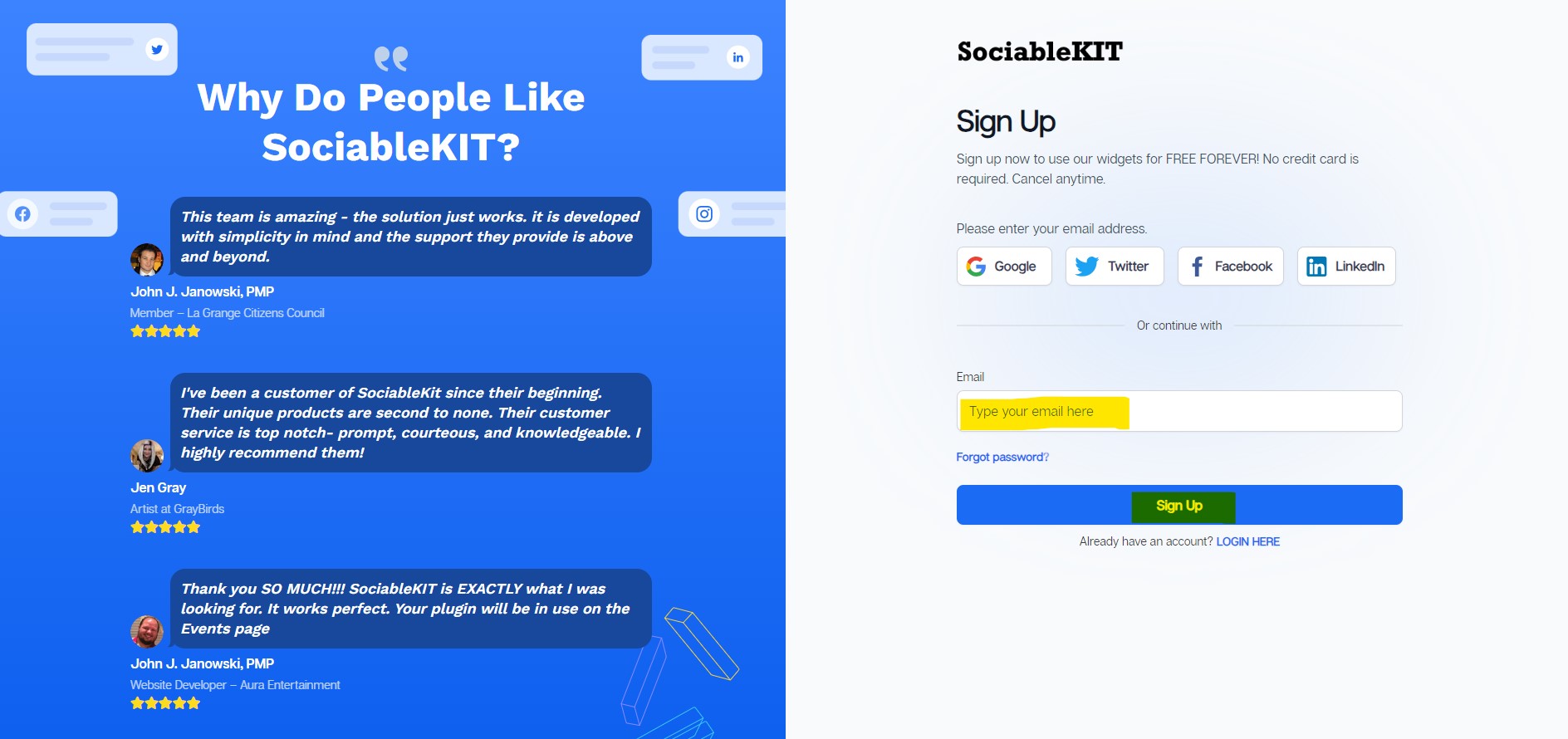
Sign up FREE or login to SociableKIT. You can login here if you already have an account. Once you sign up, you will start your 7-day premium trial. After 7 days, you can activate the free plan if you don't need our premium features.

-
Select "Etsy Reviews" on the dropdown. SociableKIT offers several social media feeds widgets. You might need to search it using the highlighted area below. Once found, you can then select it.

-
Customize your feed. Click the "NEXT" button to show the customization options of your social feed. You can change the layout, colors, font, and more to match your brand. Click the Save changes button.

-
Copy the embed code. Click the "Embed on website" button on the upper right corner. Select your website builder. On the popup, copy the JavaScript embed code.

- Paste the embed code and save your Sitebuilder website page. Please follow the second part below to add Etsy Reviews widget to your Sitebuilder website .


Add Etsy Reviews widget to your Sitebuilder website
The second part is adding your Etsy Reviews widget to your Sitebuilder website . After you customize your Etsy Reviews widget and copied the embed code, it is time to add it to your Sitebuilder website . Follow the steps below.
- Copy your free Etsy Reviews widget embed code. Make sure you followed the first part above. It detailed how to you can create and customize your widget to get your free embed code.
- Login to Sitebuilder.
- Create or edit an existing page.
- Click the + 'Elements' button on the left of the page.
- Select the 'EMBED HTML' element.
- Place the 'EMBED HTML' element on your page.
- Inside the 'EMBED HTML' element, click the 'Insert HTML' button.
- Paste the embed code from SociableKIT into the 'Body HTML' or 'Header HTML'.
- Click the 'OK' button.
- Click the 'Publish' button on the upper right of the page.
- Visit your page. Done!
Website builders
Paste your embed code on any platform
SociableKIT works with every major website builder. Pick yours below for copy-paste instructions tailored to that platform.
To embed Etsy Reviews on your Sitebuilder site, follow the steps below after you have your SociableKIT embed code.
- Sign up free to SociableKIT and create your Etsy Reviews widget.
- Customize your widget and copy the embed code from the dashboard.
- Login to Sitebuilder.
- Create or edit an existing page.
- Click the + 'Elements' button on the left of the page.
- Select the 'EMBED HTML' element.
- Place the 'EMBED HTML' element on your page.
- Inside the 'EMBED HTML' element, click the 'Insert HTML' button.
- Paste the embed code from SociableKIT into the 'Body HTML' or 'Header HTML'.
- Click the 'OK' button.
- Click the 'Publish' button on the upper right of the page.
- Visit your page. Done!
To embed Etsy Reviews on your WordPress site, follow the steps below after you have your SociableKIT embed code.
- Sign up free to SociableKIT and create your Etsy Reviews widget.
- Customize your widget and copy the embed code from the dashboard.
- Log in to your WordPress site.
![]()
- Go to the Posts section. To add a new widget, click the Add Post button at the top.
![]()
- To edit an existing widget, click the title of the post that has your widget instead. Skip this step if you’re adding a new post.
![]()
- In your SociableKIT editor, click Get code at the top right.
![]()
- In the Get the embed code window, make sure the JavaScript tab is selected, then click “Copy code.”
![]()
- Back in WordPress, click the + icon in the post body, type Custom HTML in the search bar, then select the Custom HTML block.
![]()
- In the HTML tab, paste the code, then click Update.
![]()
- Click the Save button at the top right of your WordPress post (or Publish if it’s a new post).
![]()
- The widget will appear on your WordPress post. Done!
![]()


To embed Etsy Reviews on your Wix site, follow the steps below after you have your SociableKIT embed code.
- Sign up free to SociableKIT and create your Etsy Reviews widget.
- Customize your widget and copy the embed code from the dashboard.
- Log in to Wix.
![]()
- On your existing website, click the “+ Add” button at the top left.
![]()
- Click “Elements”.
![]()
- In the Add Elements panel, click “Embed” from the left menu.
![]()
- Under the Embed section, click “Embed code” to add it to your page.
![]()
- Click the HTML Element on your page, then click the Settings (gear) icon in the toolbar above it.
![]()
- Under “Choose what to embed”, open the dropdown and select “Link”.
![]()
- Paste the link you copied from SociableKIT into the Link field, then click “Apply”.
![]()
- Click “Publish” at the upper right.
![]()
- Click “View Site”. Done!
![]()


To embed Etsy Reviews on your Squarespace site, follow the steps below after you have your SociableKIT embed code.
- Sign up free to SociableKIT and create your Etsy Reviews widget.
- Customize your widget and copy the embed code from the dashboard.
- Log in to Squarespace.
![]()
- In the Pages panel, click the page where you want the widget, then click the Edit button at the top left of the page preview.
![]()
- In the page section, click the Add Block button at the top left.
![]()
- In the search bar, type Code, then select the Code block.
![]()
- In your SociableKIT editor, click Get code at the top right.
![]()
- In the “Get the embed code” window, make sure the JavaScript tab is selected, then click Copy code.
![]()
- Back in Squarespace, open the Code block’s Content tab, make sure the Mode is set to HTML, then paste the embed code in the code area.
![]()
- Click the Save button at the top left of the page.
![]()
- Refresh your Squarespace page to check the widget. Done!
![]()


To embed Etsy Reviews on your Webflow site, follow the steps below after you have your SociableKIT embed code.
- Sign up free to SociableKIT and create your Etsy Reviews widget.
- Customize your widget and copy the embed code from the dashboard.
- Login to Webflow.
![]()
- On your existing website, click the "Page: ...." in the upper left corner then click the "Create new page" icon.
![]()
- Once done add a name for your new page then click "Save".
![]()
- On the left, click "Add Element". Drag "Embed" to your page.
![]()
- Paste the JavaScript code you copied from SociableKIT.
![]()
- On the upper right, click "Publish" > "Publish to Selected Domains".
![]()
- View your page. Done!


To embed Etsy Reviews on your Shopify site, follow the steps below after you have your SociableKIT embed code.
- Sign up free to SociableKIT and create your Etsy Reviews widget.
- Customize your widget and copy the embed code from the dashboard.
- Log in to Shopify.
![]()
- On the left side, click Online Store.
![]()
- Click “Pages,” then click Add page at the top right. To edit an existing widget page, click its title instead.
![]()
- In your SociableKIT editor, click Get code at the top right.
![]()
- In the Get the embed code window, make sure the JavaScript tab is selected, then click Copy code.
![]()
- Back in Shopify, Click the Show HTML icon (<>) in the Content toolbar.
![]()
- Enter a page title, then click Save.
![]()
- Click the Save button at the top.
![]()
- Click the Preview button at the top right to check your widget. Done!
![]()
![]()


To embed Etsy Reviews on your HTML site, follow the steps below after you have your SociableKIT embed code.
- Sign up free to SociableKIT and create your Etsy Reviews widget.
- Customize your widget and copy the embed code from the dashboard.
- Open your HTML file.
![]()
- You can create a new HTML page or edit your existing HTML page.
![]()
- Paste the Javascript code you copied from SociableKIT. Paste it where you want the widget to appear.
![]()
- Save your HTML page.
![]()
- You may now upload your HTML page to your web hosting.


To embed Etsy Reviews on your Google Sites site, follow the steps below after you have your SociableKIT embed code.
- Sign up free to SociableKIT and create your Etsy Reviews widget.
- Customize your widget and copy the embed code from the dashboard.
- Login to Google sites.
![]()
- Create or edit an existing website. Click the ‘Blank site’ tile (the + icon) in the ‘Start a new site’ section to create a new website, or open your existing website from the ‘Recent sites’ section.
![]()
- Create a new blank page or edit your existing page. Identify which page you want the widget to appear on. On the right sidebar, under the ‘Insert’ tab, click the ‘Embed’ button.
![]()
- Add the widget. A popup ‘Embed from the web’ will open. Select the ‘Embed code’ tab, paste the embed code from your SociableKIT widget into the ‘HTML code goes here’ box, then click the ‘Next’ button.
![]()
- Preview your widget. A preview of your SociableKIT widget will be displayed. To change the code, click the pencil icon on the preview. When you’re happy with it, click the ‘Insert’ button to add the widget to your page.
![]()
- Publish your page. Click the ‘Publish’ button on the upper right corner of the page. Done!
![]()


Live preview
Pick a Etsy Reviews template — see it live
Choose a starting design on the left and watch the preview update with real data. What you see is exactly what visitors get on your Sitebuilder website.
Common questions
Frequently asked questions
Everything you need to know about embedding Etsy Reviews on your Sitebuilder website.
What is an Etsy Reviews widget?
An Etsy Reviews widget lets you display your Etsy customer reviews on your website. It turns the trust you already earned on Etsy into social proof visitors can see before they buy. With SociableKIT, you can show your reviews in a clean, branded layout without coding.
Why should I show Etsy reviews on my website?
Many visitors need proof before they trust a shop, especially when they are buying from a small business or handmade brand. Etsy reviews show real buyer feedback, star ratings, and customer experiences in the place where visitors are deciding. It helps your website feel more credible, active, and ready for sales.
Can I embed Etsy reviews on my own website?
Yes, you can display your Etsy reviews on your website using an embed widget. SociableKIT gives you a simple embed code you can add to your page, so your reviews can appear without manual copy and paste. For best results, show your real reviews clearly and avoid editing or changing customer feedback.
Do I need coding skills to add Etsy reviews?
No. SociableKIT is made for website owners, shop owners, and marketers who want a simple setup. Create your widget, customize the design, copy the embed code, and paste it into your website builder.
Will my Etsy reviews update automatically?
Yes, SociableKIT can sync your Etsy reviews automatically, so your website stays fresh as your Etsy shop receives new feedback. This saves time and helps visitors see recent proof without you updating the page by hand. It is social proof while you sleep.
Can I choose which Etsy reviews appear?
Yes. SociableKIT gives you moderation controls so you can manage which reviews are shown on your website. This helps you keep the section focused, clean, and relevant while still showing real customer feedback.
Can I customize the design of my Etsy reviews widget?
Yes. You can adjust the layout, colors, fonts, spacing, and other display settings to match your website. The goal is simple: your Etsy reviews should feel like part of your brand, not something pasted on as an afterthought.
Which website builders work with the Etsy Reviews widget?
SociableKIT works with website builders that allow embed code or custom HTML sections. This includes popular platforms like WordPress, Shopify, Wix, Squarespace, Webflow, Framer, and many others. If your site lets you paste an embed code, you can usually add the widget.
Can I add Etsy reviews to Shopify?
Yes. You can add your SociableKIT Etsy Reviews widget to Shopify using the embed code in a custom liquid, page, section, or theme area that supports custom code. This helps bring your Etsy reputation into your store, where shoppers are making purchase decisions.
Can I add Etsy reviews to WordPress?
Yes. You can add the Etsy Reviews widget to WordPress by pasting the SociableKIT embed code into a custom HTML block, widget area, or page builder section. It is a simple way to show Etsy trust on your homepage, product pages, or landing pages.
Is the Etsy Reviews widget mobile friendly?
Yes. SociableKIT widgets are designed to look good on desktop, tablet, and mobile screens. Your reviews can adjust to different screen sizes, so visitors can read them comfortably wherever they browse.
Can I show Etsy reviews in a carousel, grid, list, or masonry layout?
Yes. SociableKIT gives you flexible layout options so you can choose the best format for your page. Use a carousel for a compact section, a grid for a clean review wall, a list for easy reading, or masonry for a more dynamic look.
Where should I place Etsy reviews on my website?
Place them where visitors need confidence most. Strong locations include your homepage, product pages, checkout support sections, about page, and landing pages. A review section works best when it supports a buying decision, not when it is hidden at the bottom of the site.
Will Etsy reviews help increase trust and conversions?
They can help. Reviews reduce doubt by showing that real customers have already bought from you and had a good experience. SociableKIT helps you place that proof closer to the moment a visitor is deciding to contact you, buy, or continue browsing.
Can I display my Etsy rating and review count?
Yes, depending on the available review data and widget settings, you can show key trust signals like ratings, review text, and customer feedback. These details help visitors understand your shop reputation faster. Clear proof is easier to trust than hidden proof.
Does the widget slow down my website?
SociableKIT is built to make embedding reviews simple while keeping the display clean and practical. As with any embedded content, performance can depend on your website setup, page size, and other scripts. Use the widget in a focused section and avoid overloading the page with too many third-party elements.
Do I need to manually copy every Etsy review?
No. The point of using SociableKIT is to avoid manual review copying and constant page updates. Once your widget is set up, it can display and sync your Etsy reviews in one place so you can focus on running your shop.
What support do I get if I need help setting it up?
SociableKIT offers human support (24/7 on Business and Enterprise plans) to help you set up, customize, and troubleshoot your widget. If you are not sure where to paste the code or how to adjust the design, support can guide you. You do not have to figure it out alone.
Add your Etsy Reviews widget today
Set up in minutes. Free forever to start.
Create your widgetFree forever · No credit card · Cancel anytime