Your Subreddit on Ucoz website — live in 3 steps
SociableKIT syncs your subreddit automatically. Set up once, embed anywhere — free to start, no coding required.
-
Create in 60 seconds
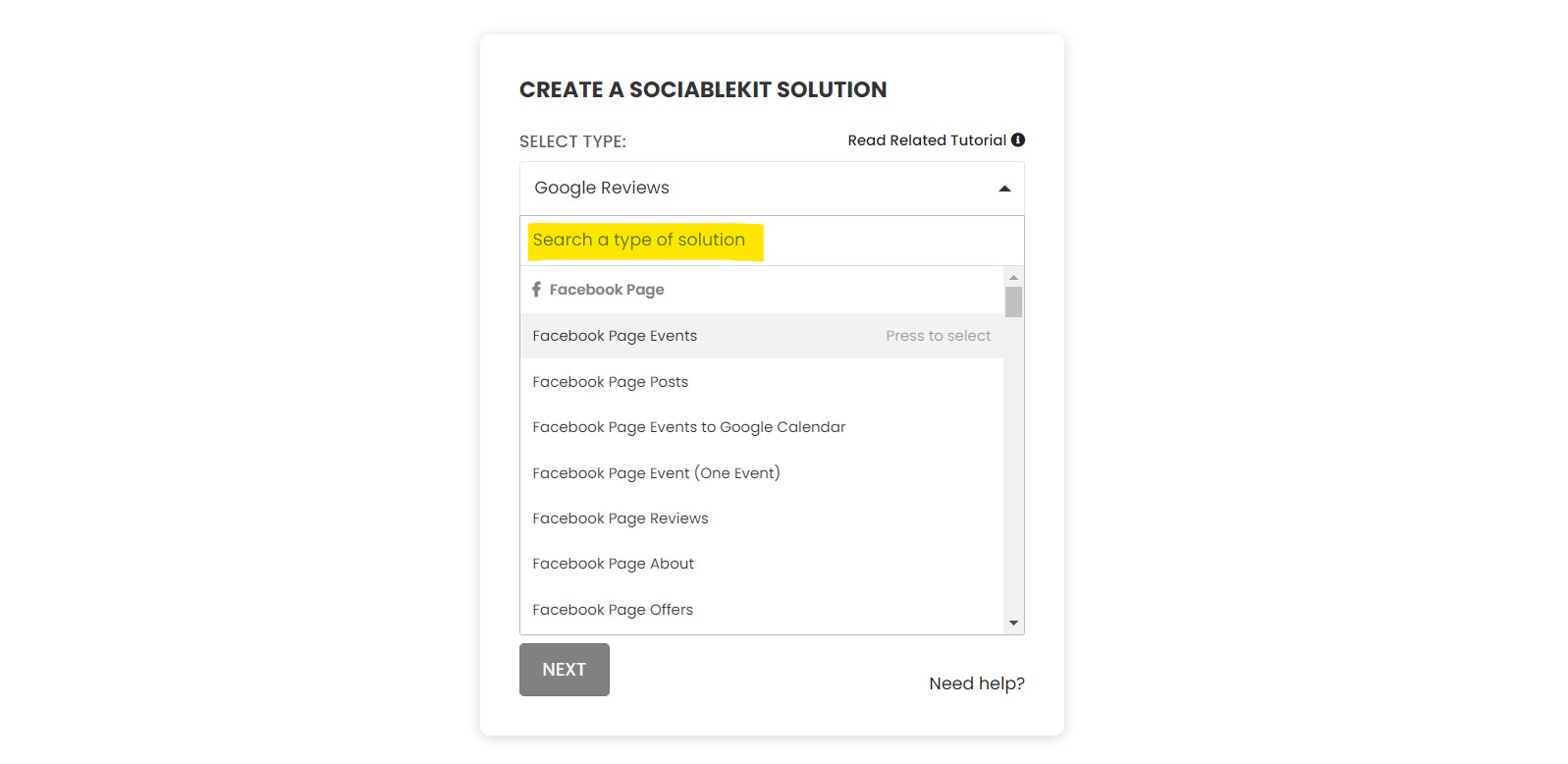
Pick Subreddit in the dashboard and connect your source.
-
Match your brand
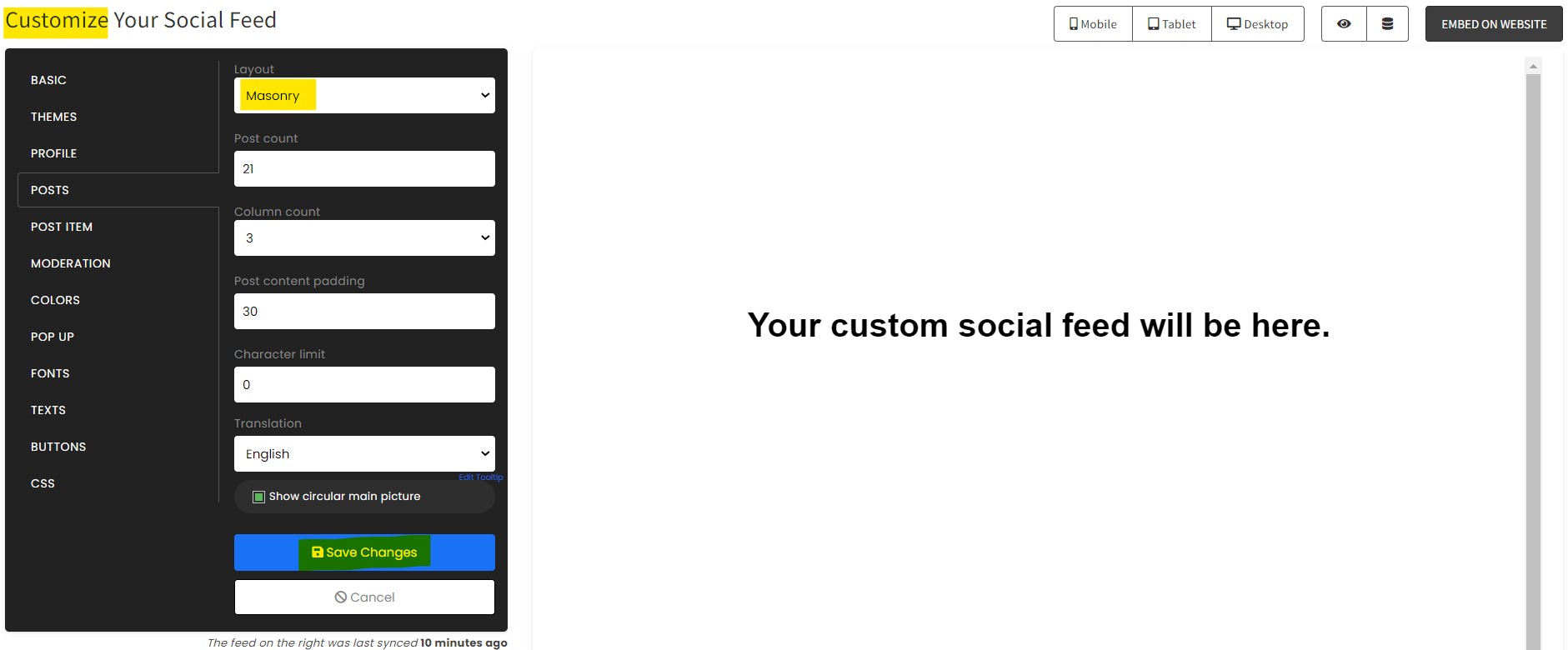
Colors, fonts, layout — tune it until it feels native to your site.
-
Paste one line of code
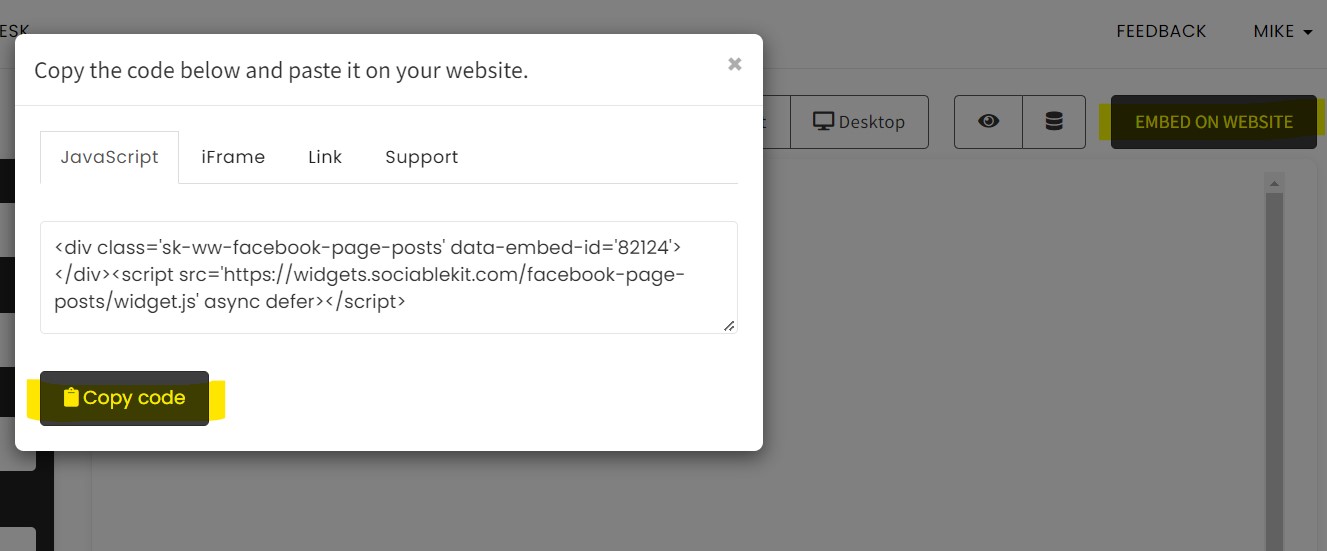
Drop the embed snippet on your Ucoz website. No dev team needed.
Embed Subreddit with SociableKIT — step by step
Create your widget in the dashboard, copy the embed code, and paste it on your Ucoz website. Screenshots included so you never get stuck.
Create and customize your Subreddit widget
The first part is creating your Subreddit widget using the SociableKIT dashboard. Customize the look and feel to match your brand. Follow the steps below.
-
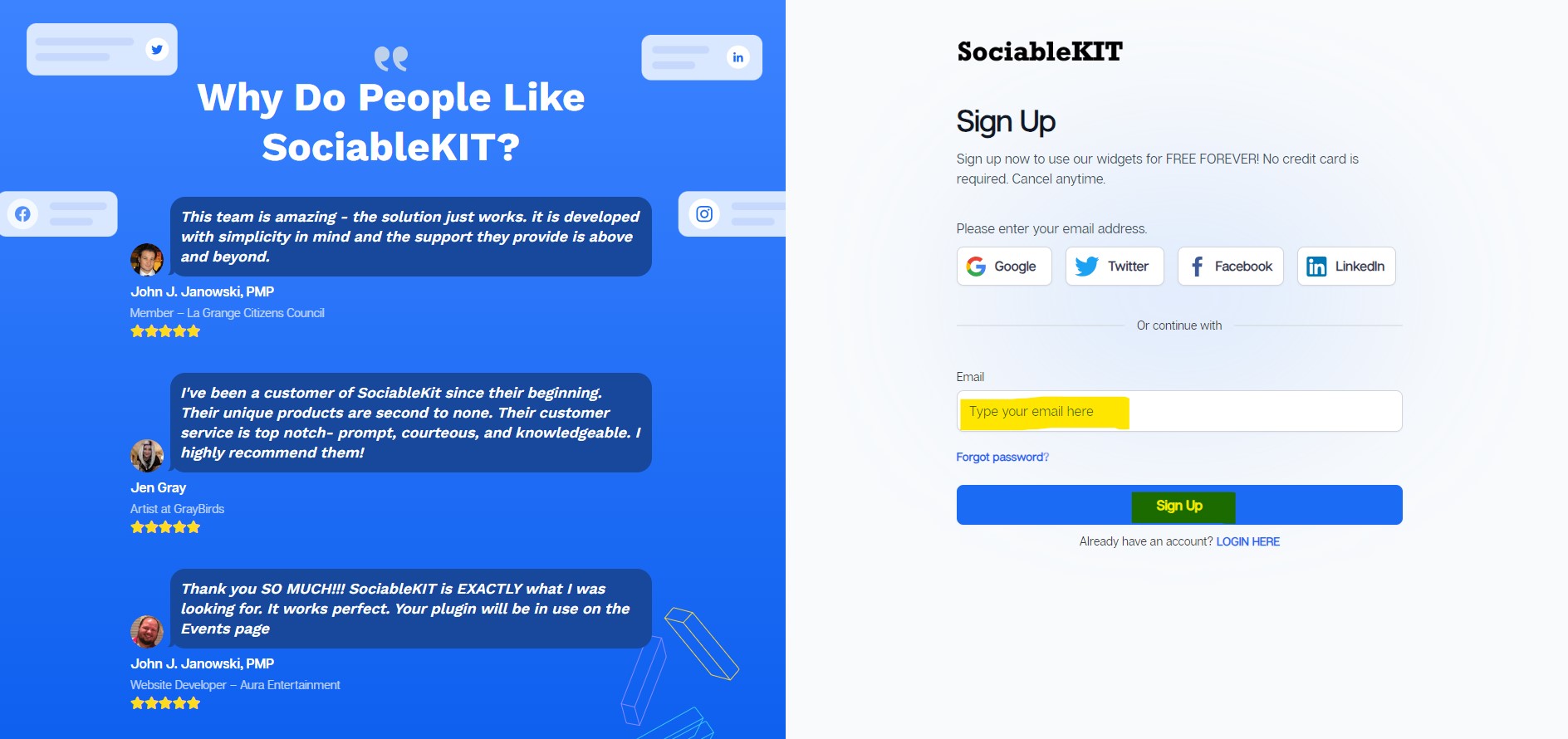
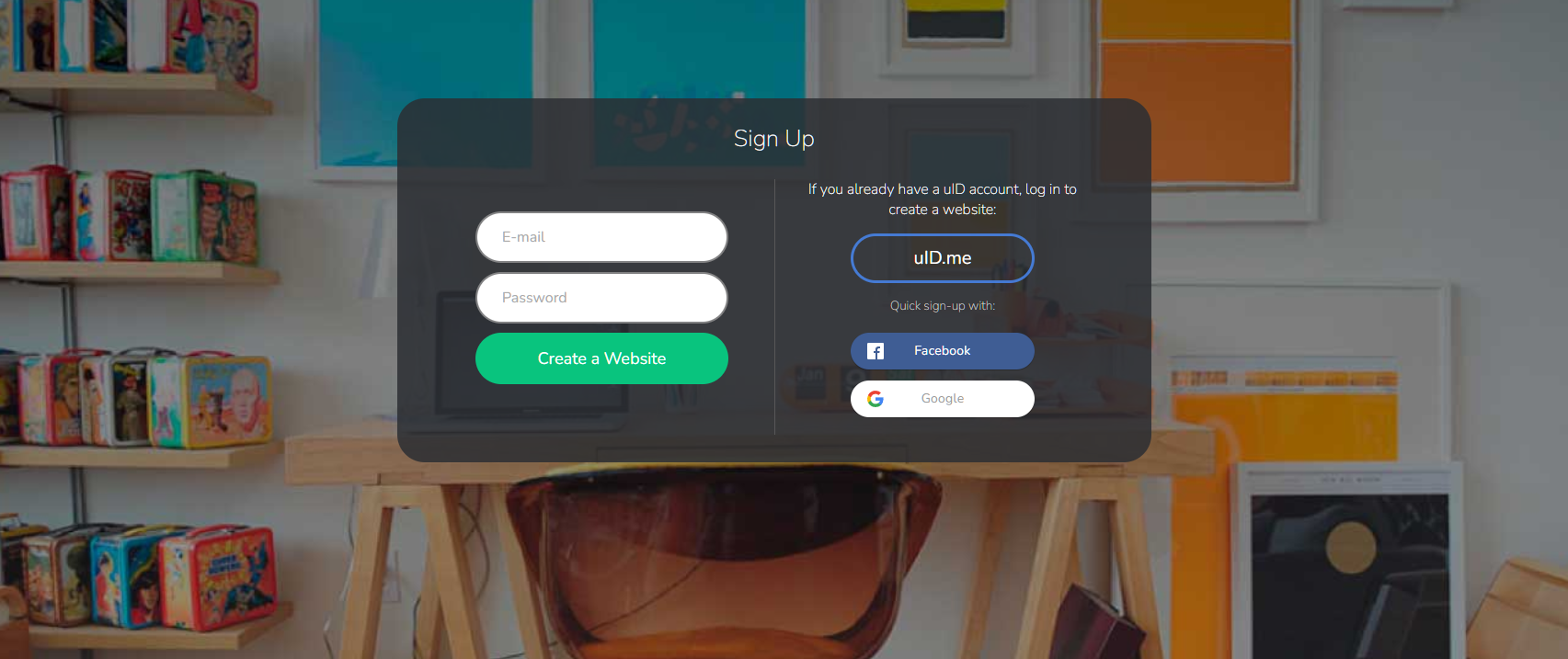
Sign up FREE or login to SociableKIT. You can login here if you already have an account. Once you sign up, you will start your 7-day premium trial. After 7 days, you can activate the free plan if you don't need our premium features.

- Paste the embed code and save your Ucoz website page. Please follow the second part below to add Subreddit widget to your Ucoz website .
Add Subreddit widget to your Ucoz website
The second part is adding your Subreddit widget to your Ucoz website . After you customize your Subreddit widget and copied the embed code, it is time to add it to your Ucoz website . Follow the steps below.
- Copy your free Subreddit widget embed code. Make sure you followed the first part above. It detailed how to you can create and customize your widget to get your free embed code.
- Login to Ucoz. You must have a 'Basic' plan to create and customize your Ucoz website.
![]()
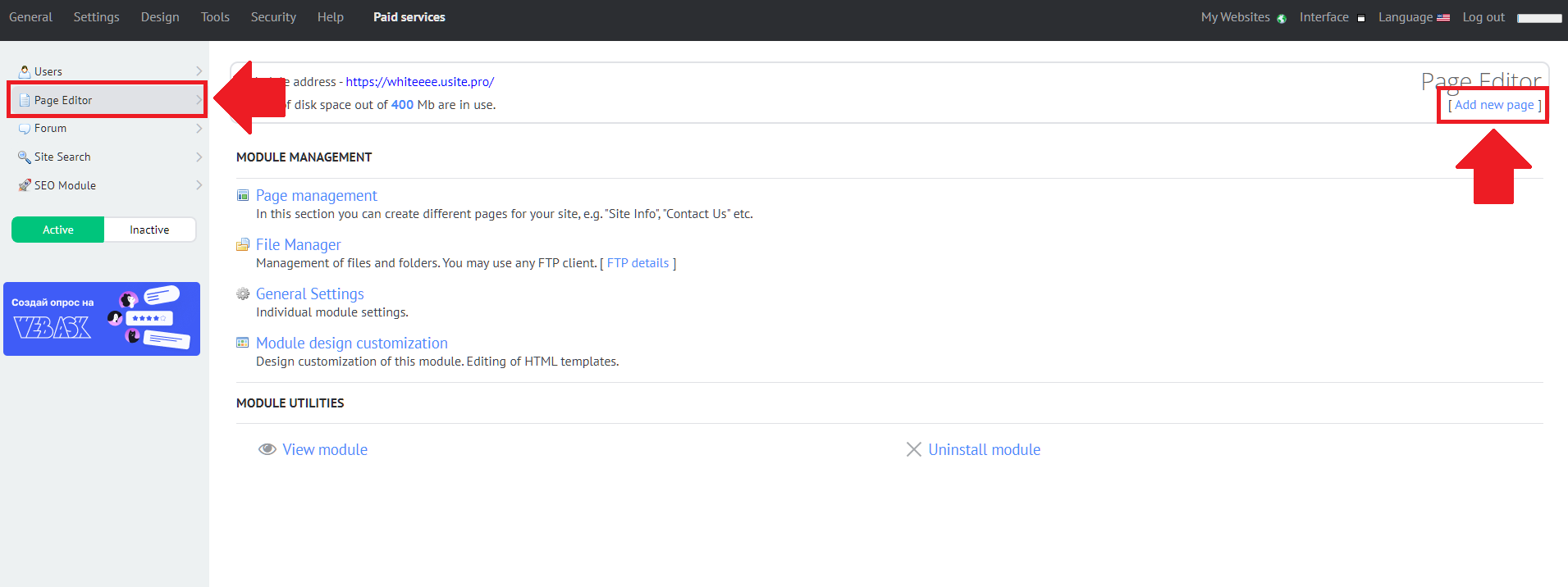
- Create or edit an existing page. On the left sidebar, click the 'Page Editor' tab. Select the 'Add new page' button on the right of the page.
![]()
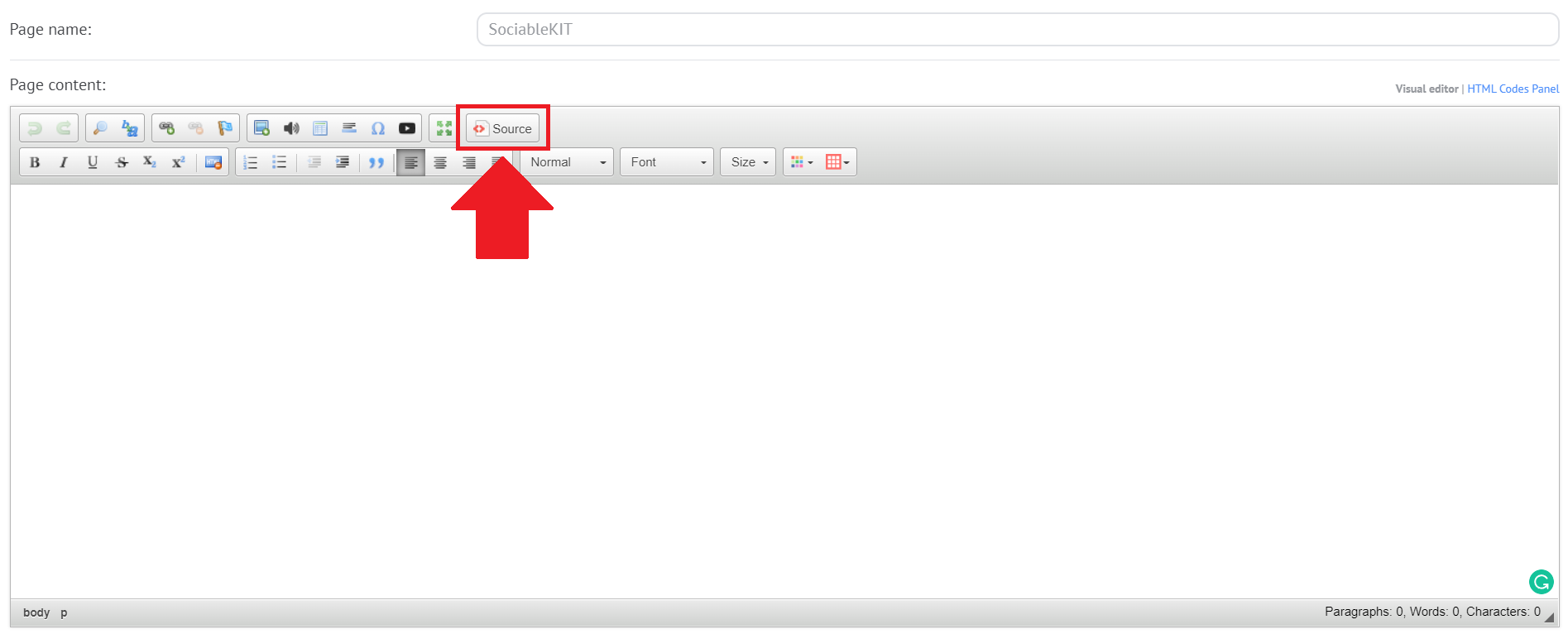
- Edit your Ucoz page. Enter your page name in the middle part of the page. On the 'Page content', find the <> 'Source' button and select it.
![]()
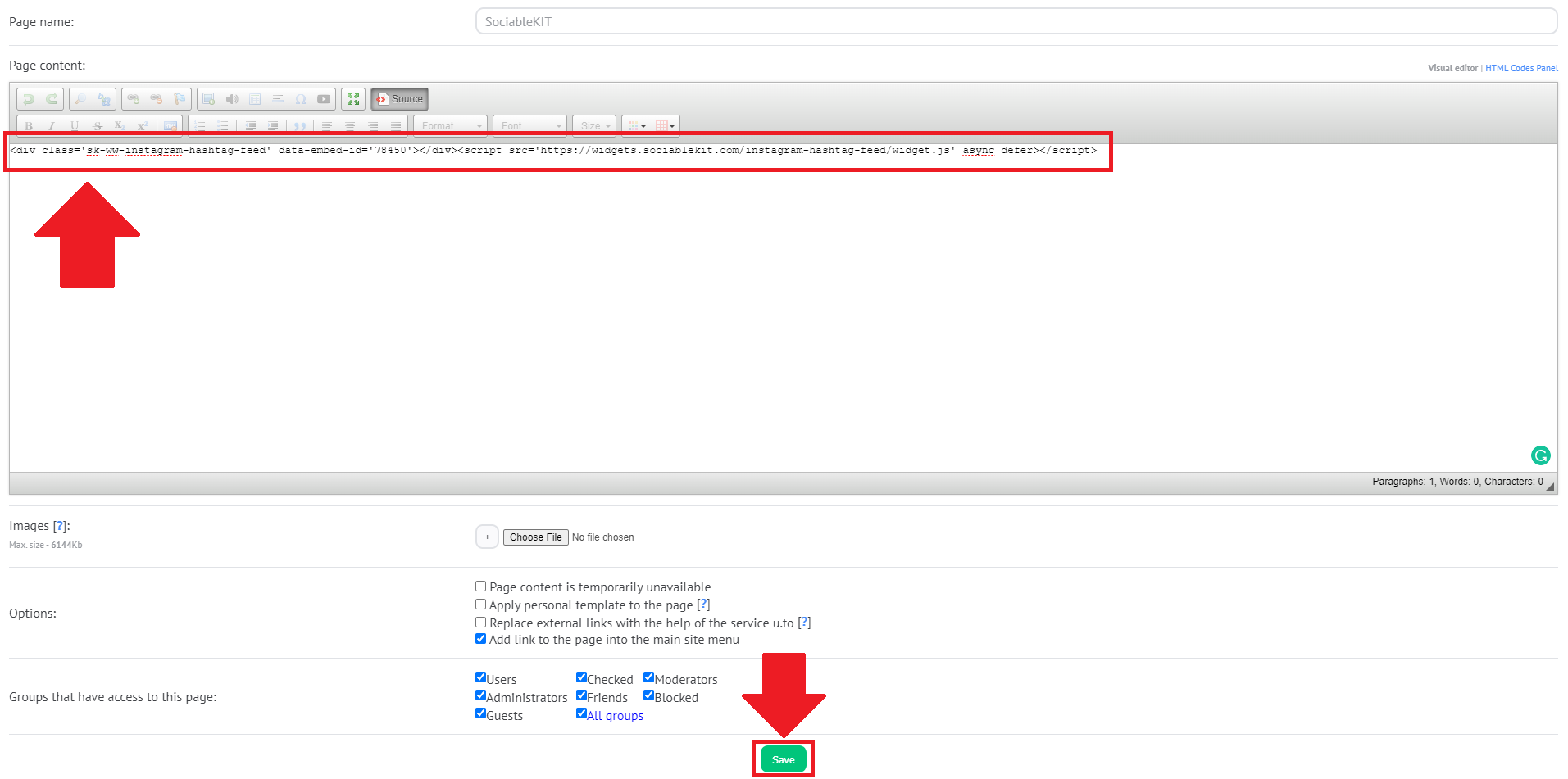
- Paste the embed code from SociableKIT. Paste the JavaScript embed code that you have copied on SociableKIT. After pasting the embed code, find the 'Save' button on the bottom part of the page and click it.
![]()
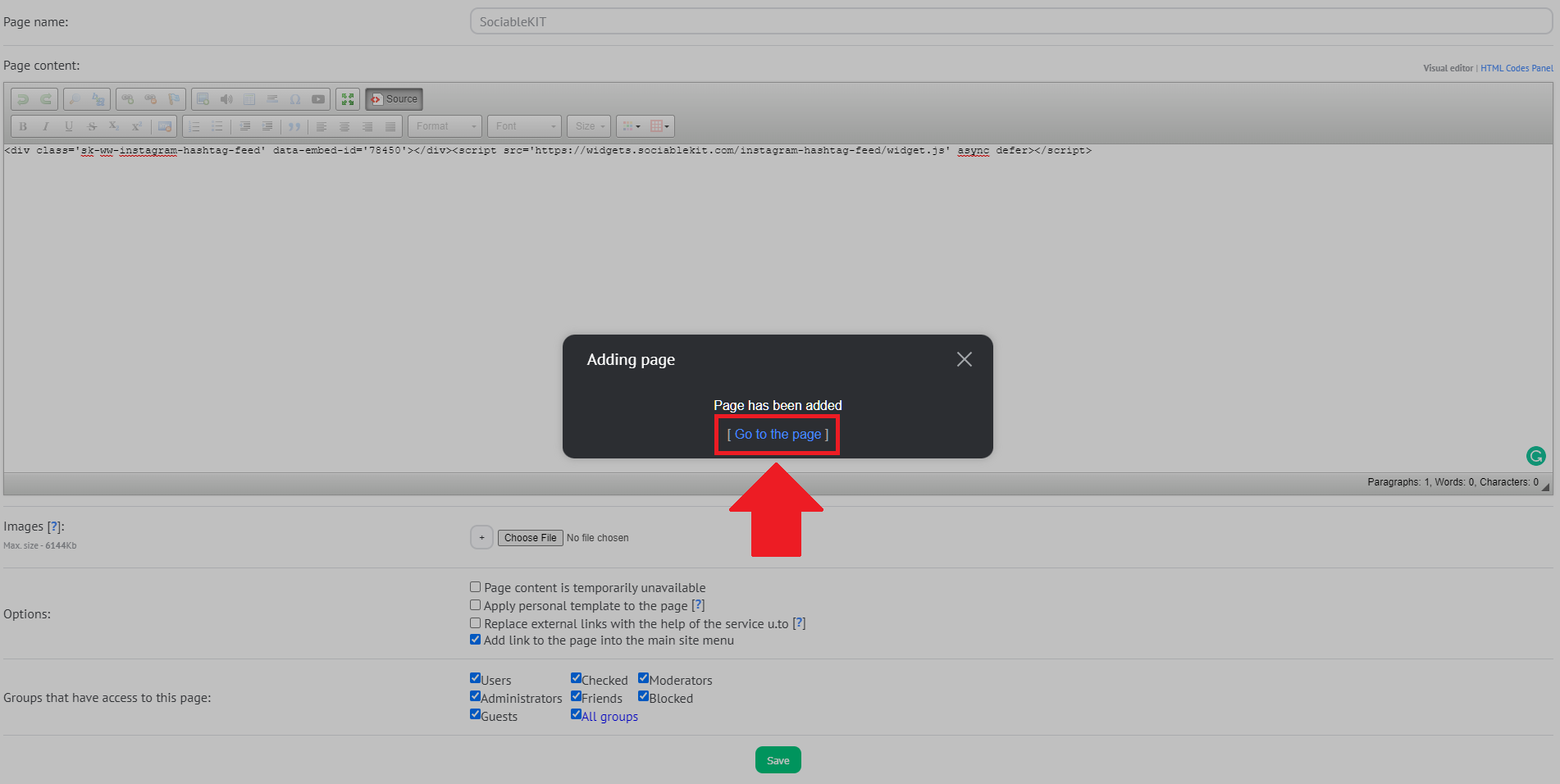
- Go to your published Ucoz page. After saving the page, a popup will appear. Click the 'Go to the page' button to view your published page.
![]()
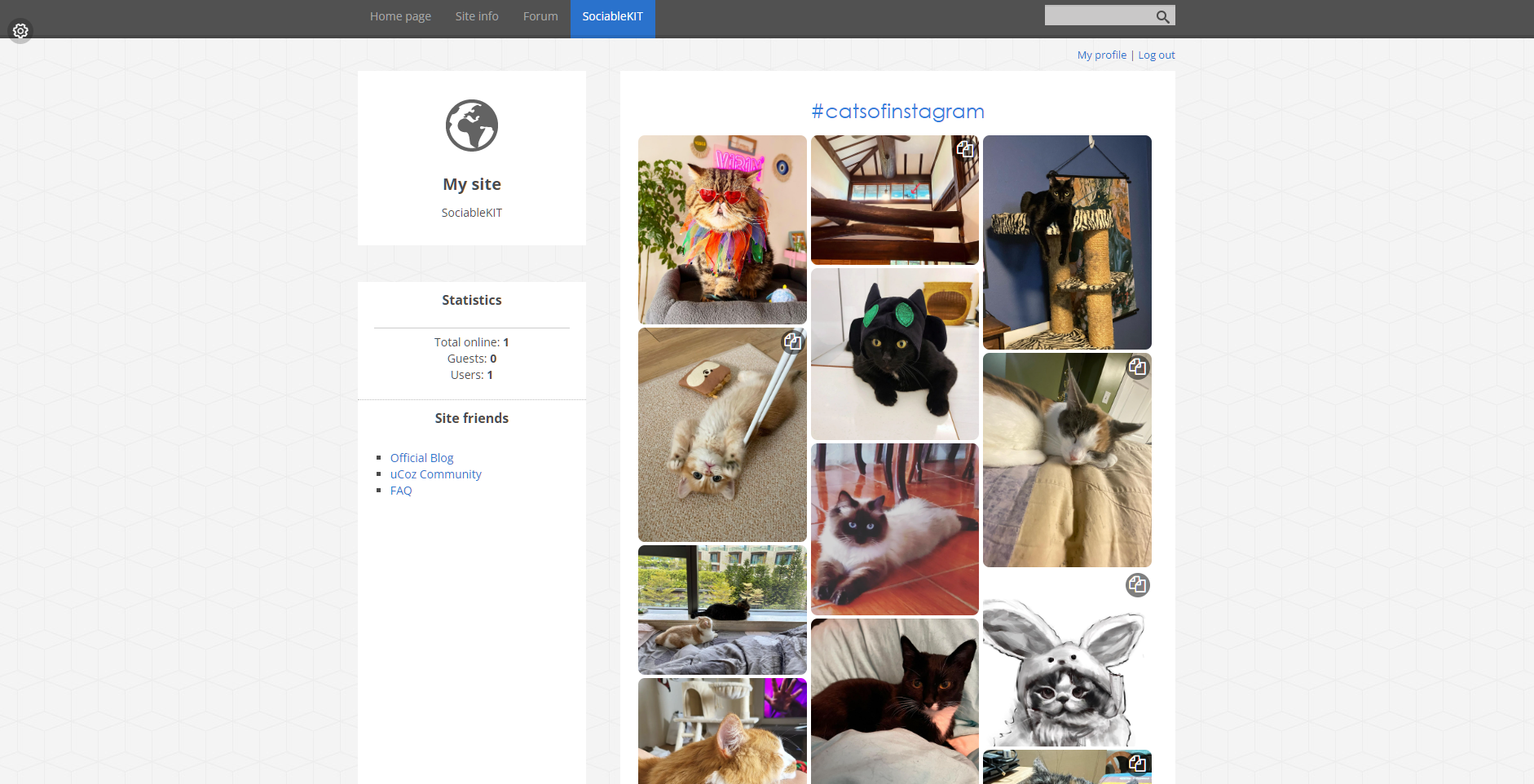
- View your page. Check your SociableKIT widget on your Ucoz page. Done!
![]()
Website builders
Paste your embed code on any platform
SociableKIT works with every major website builder. Pick yours below for copy-paste instructions tailored to that platform.
To embed Subreddit on your Ucoz site, follow the steps below after you have your SociableKIT embed code.
- Sign up free to SociableKIT and create your Subreddit widget.
- Customize your widget and copy the embed code from the dashboard.
- Login to Ucoz. You must have a 'Basic' plan to create and customize your Ucoz website.
![]()
- Create or edit an existing page. On the left sidebar, click the 'Page Editor' tab. Select the 'Add new page' button on the right of the page.
![]()
- Edit your Ucoz page. Enter your page name in the middle part of the page. On the 'Page content', find the <> 'Source' button and select it.
![]()
- Paste the embed code from SociableKIT. Paste the JavaScript embed code that you have copied on SociableKIT. After pasting the embed code, find the 'Save' button on the bottom part of the page and click it.
![]()
- Go to your published Ucoz page. After saving the page, a popup will appear. Click the 'Go to the page' button to view your published page.
![]()
- View your page. Check your SociableKIT widget on your Ucoz page. Done!
![]()
To embed Subreddit on your WordPress site, follow the steps below after you have your SociableKIT embed code.
- Sign up free to SociableKIT and create your Subreddit widget.
- Customize your widget and copy the embed code from the dashboard.
- Login to your WordPress site.
![]()
- On your WordPress, go to the "Pages" section then click the "Add new page".
![]()
- Pick a pre-defined layout or start with a blank page by clicking the "Blank page" button.
![]()
- On the body of your page, click the "+" icon and click the "Custom HTML".
![]()
- Paste the code in the text area and click update.
![]()
- The widget will appear on the WordPress page.
![]()
- Click the Publish or Update button on your WordPress page.
![]()
- Click the view page. Done!
To embed Subreddit on your Wix site, follow the steps below after you have your SociableKIT embed code.
- Sign up free to SociableKIT and create your Subreddit widget.
- Customize your widget and copy the embed code from the dashboard.
- Login to Wix.
![]()
- On your existing website click the "+" button beside the "Main pages" section.
![]()
- Then click the "Add page" button.
![]()
- Name your page then hit enter.
![]()
- On the left, click "Add element". Find and click "Embed code". Click and drag "Embed a site" on your page then resize the container.
![]()
- Click "Change website address".
![]()
- Paste the link you copied from SociableKIT then click "Apply".
![]()
- Click "Publish" on the upper right.
![]()
- Click "View site". Done!
![]()
To embed Subreddit on your Squarespace site, follow the steps below after you have your SociableKIT embed code.
- Sign up free to SociableKIT and create your Subreddit widget.
- Customize your widget and copy the embed code from the dashboard.
- Login to Squarespace. You must have a "Business" account in Squarespace to use the widget. The "code block" needed cannot be found if you only have a "Personal" account.
![]()
- Create a new blank page or edit your existing page. Identify which page you want the widget to appear. You can create a new page on Squarespace, or you can edit your existing page where you want the widget to appear.
![]()
- Add a Code Block. On your Squarespace page, click the 'Edit' button. Find the 'Code' block and click it.
![]()
- Paste the embed code from SociableKIT. On the 'Content' of the 'Code' block, paste the JavaScript embed code you have copied from your widget.
![]()
- Save the changes on the 'Code block'. After pasting your widget's embed code. Click the 'Save' button on the left part of the page.
![]()
- View your page. Refresh your Squarespace page and check your SociableKIT widget. Done!
![]()
To embed Subreddit on your Webflow site, follow the steps below after you have your SociableKIT embed code.
- Sign up free to SociableKIT and create your Subreddit widget.
- Customize your widget and copy the embed code from the dashboard.
- Login to Webflow.
![]()
- On your existing website, click the "Page: ...." in the upper left corner then click the "Create new page" icon.
![]()
- Once done add a name for your new page then click "Save".
![]()
- On the left, click "Add Element". Drag "Embed" to your page.
![]()
- Paste the JavaScript code you copied from SociableKIT.
![]()
- On the upper right, click "Publish" > "Publish to Selected Domains".
![]()
- View your page. Done!
To embed Subreddit on your Shopify site, follow the steps below after you have your SociableKIT embed code.
- Sign up free to SociableKIT and create your Subreddit widget.
- Customize your widget and copy the embed code from the dashboard.
- Login to Shopify.
![]()
- On the left side, click Online Store.
![]()
- Click Pages. Add a new page or edit your existing page.
![]()
- On the Page details, click Show HTML icon (<>).
![]()
- Paste the embed code and click the Save button.
![]()
- Click the View page button. Done!
![]()
To embed Subreddit on your HTML site, follow the steps below after you have your SociableKIT embed code.
- Sign up free to SociableKIT and create your Subreddit widget.
- Customize your widget and copy the embed code from the dashboard.
- Open your HTML file.
![]()
- You can create a new HTML page or edit your existing HTML page.
![]()
- Paste the Javascript code you copied from SociableKIT. Paste it where you want the widget to appear.
![]()
- Save your HTML page.
![]()
- You may now upload your HTML page to your web hosting.
To embed Subreddit on your Google Sites site, follow the steps below after you have your SociableKIT embed code.
- Sign up free to SociableKIT and create your Subreddit widget.
- Customize your widget and copy the embed code from the dashboard.
- Login to Google sites. You must have at least a 'Business Starter' plan to create and customize your Google sites.
![]()
- Create or edit an existing website. Click the + 'Blank' button on the 'Start a new site' section to create or find your existing website under the 'Recent sites' section.
![]()
- Create a new blank page or edit your existing page. Identify which page you want the widget to appear. On the right sidebar, you will see an 'Embed' button. Click the 'Embed' button.
![]()
- Add the widget. A popup 'Embed from the web' will open up. Select the 'Embed code' tab on the popup.
![]()
- Paste the embed code from SociableKIT. On the 'Embed code' tab, you will see 'HTML code goes here' text. Paste the embed code from your SociableKIT widget.
![]()
- Save the widget. Once you have pasted your embed code, click the 'Next' button.
![]()
- Preview of your SociableKIT widget. After clicking the Next button, a preview of your embed code will be displayed. Click the 'Insert' button to insert the widget to your Google sites page.
![]()
- Edit the widget. Once the widget has been inserted, you will have the option to resize the widget. After resizing the widget to your preferences, click the 'Publish' button on the upper right corner of the page.
![]()
- Publish your page. After publishing the site, click the down 'Arrow' button beside the 'Publish' button.
![]()
- View your page. A dropdown of buttons will be displayed, click the 'View published site' button. Done!
![]()
Live preview
Pick a Subreddit template — see it live
Choose a starting design on the left and watch the preview update with real data. What you see is exactly what visitors get on your Ucoz website.
Common questions
Frequently asked questions
Everything you need to know about embedding Subreddit on your Ucoz website.
What is a Subreddit widget?
A Subreddit widget displays public posts from one Reddit community directly on your website. It helps visitors discover current discussions, questions, news, and community insights without searching for the subreddit first.
How do I embed a subreddit on my website without coding?
Create the widget in SociableKIT, enter the subreddit name, customize the design, and copy the generated embed code. Paste it into an HTML, custom code, iframe, or embed block on your website.
Where can I find the subreddit name?
Open the community on Reddit and look at its address in your browser. Copy the text that appears after the r section of the address, without including extra slashes or page details.
Does the subreddit need to be public?
A public subreddit gives the widget the most reliable source because its posts can be viewed openly. A restricted subreddit may also be publicly viewable, but a private or premium-only community cannot provide a dependable public website feed.
Do I need to own or moderate the subreddit?
No, you do not need to own or moderate a publicly accessible subreddit for the standard SociableKIT setup. You should still choose a community that is relevant to your website and use its public content responsibly.
Do I need a Reddit developer account or API key?
No custom API development or developer key is required for the standard SociableKIT setup. SociableKIT handles the connection and provides one reusable website embed code.
Will new subreddit posts appear automatically?
Yes, paid SociableKIT plans include automatic syncing, so you can keep the same embed code as eligible public posts change. The free plan lets you request a manual sync when you want to refresh the widget.
How quickly will a new Reddit post appear in the widget?
The post must first be publicly available in the connected subreddit. It can then appear after the next SociableKIT sync, so website updates may not be immediate.
Can I sort the feed by Hot, New, Top, or Rising posts?
Reddit offers Hot, New, Top, and Rising ways to organize community content, with Hot commonly used as the default. The order available in your website feed depends on Reddit's source data and the sorting controls currently offered in the SociableKIT editor.
What types of Reddit posts can the widget display?
The widget can present available text, link, image, video, poll, and repost content with details such as the title, author, date, score, and comment count. The exact media and fields depend on what Reddit makes public and which SociableKIT settings are enabled.
Why is a subreddit post missing from my widget?
The post may be new but hidden by the current sorting order, removed by moderators, deleted by its author, restricted, marked as mature, or waiting for the next sync. Reddit also controls which recent and eligible posts are available to the connected source.
What happens when a Reddit post is deleted or removed?
Deleted content can disappear from the source, while a moderator-removed post may become unavailable or show limited information. The widget can reflect the change after Reddit updates the source and SociableKIT syncs again.
Can mature or NSFW subreddit content appear on my website?
Mature Reddit content is subject to age, account, regional, and visibility controls and may be blurred, restricted, or unavailable. For a general business website, use a safe-for-work community and moderate the feed carefully.
Can I choose, hide, or moderate which subreddit posts appear?
SociableKIT provides moderation and filtering options for supported feed displays, helping you keep the website section relevant to its page and audience. Business plans also include automatic moderation, while the original Reddit post remains unchanged.
Can I filter subreddit posts by flair or keyword?
Available filtering options depend on the current SociableKIT editor and the information Reddit provides for each post. When a specific filter is not available, you can use moderation to remove unrelated content or choose a more focused subreddit.
Can visitors read comments or join the Reddit discussion?
The Subreddit widget is designed mainly to showcase posts from the community. Visitors can open the original Reddit post to read the full discussion, vote, comment, or join the community, and some actions may require a Reddit account.
Do visitors need a Reddit account to view the widget?
Visitors can generally view eligible public Reddit posts on your website without signing in. Voting, commenting, joining a community, viewing mature content, or accessing restricted areas may require an account and the correct permissions.
Can I display more than one subreddit?
Yes, each additional subreddit can be connected as a separate source and used in its own widgets. Choose a SociableKIT plan with enough sources for the topics, brands, locations, or communities you want to feature.
Can I combine subreddit posts with content from other platforms?
Yes, SociableKIT offers a Social Feed Widget that can combine supported social sources into one consistent display. This is useful when your community content is spread across Reddit and other networks.
Is the Subreddit widget mobile friendly, customizable, and available free?
Yes, the widget adjusts to desktop, tablet, and mobile screens and supports customizable colors, fonts, spacing, layouts, and calls to action. The free plan includes one source, one widget, one domain, and up to 2,000 monthly views, while paid plans add automatic syncing, unlimited widgets and views, branding removal, and 24/7 human support.
Add your Subreddit widget today
Set up in minutes. Free forever to start.
Create your widgetFree forever · No credit card · Cancel anytime