
Facebook is the most popular social media platform with an estimated three billion active monthly users. Additionally, users spend about 35 minutes consuming Facebook content daily.

These statistics highlight the importance of embedding a Facebook feed on a website to quickly capture visitors’ attention and encourage engagement, thereby increasing your site’s dwell time.

In this guide, we will discuss the importance of showcasing a Facebook feed on a WordPress website, including how to embed the content and troubleshoot common integration issues.

TL;DR – How to Embed Facebook Feed in WordPress

There are two ways to embed a Facebook feed on a WordPress website:

  • Using the link option
  • Using the website widget option

We’ll cover how to embed a Facebook feed on WordPress using both methods, so that you can pick the best option for your website.

Person using a smartphone while working on a laptop at a desk with a coffee cup by a bright window.

Benefits of Embedding Social Media on WordPress

When done right, embedding a social media feed like Facebook can transform how visitors interact with your website, improving their user experience. A well-curated social media can also enhance your WordPress website’s visual appeal, creating a positive first impression.

Other benefits include: 

  • Boosts Customer Engagement: Interactive social media feeds encourage customers to like, share, and comment on your content, which often results in visitors spending more time on your website. 
  • Display Social Proof: Showcasing aggregated Facebook content, such as product mentions, customer reviews, reels, and hashtags on your WordPress site, helps establish your brand as credible and trustworthy.
  • Increased Conversations: Embedding user-generated content and shoppable Facebook feeds on your website encourages potential visitors to make their purchase decisions while on your site, driving sales. 
  • Solves Double-Posting Hassles: Integrating your Facebook feed into WordPress means that any content you post on your page displays on your website, so that you don’t have to upload the content manually.
  • Brand Consistency: You can create a unified brand experience by embedding social media content on your website, maintaining consistent communication and marketing campaigns across both platforms.

Best Plugins to Embed Facebook Feed in WordPress 

There are numerous WordPress Facebook feed plugins online, but most will likely not meet your website’s needs. 

We have compiled a list of the top-rated widgets for embedding a Facebook feed on WordPress:

1. SociableKIT

SociableKit Homepage

SociableKIT is the best social media aggregator for embedding Facebook posts on WordPress. Our widget is easy to set up and offers flexible styling options, so you can customize the Facebook feed to blend with your WordPress theme.

Other key features include:

  • Boosted Performance: Our plugins are configured for “lazy loading” and optimized for speed and performance, especially when embedding multiple Facebook feeds on a single web page. 
  • Content Curation: Use automatic and manual moderation to control the Facebook posts that appear on your embedded feed, ensuring it is relevant to your target audience.
  • Scheduled Feed Updates: Our Facebook feed widget refreshes regularly, ensuring recent posts appear on WordPress, giving your visitors a consistent stream of fresh content to interact with. 
  • Customization: Personalize the Facebook widget by setting the background color and font settings so they match your WordPress website. Also, choose your preferred layout, including masonry, grid, and carousel.
  • Data Security: SociableKIT is safe and doesn’t collect your Facebook data or website data without consent.

Pricing: 

  • Free Subscription: $0 per month
  • Pro Subscription: $10 per month
  • Business Subscription: $40 per month
  • Enterprise Subscription: $500 per month

Create a Facebook feed widget today and curate engaging content that builds invaluable social proof for your website.

2. EmbedSocial 

EmbedSocial Homepage

EmbedSocial provides a widget for displaying Facebook posts as shoppable feeds, increasing product conversions. 

However, EmbedSocial limits users to a few posts per month, making it unfavorable for website owners seeking to display unlimited Facebook content. 

Features: 

  • AI-driven analytics for tracking customer interactions 
  • Easy integration with WordPress 
  • Supports Facebook reviews 

Pricing: 

  • Free Plan: 7-day free trial
  • Reviews Management: $24-$80 per month
  • Social Media Aggregator: $24-$80 per month

3. Taggbox 

taggbox Homepage

Taggbox offers a plugin for showcasing Facebook content at events to boost audience engagement.

Unfortunately, most users need a steep learning curve to utilize Taggbox features effectively.

Features: 

  • Engaging themes for your social wall 
  • AI-driven content management 
  • Supports shoppable galleries 

Pricing: 

  • For Digital and Ecommerce: Free plan; $15-59 per month, billed annually
  • For Event Marketers: $199 per week or $499 per month

4. Fouita 

Fouita Homepage

Fouita helps WordPress users showcase their social proof by displaying their Facebook videos, photos, and customer comments on their websites. 

The only drawback is that Fouita plugins aren’t fully optimized for performance, which can slow down your site, especially when embedding large Facebook videos. 

Features: 

  • Mobile-responsive feed layouts 
  • Editor tool for personalizing the widget colors 
  • Built-in analytics dashboard for tracking clicks and conversions 

Pricing: 

  • Shared Views (5k to 5M): $3 to $150 per month, billed annually 
  • Storage (1GB to 15GB): $2.5 to $16.5 per month, billed annually 
  • Number of Widgets (1 to 100): $1.75 to $26.5 per month, billed annually

How to Embed Facebook Feed in WordPress Manually 

It is undeniable that website widgets offer unrivalled convenience when looking to showcase a Facebook feed on WordPress. However, website owners looking to display only one or two Facebook posts could opt to embed them manually. 

Follow these steps to embed a Facebook feed on WordPress using the link option:

  1. Log in to your Facebook page and locate the public post you want to embed. 
  2. Click the three dots on the top right corner of your post and select the embed option. 
  3. Copy the provided embed script. 
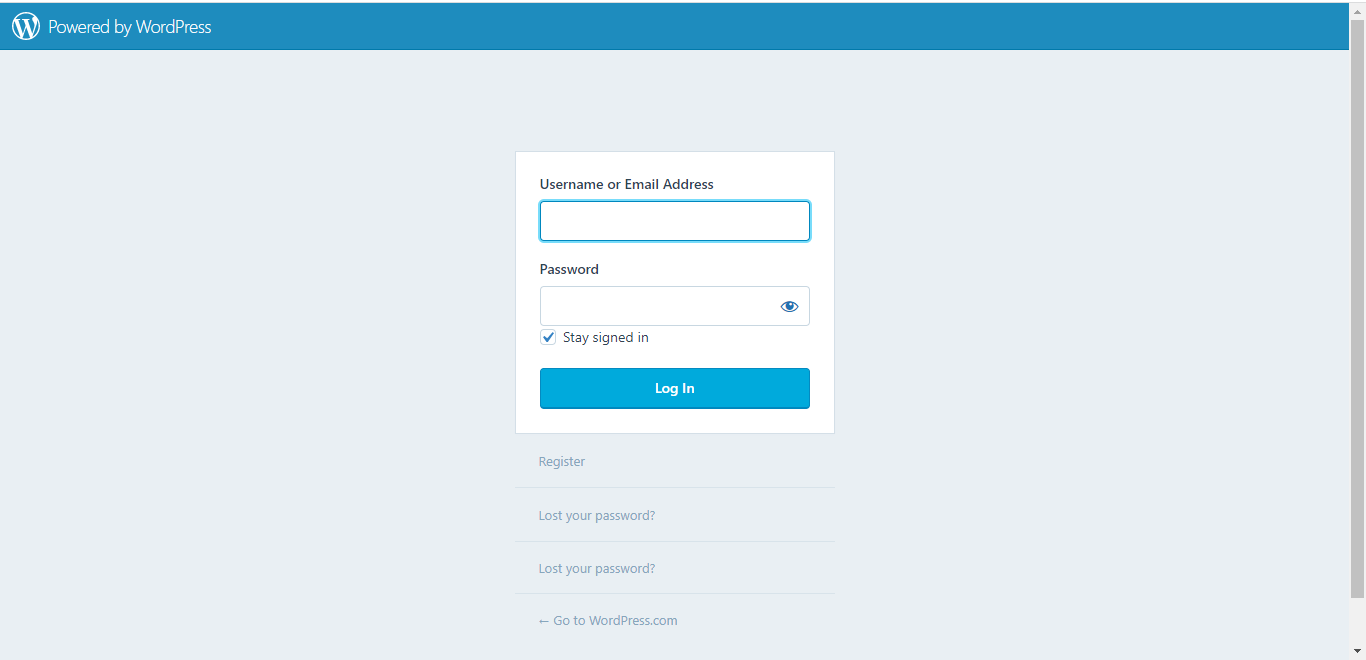
  4. Log in to your WordPress admin dashboard. 
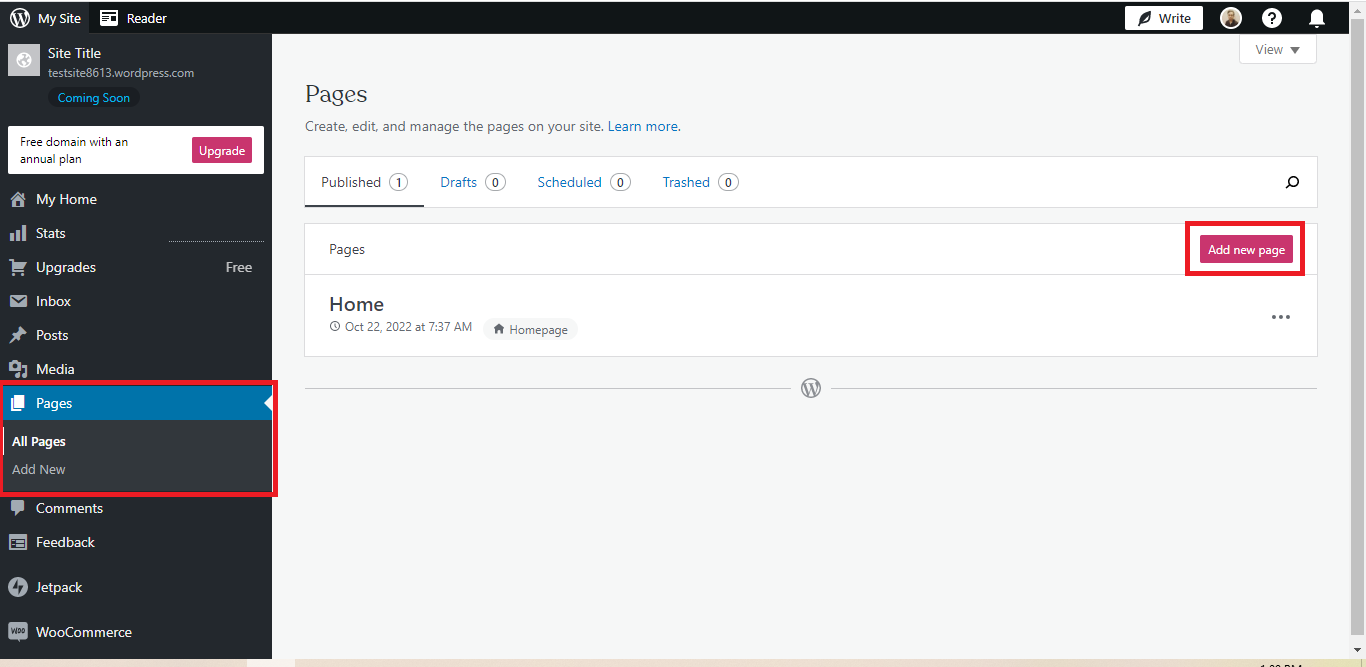
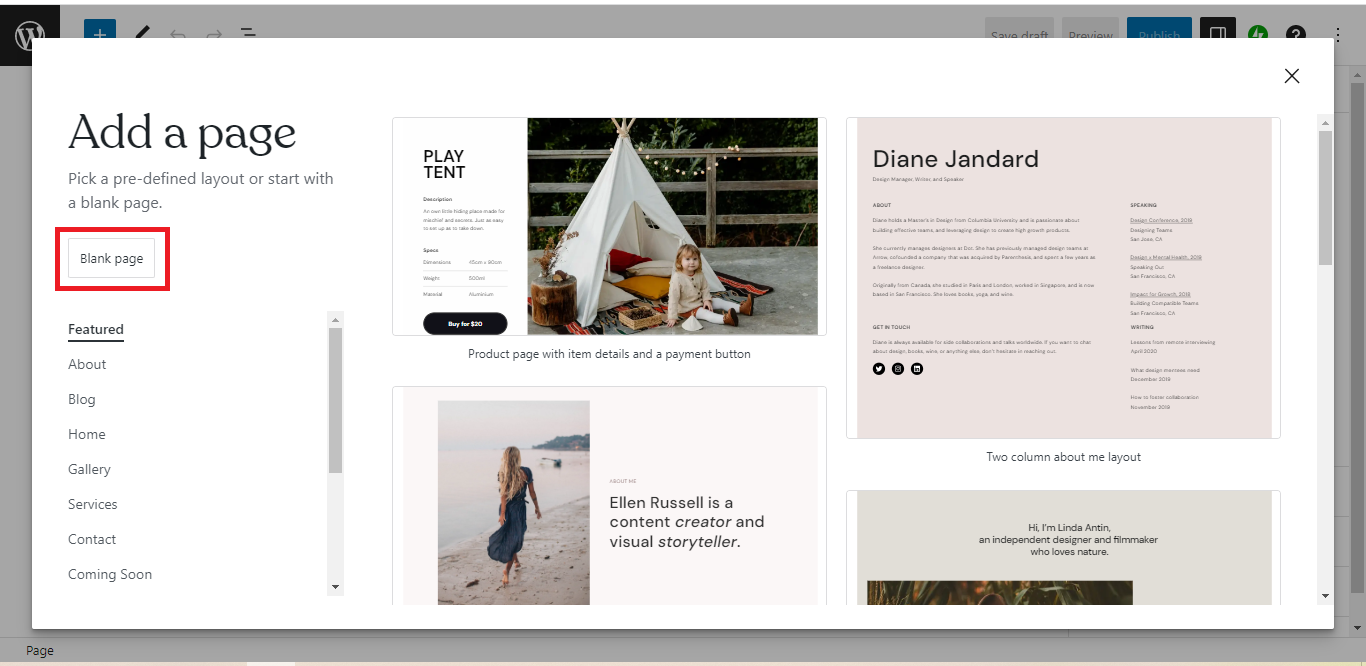
  5. Create a new web page or open an existing one where you want to embed the Facebook feed. 
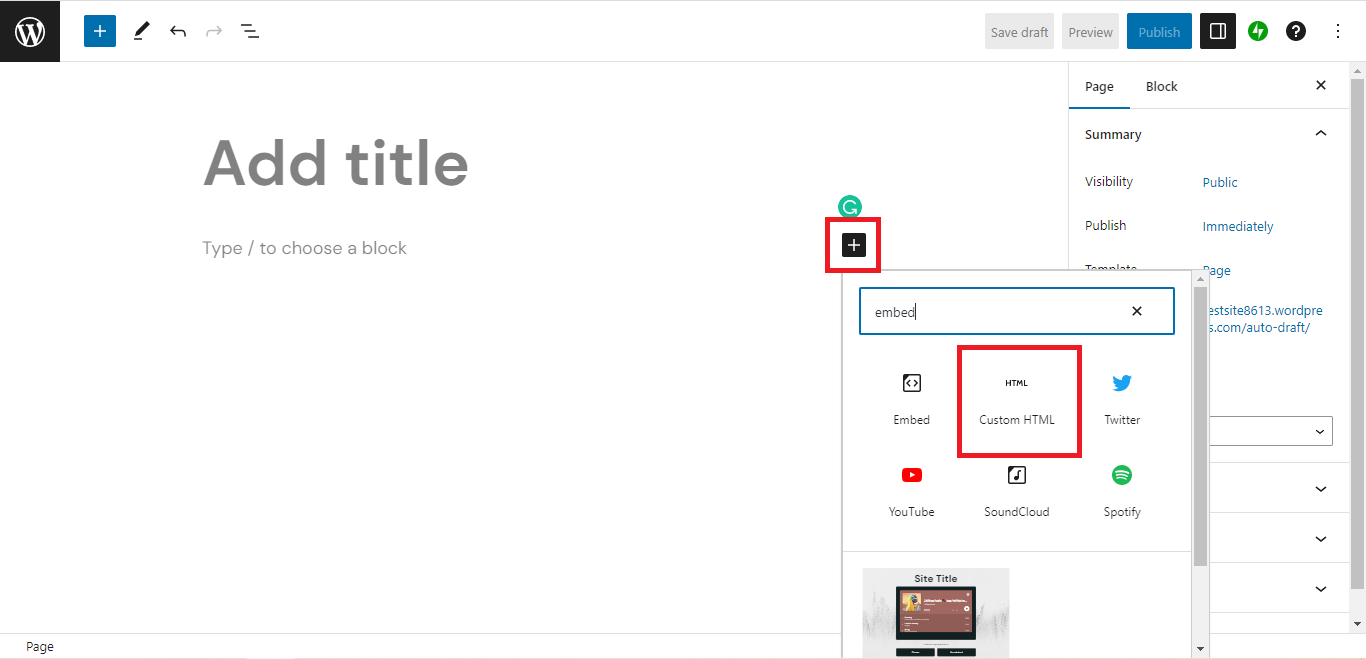
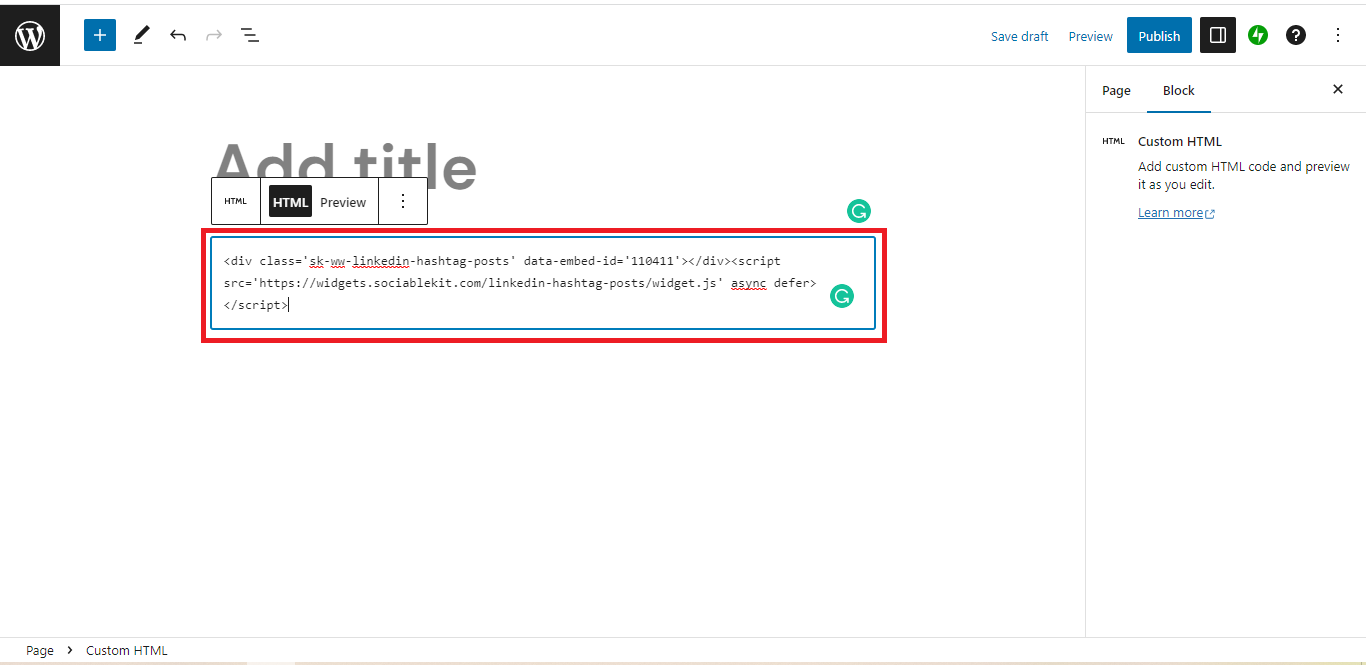
  6. Create a code block and paste the embed script. 
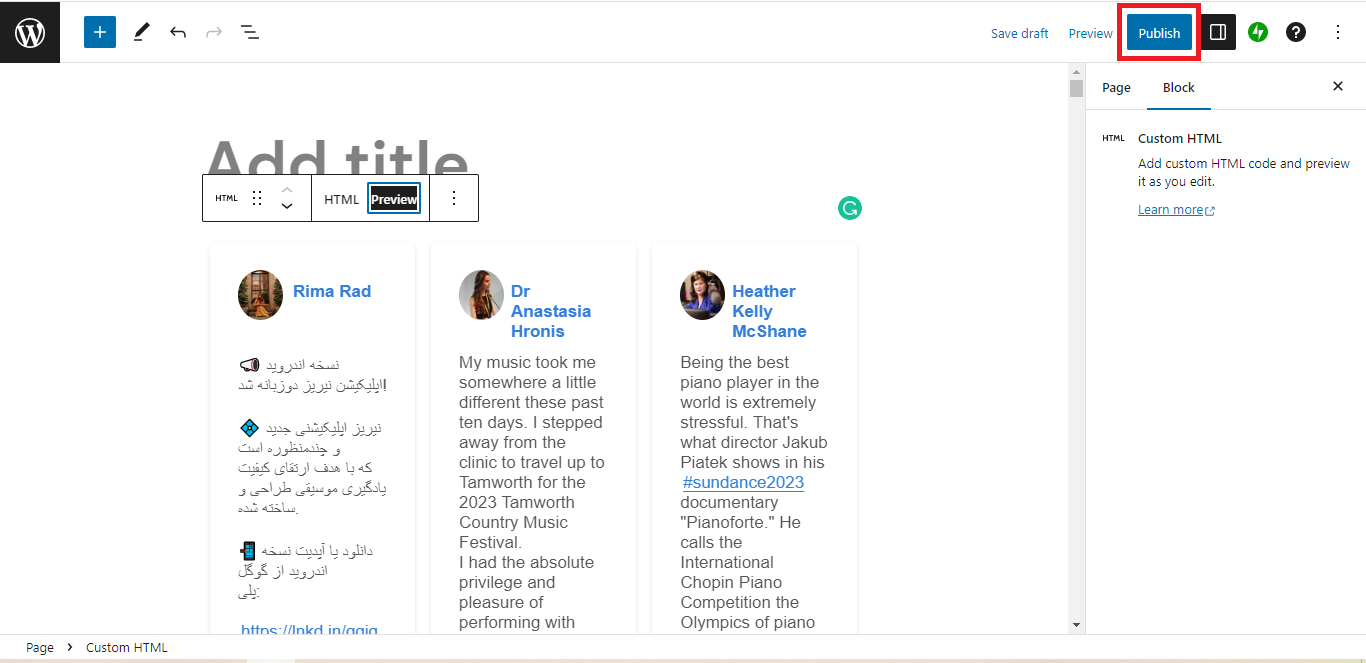
  7. Save the changes and publish the web page to display the Facebook feed on your WordPress website.

How to Show Facebook Feed Without a Plugin 

Looking to showcase multiple Facebook posts to boost your WordPress website’s visitor engagement? Use a website plugin. 

Our widget has a Facebook feed embed code generator that lets you create and customize your plugin without writing any code.

Creating a Facebook Widget on SociableKIT

Here’s a step-by-step guide for generating a Facebook feed embed code using SociableKIT:

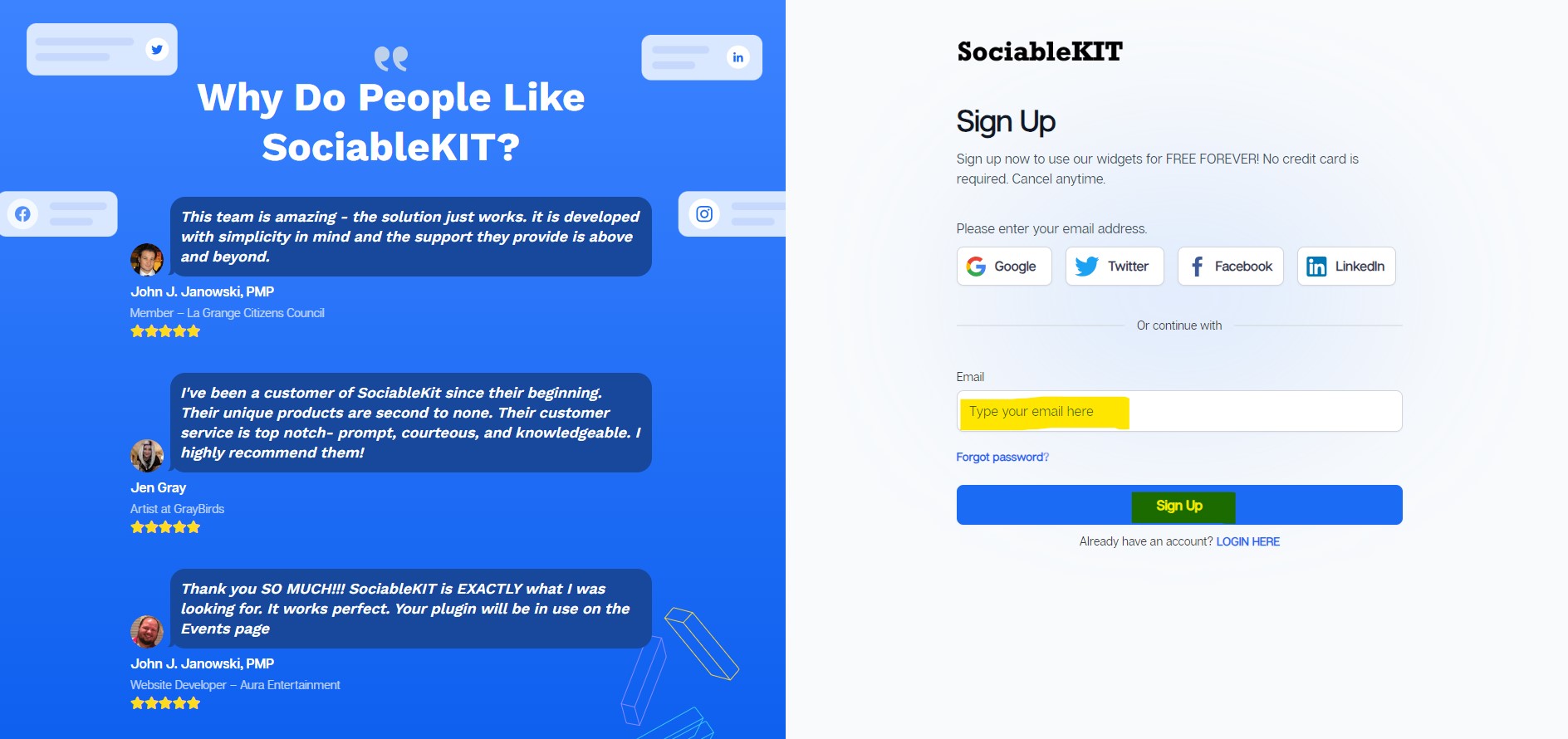
  1. Sign up on SociableKIT.
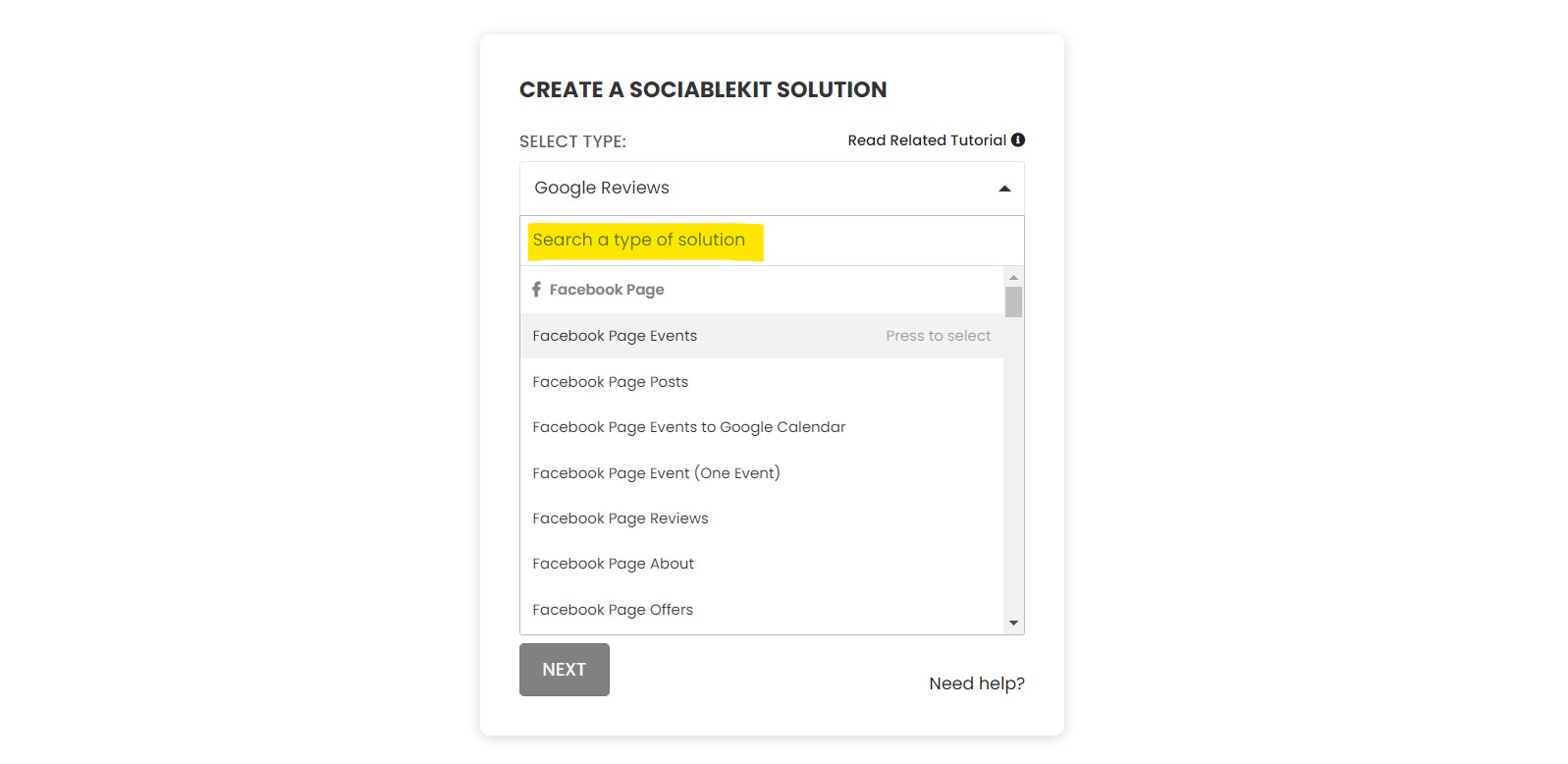
  2. Launch the widget library and click on the dropdown menu to select the Facebook feed plugin. 
  3. Link the widget to your Facebook page. 
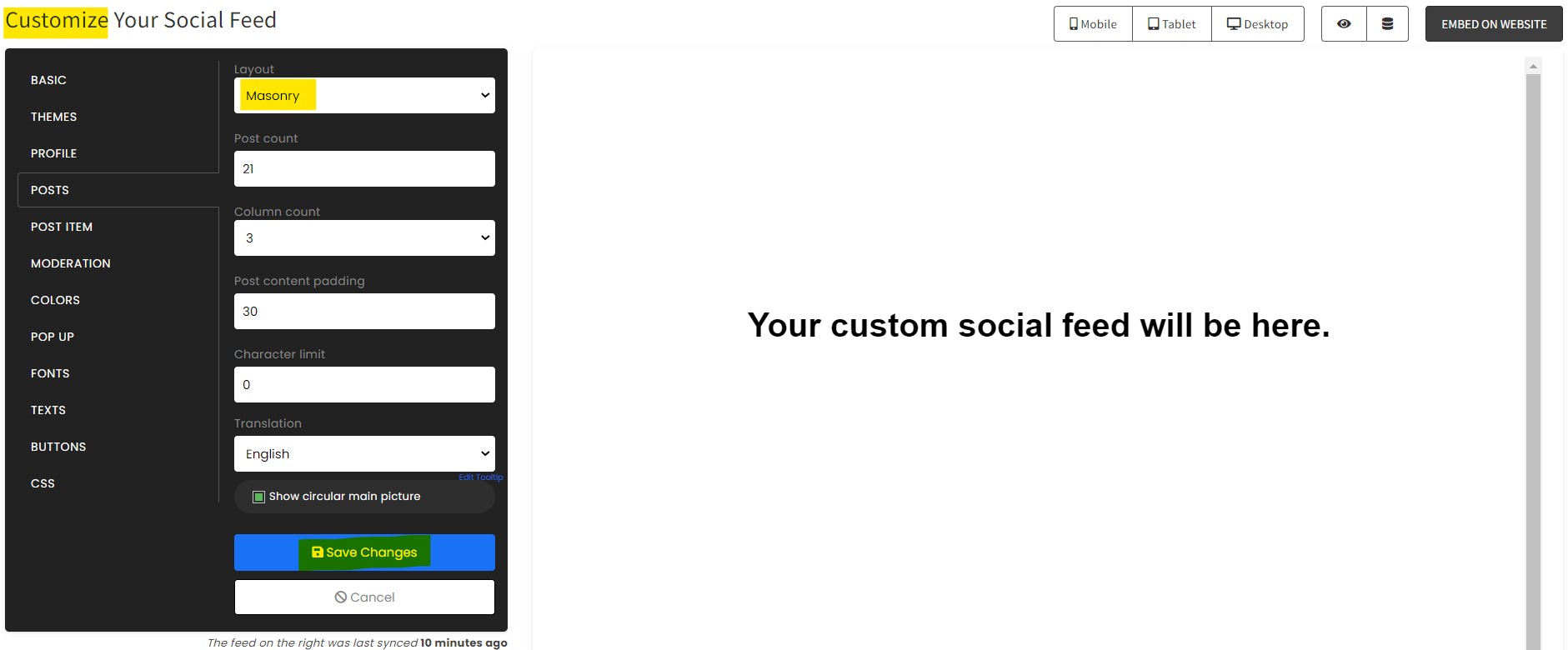
  4. Personalize the widget to your preference, including its background color, layout, and font settings.
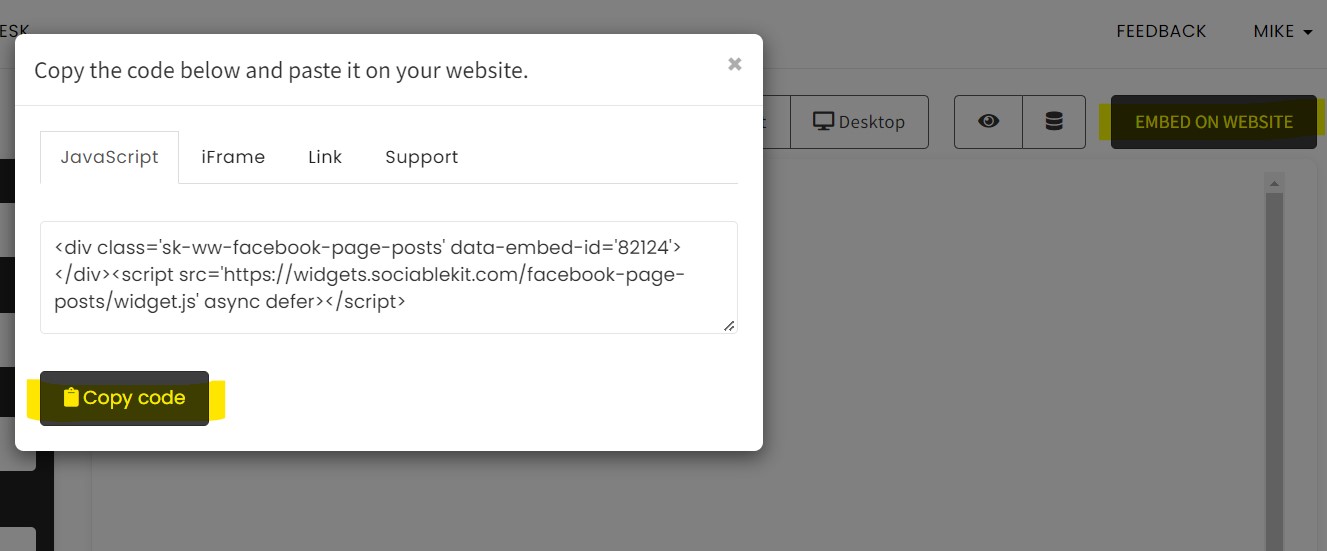
  5. Click on Embed on Website and specify WordPress as your web builder. 
  6. Copy the generated embed code displayed in the pop-up window. 

Adding the Facebook Widget to Your WordPress Website 

The next section outlines how to embed the Facebook feed widget on WordPress:

  1. Log in to your WordPress admin hub. 
  2. Create a new page where you want to showcase your Facebook feed or open an existing one. 
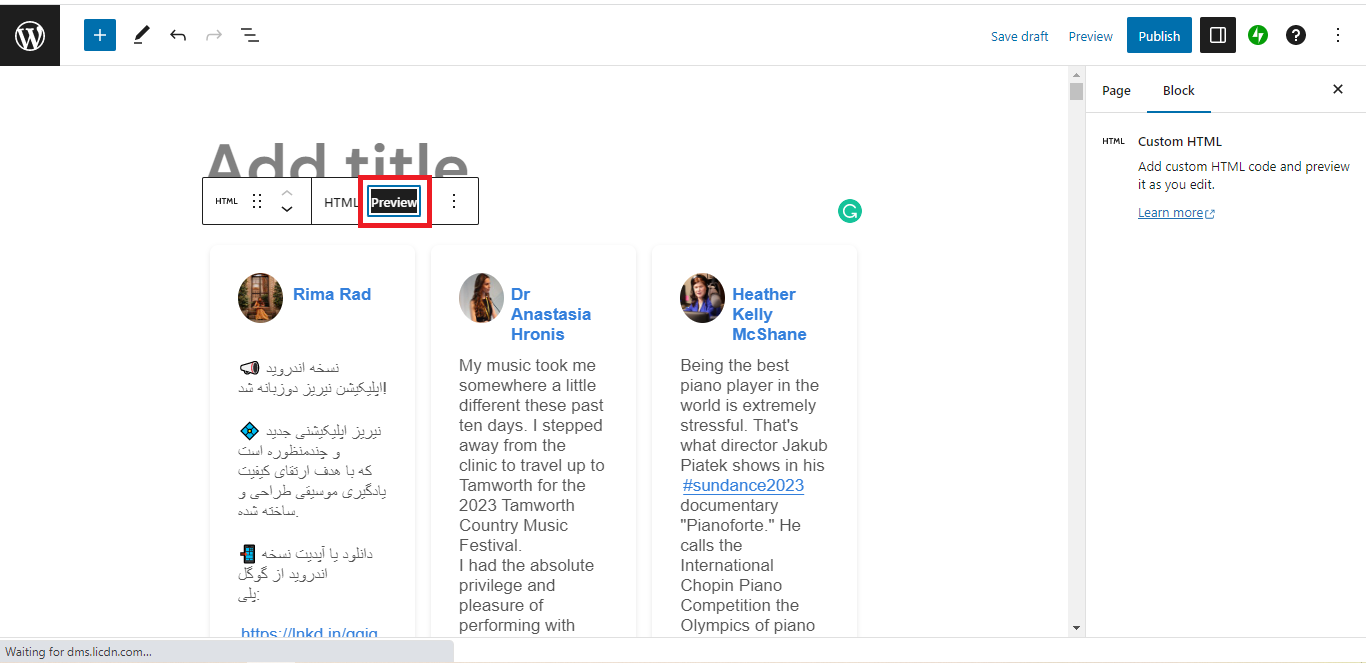
  3. Open a code block on the web page and paste the embed script you copied from SociableKIT. 
  4. Save and publish the changes so that the Facebook feed widget goes live on your page.

Common Errors When Embedding Facebook Feed and How to Fix Them

Embedding a Facebook feed on WordPress is straightforward. However, on rare occasions, you might encounter integration issues, which you can resolve quickly to give your visitors a positive user experience.

The issues often include the following:

Feed Isn’t Mobile-Responsive

Does the feed appear cut off or distorted when loaded on a phone? The feed is likely unresponsive. 

The most efficient way to make your Facebook feed responsive is to use a website widget. It automatically resizes your feed to fit small screens such as mobile phones, encouraging visitors to engage with the content on the go. 

Feed Doesn’t Load on Your Site 

You may notice a blank page when loading your feed, or a “this content is unavailable” message. The most common issue is that you’re embedding a Facebook page whose visibility has been set to private. 

Fix the issue by setting your page to public and removing any other restrictions, such as age and country. 

No Content Updates 

You may notice that new Facebook posts don’t appear on the embedded feed, which means your website widget lacks a refresh function.

Consider a website widget like SociableKIT, configured for frequent syncs to keep your Facebook feed fresh, so even repeat visitors see fresh content to engage with.

Slow Loading Speeds 

Embedding multiple widgets or Facebook posts using the link option can slow down your website, hurting its UX.

Use a website widget if you intend to embed multiple posts, so you don’t exhaust your website’s bandwidth. Also, set your Facebook feed to “lazy loading,” so that it only executes when visitors scroll to that section.

Smartphone screen displaying the Facebook app download page.

Frequently Asked Questions (FAQs)

Below are answers to common questions about embedding a Facebook feed on WordPress:

Can Facebook Feed Work on Private Pages or Closed Groups?

No. A Facebook feed cannot work on private pages or closed groups because only content from public pages can be embedded. 

Content from closed or private groups is restricted to the members only, so you may need to change the settings to public before embedding the posts.

Does Embedding Facebook Feed Affect Website Speed?

Yes. Embedding multiple Facebook feeds on the same web page slows your website, increasing loading time. 

You can reduce the impact on website performance by configuring the widgets to “lazy loading,” meaning the feed only executes when users get to that section.

Do I Need a Facebook Developer App to Embed a Feed?

No. You don’t need a Facebook developer app to embed a feed. To embed a single post, you can get the script directly from Facebook. 

Alternatively, use a website widget to aggregate Facebook posts into a single feed on WordPress.

Can I Display Only Photos or Videos From Facebook Feed?

Yes. You can display only photos or videos from a Facebook feed. 

The best Facebook feed widgets provide moderation features for filtering the content that appears on the embedded feed.

Is It Possible to Show Facebook Comments Inside the Feed?

Yes. It is possible to show Facebook comments inside the feed. 

As such, brands should respond to their Facebook followers’ comments to reinforce their credibility and social proof.

Conclusion

As a business owner, embedding a Facebook feed on WordPress helps you showcase your online presence to build customer trust, boosting engagement and conversions. However, you need the right website widget that lets you personalize its appearance to your WordPress theme and curate the feed to match your audience’s interests.

SociableKIT offers a no-code widget that allows even first-time users to create and customize a WordPress Facebook feed within 2 minutes. Additionally, our widget refreshes frequently, so recent Facebook posts appear on your feed, giving your visitors fresh content to engage with.

Create a Facebook Page Post widget today and showcase your social media platform’s activity on your website to boost engagement.