Your Airbnb Reviews on iFrame website — live in 3 steps
SociableKIT syncs your airbnb reviews automatically. Set up once, embed anywhere — free to start, no coding required.
-
Create in 60 seconds
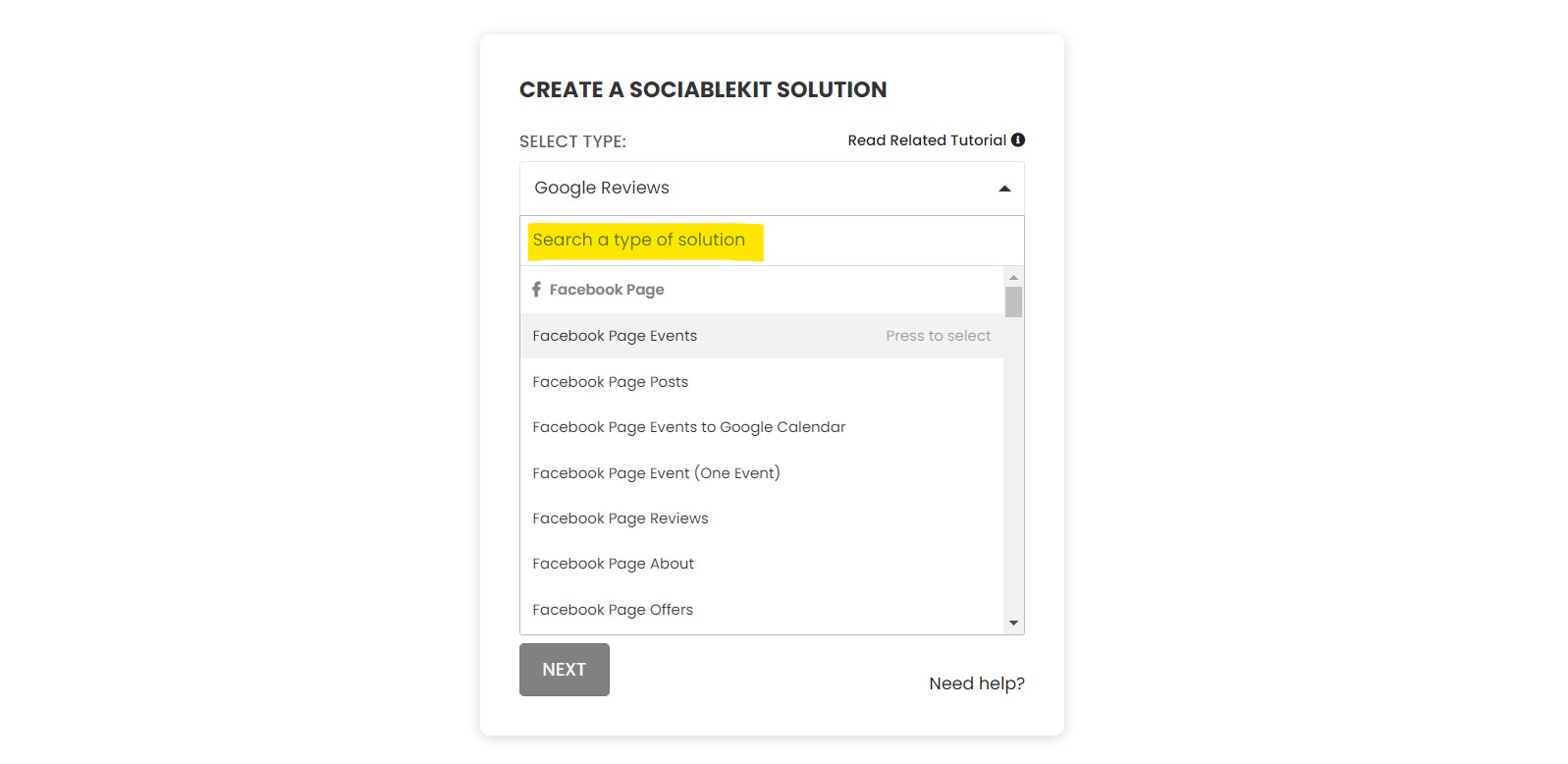
Pick Airbnb Reviews in the dashboard and connect your source.
-
Match your brand
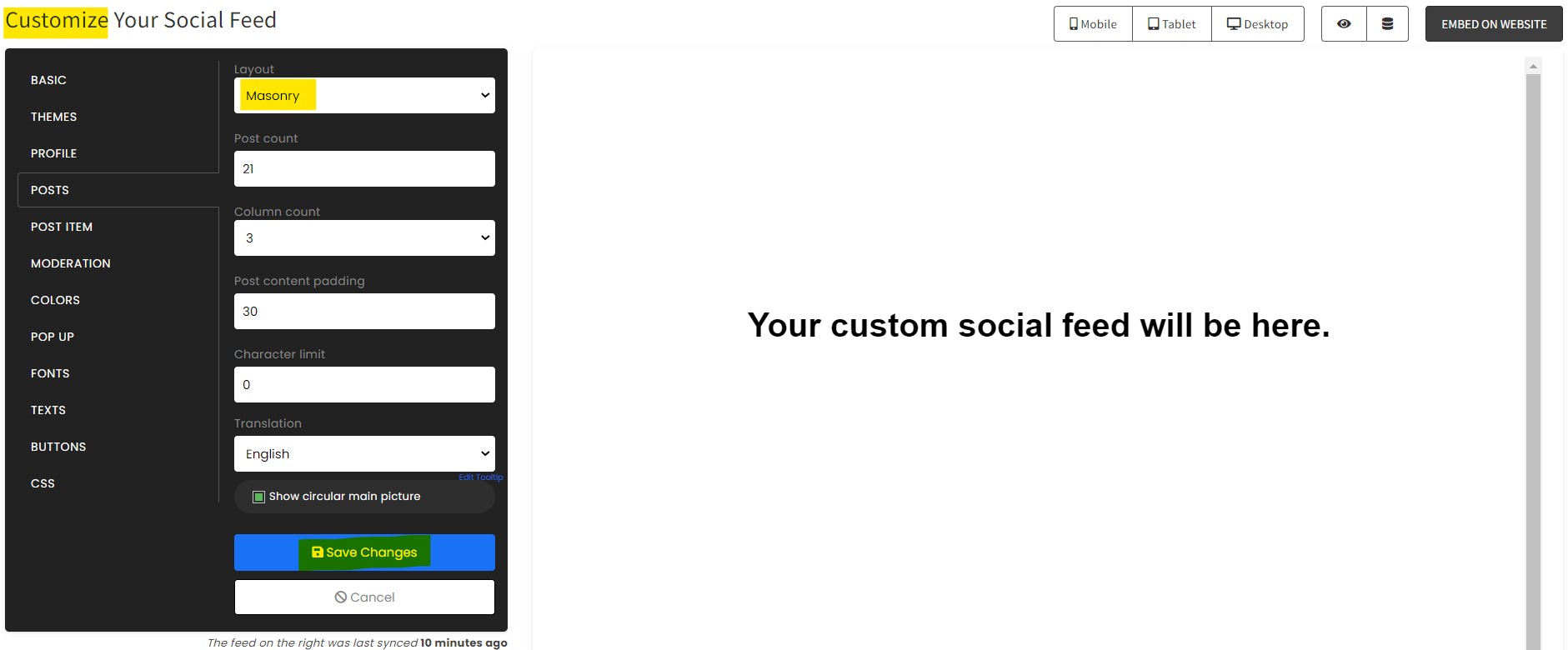
Colors, fonts, layout — tune it until it feels native to your site.
-
Paste one line of code
Drop the embed snippet on your iFrame website. No dev team needed.
Embed Airbnb Reviews with SociableKIT — step by step
Create your widget in the dashboard, copy the embed code, and paste it on your iFrame website. Screenshots included so you never get stuck.
Create and customize your Airbnb Reviews widget
The first part is creating your Airbnb Reviews widget using the SociableKIT dashboard. Customize the look and feel to match your brand. Follow the steps below.
-
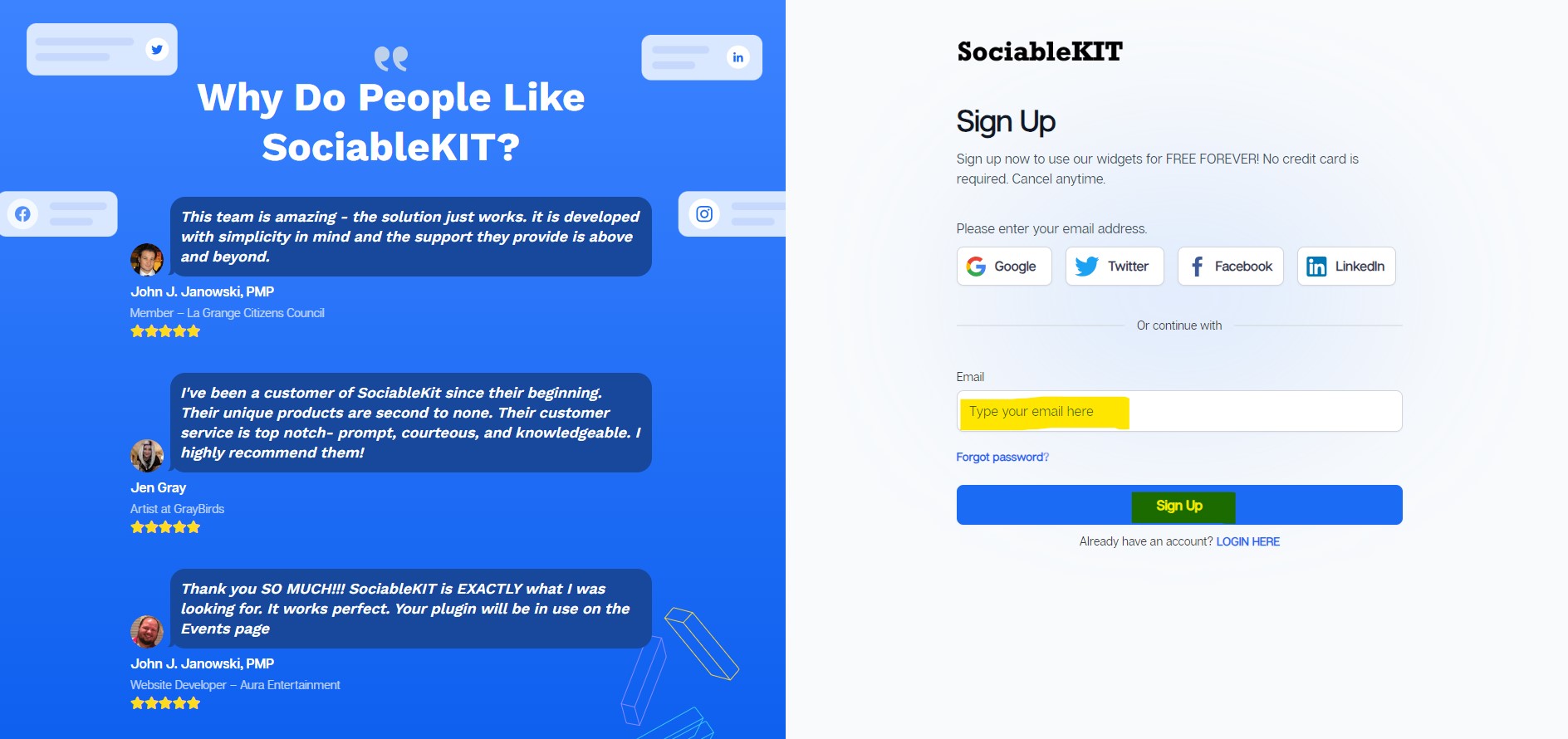
Sign up FREE or login to SociableKIT. You can login here if you already have an account. Once you sign up, you will start your 7-day premium trial. After 7 days, you can activate the free plan if you don't need our premium features.

- Paste the embed code and save your iFrame website page. Please follow the second part below to add Airbnb Reviews widget to your iFrame website .
Enter your Airbnb room ID.
Add Airbnb Reviews widget to your iFrame website
The second part is adding your Airbnb Reviews widget to your iFrame website . After you customize your Airbnb Reviews widget and copied the embed code, it is time to add it to your iFrame website . Follow the steps below.
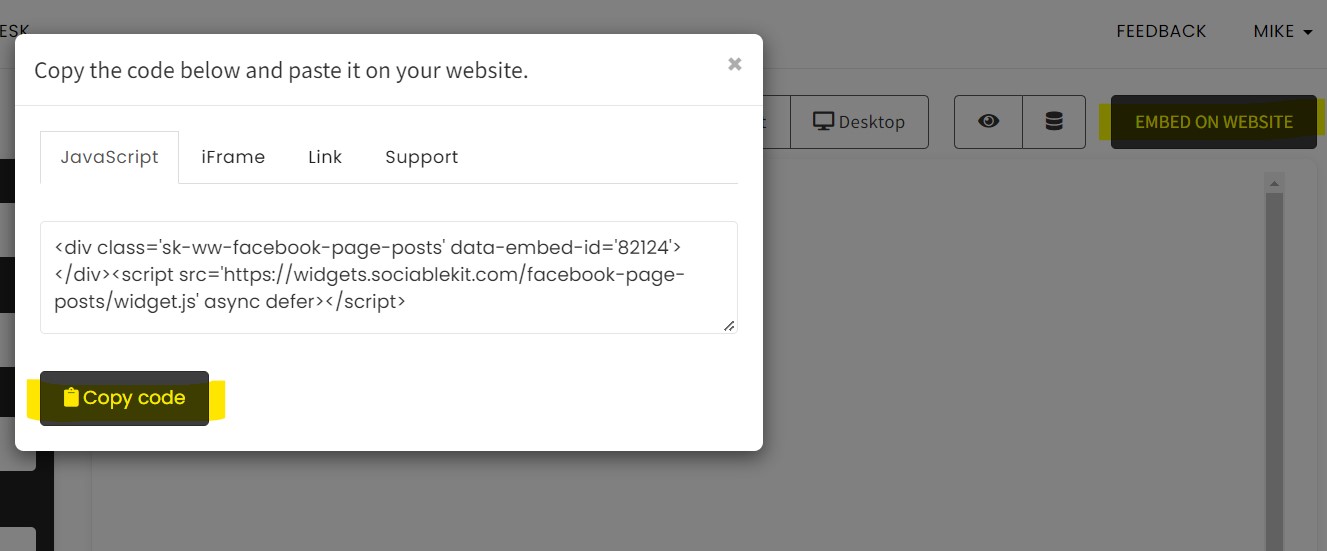
- Copy your free Airbnb Reviews widget embed code. Make sure you followed the first part above. It detailed how to you can create and customize your widget to get your free embed code.
- Go to the widget you like to embed, click the Embed on Website button, and choose the Website option.
![]()
- On the code section, choose the Link option.
![]()
- Copy the Link code.
![]()
- In any of your editor/builder to be used, create an iFrame tag.
![]()
- Add an "src" attribute in the iFrame and paste the copied link.
![]()
- Add width="100%", height=1000 (depends on your desired height), frameborder=0 (to have no border).
![]()
- Done! Save and check your website.
Website builders
Paste your embed code on any platform
SociableKIT works with every major website builder. Pick yours below for copy-paste instructions tailored to that platform.
To embed Airbnb Reviews on your iFrame site, follow the steps below after you have your SociableKIT embed code.
- Sign up free to SociableKIT and create your Airbnb Reviews widget.
- Customize your widget and copy the embed code from the dashboard.
- Go to the widget you like to embed, click the Embed on Website button, and choose the Website option.
![]()
- On the code section, choose the Link option.
![]()
- Copy the Link code.
![]()
- In any of your editor/builder to be used, create an iFrame tag.
![]()
- Add an "src" attribute in the iFrame and paste the copied link.
![]()
- Add width="100%", height=1000 (depends on your desired height), frameborder=0 (to have no border).
![]()
- Done! Save and check your website.
To embed Airbnb Reviews on your WordPress site, follow the steps below after you have your SociableKIT embed code.
- Sign up free to SociableKIT and create your Airbnb Reviews widget.
- Customize your widget and copy the embed code from the dashboard.
- Login to your WordPress site.
![]()
- On your WordPress, go to the "Pages" section then click the "Add new page".
![]()
- Pick a pre-defined layout or start with a blank page by clicking the "Blank page" button.
![]()
- On the body of your page, click the "+" icon and click the "Custom HTML".
![]()
- Paste the code in the text area and click update.
![]()
- The widget will appear on the WordPress page.
![]()
- Click the Publish or Update button on your WordPress page.
![]()
- Click the view page. Done!
To embed Airbnb Reviews on your Wix site, follow the steps below after you have your SociableKIT embed code.
- Sign up free to SociableKIT and create your Airbnb Reviews widget.
- Customize your widget and copy the embed code from the dashboard.
- Login to Wix.
![]()
- On your existing website click the "+" button beside the "Main pages" section.
![]()
- Then click the "Add page" button.
![]()
- Name your page then hit enter.
![]()
- On the left, click "Add element". Find and click "Embed code". Click and drag "Embed a site" on your page then resize the container.
![]()
- Click "Change website address".
![]()
- Paste the link you copied from SociableKIT then click "Apply".
![]()
- Click "Publish" on the upper right.
![]()
- Click "View site". Done!
![]()
To embed Airbnb Reviews on your Squarespace site, follow the steps below after you have your SociableKIT embed code.
- Sign up free to SociableKIT and create your Airbnb Reviews widget.
- Customize your widget and copy the embed code from the dashboard.
- Login to Squarespace. You must have a "Business" account in Squarespace to use the widget. The "code block" needed cannot be found if you only have a "Personal" account.
![]()
- Create a new blank page or edit your existing page. Identify which page you want the widget to appear. You can create a new page on Squarespace, or you can edit your existing page where you want the widget to appear.
![]()
- Add a Code Block. On your Squarespace page, click the 'Edit' button. Find the 'Code' block and click it.
![]()
- Paste the embed code from SociableKIT. On the 'Content' of the 'Code' block, paste the JavaScript embed code you have copied from your widget.
![]()
- Save the changes on the 'Code block'. After pasting your widget's embed code. Click the 'Save' button on the left part of the page.
![]()
- View your page. Refresh your Squarespace page and check your SociableKIT widget. Done!
![]()
To embed Airbnb Reviews on your Webflow site, follow the steps below after you have your SociableKIT embed code.
- Sign up free to SociableKIT and create your Airbnb Reviews widget.
- Customize your widget and copy the embed code from the dashboard.
- Login to Webflow.
![]()
- On your existing website, click the "Page: ...." in the upper left corner then click the "Create new page" icon.
![]()
- Once done add a name for your new page then click "Save".
![]()
- On the left, click "Add Element". Drag "Embed" to your page.
![]()
- Paste the JavaScript code you copied from SociableKIT.
![]()
- On the upper right, click "Publish" > "Publish to Selected Domains".
![]()
- View your page. Done!
To embed Airbnb Reviews on your Shopify site, follow the steps below after you have your SociableKIT embed code.
- Sign up free to SociableKIT and create your Airbnb Reviews widget.
- Customize your widget and copy the embed code from the dashboard.
- Login to Shopify.
![]()
- On the left side, click Online Store.
![]()
- Click Pages. Add a new page or edit your existing page.
![]()
- On the Page details, click Show HTML icon (<>).
![]()
- Paste the embed code and click the Save button.
![]()
- Click the View page button. Done!
![]()
To embed Airbnb Reviews on your HTML site, follow the steps below after you have your SociableKIT embed code.
- Sign up free to SociableKIT and create your Airbnb Reviews widget.
- Customize your widget and copy the embed code from the dashboard.
- Open your HTML file.
![]()
- You can create a new HTML page or edit your existing HTML page.
![]()
- Paste the Javascript code you copied from SociableKIT. Paste it where you want the widget to appear.
![]()
- Save your HTML page.
![]()
- You may now upload your HTML page to your web hosting.
To embed Airbnb Reviews on your Google Sites site, follow the steps below after you have your SociableKIT embed code.
- Sign up free to SociableKIT and create your Airbnb Reviews widget.
- Customize your widget and copy the embed code from the dashboard.
- Login to Google sites. You must have at least a 'Business Starter' plan to create and customize your Google sites.
![]()
- Create or edit an existing website. Click the + 'Blank' button on the 'Start a new site' section to create or find your existing website under the 'Recent sites' section.
![]()
- Create a new blank page or edit your existing page. Identify which page you want the widget to appear. On the right sidebar, you will see an 'Embed' button. Click the 'Embed' button.
![]()
- Add the widget. A popup 'Embed from the web' will open up. Select the 'Embed code' tab on the popup.
![]()
- Paste the embed code from SociableKIT. On the 'Embed code' tab, you will see 'HTML code goes here' text. Paste the embed code from your SociableKIT widget.
![]()
- Save the widget. Once you have pasted your embed code, click the 'Next' button.
![]()
- Preview of your SociableKIT widget. After clicking the Next button, a preview of your embed code will be displayed. Click the 'Insert' button to insert the widget to your Google sites page.
![]()
- Edit the widget. Once the widget has been inserted, you will have the option to resize the widget. After resizing the widget to your preferences, click the 'Publish' button on the upper right corner of the page.
![]()
- Publish your page. After publishing the site, click the down 'Arrow' button beside the 'Publish' button.
![]()
- View your page. A dropdown of buttons will be displayed, click the 'View published site' button. Done!
![]()
Live preview
Pick a Airbnb Reviews template — see it live
Choose a starting design on the left and watch the preview update with real data. What you see is exactly what visitors get on your iFrame website.
Common questions
Frequently asked questions
Everything you need to know about embedding Airbnb Reviews on your iFrame website.
What is an Airbnb Reviews widget?
An Airbnb Reviews widget displays guest reviews from your Airbnb listing directly on your website. With SociableKIT, those reviews become built-in social proof, so visitors can see real guest feedback before they decide to book or inquire.
Why should I add Airbnb reviews to my website?
Guests often look for proof before they book. Showing Airbnb reviews on your own website helps them feel more confident without leaving the page, which can support more direct inquiries, bookings, and trust.
How do I add Airbnb reviews to my website?
Create your Airbnb Reviews widget in SociableKIT, customize the design, copy the embed code, and paste it into your website. It is a simple copy-and-paste setup, so you do not need to rebuild your page or hire a developer.
Do I need coding skills to embed Airbnb reviews?
No. SociableKIT gives you an embed code you can place inside your website builder’s HTML, embed, or code block. You control the look in the dashboard, not by writing code.
Will my Airbnb reviews update automatically?
Yes, automatic syncing is available on paid plans. This helps your website stay fresh as new reviews become available, so you are not stuck copying and pasting guest feedback by hand.
Can I use the widget for multiple Airbnb listings?
Yes. If you manage more than one property, you can create widgets for different Airbnb review sources and place the right reviews on the right property pages. This keeps the proof relevant to the stay visitors are considering.
Can I choose which Airbnb reviews appear on my website?
SociableKIT gives you options to manage how reviews appear, and automatic moderation is available on the Business plan. This helps you keep the widget clean, focused, and aligned with the experience you want visitors to see.
Can I customize the Airbnb Reviews widget to match my website?
Yes. You can customize the layout, colors, fonts, spacing, and overall style so the widget feels like part of your website. The goal is simple: real reviews, presented beautifully, without a design mismatch.
What layouts can I use for Airbnb reviews?
SociableKIT includes ready-made layouts such as masonry, grid, carousel, and dark mode styles. You can choose a layout that fits your page, whether you want a bold review section or a compact space-saving display.
Does the Airbnb Reviews widget work on WordPress, Shopify, Wix, Squarespace, Webflow, and Google Sites?
Yes. SociableKIT works with major website builders and any website that supports custom embed code. You paste one code, publish the page, and your reviews can appear where visitors need trust the most.
Is the Airbnb Reviews widget mobile-friendly?
Yes. SociableKIT widgets are designed to display well on desktop, tablet, and mobile screens. That matters because many guests compare stays and make booking decisions from their phones.
What happens if my website gets a lot of traffic?
Paid SociableKIT plans include unlimited views, so your widget can keep running as your traffic grows. This is helpful for property pages, seasonal campaigns, travel blogs, and direct-booking websites that may get sudden spikes.
Is there a free Airbnb Reviews widget?
Yes. SociableKIT has a free plan with 1 source, 1 widget, 2,000 monthly views, full design customization, manual sync, and SociableKIT branding. It is a practical way to test the widget before upgrading.
What is the difference between the free and paid plans?
The free plan is best for testing or smaller websites. Paid plans add features such as unlimited widgets, unlimited views, automatic sync, no SociableKIT branding, more sources, support options, and advanced features depending on the plan.
Can I remove SociableKIT branding from the widget?
Yes. Removing SociableKIT branding is available on paid plans. This gives your review section a cleaner, more branded look for a professional property website.
Will the Airbnb Reviews widget slow down my website?
SociableKIT is built to be easy to embed and practical for real websites. Like any embedded content, performance can depend on your page setup, but our support team can help if you need guidance.
What should I do if my Airbnb reviews are not showing?
First, make sure your Airbnb review source is public, correct, and has visible reviews. If something still does not look right, SociableKIT support can help you check the source, sync, embed code, and website setup.
Can I add a button or call-to-action near my Airbnb reviews?
Yes. SociableKIT lets you style the widget and use calls-to-action so visitors can move from trust to action. This is useful when you want guests to view more details, inquire, or continue toward booking.
Who should use an Airbnb Reviews widget?
It is useful for vacation rentals, boutique stays, guest houses, property managers, travel creators, and direct-booking websites. Anywhere guests need confidence, Airbnb reviews can help your website feel more trusted.
Can SociableKIT help me set up the widget?
Yes. SociableKIT offers real support by chat and email, with 24/7 support available on paid plans. If you get stuck, you do not have to figure it out alone.
Add your Airbnb Reviews widget today
Set up in minutes. Free forever to start.
Create your widgetFree forever · No credit card · Cancel anytime