
Your Facebook reviews on Drona HQ website — live in 3 steps
SociableKIT syncs your facebook reviews automatically. Set up once, embed anywhere — free to start, no coding required.
-
Create in 60 seconds
Pick Facebook reviews in the dashboard and connect your source.
-
Match your brand
Colors, fonts, layout — tune it until it feels native to your site.
-
Paste one line of code
Drop the embed snippet on your Drona HQ website. No dev team needed.
Embed Facebook reviews with SociableKIT — step by step
Create your widget in the dashboard, copy the embed code, and paste it on your Drona HQ website. Screenshots included so you never get stuck.
Create and customize your Facebook reviews widget
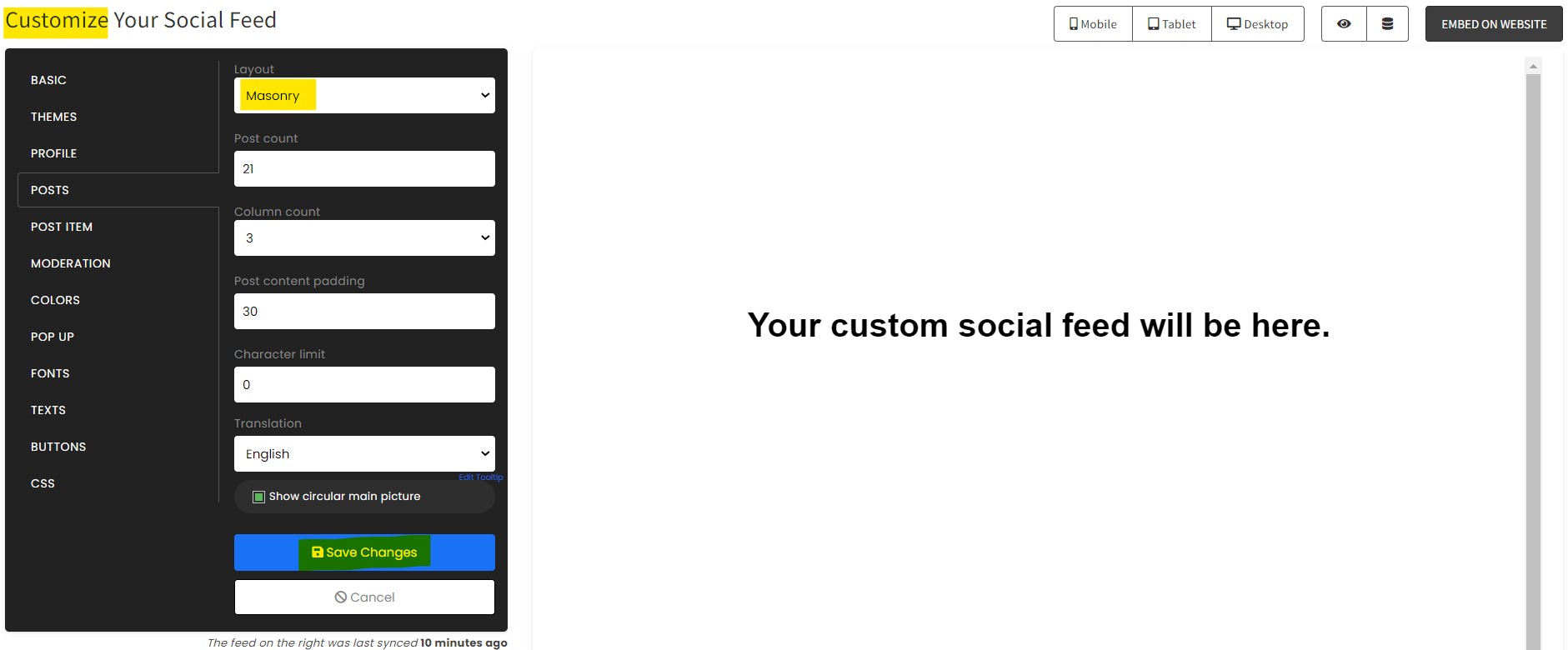
The first part is creating your Facebook reviews widget using the SociableKIT dashboard. Customize the look and feel to match your brand. Follow the steps below.
-
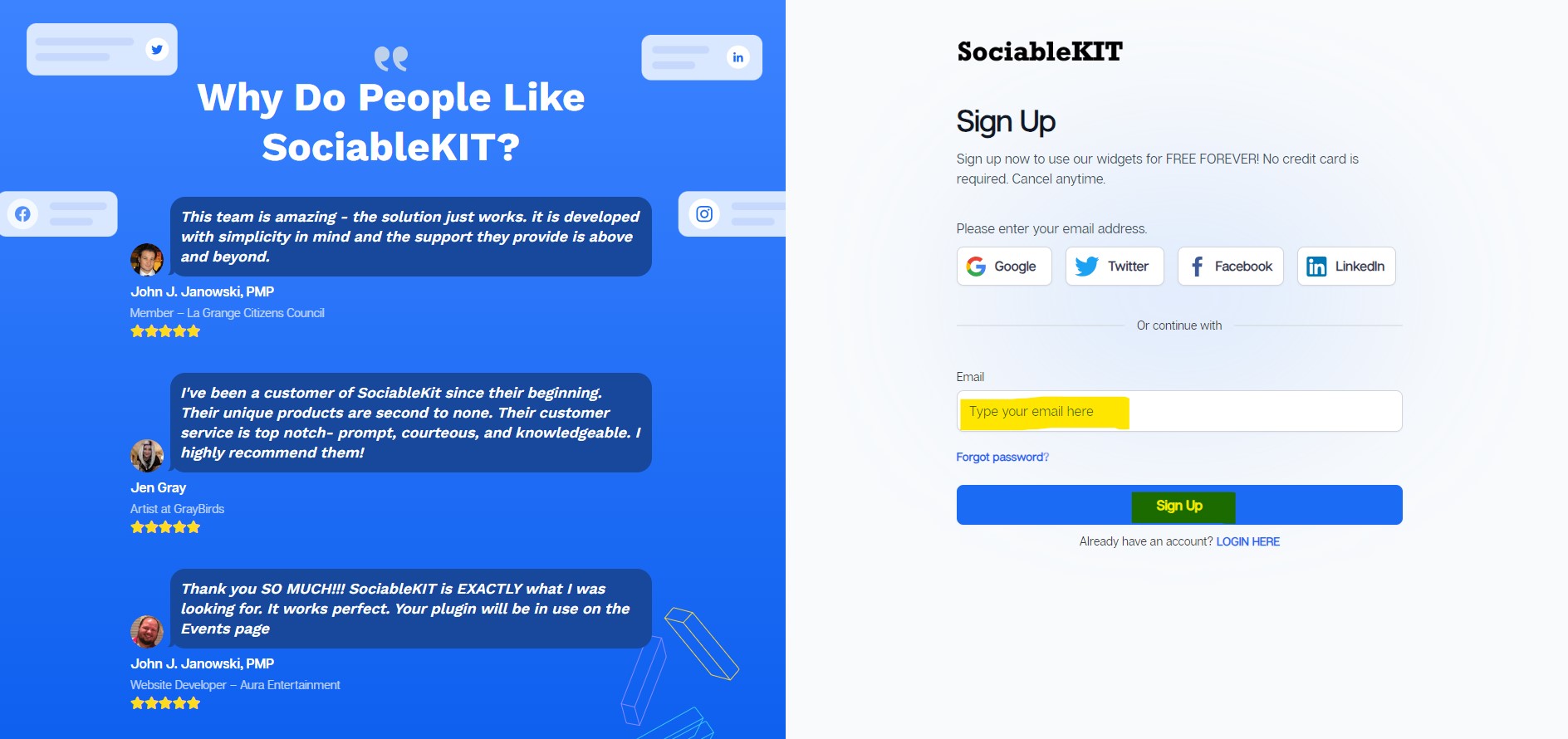
Sign up FREE or login to SociableKIT. You can login here if you already have an account. Once you sign up, you will start your 7-day premium trial. After 7 days, you can activate the free plan if you don't need our premium features.

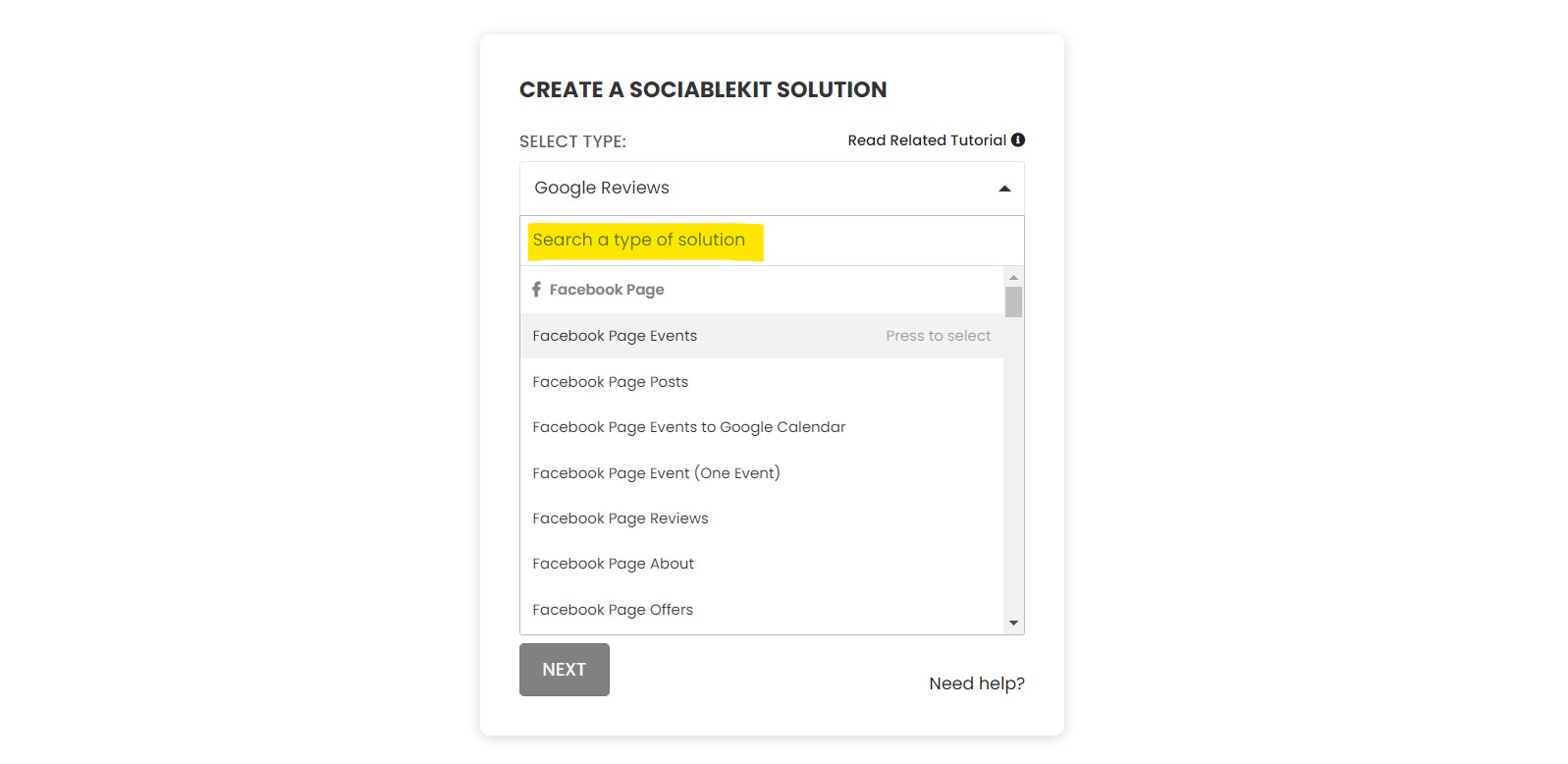
- Select your Facebook reviews type on the dropdown.
SociableKIT offers several Facebook reviews widgets. You might need to search it using the highlighted area below. Once found, you can then select it.
Here are the different types of Facebook reviews that you can add to your Drona HQ website :
Facebook Page Reviews widget – Showcase your Facebook Page reviews on your website to build trust and turn visitors into loyal customers with authentic social proof. Learn how to embed Facebook Page Reviews on your website.
- Enter your Facebook reviews ID or username. Copy your Facebook reviews URL and paste it in the username box. Our system will automatically identify your Facebook reviews ID or username.
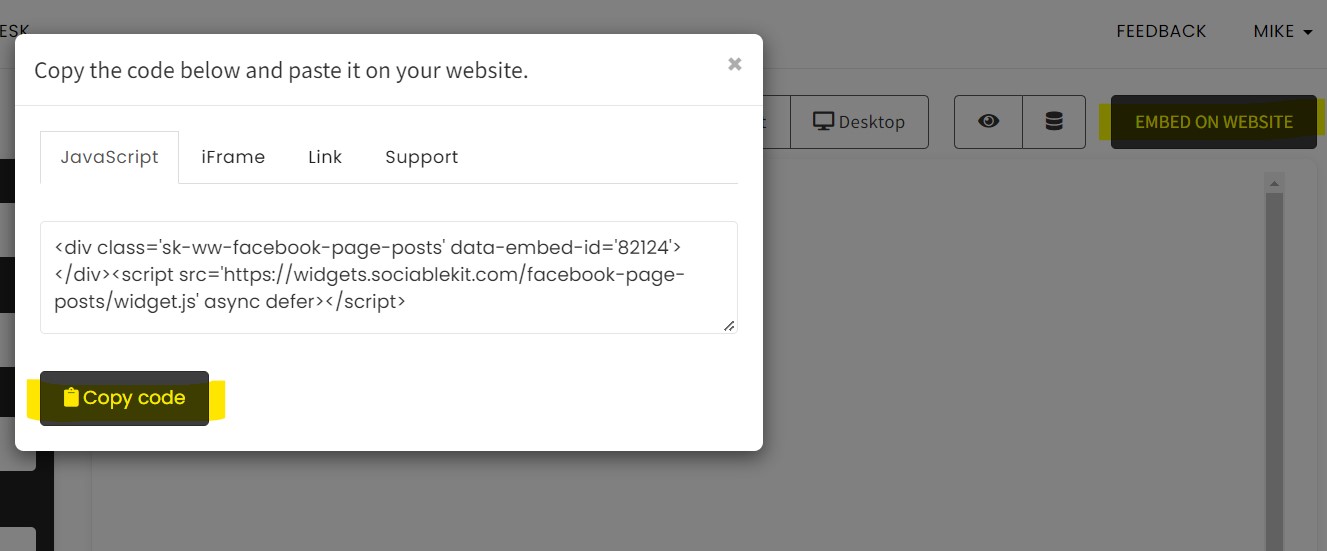
- Paste the embed code and save your Drona HQ website page. Please follow the second part below to add Facebook reviews widget to your Drona HQ website .
Add Facebook reviews widget to your Drona HQ website
The second part is adding your Facebook reviews widget to your Drona HQ website . After you customize your Facebook reviews widget and copied the embed code, it is time to add it to your Drona HQ website . Follow the steps below.
- Get your free embed code from SociableKIT. Make sure you followed the first part above to create your widgget, customize it, and copy your free embed code.
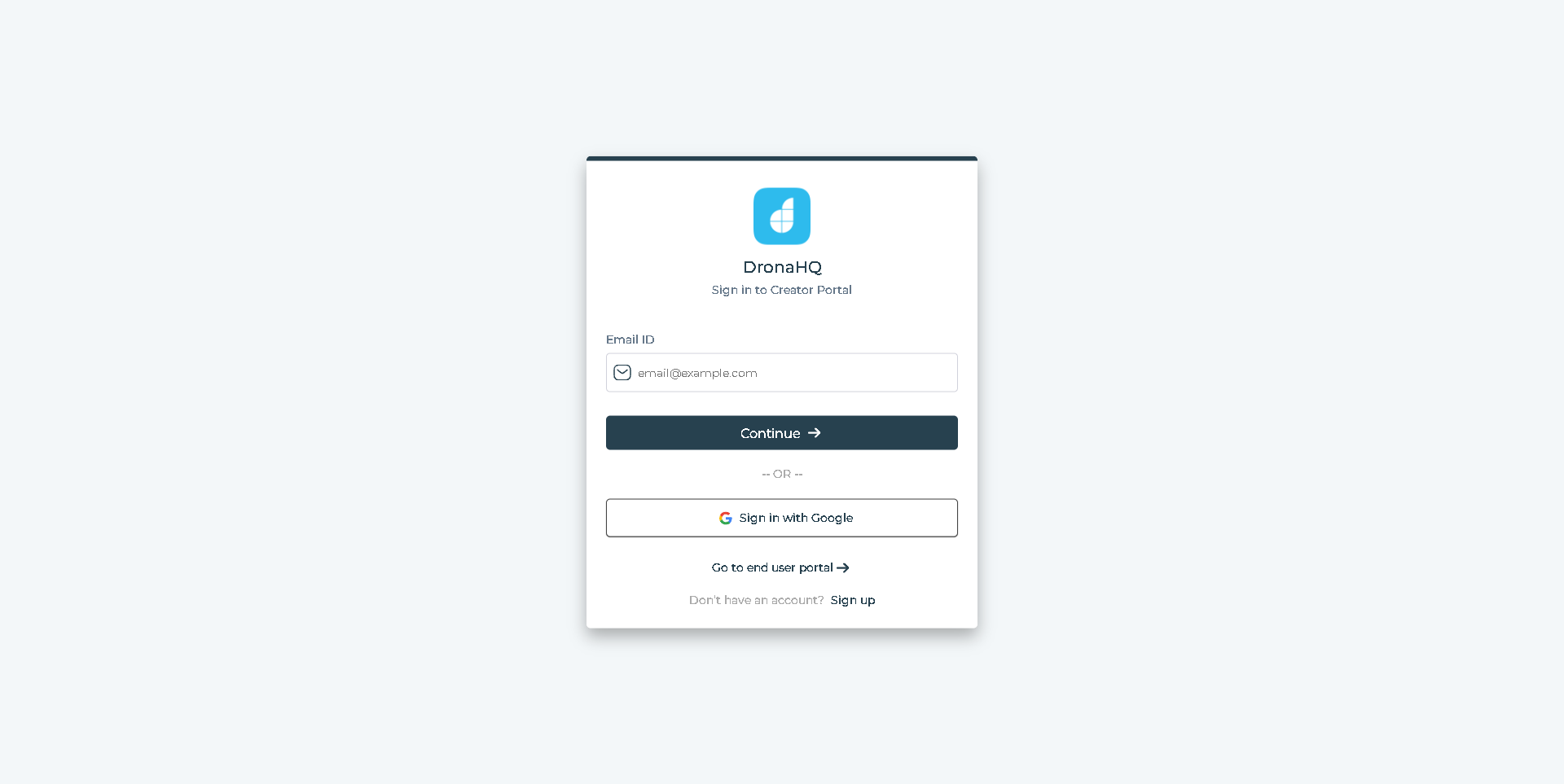
- Login to DronaHQ.
![]()
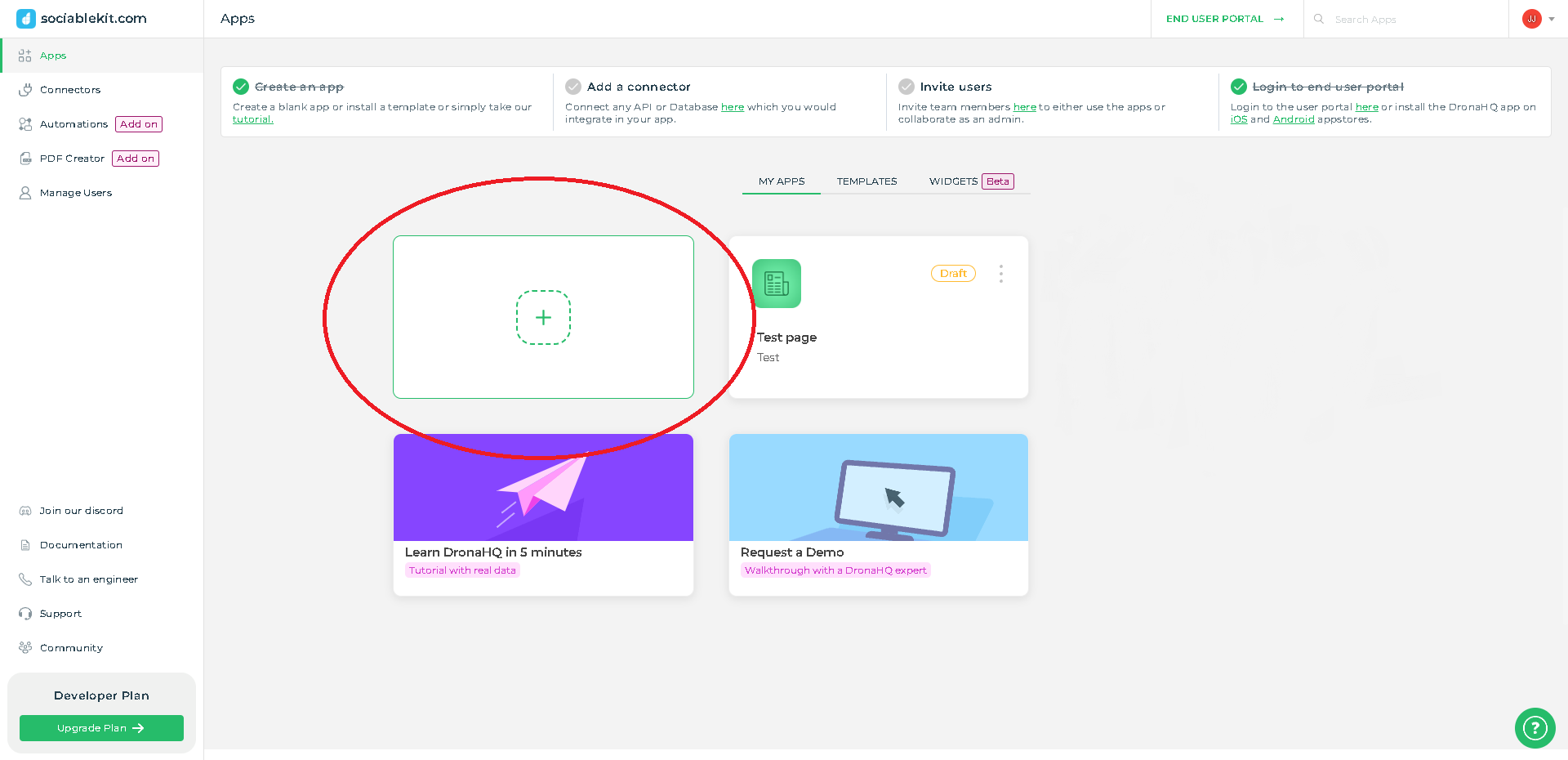
- Create a new blank page or edit your existing page.
![]()
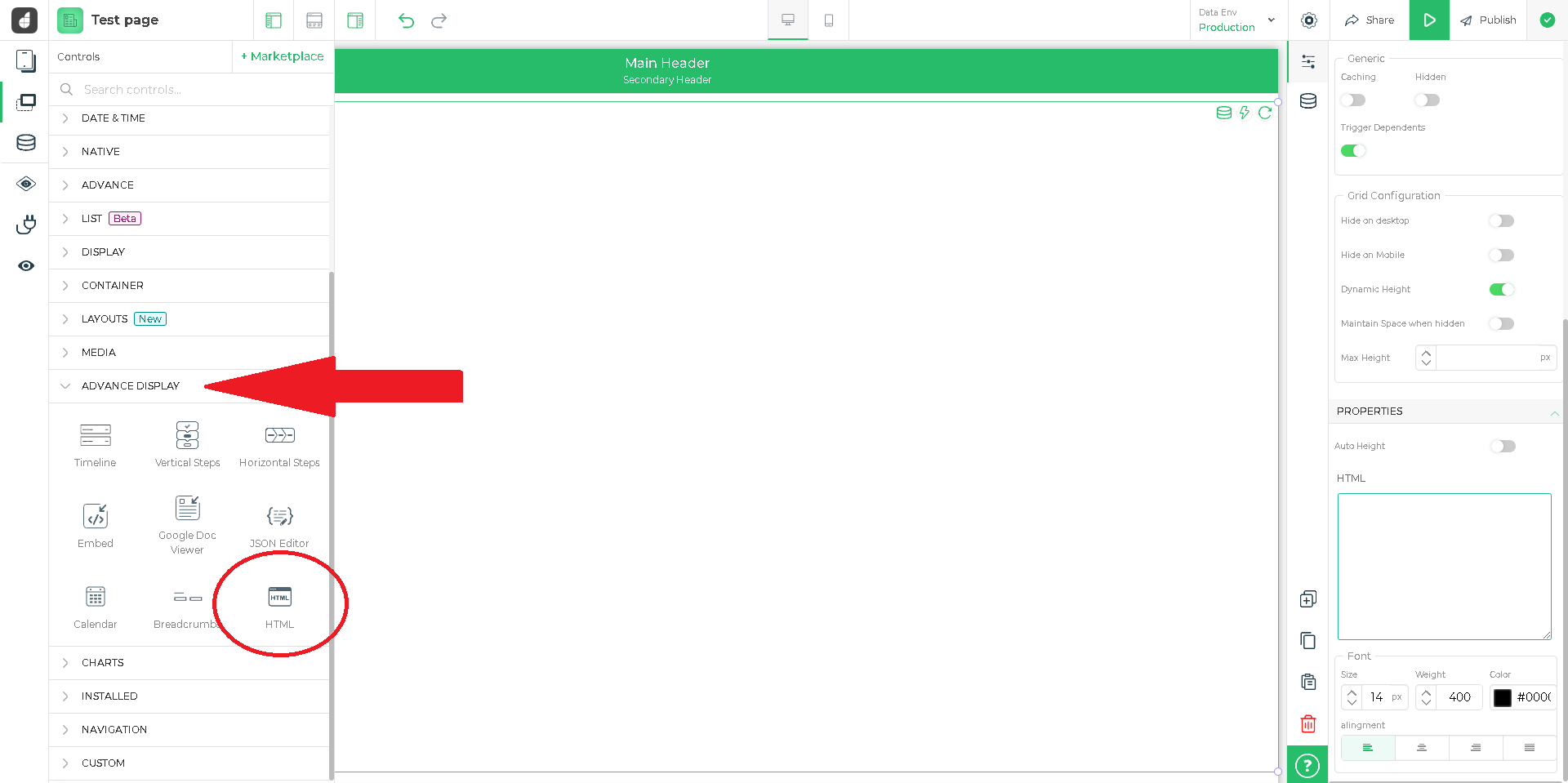
- Click Advance display and select HTML.
![]()
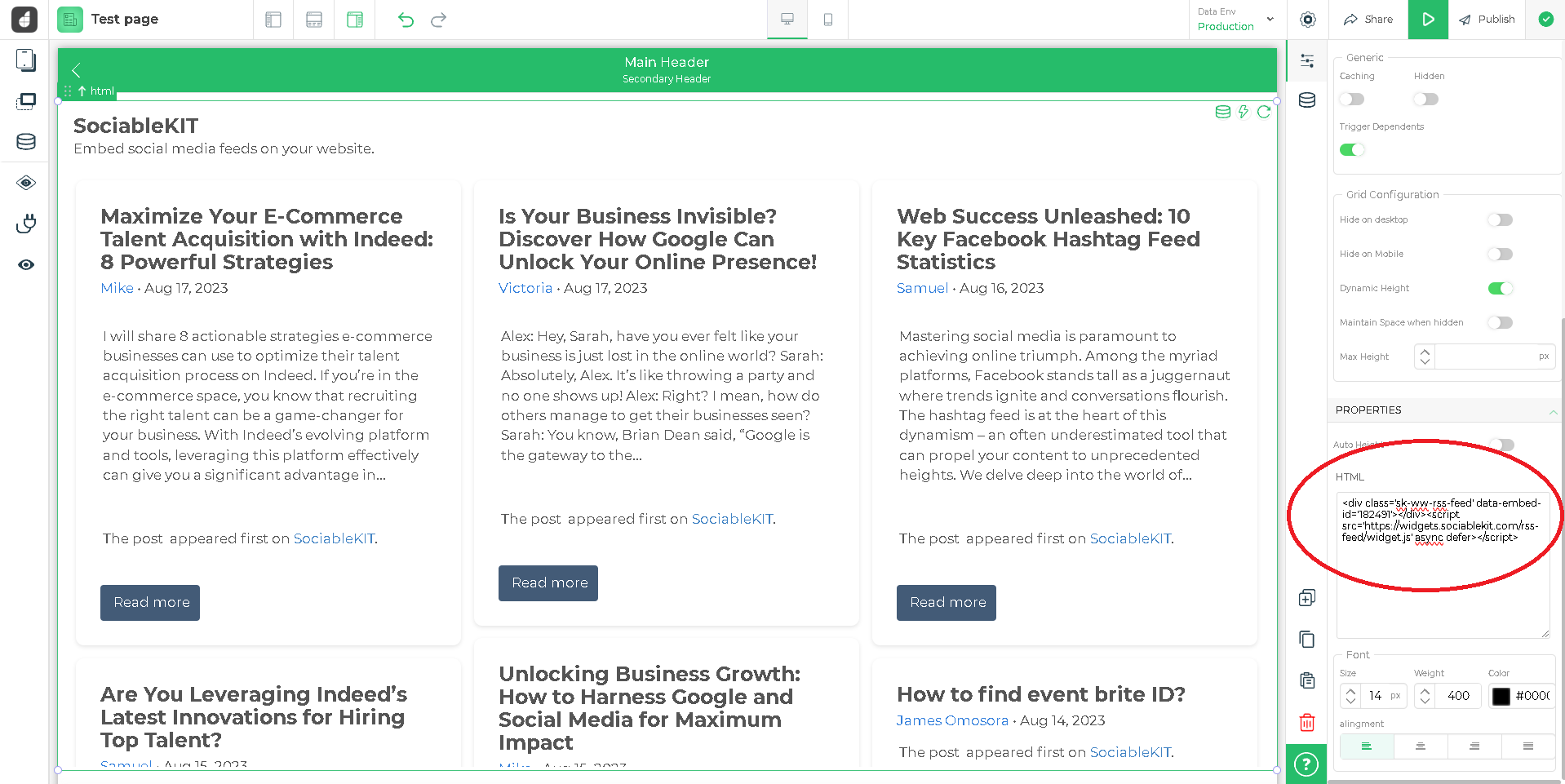
- Paste the JavaScript code from SociableKIT into the code text area.
![]()
- Click the "Publish" button.
![]()
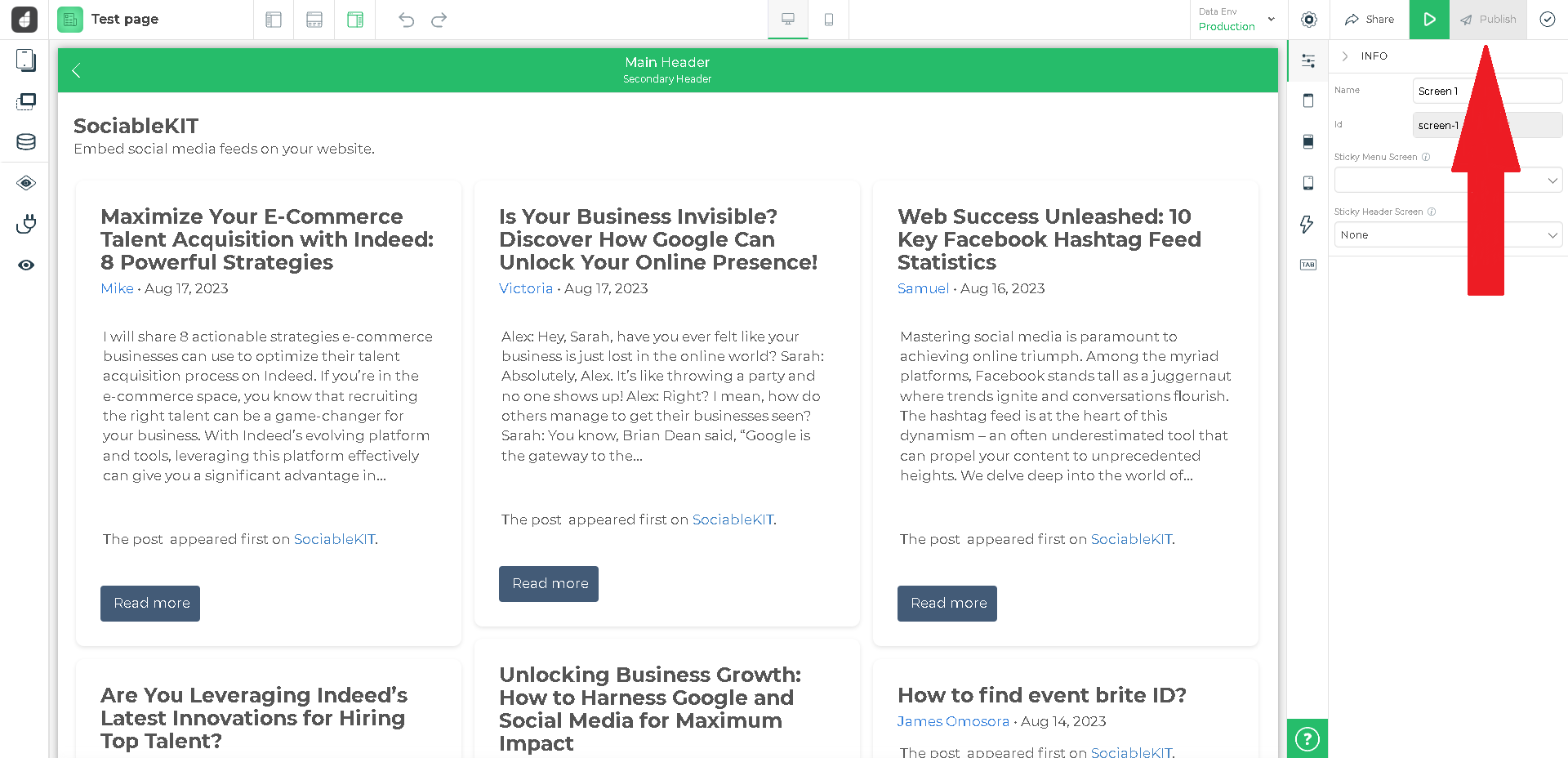
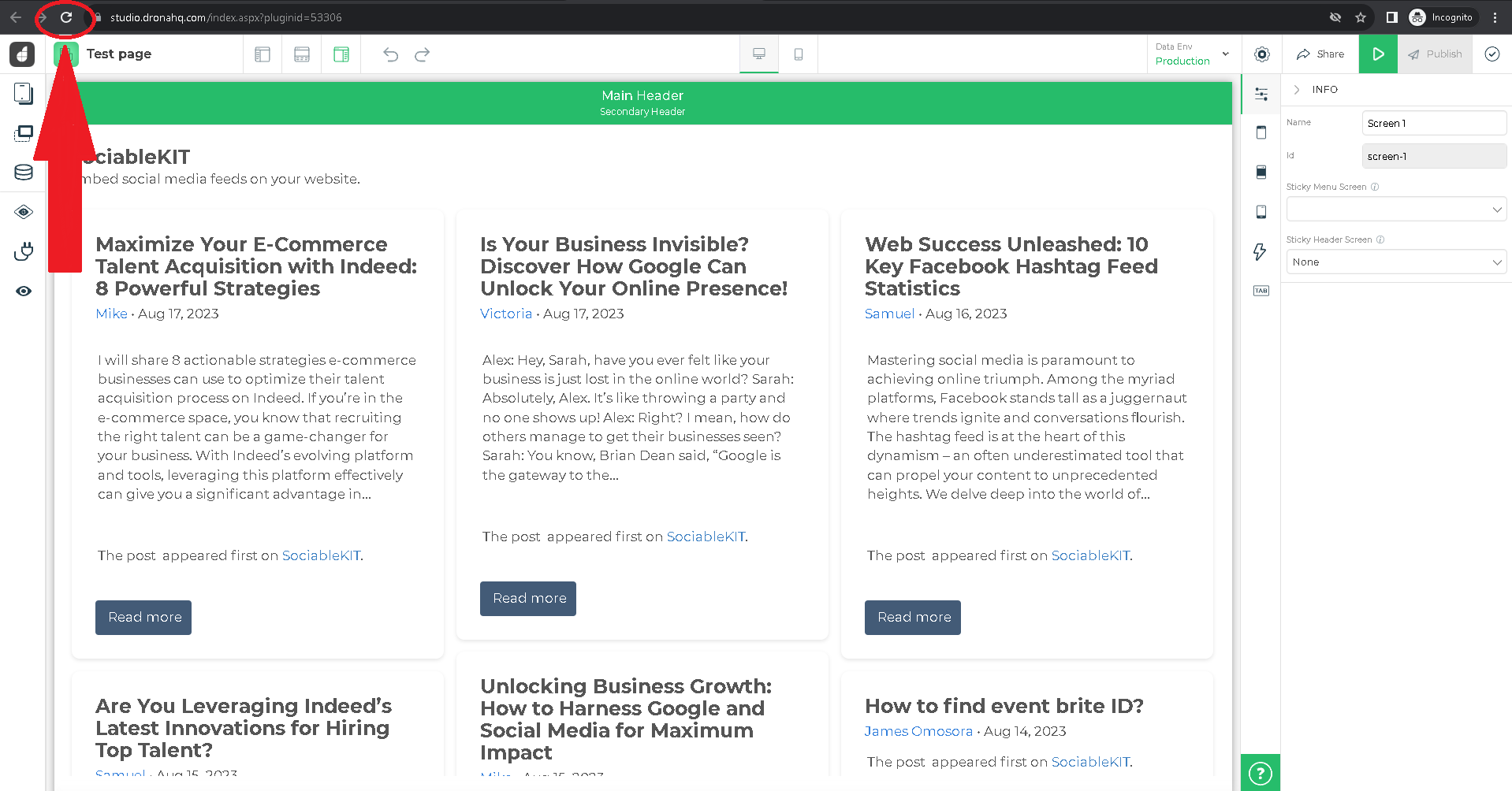
- Refresh your page. Done!
![]()
Website builders
Paste your embed code on any platform
SociableKIT works with every major website builder. Pick yours below for copy-paste instructions tailored to that platform.
To embed Facebook reviews on your Drona HQ site, follow the steps below after you have your SociableKIT embed code.
- Sign up free to SociableKIT and create your Facebook reviews widget.
- Customize your widget and copy the embed code from the dashboard.
- Login to DronaHQ.
![]()
- Create a new blank page or edit your existing page.
![]()
- Click Advance display and select HTML.
![]()
- Paste the JavaScript code from SociableKIT into the code text area.
![]()
- Click the "Publish" button.
![]()
- Refresh your page. Done!
![]()
To embed Facebook reviews on your WordPress site, follow the steps below after you have your SociableKIT embed code.
- Sign up free to SociableKIT and create your Facebook reviews widget.
- Customize your widget and copy the embed code from the dashboard.
- Login to your WordPress site.
![]()
- On your WordPress, go to the "Pages" section then click the "Add new page".
![]()
- Pick a pre-defined layout or start with a blank page by clicking the "Blank page" button.
![]()
- On the body of your page, click the "+" icon and click the "Custom HTML".
![]()
- Paste the code in the text area and click update.
![]()
- The widget will appear on the WordPress page.
![]()
- Click the Publish or Update button on your WordPress page.
![]()
- Click the view page. Done!
To embed Facebook reviews on your Wix site, follow the steps below after you have your SociableKIT embed code.
- Sign up free to SociableKIT and create your Facebook reviews widget.
- Customize your widget and copy the embed code from the dashboard.
- Login to Wix.
![]()
- On your existing website click the "+" button beside the "Main pages" section.
![]()
- Then click the "Add page" button.
![]()
- Name your page then hit enter.
![]()
- On the left, click "Add element". Find and click "Embed code". Click and drag "Embed a site" on your page then resize the container.
![]()
- Click "Change website address".
![]()
- Paste the link you copied from SociableKIT then click "Apply".
![]()
- Click "Publish" on the upper right.
![]()
- Click "View site". Done!
![]()
To embed Facebook reviews on your Squarespace site, follow the steps below after you have your SociableKIT embed code.
- Sign up free to SociableKIT and create your Facebook reviews widget.
- Customize your widget and copy the embed code from the dashboard.
- Login to Squarespace. You must have a "Business" account in Squarespace to use the widget. The "code block" needed cannot be found if you only have a "Personal" account.
![]()
- Create a new blank page or edit your existing page. Identify which page you want the widget to appear. You can create a new page on Squarespace, or you can edit your existing page where you want the widget to appear.
![]()
- Add a Code Block. On your Squarespace page, click the 'Edit' button. Find the 'Code' block and click it.
![]()
- Paste the embed code from SociableKIT. On the 'Content' of the 'Code' block, paste the JavaScript embed code you have copied from your widget.
![]()
- Save the changes on the 'Code block'. After pasting your widget's embed code. Click the 'Save' button on the left part of the page.
![]()
- View your page. Refresh your Squarespace page and check your SociableKIT widget. Done!
![]()
To embed Facebook reviews on your Webflow site, follow the steps below after you have your SociableKIT embed code.
- Sign up free to SociableKIT and create your Facebook reviews widget.
- Customize your widget and copy the embed code from the dashboard.
- Login to Webflow.
![]()
- On your existing website, click the "Page: ...." in the upper left corner then click the "Create new page" icon.
![]()
- Once done add a name for your new page then click "Save".
![]()
- On the left, click "Add Element". Drag "Embed" to your page.
![]()
- Paste the JavaScript code you copied from SociableKIT.
![]()
- On the upper right, click "Publish" > "Publish to Selected Domains".
![]()
- View your page. Done!
To embed Facebook reviews on your Shopify site, follow the steps below after you have your SociableKIT embed code.
- Sign up free to SociableKIT and create your Facebook reviews widget.
- Customize your widget and copy the embed code from the dashboard.
- Login to Shopify.
![]()
- On the left side, click Online Store.
![]()
- Click Pages. Add a new page or edit your existing page.
![]()
- On the Page details, click Show HTML icon (<>).
![]()
- Paste the embed code and click the Save button.
![]()
- Click the View page button. Done!
![]()
To embed Facebook reviews on your HTML site, follow the steps below after you have your SociableKIT embed code.
- Sign up free to SociableKIT and create your Facebook reviews widget.
- Customize your widget and copy the embed code from the dashboard.
- Open your HTML file.
- You can create a new HTML page or edit your existing HTML page.
![]()
- Paste the Javascript code you copied from SociableKIT. Paste it where you want the widget to appear.
![]()
- Save your HTML page.
![]()
- You may now upload your HTML page to your web hosting.
To embed Facebook reviews on your Google Sites site, follow the steps below after you have your SociableKIT embed code.
- Sign up free to SociableKIT and create your Facebook reviews widget.
- Customize your widget and copy the embed code from the dashboard.
- Login to Google sites. You must have at least a 'Business Starter' plan to create and customize your Google sites.
![]()
- Create or edit an existing website. Click the + 'Blank' button on the 'Start a new site' section to create or find your existing website under the 'Recent sites' section.
![]()
- Create a new blank page or edit your existing page. Identify which page you want the widget to appear. On the right sidebar, you will see an 'Embed' button. Click the 'Embed' button.
![]()
- Add the widget. A popup 'Embed from the web' will open up. Select the 'Embed code' tab on the popup.
![]()
- Paste the embed code from SociableKIT. On the 'Embed code' tab, you will see 'HTML code goes here' text. Paste the embed code from your SociableKIT widget.
![]()
- Save the widget. Once you have pasted your embed code, click the 'Next' button.
![]()
- Preview of your SociableKIT widget. After clicking the Next button, a preview of your embed code will be displayed. Click the 'Insert' button to insert the widget to your Google sites page.
![]()
- Edit the widget. Once the widget has been inserted, you will have the option to resize the widget. After resizing the widget to your preferences, click the 'Publish' button on the upper right corner of the page.
![]()
- Publish your page. After publishing the site, click the down 'Arrow' button beside the 'Publish' button.
![]()
- View your page. A dropdown of buttons will be displayed, click the 'View published site' button. Done!
![]()
Live preview
Pick a Facebook Page Reviews template — see it live
Choose a starting design on the left and watch the preview update with real data. What you see is exactly what visitors get on your Drona HQ website.
Common questions
Frequently asked questions
Everything you need to know about embedding Facebook reviews on your Drona HQ website.
What is a Facebook reviews widget and how does it work?
A Facebook reviews widget automatically pulls real customer reviews from your Facebook Page and displays them on your website. It allows you to showcase authentic feedback from verified profiles, building trust and influencing buying decisions. SociableKIT connects to your page, fetches the reviews, and updates them on your site without any coding. The result is 24/7 social proof that works even when you’re not online.
Do I need to be a page admin or have special permissions to use the widget?
Yes – to connect your Facebook Page you need to be an admin or have sufficient permissions on that page. SociableKIT handles the technical connection for you, so you simply log in, select the Page, and we pull in the reviews. You don’t need to manage tokens or build a Facebook app. Once connected, the widget fetches reviews automatically so you can focus on running your business.
Do I need a Facebook App ID or access token to display reviews?
No. Unlike some tools that require you to create a custom app or generate access tokens, SociableKIT manages the integration for you. Just sign in with your Facebook account, select your page, and our system securely fetches the reviews. This means you avoid the complex approval process of Facebook’s API while still displaying your reviews on your site.
How do I embed the Facebook reviews widget on my website? Do I need coding skills or a plugin?
Embedding is simple. After you create your widget and customize its appearance, copy a single line of embed code from your SociableKIT dashboard and paste it into your website. You don’t need a plugin or technical expertise – the code works on any platform that supports custom HTML. The whole process takes only a few minutes.
Will the widget work with my website builder (WordPress, Shopify, Wix, Squarespace, etc.)?
Yes. SociableKIT widgets are compatible with all major website platforms, including WordPress, Shopify, Wix, Squarespace, Webflow, Weebly, Google Sites and any site where you can paste code. You simply place the snippet into a custom HTML block and it appears instantly. If you run into any questions, our support team is ready to assist you 24/7.
Can I show reviews from more than one Facebook page or combine reviews from multiple sources?
Each Facebook Page reviews widget is designed to display reviews from a single Facebook Page, which ensures authenticity and clarity. If you want to merge reviews from multiple Pages or other platforms like Google or Yelp, SociableKIT’s separate Reviews widget aggregates them into one feed. You can add additional sources to your account at any time, with simple pricing that scales as you grow.
Can I filter or moderate which reviews appear?
Absolutely. You can manually hide any review that doesn’t match your brand voice or quality standards, and set a minimum star rating so only positive feedback appears. Keyword filters let you highlight reviews mentioning specific products or services, keeping your testimonial feed relevant. This control helps you showcase your best customer stories while keeping the process honest and transparent.
Can I sort reviews by date or rating?
Yes. SociableKIT lets you choose the order in which reviews appear – newest first, oldest first, or by highest rating. This flexibility means you can display the freshest feedback or highlight your top-rated testimonials, depending on what resonates most with your visitors. Sorting options are easy to toggle in the widget settings.
Does the widget update automatically when new reviews come in?
On paid plans, your widget syncs automatically so new reviews appear on your website without any action needed. If you’re using the free plan, you can refresh your widget manually in a few clicks. Either way, your site stays current and visitors see the latest customer experiences.
How customizable is the widget’s design?
SociableKIT offers multiple templates such as masonry, grid, carousel, list and badge layouts. You can tweak colors, fonts, spacing and call-to-action buttons to match your brand. Even on the free plan, you have full control over styling so the reviews feel native to your site and reinforce your credibility.
Can I hide negative reviews or show only positive ones?
You can set a minimum star rating threshold so that only reviews meeting or exceeding that rating are displayed. Additionally, manual moderation allows you to hide specific comments that don’t align with your messaging. This ensures visitors see feedback that builds confidence while maintaining transparency about the overall rating.
Will the widget slow down my website?
No. The embed code is lightweight and loads asynchronously, so it doesn’t block your page content. It’s designed to be performance-friendly, ensuring that reviews display quickly and your site continues to load smoothly. Even with high traffic, there are no view limits that could throttle performance.
Is the widget mobile‑friendly and responsive?
Yes. The widget automatically adapts to different screen sizes, ensuring your reviews look great on smartphones, tablets and desktops. The layout inherits the width of its container, so it fits seamlessly into any design. You don’t need to build separate versions for mobile users.
Can I display a compact rating badge instead of full reviews?
If you prefer a minimal display, choose the badge layout. This template shows only your overall star rating in a small footprint, ideal for footers or sidebars. It still links to a full reviews page so visitors can read the details if they want to learn more.
Does embedding Facebook reviews help with SEO?
Displaying genuine customer reviews adds fresh, keyword-rich content to your site, which search engines favour for relevance. Review snippets can also enhance your search results with star ratings, improving click‑through rates. Over time, this combination can support higher rankings and attract more qualified traffic.
Is the widget free? How much does it cost?
SociableKIT offers a free plan that lets you create and customize a working reviews widget without a credit card. For automatic syncing and unlimited views, paid plans start at just $10 per month, with additional sources available for $5 each. You pay only for what you need, and there are no hidden fees or long-term commitments.
Are there any view limits or quotas?
No. Unlike some providers that cap traffic or restrict impressions, SociableKIT provides unlimited views even on paid plans. Your widget will never shut off or throttle visitors, so you can scale confidently without worrying about surprise overage charges.
Can I encourage visitors to leave a new review?
Yes. You can add a call‑to‑action button that directs visitors to your Facebook page’s review form. This makes it easy for happy customers to share their experiences, helping you gather more social proof without leaving your site. More fresh reviews keep your widget compelling and current.
Do I need to update the embed code when I change settings or receive new reviews?
No. Once your widget is embedded, any changes you make in the SociableKIT dashboard – such as design tweaks or new reviews appearing – automatically reflect on your website. You won’t need to edit your site’s code again, saving time and eliminating maintenance hassle.
What happens if I cancel my subscription or trial?
There are no long‑term contracts. If you cancel a paid plan, your account reverts to the free tier and your widget continues to work with manual sync. You can upgrade again whenever you need automatic updates or additional sources, and we never charge a cancellation fee.
Add your Facebook reviews widget today
Set up in minutes. Free forever to start.
Create your widgetFree forever · No credit card · Cancel anytime