
Your Product Reviews on TemplateToaster website — live in 3 steps
SociableKIT syncs your product reviews automatically. Set up once, embed anywhere — free to start, no coding required.
-
Create in 60 seconds
Pick Product Reviews in the dashboard and connect your source.
-
Match your brand
Colors, fonts, layout — tune it until it feels native to your site.
-
Paste one line of code
Drop the embed snippet on your TemplateToaster website. No dev team needed.
Embed Product Reviews with SociableKIT — step by step
Create your widget in the dashboard, copy the embed code, and paste it on your TemplateToaster website. Screenshots included so you never get stuck.
Create and customize your Product Reviews widget
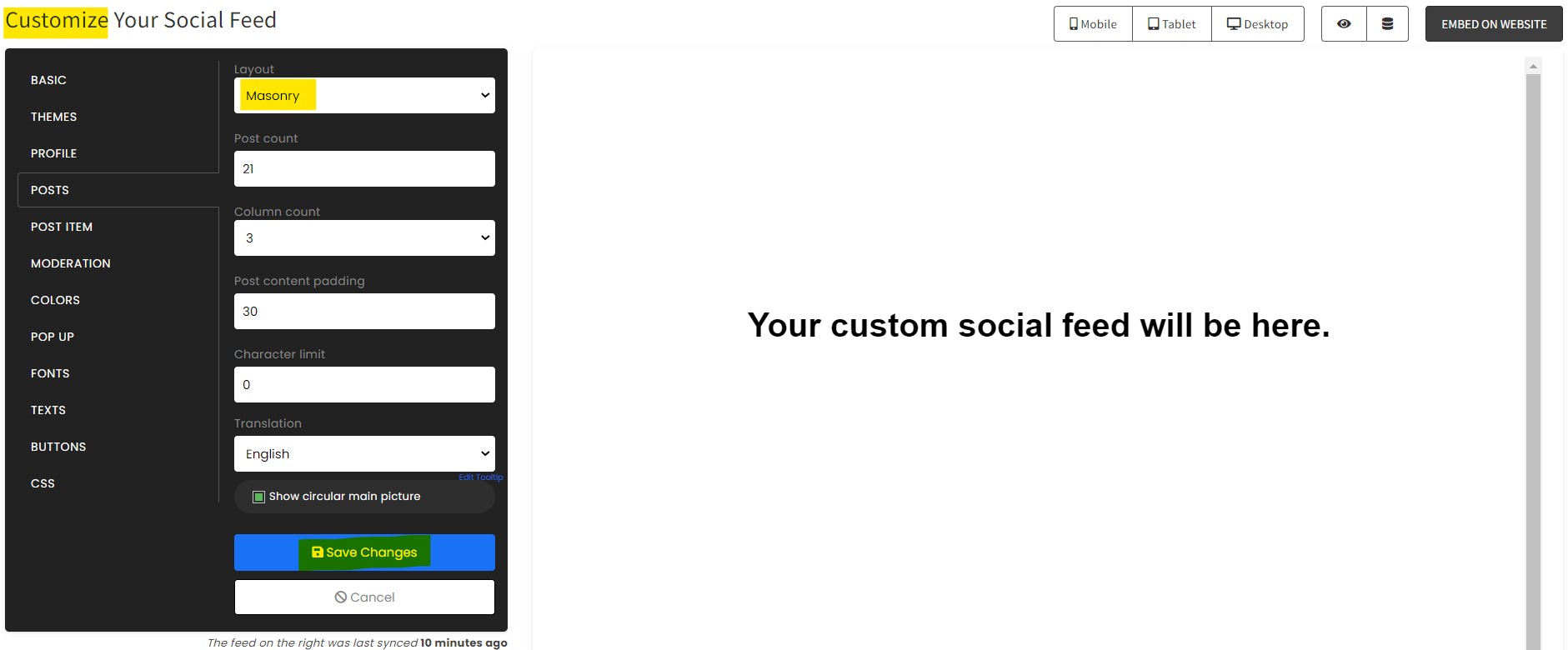
The first part is creating your Product Reviews widget using the SociableKIT dashboard. Customize the look and feel to match your brand. Follow the steps below.
-
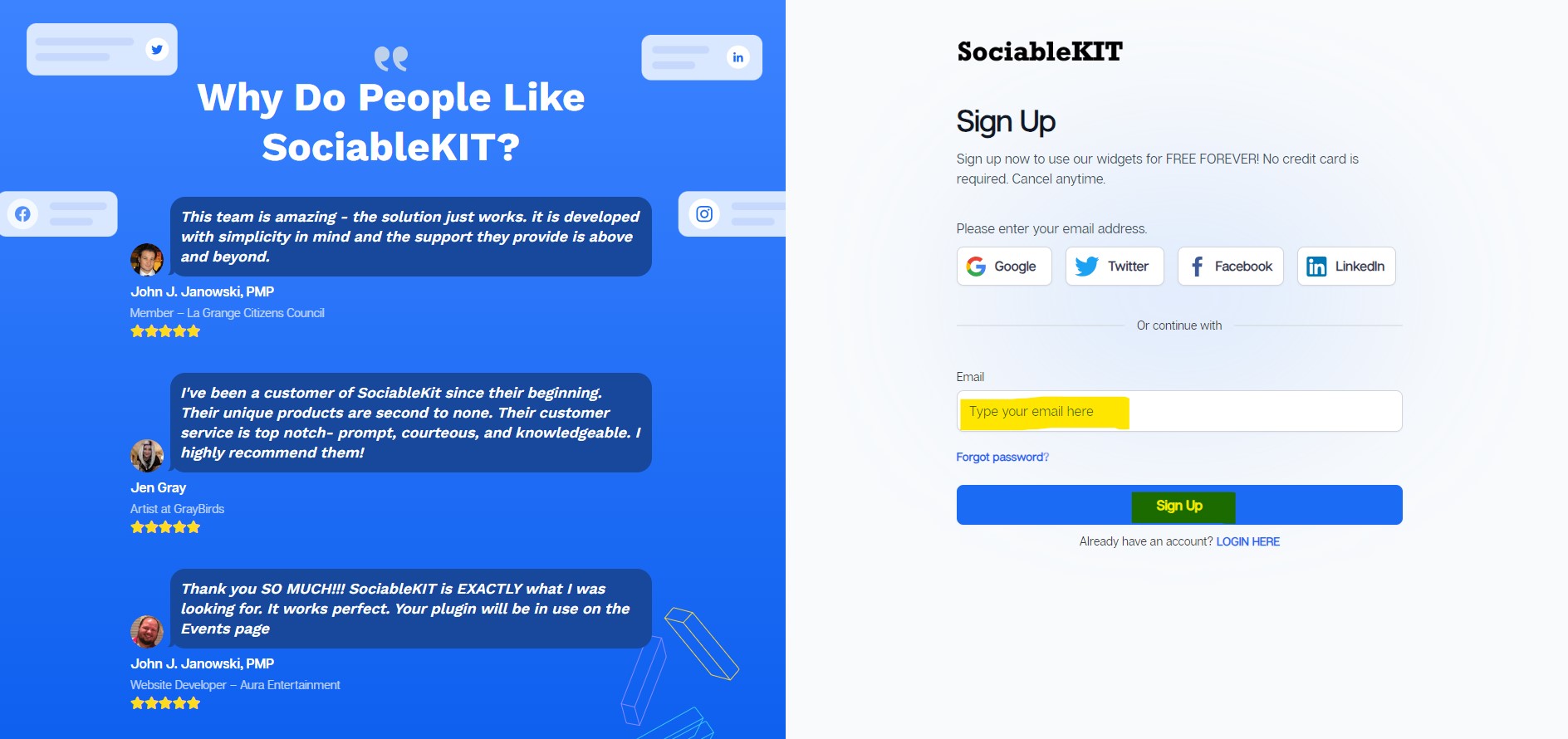
Sign up FREE or login to SociableKIT. You can login here if you already have an account. Once you sign up, you will start your 7-day premium trial. After 7 days, you can activate the free plan if you don't need our premium features.

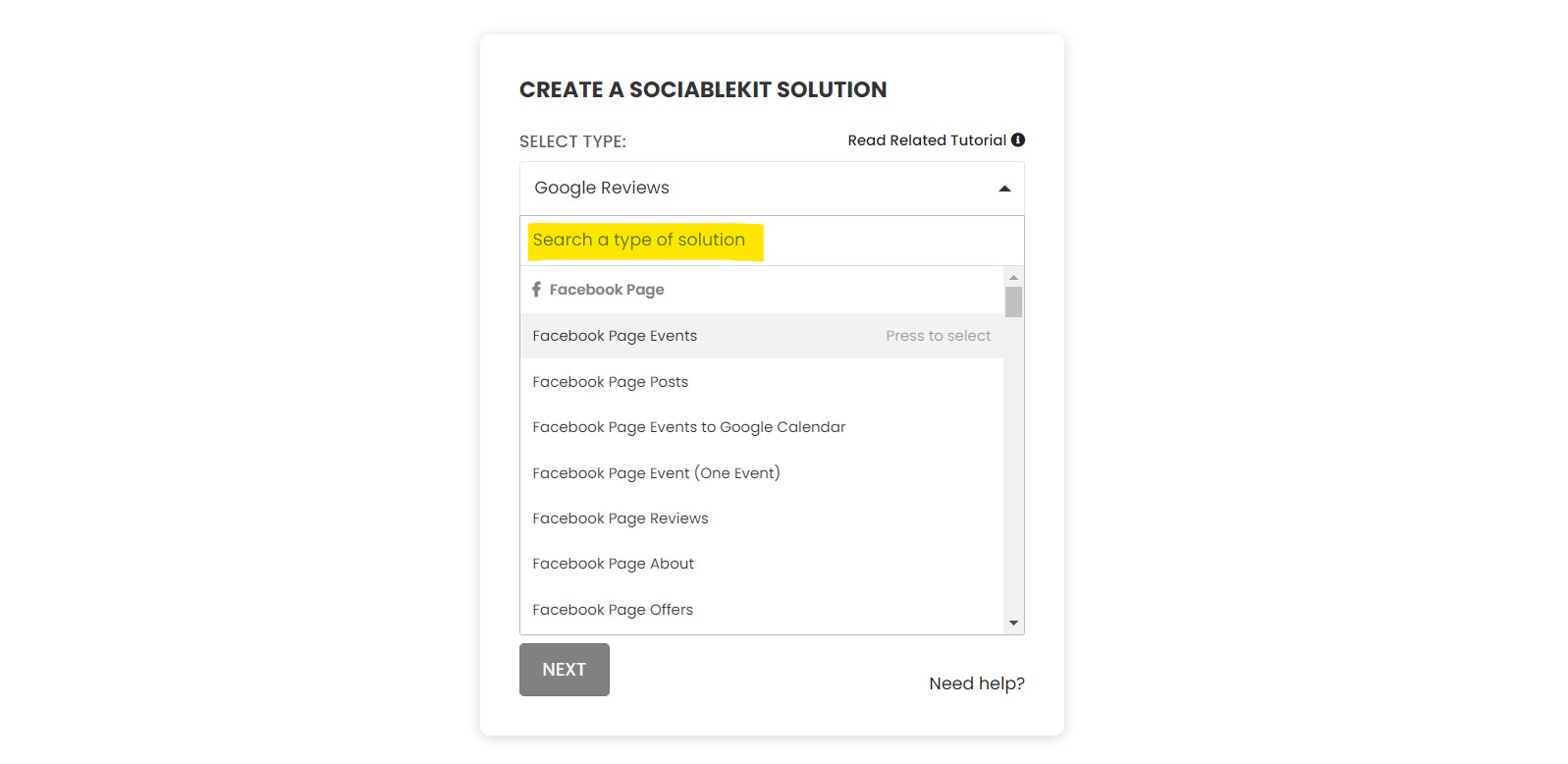
- Select your Product Reviews type on the dropdown.
SociableKIT offers several Product Reviews widgets. You might need to search it using the highlighted area below. Once found, you can then select it.
Here are the different types of Product Reviews that you can add to your TemplateToaster website :
Facebook Page Reviews widget – Showcase your Facebook Page reviews on your website to build trust and turn visitors into loyal customers with authentic social proof. Learn how to embed Facebook Page Reviews on your website.
Google Reviews widget – Showcase authentic Google Reviews on your website to build trust, attract new customers, and boost credibility with real social proof from satisfied clients. Learn how to embed Google Reviews on your website.
Google Play Reviews widget – Showcase Google Play Reviews on your website to boost app credibility, build trust with potential users, and drive more downloads with real customer feedback. Learn how to embed Google Play Reviews on your website.
Yelp Reviews widget – Embed Yelp Reviews on your website to build trust, attract new customers, and showcase authentic feedback that highlights the quality of your business. Learn how to embed Yelp Reviews on your website.
Airbnb Reviews widget – Showcase Airbnb Reviews on your website to build credibility, attract new guests, and highlight the unique experiences that make your property unforgettable. Learn how to embed Airbnb Reviews on your website.
Sitejabber Reviews widget – Embed Sitejabber Reviews on your website to build trust, enhance credibility, and showcase positive customer experiences that drive conversions. Learn how to embed Sitejabber Reviews on your website.
G2 Reviews widget – Display G2 Reviews on your website to enhance your brand’s reputation, attract new customers, and showcase real user feedback that builds trust and credibility. Learn how to embed G2 Reviews on your website.
Tripadvisor Reviews widget – Embed Tripadvisor Reviews on your website to establish trust, highlight authentic guest experiences, and attract more bookings with real social proof. Learn how to embed Tripadvisor Reviews on your website.
Reviews widget – Display real customer reviews from multiple platforms on your website to build trust and help visitors choose your business with confidence. Learn how to embed Reviews on your website.
- Enter your Product Reviews ID or username. Copy your Product Reviews URL and paste it in the username box. Our system will automatically identify your Product Reviews ID or username.
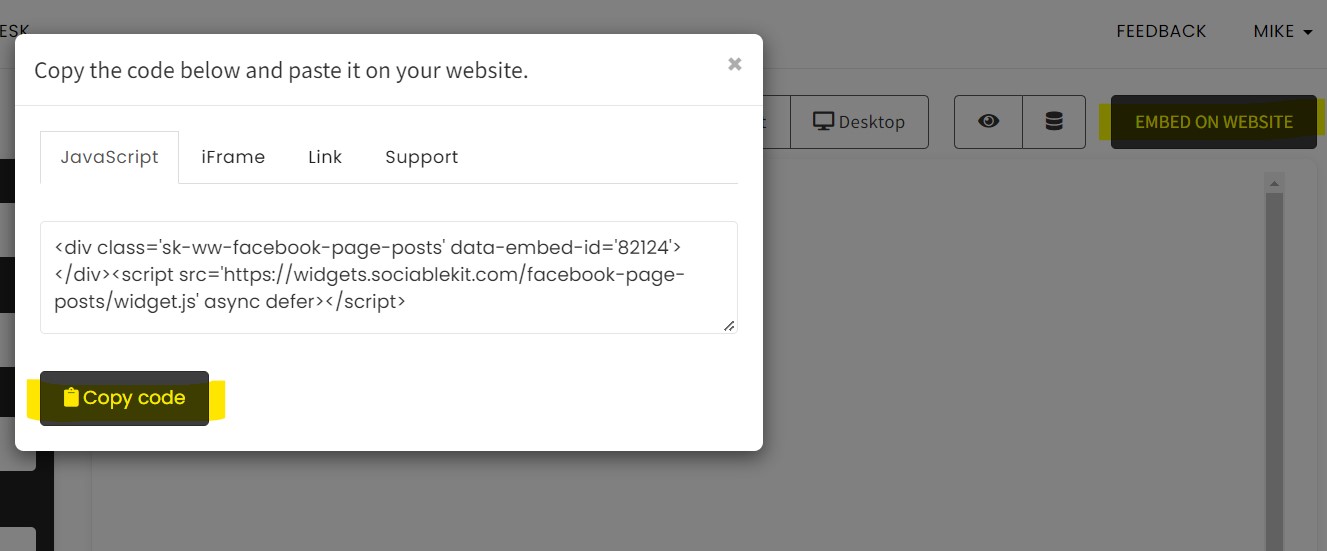
- Paste the embed code and save your TemplateToaster website page. Please follow the second part below to add Product Reviews widget to your TemplateToaster website .
Add Product Reviews widget to your TemplateToaster website
The second part is adding your Product Reviews widget to your TemplateToaster website . After you customize your Product Reviews widget and copied the embed code, it is time to add it to your TemplateToaster website . Follow the steps below.
- Get your free embed code from SociableKIT. Make sure you followed the first part above to create your widgget, customize it, and copy your free embed code.
- Login to TemplateToaster.
![]()
- Once you are logged in, You will need to download TemplateToaster On the Download page, You can download the latest version of TemplateToaster.
![]()
- Please note that you will need the Professional edition of your TemplateToaster to be able to embed your widget.
![]()
- Pick your preferred CMS to start with, In our case we choose WordPress for our CMS.
![]()
- You can choose a different template but you can start from scratch.
![]()
- Click Add/Edit page to add or edit your page.
![]()
![]()
- On your Selected page, Click the Column to adjust your preferred width of your content.
![]()
- Double-click the content and paste your JavaScript embed code.
![]()
- On the top left corner of your window, Click the icon of Google chrome. The changes you made will be saved and published automatically. Done! Please note that in my case, I use Google chrome as default browser. The default browser on your end will appear on the top left corner of your window.
![]()
![]()
Website builders
Paste your embed code on any platform
SociableKIT works with every major website builder. Pick yours below for copy-paste instructions tailored to that platform.
To embed Product Reviews on your TemplateToaster site, follow the steps below after you have your SociableKIT embed code.
- Sign up free to SociableKIT and create your Product Reviews widget.
- Customize your widget and copy the embed code from the dashboard.
- Login to TemplateToaster.
![]()
- Once you are logged in, You will need to download TemplateToaster On the Download page, You can download the latest version of TemplateToaster.
![]()
- Please note that you will need the Professional edition of your TemplateToaster to be able to embed your widget.
![]()
- Pick your preferred CMS to start with, In our case we choose WordPress for our CMS.
![]()
- You can choose a different template but you can start from scratch.
![]()
- Click Add/Edit page to add or edit your page.
![]()
![]()
- On your Selected page, Click the Column to adjust your preferred width of your content.
![]()
- Double-click the content and paste your JavaScript embed code.
![]()
- On the top left corner of your window, Click the icon of Google chrome. The changes you made will be saved and published automatically. Done! Please note that in my case, I use Google chrome as default browser. The default browser on your end will appear on the top left corner of your window.
![]()
![]()
To embed Product Reviews on your WordPress site, follow the steps below after you have your SociableKIT embed code.
- Sign up free to SociableKIT and create your Product Reviews widget.
- Customize your widget and copy the embed code from the dashboard.
- Login to your WordPress site.
![]()
- On your WordPress, go to the "Pages" section then click the "Add new page".
![]()
- Pick a pre-defined layout or start with a blank page by clicking the "Blank page" button.
![]()
- On the body of your page, click the "+" icon and click the "Custom HTML".
![]()
- Paste the code in the text area and click update.
![]()
- The widget will appear on the WordPress page.
![]()
- Click the Publish or Update button on your WordPress page.
![]()
- Click the view page. Done!
To embed Product Reviews on your Wix site, follow the steps below after you have your SociableKIT embed code.
- Sign up free to SociableKIT and create your Product Reviews widget.
- Customize your widget and copy the embed code from the dashboard.
- Login to Wix.
![]()
- On your existing website click the "+" button beside the "Main pages" section.
![]()
- Then click the "Add page" button.
![]()
- Name your page then hit enter.
![]()
- On the left, click "Add element". Find and click "Embed code". Click and drag "Embed a site" on your page then resize the container.
![]()
- Click "Change website address".
![]()
- Paste the link you copied from SociableKIT then click "Apply".
![]()
- Click "Publish" on the upper right.
![]()
- Click "View site". Done!
![]()
To embed Product Reviews on your Squarespace site, follow the steps below after you have your SociableKIT embed code.
- Sign up free to SociableKIT and create your Product Reviews widget.
- Customize your widget and copy the embed code from the dashboard.
- Login to Squarespace. You must have a "Business" account in Squarespace to use the widget. The "code block" needed cannot be found if you only have a "Personal" account.
![]()
- Create a new blank page or edit your existing page. Identify which page you want the widget to appear. You can create a new page on Squarespace, or you can edit your existing page where you want the widget to appear.
![]()
- Add a Code Block. On your Squarespace page, click the 'Edit' button. Find the 'Code' block and click it.
![]()
- Paste the embed code from SociableKIT. On the 'Content' of the 'Code' block, paste the JavaScript embed code you have copied from your widget.
![]()
- Save the changes on the 'Code block'. After pasting your widget's embed code. Click the 'Save' button on the left part of the page.
![]()
- View your page. Refresh your Squarespace page and check your SociableKIT widget. Done!
![]()
To embed Product Reviews on your Webflow site, follow the steps below after you have your SociableKIT embed code.
- Sign up free to SociableKIT and create your Product Reviews widget.
- Customize your widget and copy the embed code from the dashboard.
- Login to Webflow.
![]()
- On your existing website, click the "Page: ...." in the upper left corner then click the "Create new page" icon.
![]()
- Once done add a name for your new page then click "Save".
![]()
- On the left, click "Add Element". Drag "Embed" to your page.
![]()
- Paste the JavaScript code you copied from SociableKIT.
![]()
- On the upper right, click "Publish" > "Publish to Selected Domains".
![]()
- View your page. Done!
To embed Product Reviews on your Shopify site, follow the steps below after you have your SociableKIT embed code.
- Sign up free to SociableKIT and create your Product Reviews widget.
- Customize your widget and copy the embed code from the dashboard.
- Login to Shopify.
![]()
- On the left side, click Online Store.
![]()
- Click Pages. Add a new page or edit your existing page.
![]()
- On the Page details, click Show HTML icon (<>).
![]()
- Paste the embed code and click the Save button.
![]()
- Click the View page button. Done!
![]()
To embed Product Reviews on your HTML site, follow the steps below after you have your SociableKIT embed code.
- Sign up free to SociableKIT and create your Product Reviews widget.
- Customize your widget and copy the embed code from the dashboard.
- Open your HTML file.
- You can create a new HTML page or edit your existing HTML page.
![]()
- Paste the Javascript code you copied from SociableKIT. Paste it where you want the widget to appear.
![]()
- Save your HTML page.
![]()
- You may now upload your HTML page to your web hosting.
To embed Product Reviews on your Google Sites site, follow the steps below after you have your SociableKIT embed code.
- Sign up free to SociableKIT and create your Product Reviews widget.
- Customize your widget and copy the embed code from the dashboard.
- Login to Google sites. You must have at least a 'Business Starter' plan to create and customize your Google sites.
![]()
- Create or edit an existing website. Click the + 'Blank' button on the 'Start a new site' section to create or find your existing website under the 'Recent sites' section.
![]()
- Create a new blank page or edit your existing page. Identify which page you want the widget to appear. On the right sidebar, you will see an 'Embed' button. Click the 'Embed' button.
![]()
- Add the widget. A popup 'Embed from the web' will open up. Select the 'Embed code' tab on the popup.
![]()
- Paste the embed code from SociableKIT. On the 'Embed code' tab, you will see 'HTML code goes here' text. Paste the embed code from your SociableKIT widget.
![]()
- Save the widget. Once you have pasted your embed code, click the 'Next' button.
![]()
- Preview of your SociableKIT widget. After clicking the Next button, a preview of your embed code will be displayed. Click the 'Insert' button to insert the widget to your Google sites page.
![]()
- Edit the widget. Once the widget has been inserted, you will have the option to resize the widget. After resizing the widget to your preferences, click the 'Publish' button on the upper right corner of the page.
![]()
- Publish your page. After publishing the site, click the down 'Arrow' button beside the 'Publish' button.
![]()
- View your page. A dropdown of buttons will be displayed, click the 'View published site' button. Done!
![]()
Live preview
Pick a Google Reviews template — see it live
Choose a starting design on the left and watch the preview update with real data. What you see is exactly what visitors get on your TemplateToaster website.
Common questions
Frequently asked questions
Everything you need to know about embedding Product Reviews on your TemplateToaster website.
What is a reviews widget and how does it work?
The SociableKIT reviews widget pulls customer reviews from multiple platforms into one unified feed. Instead of juggling separate embed codes for each platform, you connect your accounts once and we automatically display them in a single, customizable widget on your site. Visitors can quickly see authentic feedback across channels, building trust and saving you time.
Which review platforms can I connect?
SociableKIT supports over 100 review sources, including major sites like Google, Facebook, Yelp, TripAdvisor, Amazon, Airbnb, G2, and more. You can mix sources so visitors see feedback wherever your customers are talking.
How do I embed the reviews widget on my website? Do I need coding skills or a plugin?
Setup is quick and code‑free. Sign up for a free account, connect your review sources, choose a template and customize colours and layout. Then copy one line of code and paste it into any website builder or HTML page—WordPress, Shopify, Wix, Squarespace, Webflow and SharePoint are all supported. No plugins or coding skills are required.
Can I combine reviews from multiple platforms into one feed?
Yes. Simply connect each review source in your dashboard and SociableKIT will merge them into a single feed. This consolidated view helps visitors see a more complete picture of your brand and reduces page clutter.
Can I filter or moderate which reviews appear?
Absolutely. You can display or hide reviews based on star rating, keywords, author or recency, and even manually approve each review before it goes live. This gives you control over your brand narrative while still showing authentic feedback.
Can I display only positive reviews or hide star‑only ratings?
Yes. You can set a minimum star rating and exclude reviews that don’t include comments. This helps you highlight your best feedback while avoiding empty ratings or irrelevant remarks.
How often does the reviews widget update with new reviews?
On paid plans, SociableKIT automatically syncs new reviews at regular intervals, so fresh feedback appears on your site without any manual work. During the free trial you can refresh your feed manually whenever you like.
Does the widget include SEO‑friendly schema markup and help my search rankings?
Yes. The widget injects AggregateRating structured data into your page, so search engines can display rich snippets like star ratings and review counts. Embedding real reviews also adds fresh user‑generated content, and studies show that pages with review‑rich snippets can boost click‑through rates by 10–30%.
Can visitors submit new reviews through my widget?
Yes. You can enable a ‘Write a Review’ button that opens a simple form or redirects people to the official review page on your chosen platform. This feature encourages satisfied customers to leave feedback and keeps your review feed growing.
How customizable is the reviews widget?
Our templates are fully responsive and can be customized to match your brand. Choose from grid, masonry, carousel or list layouts, adjust colours, fonts and spacing, and even add your own CSS. Even on the free plan, you have full design control.
Will the widget slow down my website?
No. The widget loads asynchronously, uses caching and lazy loading, and doesn’t block your page from rendering. A single consolidated feed also avoids the overhead of multiple scripts, leading to faster pages and better Core Web Vitals.
Can I sort the reviews by date or random order?
Yes. You can display the newest reviews first or randomize the order to keep the feed fresh. Sorting options are built into the widget settings.
Do I need permission to display reviews?
You don’t need to log into each platform to display publicly available reviews, but some sources like Google Business or Facebook require admin access to authorize the feed. SociableKIT uses official APIs or publicly available endpoints and respects platform policies.
Is the widget mobile‑friendly and responsive?
Yes. The widget automatically adapts to mobile, tablet and desktop screens and you can preview how it looks on different devices. Responsive design ensures a consistent experience across all platforms.
How much does the reviews widget cost, and are there view limits?
You can start for free with one source, one widget and 2,000 monthly views. The Pro plan at $10/month includes unlimited widgets, unlimited views and automatic syncing, and you can add extra sources for $5/month. Higher plans offer more sources and advanced analytics—pricing scales with you, and we never shut off your widget when traffic spikes.
What happens if I cancel or pause my subscription?
There are no long‑term contracts, so you can cancel or change your plan at any time. If you cancel, the widget stops displaying after the current billing period, and you can reactivate it later whenever you need.
Does SociableKIT offer support if I have questions?
Absolutely. You can reach a real person via chat or email on any plan, with 24/7 support on paid plans. Our team is here to help you set up and customize your widget or troubleshoot any issues.
How does displaying real customer reviews benefit my business?
Authentic reviews build trust, provide social proof and encourage visitors to choose you. A unified feed shows feedback across all your touchpoints, reduces decision friction and can improve conversion rates while adding fresh content that helps SEO.
Add your Product Reviews widget today
Set up in minutes. Free forever to start.
Free forever · No credit card · Cancel anytime