

- Sign up FREE to SociableKIT.
- Create a Bbb reviews widget.
- On the “Embed on website” button, select BigCommerce website.
- Follow the steps on the popup.
That’s it! Thank you for reading our page about BigCommerce website and Bbb reviews integration.
Create and customize your Bbb reviews widget
The first part is creating your Bbb reviews widget using the SociableKIT dashboard. Customize the look and feel to match your brand. Follow the steps below.
-
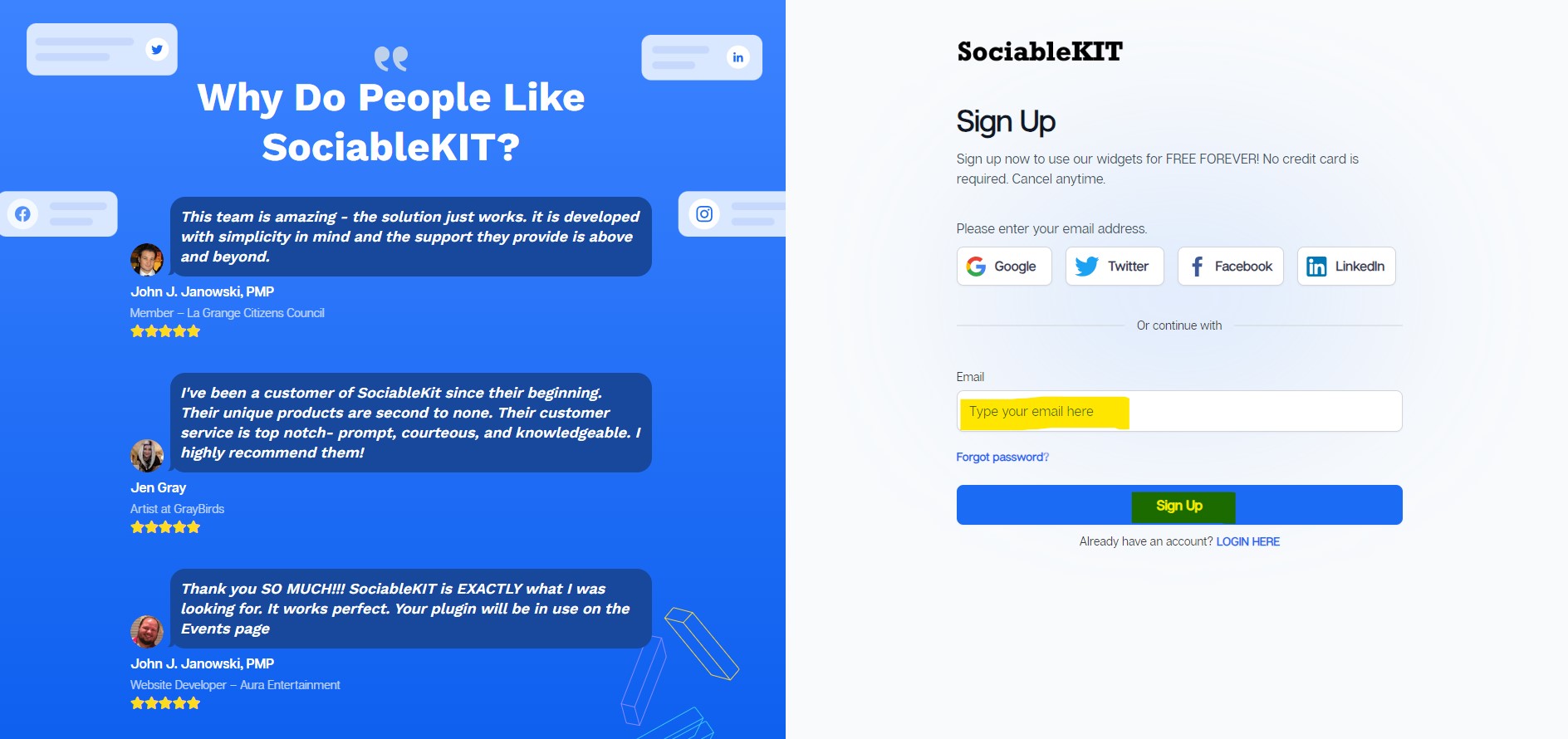
Sign up FREE or login to SociableKIT. You can login here if you already have an account. Once you sign up, you will start your 7-day premium trial. After 7 days, you can activate the free plan if you don't need our premium features.

-
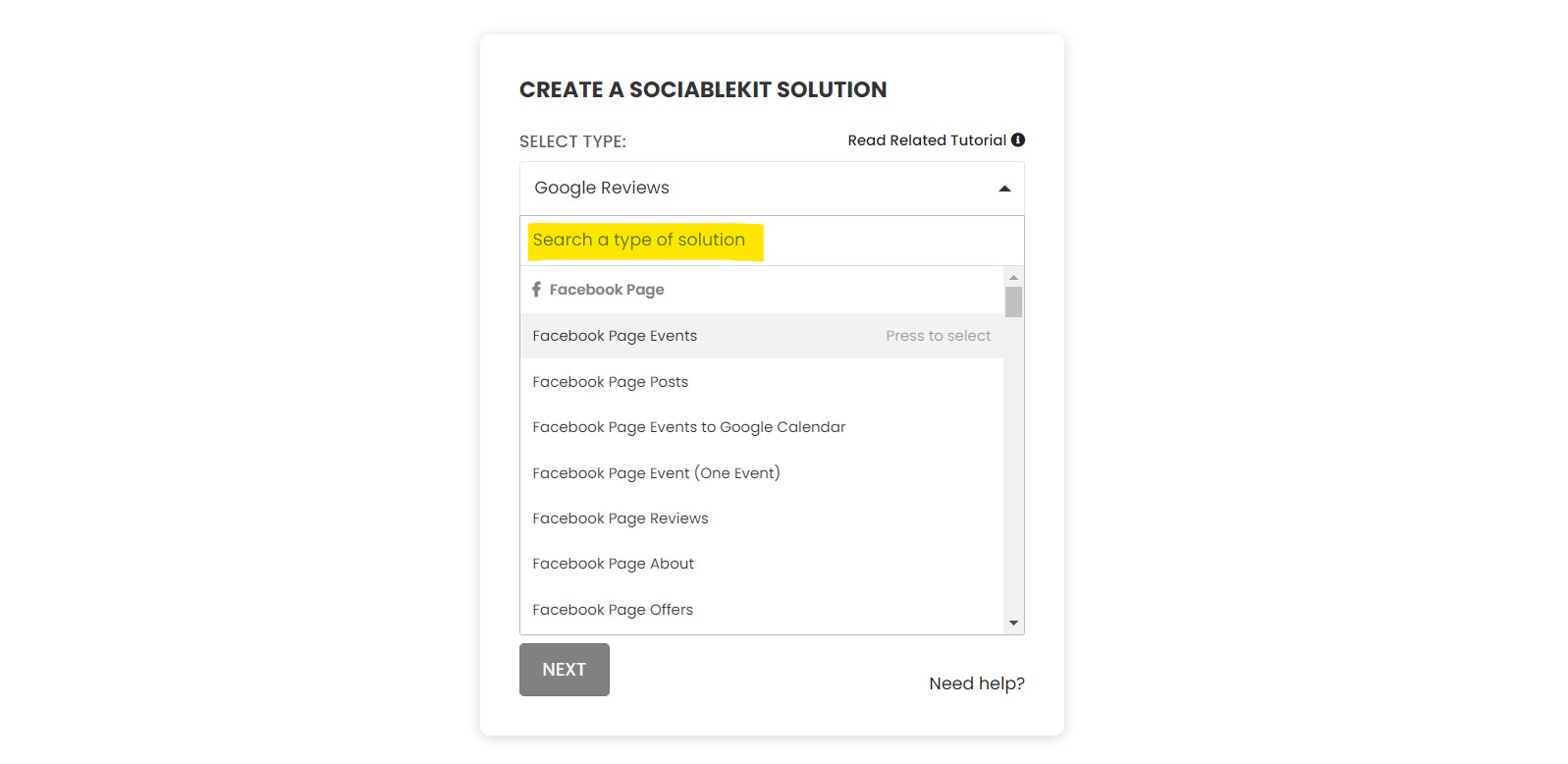
Select "Bbb reviews" on the dropdown. SociableKIT offers several social media feeds widgets. You might need to search it using the highlighted area below. Once found, you can then select it.
-
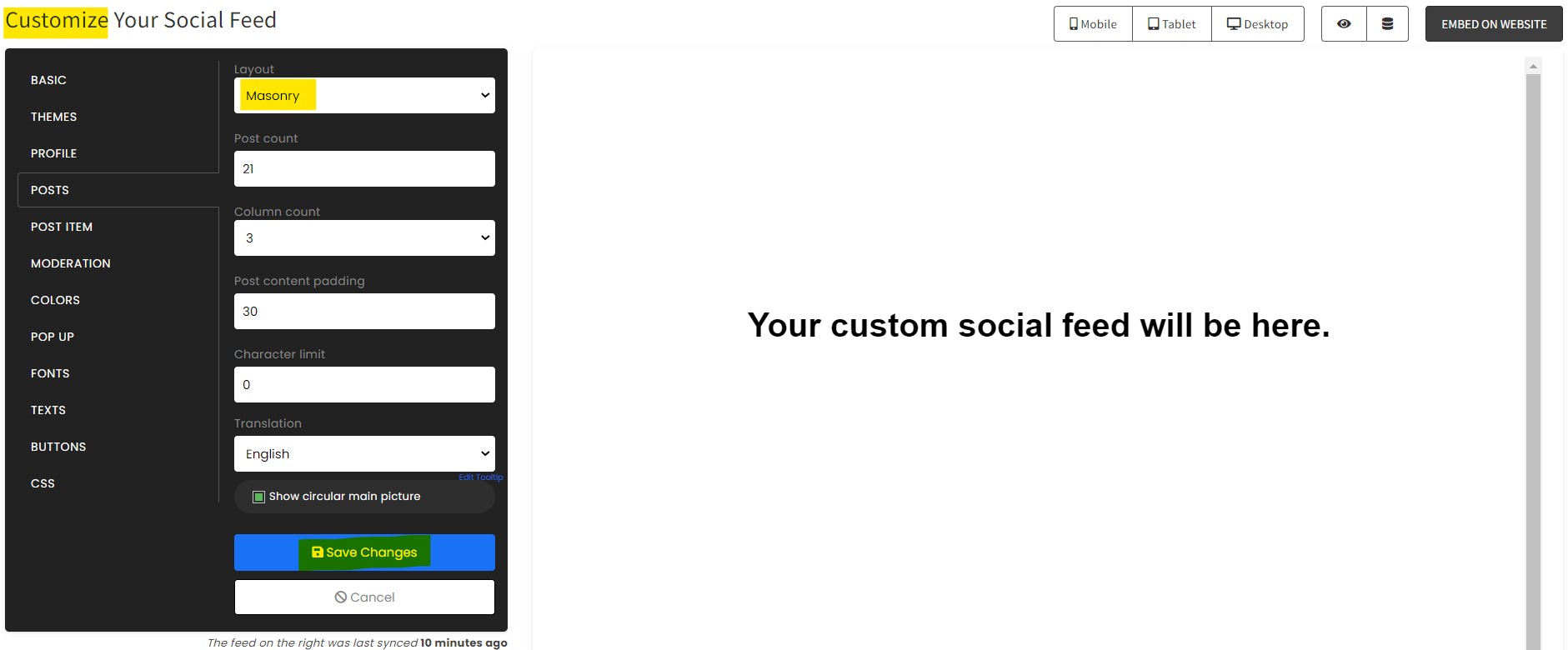
Customize your feed. Click the "NEXT" button to show the customization options of your social feed. You can change the layout, colors, font, and more to match your brand. Click the Save changes button.
-
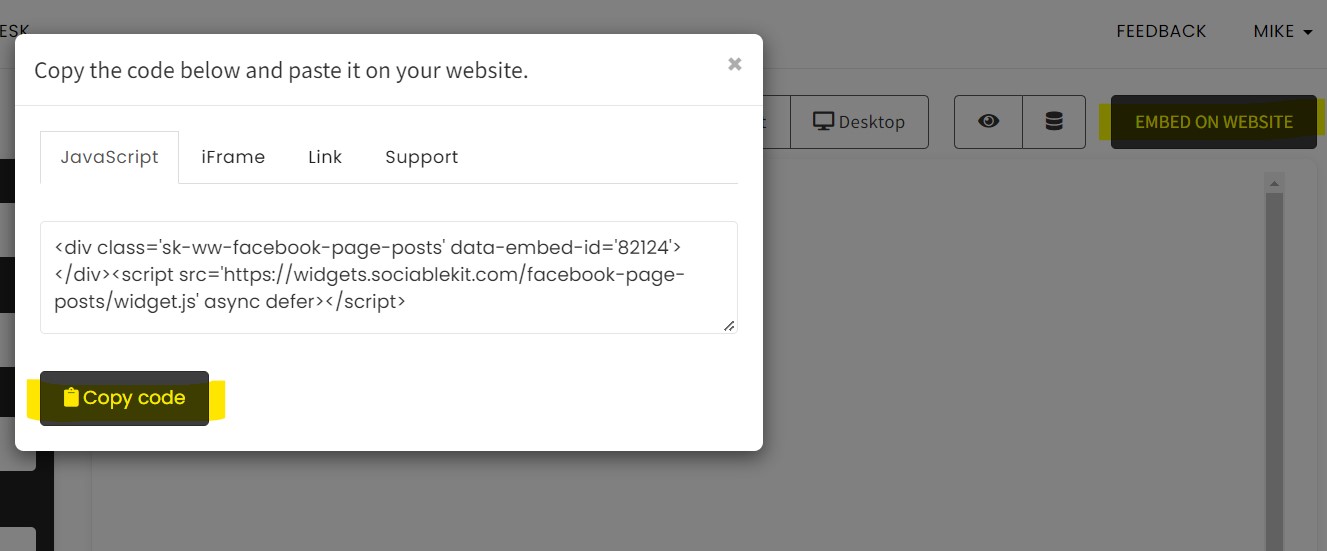
Copy the embed code. Click the "Embed on website" button on the upper right corner. Select your website builder. On the popup, copy the JavaScript embed code.
- Paste the embed code and save your BigCommerce website page. Please follow the second part below to add Bbb reviews widget to your BigCommerce website.
Add Bbb reviews widget to your BigCommerce website
The second part is adding your Bbb reviews widget to your BigCommerce website. After you customize your Bbb reviews widget and copied the embed code, it is time to add it to your BigCommerce website. Follow the steps below.
- Copy your free Bbb reviews widget embed code. Make sure you followed the first part above. It detailed how to you can create and customize your widget to get your free embed code.
- Login to BigCommerece.
- Create a new web page or edit the existing BigCommerece web page.
- On the left, click "Storefront".
- Click Web Pages.
- Click " Create a Web Page" or select the page you need.
- On the page content click the HTML button.
- Paste the embed code from SociableKIT.
- Click the update button.
- On the lower right, click save and exit.
- If you can't find your homepage in the pages list in "Web Pages", you need to add the code directly to the body of the page.
- On the left, click the "My Themes".
- Click the advance button dropdown list, and click "Make Copy".
- Type your theme name and click the "Save a Copy".
- Scroll down and click the dots icon button, and click the "Edit Theme Files".
- Paste the embed code from SociableKIT at the bottom of the page before the closing partial tag( {{/partial}} ).
- Click "Save File".
- Go to the previous page in "My Themes."
- Click the dots icon button, and click the apply.
- On the left, click Web Pages.
- Click the web page you created.

"This was a great way to easily embed Google Reviews into my client's Wix site. I had trouble at first because the business has no physical address listed, but the support team helped me out and everything is running smoothly so far. I recommend!"

Kristen Williams
"Super easy to set up and integrated seamlessly with my website."

Katie Rodgers
"Amazing customer service! I really love how quick the widget works. It looks beautiful! Glad I was able to find it."

Christa Stephens
"Great features! Very responsive support, and amazing quick turn around on enhancement request."

Crystal Davis-Gibbs
"It actually works, is very easy to implement, super powerful, looks great, and the price is right."

Coby Gifford
"An amazing set of plug-in solutions for a large number of social media web site integrations. I would lie if I said I've tried them all, but the ones I'm using are just stellar. The support is also superb. Not only are they helping you with all the little problems you might encounter, but they also listen to requests for new features. Requested features are then - more often than not - swiftly implemented. I wish all companies had support like theirs. I really can't recommend Sociablekit enough! 👍"

Johnny Strömbäck
"A fantastic set of plugins that truly helps navigate the ever changing world of social media and keeping our various platforms connected. The support team is fantastic and they have really been responsive to our needs."

Village of Bensenville
"I've been a customer of SociableKit since their beginning. Their unique products are second to none. Their customer service is top notch- prompt, courteous, and knowledgeable. I highly recommend them!"

Jen Gray
"I have to hand it to a company that goes above and beyond with their customer service... your team is a notch above anything I've experienced. Great software, great support - what else can you ask for?"

Yannick Picard
LIMITED TIME OFFER!
Sign up now to use our widgets for FREE FOREVER!
No credit card required. Cancel anytime.


Mike
Co-founder, SociableKIT
Hi! I'm Mike, the Co-founder of SociableKIT, a platform that helps website owners add beautiful and reliable social media feeds to their websites. Need support?
Contact our team on this page.
I'm also passionate about technology and enjoy sharing my experience and learnings online. Connect with me on Twitter, LinkedIn, Facebook, and Instagram.